

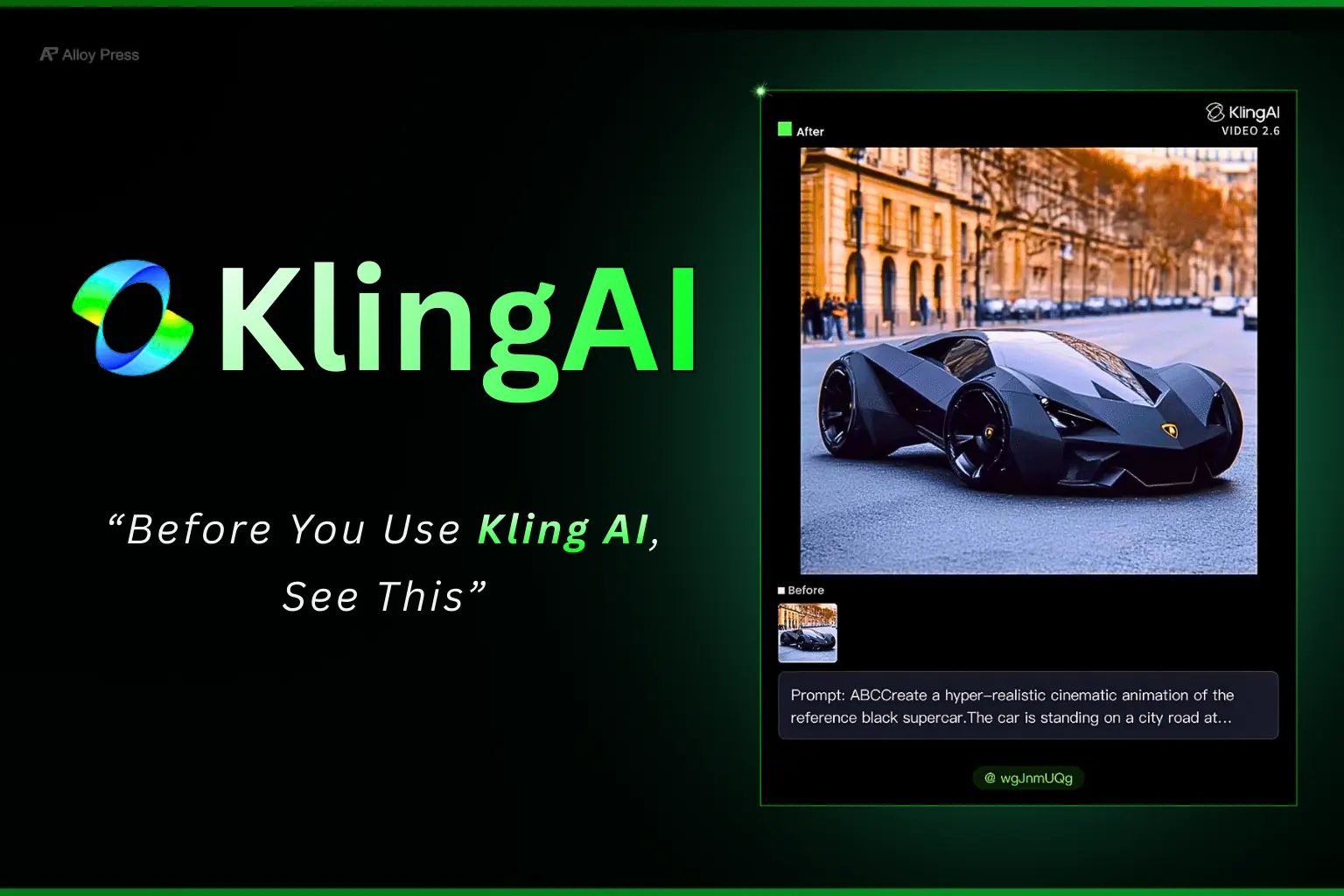
Note: This review is completely independent and shared real experience.
I tested Kling AI in detail and shared the honest truth about its features, video quality, pricing and real-world performance. Read this in-depth Kling AI review to see if it’s worth your time.
Kling AI is an AI tool that helps you create videos from text, images and prompts. If you’re new to this space, you can first understand how artificial intelligence tools work here. You don’t need editing skills or software. You just upload images, write what you want and Kling AI turns it into a video. It’s mainly used for animations, transitions and creative video experiments.
In this guide, we will look at Kling AI video options, output quality and free credits in detail.
Table of Contents
Kling AI Features Explained Simply (Quick Overview)
| Feature | Details |
|---|---|
| Free Credits | 66 credits (valid for 1 month only) |
| Pricing | Paid plans available, free plan is very limited |
| Video Options | Text to Video, Image to Video, Motion Control, Object Swap |
| Output Time | Usually 2–5 minutes (sometimes longer) |
| Output Quality | Good and realistic, depends heavily on prompt |
| Watermark | Yes, on free downloads |
| Audio Support | Yes, with or without audio option |
| Learning Curve | Easy for beginners |
| Prompt Importance | Very high – output depends fully on prompt quality |
| Free Plan Limitation | Only 1 proper test video possible |
| Credit Usage Speed | Credits finish very fast |
| Best Use Case | Social media videos, experiments, transitions |
| Professional Mode | Available, but uses more credits |
| Standard Mode | Uses fewer credits, limited quality |
| DeepSeek Integration | Yes, for prompt improvement |
| Before/After Download | Available, useful for creators |
| Multi-Image Support | Yes, via new Multi Image Reference option |
| Avatar Library | Available in Kling 01 |
| Object Editing | Can swap, add, and remove objects |
| Sound Effects | Available (free for now) |
| Free Plan Value | Good for testing only, not for regular use |
FREE Credits…
Initially, they were giving 166 free credits, but now in Kling AI you get only 66 credits. Almost 100 credits are reduced – feels bad, right? And these free credits are valid for only one month. After that, they will expire. So if you get free credits, use them within a few days.
Right now when a new user creates a Kling account they give around 66 free credits after login. But honestly those credits are almost useless because most of the time video generation does not even work on the free account.
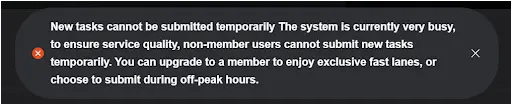
It keeps showing errors like “new task cannot be submitted temporarily the system is currently very busy.” I tried many times recently and only faced failures using the free plan. So I really do not understand why they keep giving free credits if people cannot properly use them. No real use guys.
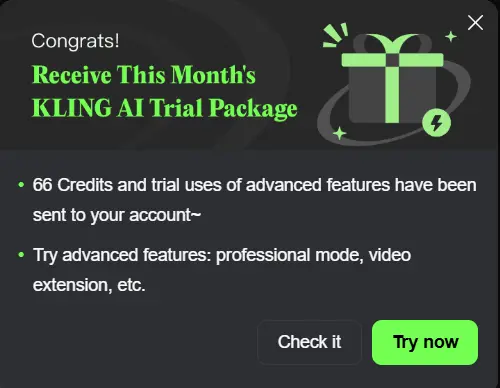
Free Account Credit Details:
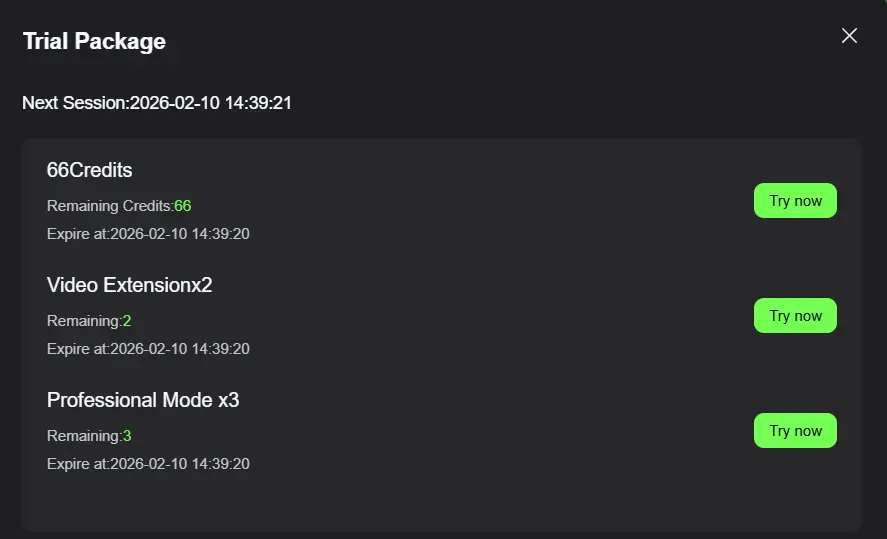
If you just want to explore the interface, the free version is enough. But if you’re planning to generate videos consistently or test multiple prompt variations properly, the paid plans make a noticeably bigger difference in workflow and output quality.
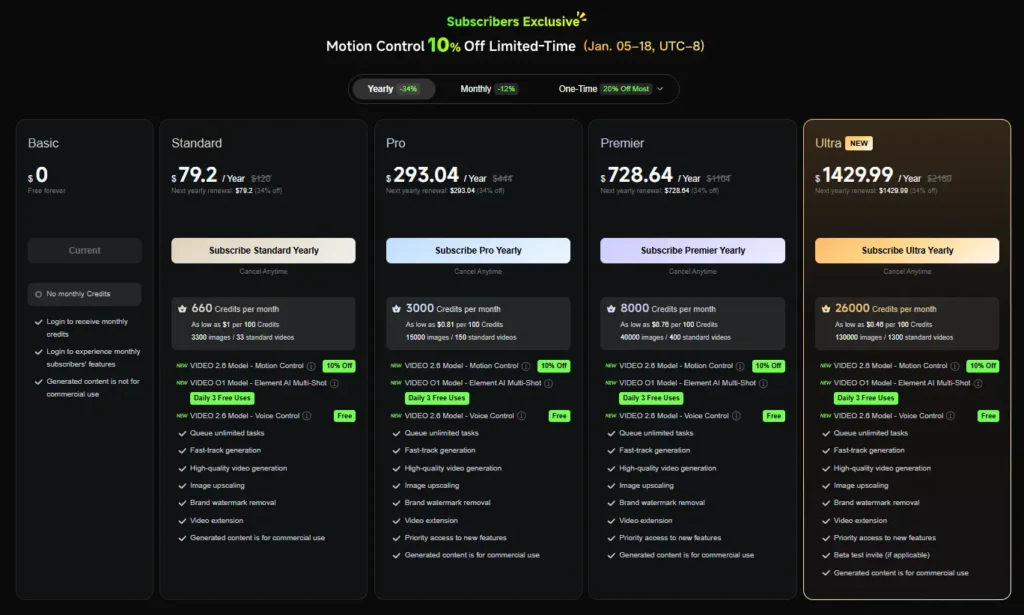
You can check the current Kling plans here.
Motion control:
Right now, most trending viral videos are made using the motion control option.
The process is simple:
You upload the reference video you like and next to it, you upload your own image.
But for me, this was my first failure.
I uploaded a bike transition video and then uploaded a bike image. After that… it just kept loading. Nearly one full day it was loading. In the end, it showed that it cannot be processed because it did not match their guidelines.
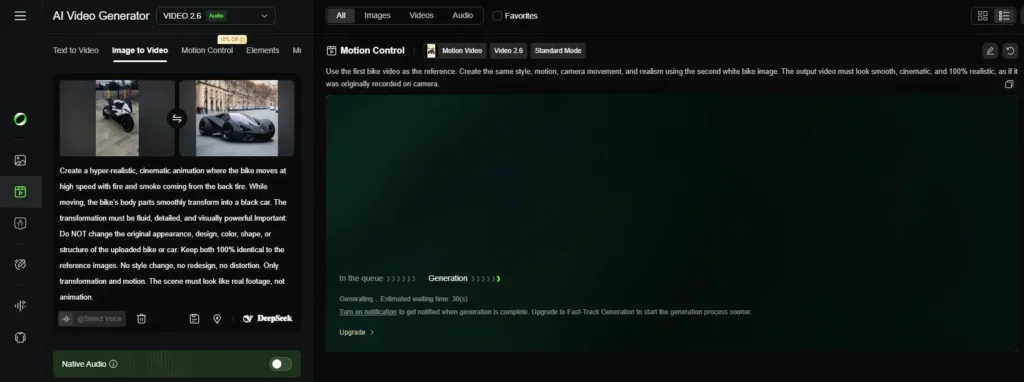
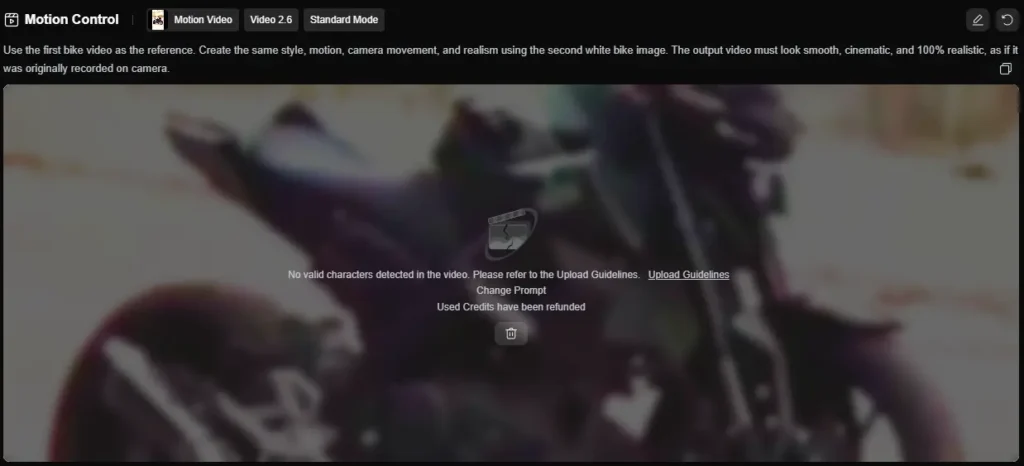
That’s when I understood the mistake. One good thing, they refunded the credits I lost.

So for your reference, I’ve attached the guidelines screenshot image below.
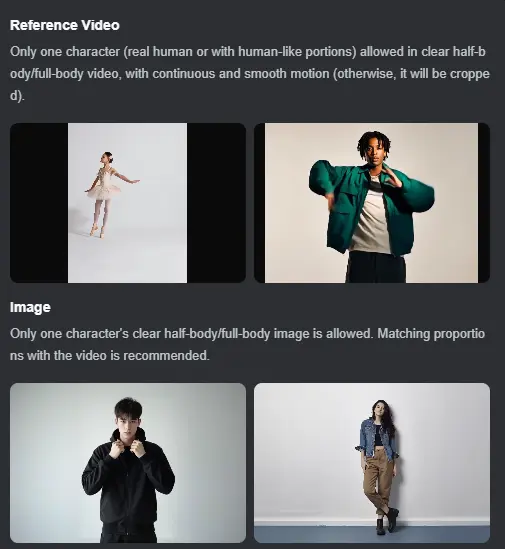
Important thing to note:
By default, the “Character Orientation Matches Video” option is selected. When this is on, complex motions work better.
Learn from my mistake. Follow the guidelines, or you’ll just waste time like I did.
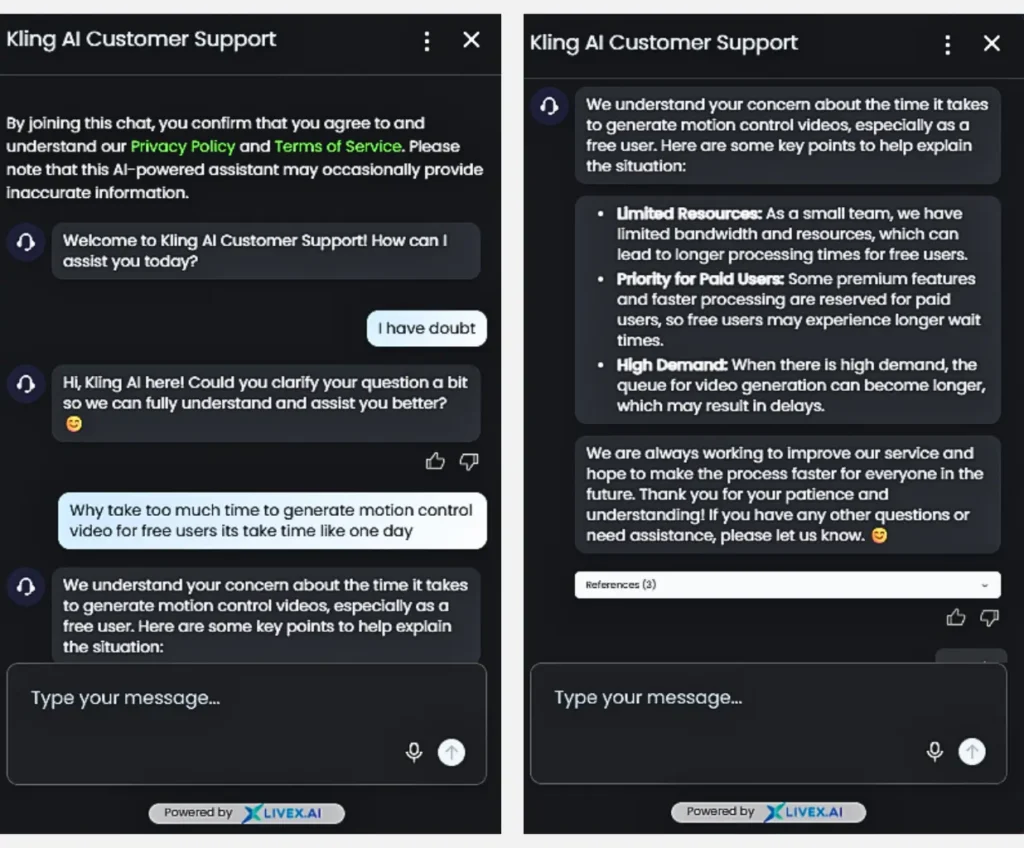
I contacted Kling AI customer support and asked them my questions. They replied and you can check their response in the image below.
Text to Video.
You can use the Text to Video option to just enter text and generate a video directly.
Prompt:
“Create a hyper-realistic cinematic transformation sequence. A white futuristic car is driving at extreme speed on a city highway. The tires burn the road, creating thick smoke, fire sparks, glowing embers, dust and heat distortion. The camera follows the car in a low, aggressive tracking shot with heavy motion blur and reflections. The car hits a ramp and jumps into the air. While in mid-air, the car starts transforming into a Transformers-style robot. The entire car must transform, no part of the car should remain. Show full mechanical conversion:– Wheels rotate and become legs – Doors split and form arms– Hood and windshield rebuild into the chest– Roof and rear body fold into the back and shoulders– All panels slide, rotate, expand and lock into a complete robot body No morphing, no melting, no fading. Only mechanical motion with joints, pistons, metal sliding and locking. The transformation must complete 100% before the robot touches the ground. The fully formed robot lands powerfully, creating a shockwave of dust and smoke. After landing, the robot stands up and strikes a strong heroic pose, facing the camera, confident and powerful, with cinematic lighting, glowing highlights, smoke drifting around. Ultra-realistic, Hollywood-level VFX. Looks like real movie footage, not animation.”
Output:
I just imagined my idea, gave the prompt to ChatGPT to create the best animation prompt, and the output came out really good from Kling AI. The output came really fast.
Image to Video:
I uploaded the first frame and second frame images, If you don’t have good images, you can also use AI image generator to create high-quality visuals. Typed the prompt below, and clicked generate. The image you see below is the result.
Prompt:
“Create a hyper-realistic cinematic animation of the reference black supercar.The car is standing on a city road at golden hour.Soft sunlight reflects on the sharp black body panels.The camera slowly moves around the car in a dramatic cinematic orbit.Show reflections, glossy paint, shadows, and depth of field.The headlights turn on.A deep engine rumble starts.Light smoke slowly comes from the tires.The car begins to move forward with controlled power.A voice says:”Power is not built… it is unleashed.”Do NOT change the car design, shape, or color.Keep the car 100% identical to the reference image.Ultra-realistic lighting, cinematic look, real movie footage style.”
Output:
Kling AI generated output (Image to Video)
The output looks good, feels realistic and the camera movement is smooth.
That’s when I realized the real problem:
As a free user, you can only generate one video. If you want it faster or want to generate more, they clearly push you to buy the paid plan.
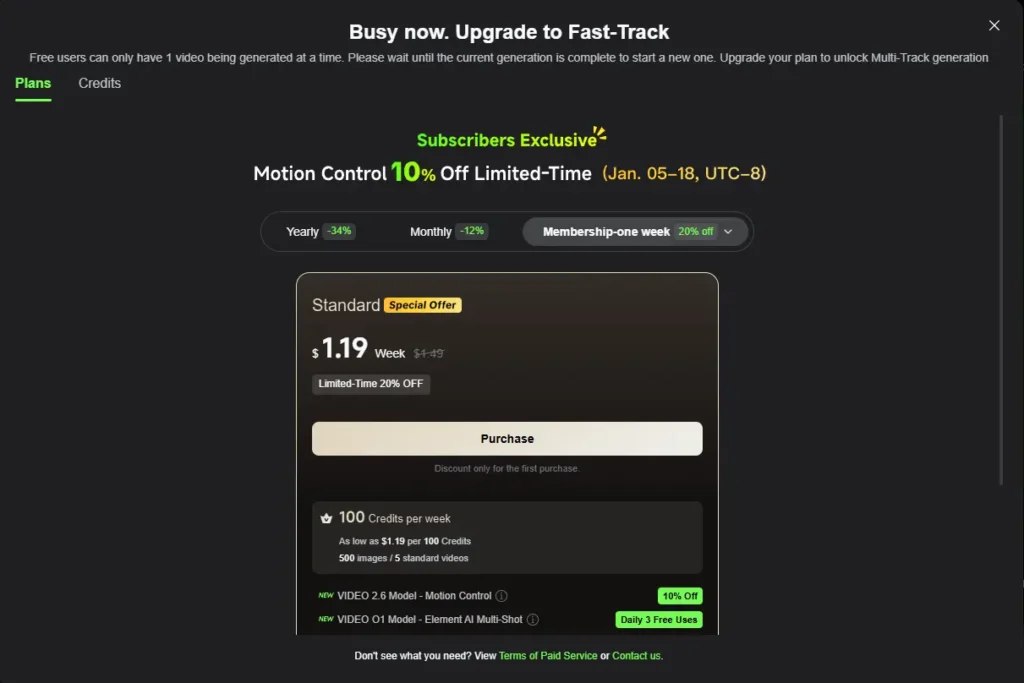
When you generate videos for free, you can choose 5 seconds or 10 seconds.
But here’s the twist.
If you select 5 seconds, they charge 25 credits.
If you try Image to Video and select 10 seconds, they charge 50 credits.
Sounds okay, right?
Nope.
Because on a free account, they don’t even allow 10 seconds. The moment you select it, they start pushing you to upgrade your plan.
So basically, they show you the option… but block you from using it.
Classic bait move.
In the Image to Video section, there are two different options.
Option 1: You upload a start frame and end frame image, write the prompt and generate the video. For this, you need to spend 25 credits.
Kling AI generated output (Image to Video)
Option 2: You upload only the start frame and an audio file. In this option, you cannot add an end frame. To generate this, you need 60 credits.
The good part?
The video was ready in just 3 minutes.
And even better, you can record your own voice, save it and use your own voice again whenever you want.
Simple. Fast. Useful.
Related Reading: Best AI Video Generators
Current New Update in Image-to-Video Section!
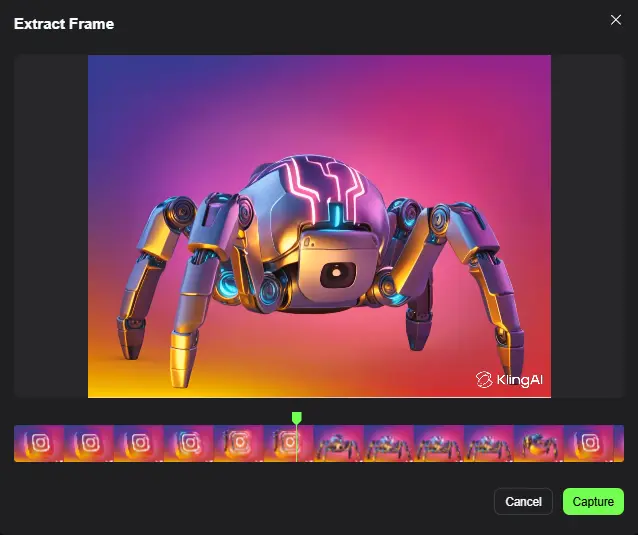
You can now take key frames directly from an existing video and use them as the starting or ending frame, without needing to take manual screenshots.
With the new frame extraction feature, you can select and apply frames instantly, making the process more accurate and seamless.
This also helps create smoother, more natural transitions in your videos.
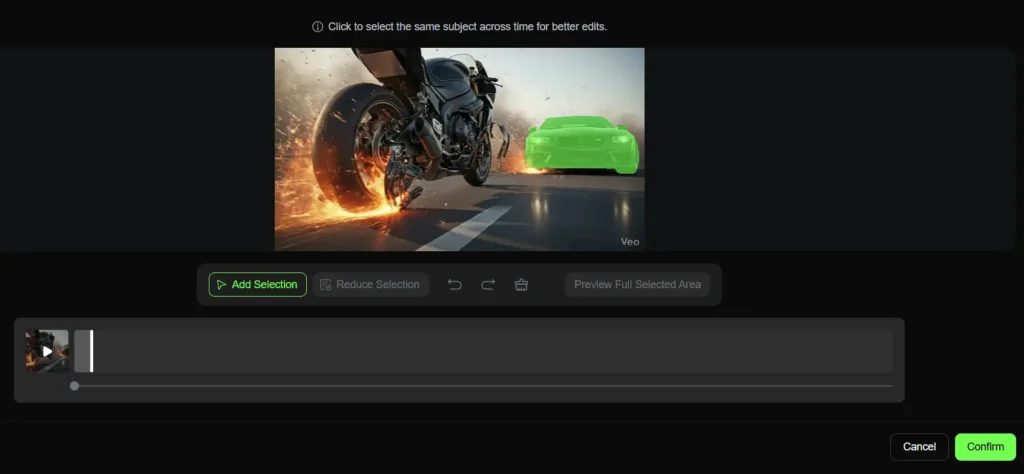
Multi Elements
You can upload a video and then swap objects, add new ones or delete anything inside it.
I tried this on my own video.
I swapped the car in the video, and it worked.
After that, you just need to upload the new image.
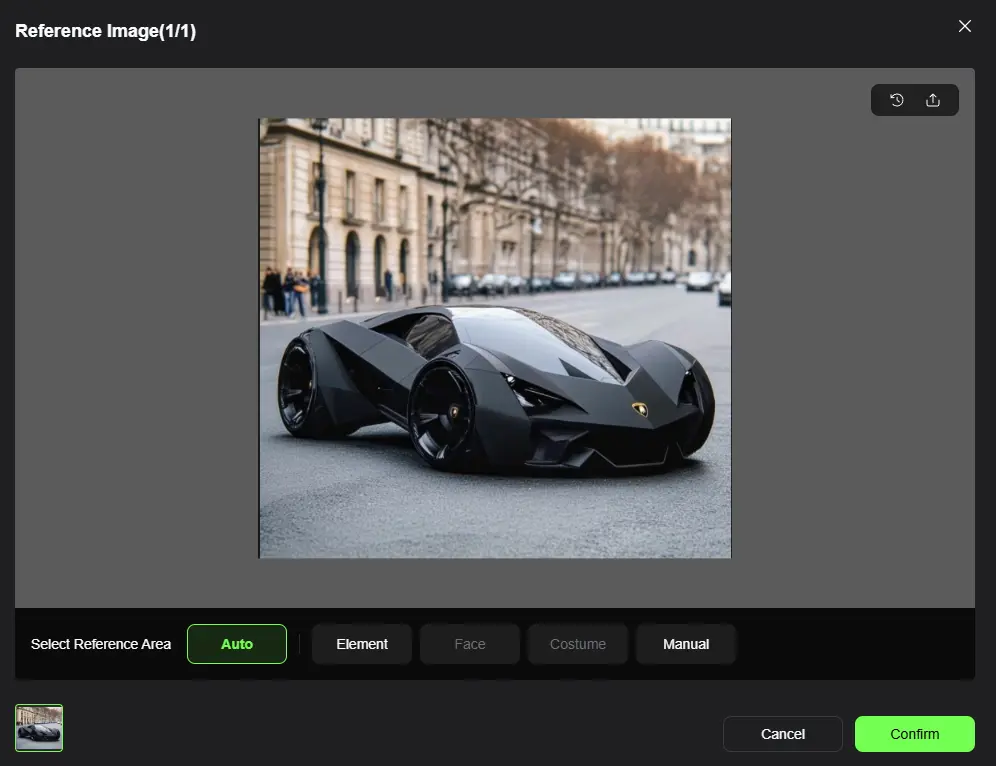
You can also type your own prompt and add sound effects, which are free for now, but there’s a high chance they may remove the free option in the future. When generating a video, Standard mode costs 60 credits and Professional mode costs 100 credits. Free users get 3 trials of Professional mode but the problem is it uses a lot of credits very quickly. Initially, they give you 66 free credits, which is basically enough to test only one video. I tried it, the swap worked, but the output was not that great. It was okay, not impressive. So yes, you can test it but don’t expect amazing results with free credits.
Prompt:
swap [car] from image1 for [car] from video change the car
Output:
The output is not perfect, but the swaps work correctly. In more complex scenes, it still struggles.
Kling AI generated video using multi elements option
Elements
Using this option, you can upload four images and create an animation video from them.
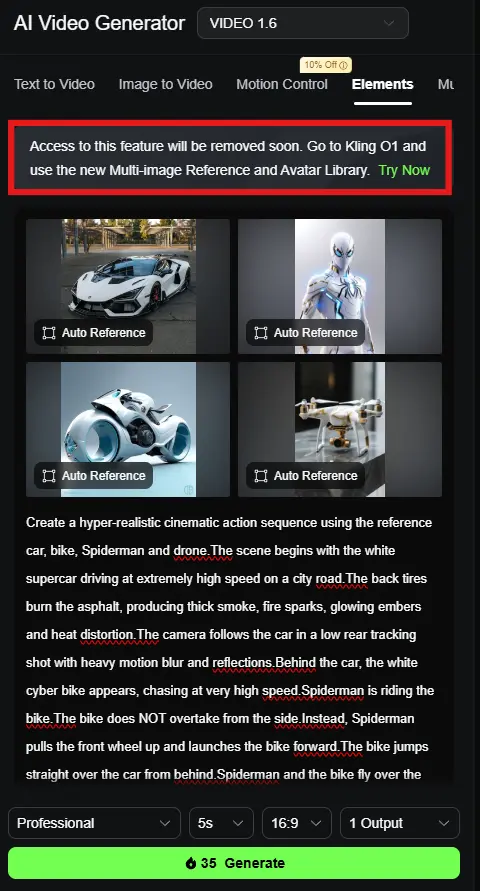
I uploaded four images, selected only the main element in each image, typed the prompt and clicked generate. In Professional mode, it used 35 credits. If I choose Standard mode, it uses only 20 credits.
“But it struggles in complex scenes.” for balance.
But now, this elements section will be removed soon. Instead, you have to go to Kling 01 and use the new Multi Image Reference and Avatar Library features.
So yeah, things are changing. If you don’t adapt, you’ll be stuck.
Currently the output is not generated, reason in below image for your reference.
If Kling AI doesn’t fully match your needs, you can explore other powerful kling ai alternatives that offer free plan and best outputs.
Download:
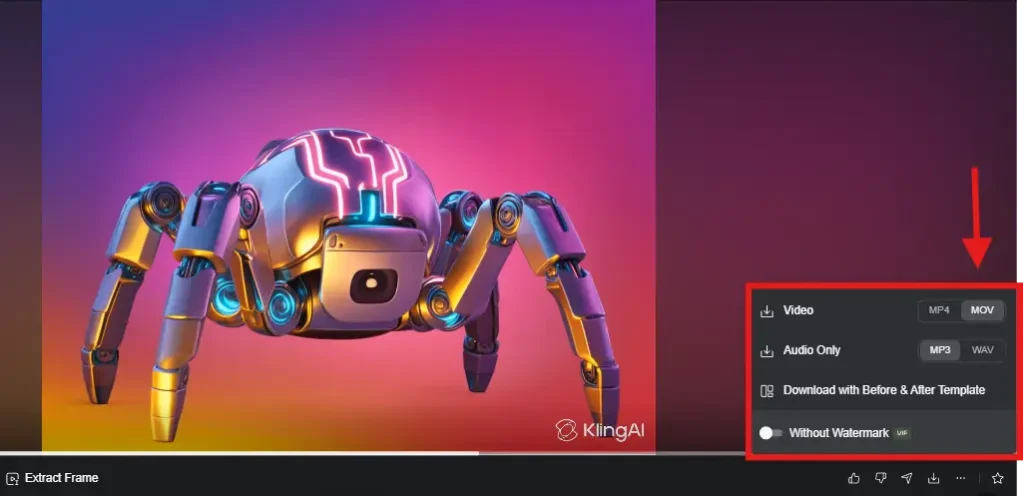
Free account users can download the video, but it will come with a watermark. They also give another download option that shows before and after comparison, which looks really good. This is especially useful for content creators, This works well for people using social media marketing tools to grow their content, who want to show people the transformation in their videos.
When you download the output, you can choose with audio or without audio. So if you only need the video, download it silent. If you need sound, download it with audio. Simple choice, No confusion.
Kling now supports .MOV video downloads, making files easier to edit in professional video software without extra conversion.
Pricing Details:
FAQ’s
1. Is Kling AI free to use?
Yes, Kling AI gives free credits, but they are very limited. You can mostly test only one video. It’s good for trying, not for serious use.
2. Why is my Kling AI output not coming good?
In most cases, the problem is the prompt. If your prompt is unclear or incomplete, the output will be weak. When you give detailed and clear instructions, the result improves a lot.
3. How many free credits do I get in Kling AI?
Currently, Kling AI gives 66 free credits. Earlier it was more, but now it’s reduced. These credits also expire in one month, so you must use them quickly.
4. Can I download videos from Kling AI for free?
Yes, free users can download videos, but there will be a watermark. You can also download with or without audio.
5. Is Kling AI worth buying?
If you only want to test, free is not enough. But if you want to create videos regularly, then buying is worth it because free limits are very tight.
What Real Users Are Saying About Kling AI
Most users are clearly unhappy with the overall experience. The biggest issues are around billing and subscriptions, like unexpected charges, difficulty cancelling and confusing credit systems. The AI itself is also inconsistent, often producing poor or irrelevant results and not matching expectations. On top of that, even the free credits don’t seem to work properly, which makes it feel misleading for users who expect to try the tool before paying.
There are a few positives. Some users say it can generate good content or videos when it works, especially if you understand how to use it well. But overall, the platform feels unreliable, slow and frustrating for most people.
Final Verdict:
We tested Kling AI and the free plan is mainly for learning. You can create very few videos and only use basic features but when it works, the quality can look good. Looks like even trying the tool properly is becoming difficult on the free account. They give 66 credits and make users excited to test it but most of the time videos do not generate and no output comes.
Mistakes do happen, but better, more detailed prompts usually improve the results. The free version is limiting for regular use, so upgrading helps if you want to create more.
DeepSeek inside the prompt box is useful for writing stronger prompts. Overall, Kling AI is good, it just needs patience and practice.
Useful Related Articles
- Grok Alternatives
- Kling Alternatives
- SORA Alternatives
- Best AI Video Generators
- Best AI Image Generators
- GravityWrite Alternatives
0 Comments