

TL;DR:
I tested 10 AI landing page builders using the same prompt to see which tools could actually create a high-quality landing page with minimal manual work. After comparing the generated designs, prompt accuracy, ease of editing and overall output quality, I picked the best-performing tool from my testing. This guide breaks down what worked well, what didn’t, and which AI landing page builder is worth trying based on your needs.
What Is an AI Landing Page Builder?
An AI landing page builder is a tool that uses AI to create a landing page from a simple prompt. Instead of designing everything from scratch, you describe what you need and the tool generates the layout, copy, sections and design for you. If you need to build more than a single landing page, AI website builders can create complete websites from simple prompts. You can then edit and customize the page before publishing it.
Common Prompt build the Landing Page for all tools
Prompt used for testing
AI Landing Page Quick Comparison Table
| Tool |
 Leadpages
 |
 Lovable
 |
 Landingi
 |
 Framer
 |
 Wix
Wix |
|---|---|---|---|---|---|
| Try Now | Try Now → | Try Now → | Try Now → | Try Now → | Try Now → |
| Starting Price | $99/mo (Grow) | $5/mo (Pro) | $24/mo (Build) | $10/mo (Basic) | $17/mo (Light) |
| Best For | Lead generation & conversion pages | AI app/product building, not just pages | Landing pages & marketing campaigns | Designers & modern websites | All-in-one business websites |
| Standout Strength | Followed the test prompt closest – best output with least manual cleanup | Cheapest entry point, clean modern output, fast generation | Very high prompt accuracy, 400+ templates, strong drag-and-drop | Easiest to manually restyle after generation | Full website + store builder, 500+ integrations |
| Biggest Drawback | Heavy credit usage (1,309 credits for one advanced page) | Misses finer prompt details unless prompt is very detailed | Advanced features locked behind higher tiers | Output can feel generic; hero lacks “wow factor” | Strayed furthest from the prompt – needs most manual cleanup |
AI Landing Page Builder Pricing Comparison
| Tool |
Leadpages |
Lovable |
Landingi |
Framer |
Wix |
|---|---|---|---|---|---|
| Free Plan / Trial | 7-day free trial | Free plan | 14-day free trial | Free plan | Free plan |
| Starting Paid Plan | $99/mo – Grow | $5/mo – Pro | $24/mo – Build | $10/mo – Basic | $17/mo – Light |
| Other Paid Plans |
$199/mo – Optimize $399/mo – Scale | $50/mo – Business |
$119/mo – Optimize $229/mo – Scale | $30/mo – Pro |
$29/mo – Core $39/mo – Business $159/mo – Business Elite |
| Enterprise | – | Platform fee | From $1,199/mo | Custom | – |
| Pricing Model | Tier-based | Credit-based | Landing-page + usage limits | Site-based | Website + business features |
| Best For | Lead generation & conversion | AI app/product building | Landing pages & marketing campaigns | Designers & modern websites | Businesses & all-in-one websites |
Let’s explore the top AI landing page builders in more detail to see which one fits your needs and workflow best.
5 Best AI Landing Page Builders in 2026 (Sep)
1. Leadpages
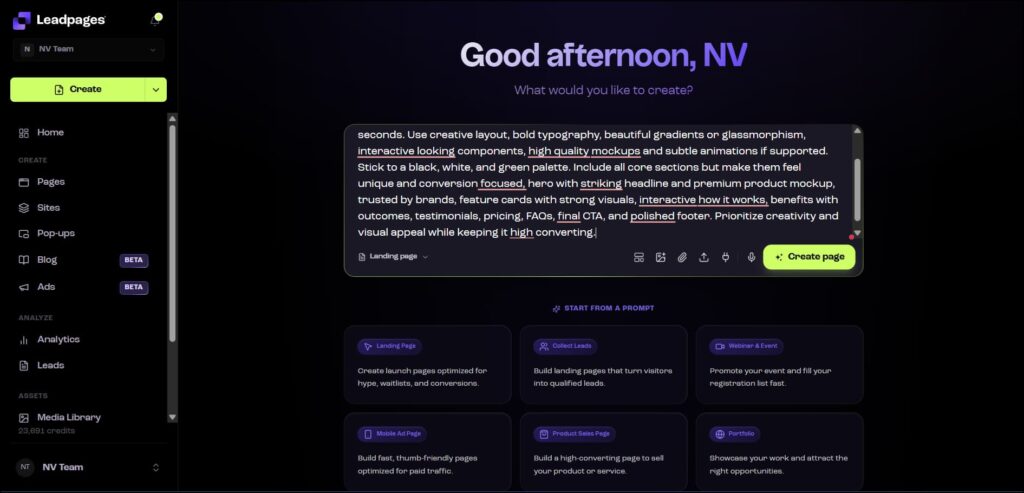
Leadpages is a beginner friendly builder that helps you create marketing pages quickly without coding, using templates and simple AI features.
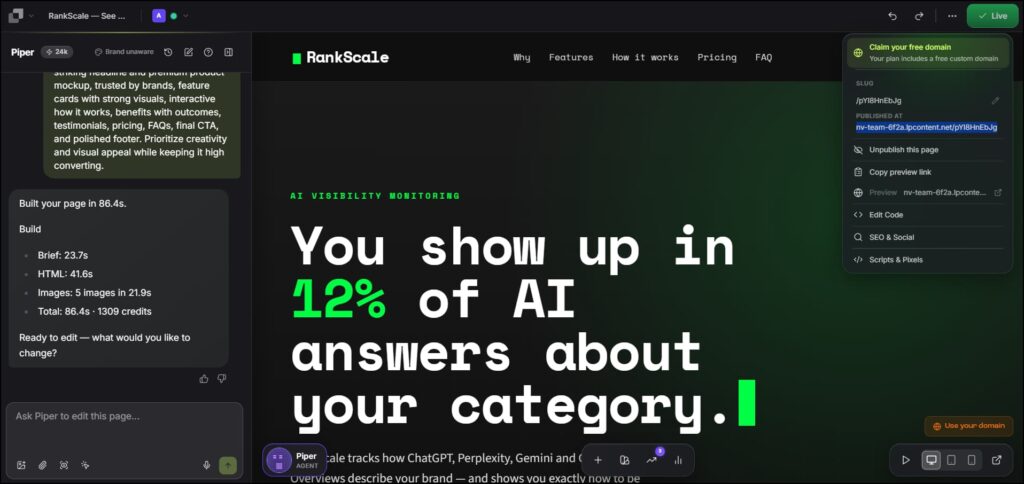
Creating an advanced-level landing page used 1,309 credits. The output was generated quickly and you can publish it right away. Before publishing, you can also edit anything you need.
My Experience
We can use Leadpages to quickly build a landing page and the output turned out really well. It followed the prompt closely, and the animations were also good. Overall, out of all the tools I tested, Leadpages gave me the most satisfying output.
Leadpages
- Beginner-friendly
- Quick landing page generation
- No coding needed
- Can edit the page after generating
- Can publish after making changes
- Can use a lot of credits for generation
- Credit usage can be a concern
- May need editing before publishing
- –
- –
2. Lovable
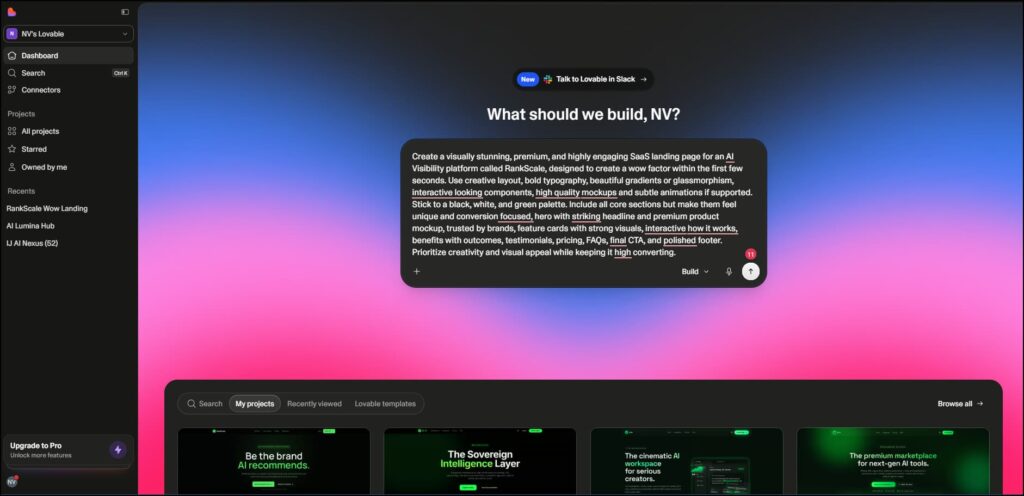
Lovable is an AI first builder that creates landing pages and web apps from natural language prompts.
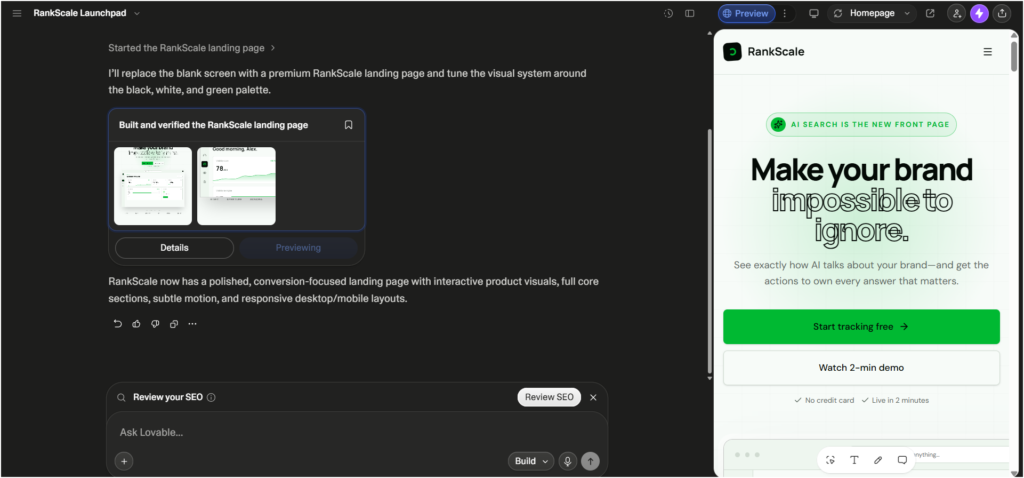
Lovable
Pros
- Generates real backend code, not just design
- Edit visually or with chat prompts
- Fastest option to launch a website
- Simple and beginner-friendly workflow
- Clean, modern-looking output
Cons
- Free plan has very limited credits
- No custom domain on free plan
- Lovable branding stays unless you upgrade
- May miss finer prompt details
- Detailed prompts may be needed
3. Landingi
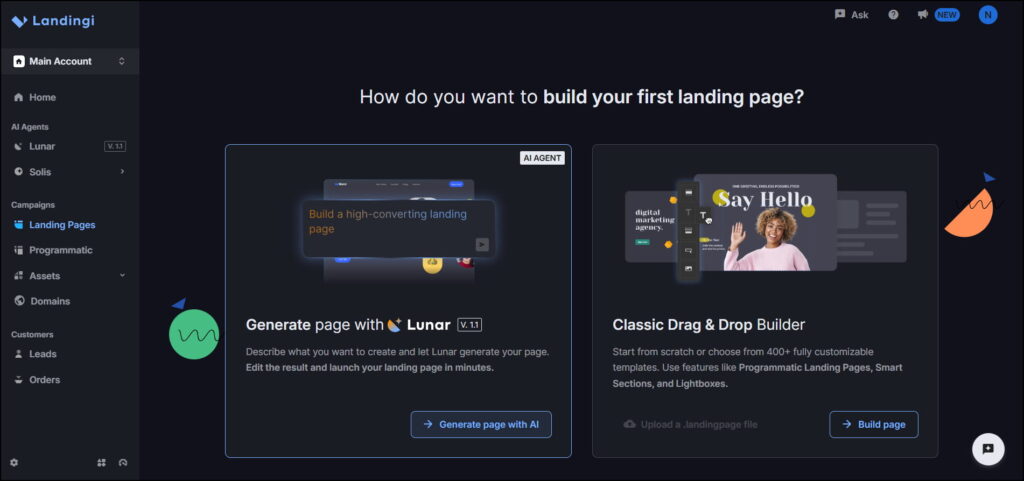
Landingi is an AI powered drag-and-drop builder that helps teams create, publish and optimize landing pages fast.
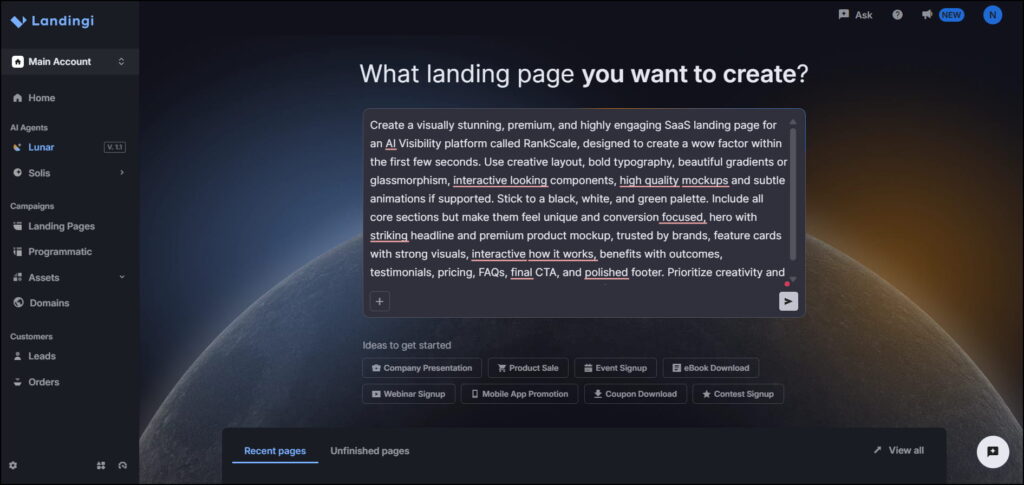
My Experience
Overall, the tool did a good job of translating the prompt into a complete landing page. It followed the requested black, white and green color palette, generated a strong hero section with a premium dashboard mockup and included all the key sections I asked for, such as feature cards, a “How it works” section, testimonials, pricing, FAQs, a final CTA and a polished footer. The typography spacing and overall layout also matched the premium SaaS style described in the prompt. From my testing, the output required very little manual editing, showing that Landingi can follow detailed prompts quite accurately and generate a professional landing page in a short amount of time.
Landingi
Pros
- Easy drag-and-drop editor
- Generates landing pages quickly with AI
- 400+ templates to choose from
- Strong integrations and marketing features
- Good for conversion-focused landing pages
Cons
- Some layout options are limited
- Advanced features require higher plans
- Traffic limits can affect larger campaigns
- Native analytics are fairly basic
- Not a full funnel-building platform
4. Framer
Framer is an AI powered landing page builder that turns a simple text prompt into clean, modern pages with smooth animations and easy visual editing.
My Experience
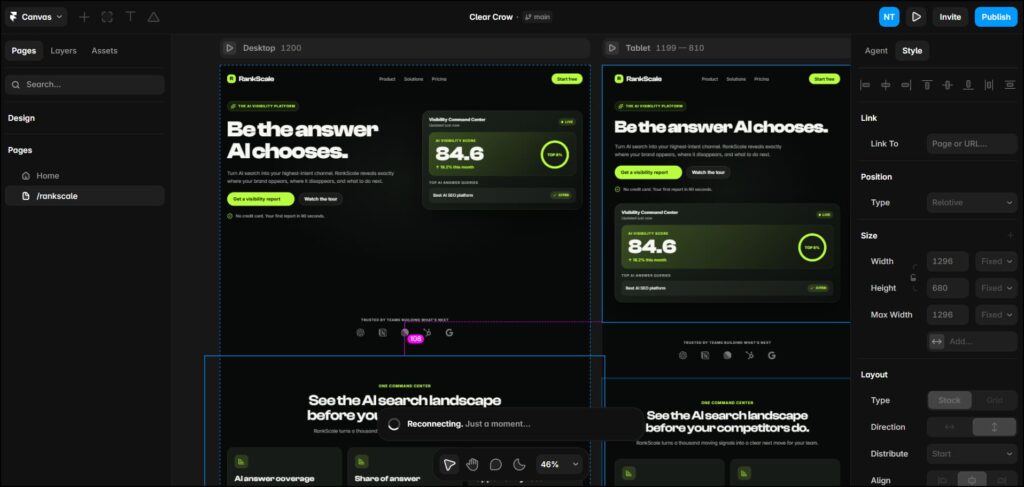
The page is clean and has all the sections we asked for, but it feels a bit like a standard template. Fonts and spacing can be tightened to look sharper and the hero could use a stronger visual or headline for that “wow” factor. The good thing is, after generating the page, it’s easy to edit and customize everything. You can tweak the design, add effects and use plenty of editing options to make it feel more unique. So, it’s a good start, but it still needs some design polish to really stand out.
Framer
Pros
- Simple and modern design
- Has all the main sections
- Easy to edit after generation
- Lots of design and customization options
- Easy to add effects and animations
Cons
- Can feel a bit like a standard template
- Fonts and spacing may need some polishing
- Hero section could have a stronger wow factor
- May need extra design work to make it stand out
- —
5. Wix AI
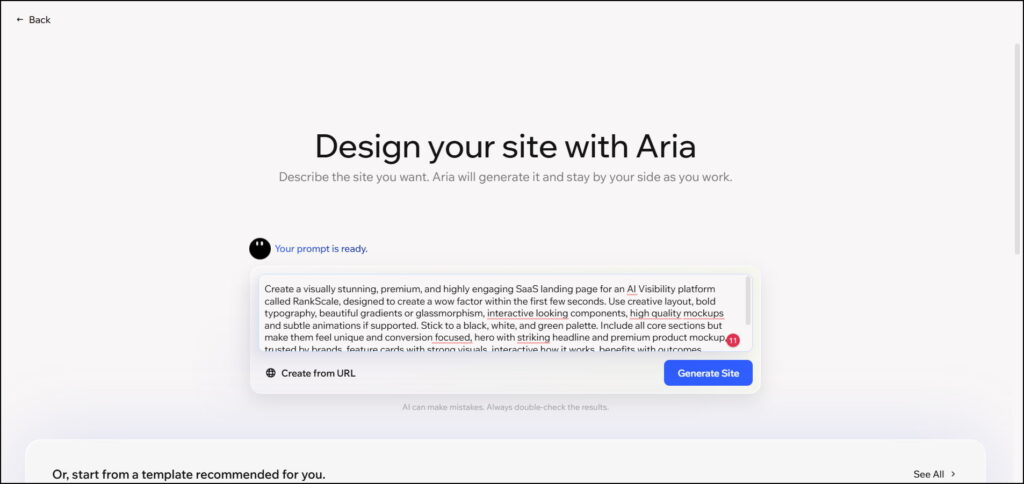
Wix AI builds full websites including landing pages from a simple prompt with ready layouts and easy customization.
My Experience
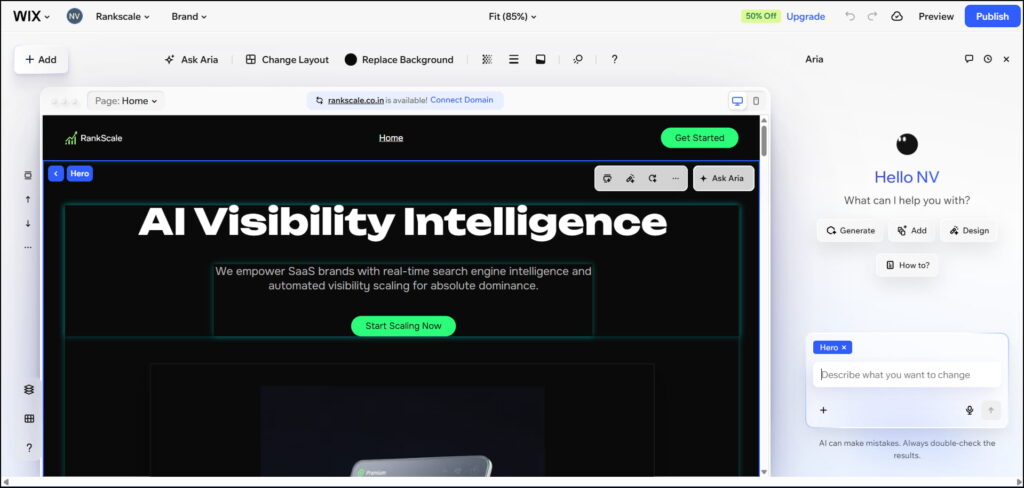
With Wix, we can create a landing page in a few minutes, and it can add animations. However, the output did not fully match my prompt. It added too many animations, used the same animation across different sections and some alignments were not right. The hero section also had a large animation that covered some of the content.
Overall, the Wix output was not exactly what I expected. We can still edit everything manually, so a manual review is important. We need to make the required changes and adjust the design to get a better final result.
Pros
- Easy to use for beginners
- Builds complete websites, not just landing pages
- 500+ integrations and business tools
- Includes built-in ecommerce features
- Offers plenty of customization options
Cons
- AI output may need significant manual cleanup
- Can stray from detailed prompts
- Some advanced features require higher plans
- Design can feel less focused than specialized landing page builders
- May take more time to refine the final page
AI Landing Page Builder Feature Comparison
| Feature |
|
|
|
|
|
|---|---|---|---|---|---|
| AI Page Generation | ✅ AI Page Builder | ✅ AI Chat Agent | ✅ AI Page Composer | ✅ AI Design Agents | ✅ Wix Harmony & Aria AI |
| Drag-and-Drop Editor | ✅ | – | ✅ | – (Canvas-based) | ✅ |
| Visual Editing | No-code editor | Visual edits & preview | Visual editor | Visual canvas | Visual editor |
| Templates | 160+ | Starter templates | 400+ | Marketplace templates | 900+ |
| Animations & Effects | – | – | – | ✅ Advanced animations & effects | – |
| Pop-ups & Alert Bars | ✅ | – | ✅ | – (Needs plugin) | – |
| Lead Capture | ✅ | – | ✅ | ✅ Forms & integrations | – |
| A/B Testing | ✅ | – | ✅ Server-side A/B/X | – (Limited via plugin) | – |
| Analytics & Tracking | ✅ Built-in analytics | – | ✅ EventTracker | ✅ Built-in analytics | ✅ Analytics & Reports |
| Dynamic Text Replacement | ✅ | – | ✅ DTR | – | – |
| SEO Tools | – | – | ✅ AI SEO tools | ✅ Built-in SEO tools | ✅ Built-in SEO tools |
| E-commerce & Payments | ✅ Stripe | ✅ Stripe | ✅ Stripe, PayPal, Shopify | ✅ Shopify (via plugin) | ✅ Online store & payments |
| Integrations | ✅ 50+ tools | ✅ Supabase, GitHub, Stripe | ✅ 170+ integrations | ✅ Plugin marketplace | ✅ 500+ integrations |
| Multi-language / Translation | – | – | ✅ 35+ languages | ✅ Native localization | – |
| Publishing Options | ✅ Custom domains | ✅ One-click deployment | ✅ Custom domain, subdomain, WordPress | ✅ Custom domain, one-click publish | ✅ Custom domain |
| Collaboration | – | ✅ GitHub sync & team collaboration | – | ✅ Real-time collaboration | – |
| Website / App Building | ✅ Multi-page websites | ✅ Full-stack apps & websites | – | ✅ Websites with CMS | ✅ Full website builder |
Conclusion
After testing 10 AI landing page builders with the same prompt, Leadpages was my overall pick because it gave me the most satisfying result with strong design, good animations and very little work needed after generation. If you want a tool that can turn your prompt into a polished landing page quickly, Leadpages is the one I would choose. If prompt accuracy is your main priority, Landingi is another strong option, while Framer, Wix and Lovable are worth considering if you want more flexibility or a different building experience.
Frequently Asked Questions (FAQs)
There isn’t one best tool for everyone. It depends on what you need. In our testing of 10 AI landing page builders, we compared the design quality, prompt accuracy, ease of editing and how much manual work was needed. The tool that performed best overall in our testing is the one we recommend as the top pick.
Start by giving the AI a clear prompt describing your business, target audience, goal, sections and design style. The tool will generate the page, which you can then review, edit and publish.
Yes. Most AI landing page builders are designed for no-code use. You can generate and customize a page without writing HTML or CSS, although some manual editing may still be needed to get the final design exactly right.
Look at how accurately it follows your prompt, design quality, editing flexibility, speed, integrations, templates and pricing. Most importantly, check how much work you need to do after AI generates the page.
Yes, especially if you want to build and test landing pages quickly without starting from a blank canvas. But AI-generated pages aren’t always ready to publish as-is, so the best tool is one that gives you a strong first draft while still letting you easily refine the details.


0 Comments