September 18, 2026
AI website builders can now turn a simple prompt into a real website in minutes, no coding required. I tested Replit, Figma AI, Onepage and Lovable using the same prompt to see which one delivers the best design, customization and overall results.
What Is an AI Website Builder?
An AI website builder is a tool that helps you create websites automatically using artificial intelligence. Instead of manually designing or thinking logics for every section, you simply answer a few questions or enter a prompt and the AI generates a complete website for you.
Best AI website builders can:
- Generate website layouts automatically
- Create website text and headings
- Suggest images and sections
- Build responsive mobile-friendly designs
- Help with SEO optimization
- Allow drag-and-drop customization
This makes website creation much easier for beginners, business owners and non techies.
Who Should Use AI Website Builders?
AI website builders are helpful for beginners, non-technical users and even CEOs or founders who want to bring their ideas to life without spending much time or relying on developer support. These tools can make the process much easier.
How I Tested These AI Website Builders
To test these AI website builders, I first prepared one common prompt and used the exact same instructions across all the tools. Then I checked how accurately each tool followed the details I mentioned in the prompt, such as the brand name, brand colors, dark mode support, chat-style interaction, overall design quality and website generation speed.
Based on all these factors, I compared the results and ranked which AI website builder performed the best overall.
Common Prompt Used to Test All AI Website Builders
AI Website Builder Prompt
Create a premium futuristic AI tools marketplace website for “IJ AI” with a world-class SaaS UI/UX. Use a luxury dark black + neon green theme with glassmorphism, aurora gradients, subtle 3D effects, cinematic visuals, glowing borders, floating elements, premium typography, and smooth animations. The website sells AI writing, SEO, copywriting, chat, blog generation, and productivity tools. Include: • Hero • Featured AI Tools • Categories • Benefits • AI Chat Demo • Dashboard Preview • Pricing • Testimonials • FAQ • CTA • Footer Add a floating AI chat interface with typing animation, glowing borders, and futuristic glassmorphism. Support Dark + Light modes: Dark → premium black background, neon green glow, deep contrast. Light → elegant white/light-gray background, subtle green gradients, soft shadows, clean glassmorphism, strong readability. Use React/Next.js, Tailwind CSS, and Framer Motion. Add smooth scroll reveals, hover effects, floating motion, glow animations, parallax depth, responsive layouts, and polished micro-interactions. Avoid generic templates. Make it feel like a high-end, investor-ready AI startup with cinematic visuals and premium SaaS quality.
Quick Comparison: Which AI Website Builder Is Best for You?
Lovable | Onepage | Replit | Figma |
|---|---|---|---|
Rating ★★★★★ 4.8/5 | Rating ★★★★★ 4.7/5 | Rating ★★★★★ 4.69/5 | Rating ★★★★☆ 4.5/5 |
Best For Fast website creation | Best For AI websites, landing pages & funnels with full visual editing. | Best For Complete websites & web apps | Best For Professional website design |
Features Full-stack websites & apps, chat-based editing, database/forms integration, multiple design options | Features AI website generation, multiple page support, AI-powered editing, responsive layouts, custom domains & fast publishing | Features Real-time code generation, live preview, built-in database, error auto-fix, domain publishing & analytics | Features AI-generated layouts, editable Figma designs, mobile/tablet preview, strong design customization |
Output Quality Clean websites ready in minutes | Output Quality Clean, Business websites generated quickly | Output Quality Functional websites with real features | Output Quality Highly polished UI & layouts |
Ideal User Startups, Freelancers & Beginners | Ideal User Beginners, Freelancers & Small Businesses | Ideal User Founders, Agencies & Developers | Ideal User Designers & Product Teams |
Pricing Free / $25/mo / $50/mo / Custom | Pricing Free / €19.90/mo / €39.90/mo / €69.90/mo | Pricing Free / $20/mo / $100/mo / Custom | Pricing Free / $3–$16/mo |
Let’s explore Lovable, Onepage, Replit and Figma in more detail to understand which one fits your workflow best.
Top 4 Best AI Website Builders (Updated in Sep 2026)
1. Lovable
Lovable AI Website Builder is an advanced AI tool that creates complete, functional websites and web applications from simple text descriptions. Unlike basic design tools, it generates both the beautiful visual layout and the real backend code automatically. You can easily edit components visually or use chat prompts to add databases, forms and custom features instantly.
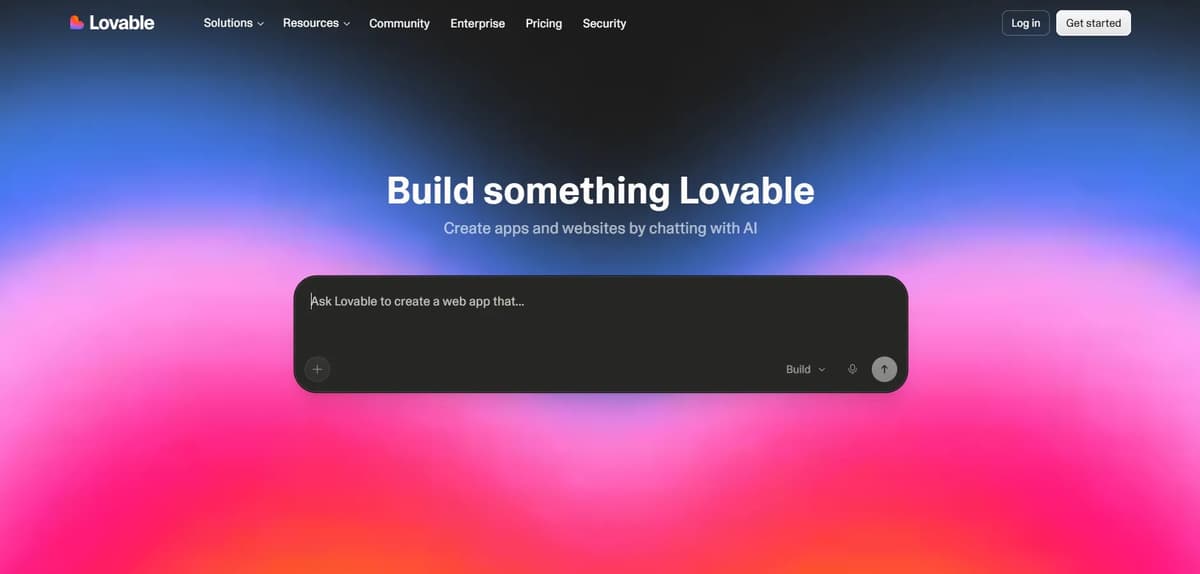
You just need to copy and paste the prompt we already prepared. Within a few minutes, the AI website generation process will start. The tool will generate three different options and ask you to choose one. After selecting the model you like, wait a few more minutes and your website will be ready.
The tool followed most of the prompt instructions correctly. I’ll share the final output link so you can check the generated website yourself.
Lovable
Pros
- Generates real backend code, not just design
- Edit visually or with chat prompts
- Fastest option to launch a website
- Simple and beginner-friendly workflow
Cons
- Free plan has very limited credits
- No custom domain on free plan
- Lovable branding stays unless you upgrade
2. Onepage
Onepage AI Website Builder is an AI-powered tool that helps you create a website from a simple prompt. You don’t need to know coding or start designing everything from scratch. Just describe the website you want, and Onepage AI creates the page for you.
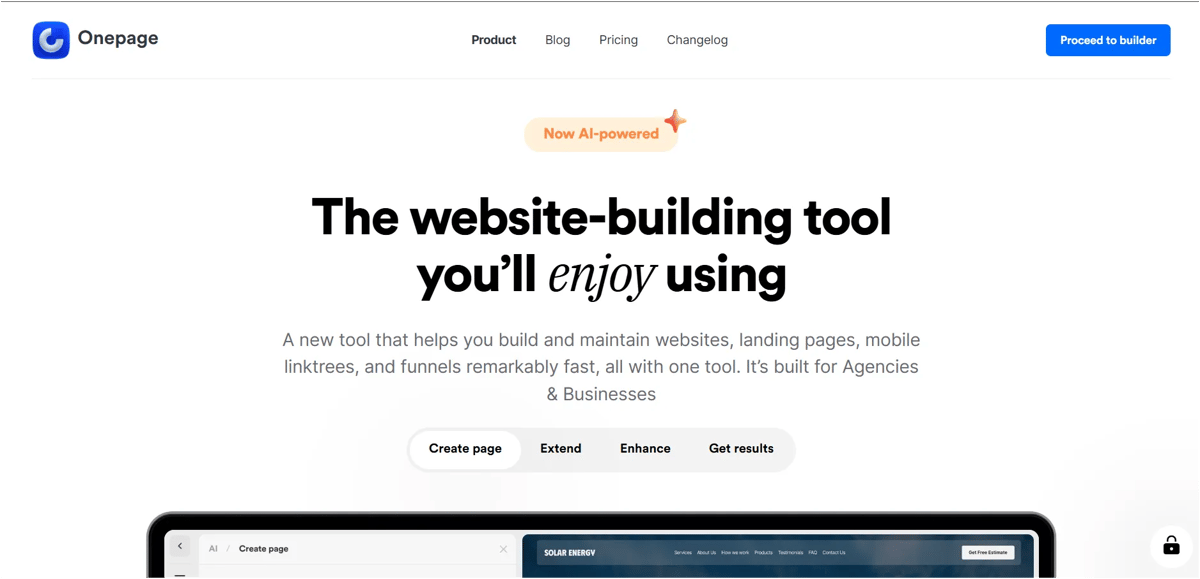
To get started, simply enter your website idea and describe what you want on the page. You can mention the type of website, sections, style, colors, content and other details you want. The AI then uses your prompt to generate the website based on your requirements.
What I liked about Onepage AI is that the process is very simple. You don’t have to go through a complicated setup before creating your website. You can start with your idea and use AI to build the initial version quickly.
Once the website is generated, you can review the result and make changes wherever needed. This makes it useful for quickly creating landing pages, business websites, portfolios, funnels and other websites without having to build everything manually.
The generated website gives you a good starting point, especially if you want to turn an idea into a working website quickly. You may still need to refine some content, design elements or sections to make it perfectly match your brand.
Overall, Onepage AI is a simple option for anyone who wants to create a website with AI without dealing with complicated coding or design workflows.
I’ve also written a detailed review of Onepage, where you can learn more about the tool.
If you want to check the AI website I tested and generated, click this final output link.
Onepage
Pros
- Creates websites quickly from simple prompts
- Easy to use with a beginner-friendly workflow
- Supports multiple pages and responsive layouts
- AI makes editing and updating pages simple
Cons
- Not designed for complex web applications
- Free plan has limited AI credits
3. Replit
Replit AI Website Builder is an online tool that lets you build and launch websites using simple text prompts. It automatically generates the code, previews the design and fixes errors in real time. This allows anyone to create functional, live websites quickly without needing advanced coding skills.
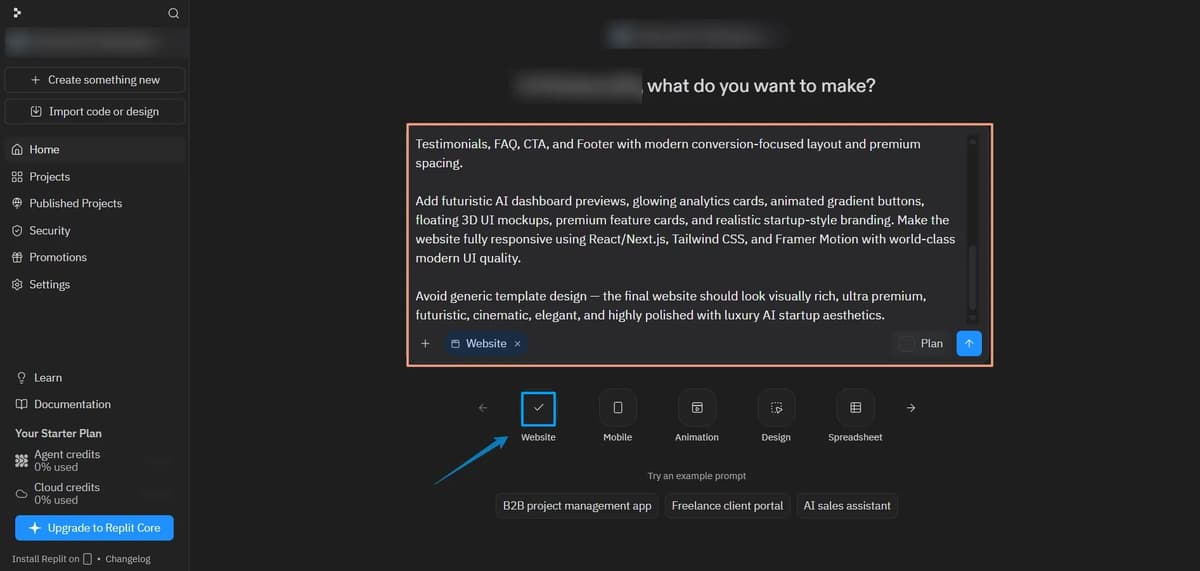
Before clicking OK, make sure to select the Website option first. Then just enter your prompt and submit it. Within around 5 minutes, your AI-generated website will be ready.
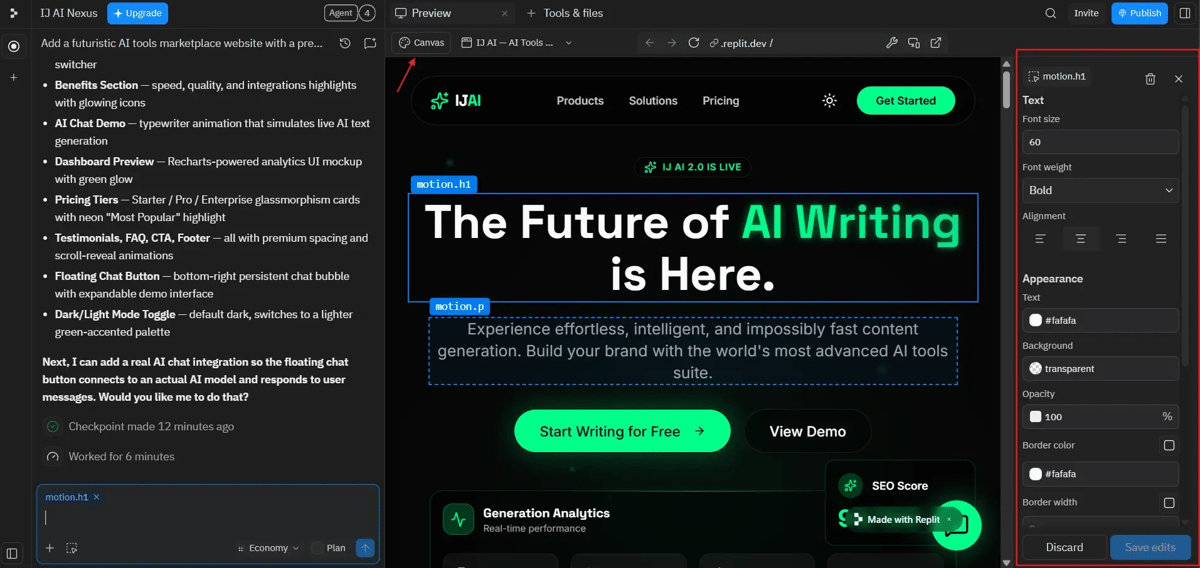
After selecting the Canvas option, you can easily edit the website because they provide all the editing controls directly on the side panel. You can simply hover over any section, select the part you want to change and customize things like text size, alignment, font style, background color, borders and more.
If you want a completely different theme or need to insert new sections, you can also use prompts to customize the website further. In the free version, you get limited customization access.
To change text or edit the content inside any section, just select that part, click the section name shown on the right-side panel, make your changes and save it.
You can publish the website directly, buy a new domain or connect your own existing domain. They also provide built-in analytics. I’ll share the final output link so you can check the generated website yourself.
Replit AI
Pros
- Generates real code with live preview
- Fixes errors automatically in real time
- Extensive editing control on the sidebar
- Built-in analytics and domain options
Cons
- Free plan has limited customization
- Higher plans get expensive quickly
- Parallel AI agents are capped on lower plans
4. Figma
Figma AI Website Builder is an intelligent tool that helps you create websites quickly using artificial intelligence. It automatically generates customizable layouts, text and images based on your text descriptions. This speeds up your design process by turning your ideas into editable Figma designs instantly.
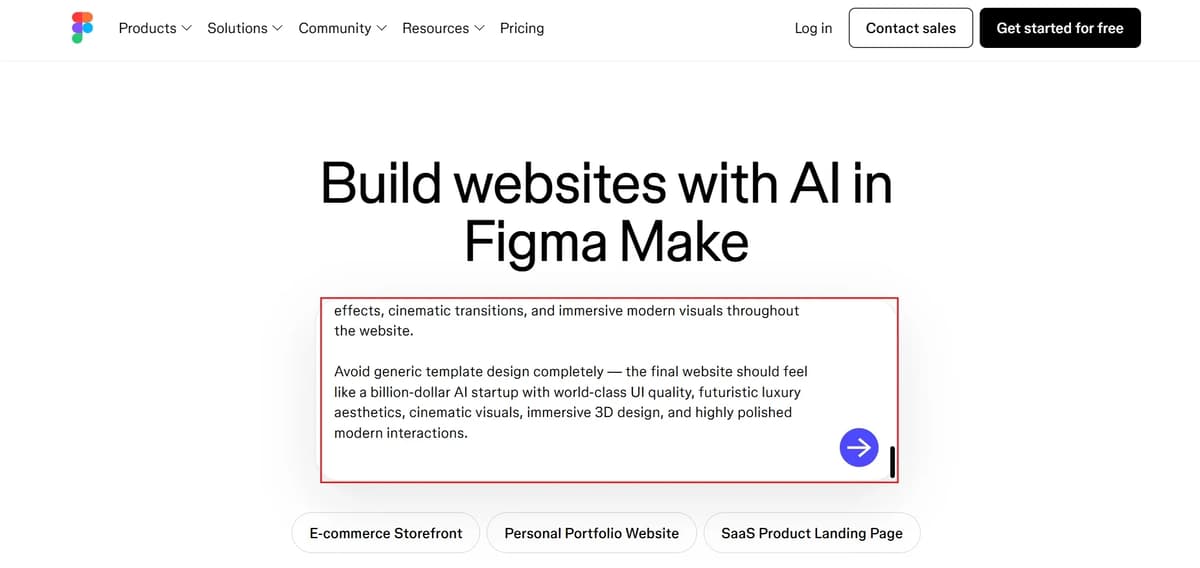
Just paste your prompt and press Enter. The website generation process will start automatically, and your AI-generated website should be ready within around 8 – 10 minutes.
You cannot fully edit the website using the free account because most editing features are only available in the paid plan. After publishing, the website first goes into a review process, and once the Figma team reviews it, it gets published automatically.
There is also a mobile and tablet preview option available. You can click the preview mode and check how your website looks on different screen sizes. One issue is that the free plan limits are quite restrictive.
If you want to check the AI website I tested and generated, click this final output link
Figma AI
Pros
- Highly polished UI and layouts
- Strong design customization tools
- Mobile and tablet preview modes
- Turns prompts into editable designs quickly
Cons
- Free plan blocks most editing
- Free plan limits are quite restrictive
- Published sites go through a review step
Pricing Comparison Table
Tool | Plan | Monthly | Yearly | Limits | Advantage |
|---|---|---|---|---|---|
Lovable | Free | Free | Free | 5 daily credits (~30/mo cap) | Good to try tools free |
Pro | $25/mo | ~$21/mo | 100 + 5 daily credits (~150/mo) | Best for solo builders | |
Business | $50/mo | ~$42/mo | 100 credits + SSO | Best for teams needing security | |
Enterprise | Custom | Custom | Volume credits, SCIM, audit logs | Best for large orgs | |
Onepage | Free | €0/mo | €0/mo | 1 website, 3 pages, 20 one-time starter credits | Best for trying Onepage free |
Essential | €19.90/mo | ~€16.52/mo | 1 website, 7 pages, 25 AI credits/mo | Best for small websites | |
Standard | €39.90/mo | ~€33.12/mo | More pages, 35 AI credits/mo | Best for growing websites | |
Advanced | €69.90/mo | ~€58.02/mo | More pages, 50 AI credits/mo | Best for advanced website builds | |
Replit | Starter | Free | Free | 1 project, limited credits | Good to try AI Agent free |
Core | $25/mo | $20/mo | $20 credits, 5 collaborators, 2 agents | Best for solo & simple apps | |
Pro | $100/mo | $95/mo | $100 credits, 15 collaborators, 10 agents | Best for commercial builds | |
Enterprise | Custom | Custom | Custom seats, SSO, VPC | Best for large secure teams | |
Figma | Starter | Free | Free | 3 files, 2 members | Good for solo testing |
Professional | $15/mo | $12/mo | Unlimited files & projects | Best for design teams | |
Organization | Annual only | $45/mo | Unlimited teams, SSO | Best for org-wide systems | |
Enterprise | Custom | Custom | Advanced security & SAML | Best for large enterprises |
My Real Testing Experience
To test these AI website builders properly, I created sample websites using the same type of prompts and compared:
- Design quality
- Website generation speed
- Mobile responsiveness
- Ease of editing
- SEO options
- Overall user experience
Some tools generated surprisingly professional websites within minutes, while others still needed manual editing to look polished.
One thing I noticed is that AI website builders are improving very fast. A few years ago, these tools looked basic, but now some outputs are good enough for real businesses and portfolios.
AI Website Builders vs Traditional Website Development
Feature | AI Website Builders | Traditional Development |
|---|---|---|
Coding Required | ✕ No | ✓ Yes |
Time Needed | Minutes | Days or Weeks |
Cost | Low | Expensive |
Beginner Friendly | ✓ Yes | ✕ No |
Customization | Medium | Very High |
Maintenance | Easy | Complex |
If you need a website quickly and affordably, AI website builders are a great option. But for highly custom projects, traditional development still gives more flexibility.
Are modern AI website builders good for SEO?
Yes, most modern AI website builders include basic SEO features like:
- Meta titles and descriptions
- Mobile optimization
- Fast hosting
- Blog support
- SEO-friendly page structure
However, ranking on Google still depends heavily on your content quality, backlinks, keyword research and overall SEO strategy.
AI tools can help with the setup, but they cannot fully replace proper SEO work.
Conclusion
AI website builders can now create professional websites in minutes, even if you have no coding experience. Lovable is a strong choice for modern websites and web apps, Onepage is ideal for building quick landing pages with full visual editing, Replit offers more functionality and customization and Figma is useful for turning website designs into working sites.
Whether you’re building a portfolio, landing page, SaaS site, or small business website, these tools can save significant time and development effort. Choose based on your needs: Lovable for modern web experiences, Onepage for simplicity, Replit for control and customization and Figma for design-focused workflows.
Related AI Tools People Are Searching For
- Best AI Background Removers
- Best AI Voice Generator Tools
- Best AI Image Generators
- Best AI Video Generators
- Best AI Logo Generators
- Best AI Blog Writers
These guides cover features, pricing, pros and cons and real testing experience to help you choose the right tool more easily.
Frequently Asked Questions
1. What is the best AI website builder in 2026?
Based on the testing in this blog, Lovable, Onepage, Replit and Figma were the top four website builders. Lovable stood out for quickly building modern websites and web apps, while Onepage was a strong choice for creating fully editable websites, landing pages and funnels. Replit offered more control and functionality for advanced projects, while Figma AI was better suited for design-focused work. The best option ultimately depends on whether you prioritize speed, editing flexibility, functionality or design control.
2. Can AI website builders create websites without coding?
Yes. AI website builders are designed for users who don't know coding. You simply enter your idea or requirements, and the tool automatically generates layouts, text, sections and responsive designs.
3. Are AI website builders good for beginners?
Yes, they are very beginner-friendly because there is no need for manual coding or building complex designs from scratch. Most tools also include drag-and-drop editing and ready-made templates.
4. Which AI website builder is best for professional websites?
Lovable and Replit are better for professional-level websites because they provide advanced customization, backend functionality and modern UI generation. Lovable especially focuses on complete web apps and functional websites.
5. Are AI website builders free?
Most AI website builders offer free plans with limited credits or features. Replit, Figma and Lovable all provide starter plans, but advanced customization, publishing and collaboration tools usually require paid plans.
6. Can AI website builders help with SEO?
Yes. Most modern AI website builders include SEO basics like mobile optimization, meta titles, descriptions and SEO-friendly page structures. However, proper content strategy and backlinks are still important for ranking on Google.
7. Are AI-generated websites mobile responsive?
Yes. The tools mentioned in this blog generate responsive websites that automatically adjust to work on mobile devices, tablets and desktop screens.
8. Do AI website builders replace web developers?
Not completely. AI website builders are excellent for simple business websites, portfolios and landing pages, but highly custom or enterprise-level projects still benefit from traditional development for better flexibility and scalability.