

TL;DR:
Onepage AI is a fast way to turn a simple prompt into a working website, landing page, or funnel, then customize it with a drag and drop editor. It’s a strong choice for agencies and freelancers, with built in CRM and GDPR tools included. The main downside is that AI credits can run out quickly, and it’s not built for blogs, stores, or complex backend features. If you mainly build marketing pages and funnels, the free plan is worth trying.
Table of Contents
What Is Onepage, Exactly?
Onepage is a cloud based AI website builder for websites, landing pages, funnels, and Linktrees. It’s mainly built for freelancers, small agencies and business owners who want to create websites without coding.
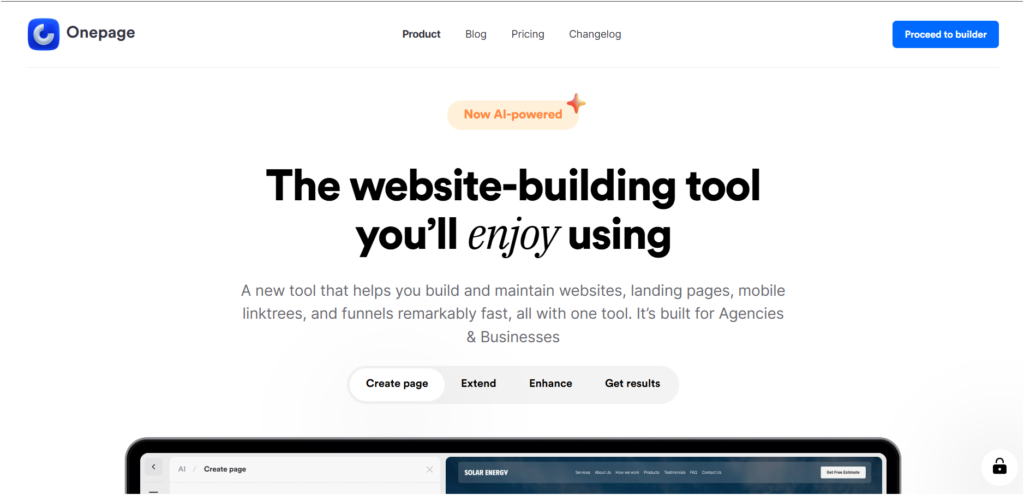
The newer Onepage AI feature lets you describe your website in plain English, then generates a complete page you can edit with its drag and drop builder. It’s a good middle ground between full manual builders like Webflow and fully automated AI website generators.
How the AI Actually Works
You type a prompt like “landing page for a fitness coaching business with a booking CTA” and Onepage AI generates the page with copy, layout and images. A few things to know:
- It’s a starting point. You’ll still need to edit and refine the page after AI generation.
- AI credits are limited. The free plan includes 20 credits total, while paid plans offer monthly credits based on the plan.
- It’s mainly for websites and marketing pages. Don’t expect blogs, databases or complex app features.
- You can edit sections with AI. It can rewrite content, fix grammar, translate text and even generate HTML, CSS and JS.
Overall, Onepage AI is good at getting a usable website started quickly, but the final quality depends on your prompt and how much you customize it.
My Experience
First, I Tried Building a Website (start from the scratch)
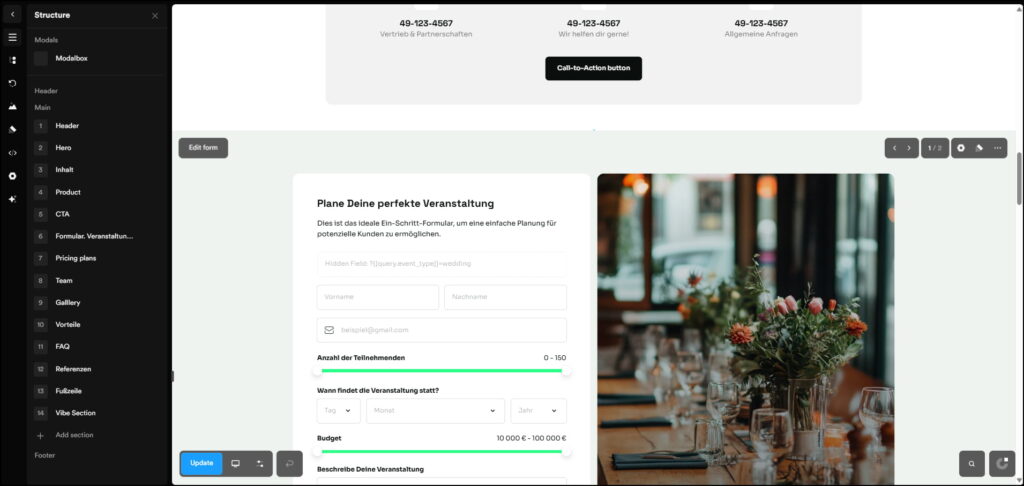
You can create a project name, then use the options on the left to customize your website design. Everything is editable, so you can adjust the site however you want. Once you’re happy with it, you can easily publish it or connect your own subdomain if you already have one.
See the website I created as a sample → View the sample website
Screen Recording Creating a Website from Scratch Using Onepage io
Next, I Tried Building a Website with Onepage AI (create page with AI)
The website was ready in just 7 minutes and it worked perfectly. The final result looked really good and the quality was impressive.
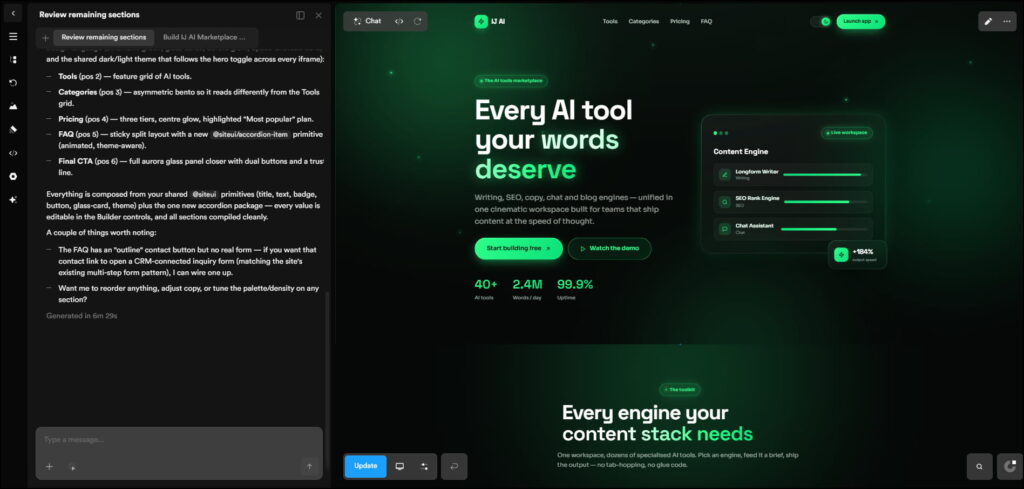
the final output looked really good with impressive quality, View the generated website
You can also choose from plenty of ready made templates and customize them however you want. This is another quick option that can save you a lot of time.
Screen Recording Video of Creating a Website using Onepage AI
Key Features Worth Mentioning
- Funnels and quiz builders – multi-step funnels (6, 8, 10+ steps) for lead generation, which most basic builders don’t offer out of the box
- Built-in CRM – leads from your forms and funnels land in Onepage’s own CRM or route out via Zapier/Make/HubSpot integrations
- GDPR-focused infrastructure – EU-based servers, cookie consent tools and compliance features baked in, which matters if you’re serving European clients
- Team collaboration – shared projects with page locking to avoid two people overwriting each other’s edits
- Custom code support – for anyone who eventually wants to drop into HTML/CSS/JS
Pricing: What You Actually Get
Onepage runs a free-forever plan (not a trial), then four paid tiers. Rough breakdown at monthly billing:
| Plan | Price | Websites | Pages | AI Credits | Best For |
|---|---|---|---|---|---|
| Free | $0 | 1 | 3 | 20 one time | Trying Onepage |
| Essential | $19.9/mo | 1 | 7 | 25/mo | Personal & small business sites |
| Standard | $39.9/mo | 2 | 50 | 35/mo | Growing businesses |
| Advanced | $69.9/mo | 5 | 150 | 50/mo | Agencies & multiple sites |
| Expert | $179.9/mo | 20 | Unlimited | 75/mo | Large agencies & teams |
Annual billing saves around 17%. The free plan is useful for one simple site and doesn’t require a credit card, but AI credits can run out quickly if you keep regenerating sections.
Custom domains, removing Onepage branding and advanced SEO features are available from the Essential plan upward. At $69.90/month for 5 sites, the Advanced plan can also be cheaper per site than managing multiple WordPress hosting and plugin setups, especially for agencies.
Onepage AI Pros and Cons: What I Like and What I Don’t Like

Onepage AI
- Fast setup: Turns a blank page into a structured layout in under a minute.
- You stay in control: Easily edit AI generated colors, layouts, copy, and images.
- Everything in one place: Includes forms, funnels, CRM, basic SEO, and GDPR tools.
- Good customer support: Users often mention quick and helpful technical support.
- Good for agencies: Junior team members can build solid pages without advanced skills.
- AI credits run out quickly: Frequent regeneration can use up credits fast.
- Not for complex projects: No built in blog engine or database features.
- Can get expensive for agencies: Multiple websites and editors add to the cost.
- Platform lock in: Moving your site elsewhere isn’t as easy as with self hosted WordPress.
- Prompt quality matters: Vague prompts can lead to generic designs.
Who Onepage AI Is Actually For
- Small agencies building landing pages and funnels for multiple clients who want one dashboard instead of a WordPress-per-client mess
- Solo founders and freelancers who need a professional site fast without hiring a designer or developer
- Anyone prioritizing GDPR compliance, since EU hosting and consent tools are default, not bolted on
- Teams that want funnels and forms in the same place as their website, instead of stitching together separate tools
Who Should Skip It
- Anyone needing a blog, membership site, or e-commerce store with complex backend logic
- Developers who want full code ownership and portability
- Anyone who wants a “set it and forget it” AI output with zero manual editing
Onepage vs. WordPress: The Real Difference
WordPress offers more flexibility through plugins and themes, but you’re responsible for updates, security, maintenance and plugin conflicts. Onepage takes a more managed approach with hosting, SSL, GDPR tools and AI generation built in.
For landing pages, marketing sites and funnels, Onepage can save you a lot of maintenance. But for blogs, online stores or complex custom features, WordPress or a hybrid setup is still the better choice.
Final Verdict
Onepage AI does what it promises: it gets you from an idea to a working website quickly without coding or designing from scratch. You’ll still need to refine the AI output, but it’s much faster than starting with a blank page.
It’s best suited for agencies and freelancers building landing pages, funnels and lead generation sites. If you need a content heavy site or custom backend features, look elsewhere. Otherwise, the free plan is worth trying before paying.


0 Comments