What Is Synthesia?
Synthesia is a text to video platform. You paste in a script, pick an AI avatar, choose a voice and language and the platform generates a full video for you in a few minutes. There is no need to record anything yourself unless you want a personal avatar built from your own face.
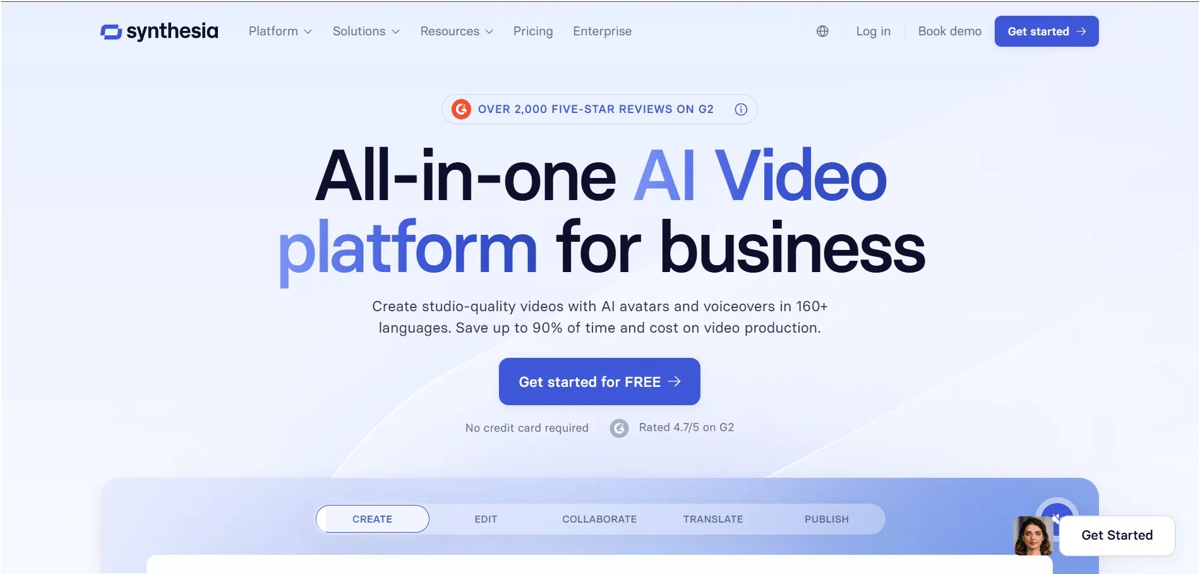
It is mostly used by companies and teams that need to make a lot of videos regularly, like training modules, internal updates or product walkthroughs. If you have ever had to redo an entire video because one sentence in the script changed, you will understand why this kind of tool saves so much time.
Synthesia Pricing (Sep 2026)
This is the part most people care about the most, so here is the current official pricing straight from Synthesia’s pricing page.
| Plan | Monthly price | Yearly price | Video minutes | AI avatars | Best for |
|---|---|---|---|---|---|
| Free | $0 | $0 | 10 minutes/month | 9 stock avatars | Testing the platform before you commit |
| Starter | $29/month | $18/month (billed yearly) | 10 min/month (120 min/year on yearly plan) | 125+ avatars, 1 custom avatar | Individuals making a few videos a month |
| Creator | $89/month | $64/month (billed yearly) | 30 min/month (360 min/year on yearly plan) | 180+ avatars, 5 custom avatars, API access | Small teams making videos regularly |
| Enterprise | Custom pricing | Custom pricing | Unlimited | 240+ avatars, unlimited custom avatars | Large organizations and L&D teams |
A few things worth knowing before you pick a plan.
The free plan gives you 10 minutes of video every month with a Synthesia watermark on the output and it needs no credit card to start.
The Starter plan is the cheapest way to get a watermark free, downloadable video with your own custom avatar, but the yearly minute limit is tight if you plan to publish often.
The Creator plan is the one most small teams end up on, since it adds API access, more custom avatars and enough minutes for a regular content schedule.
Enterprise pricing is not published, so you need to book a demo to get a real quote. Expect this to scale a lot depending on how many minutes and custom avatars your team needs.
Unused minutes do not carry over to the next month or year, so plan your usage instead of assuming they will stack up.
Synthesia: Key Features
Dubbing: Turn One Video Into Many Languages
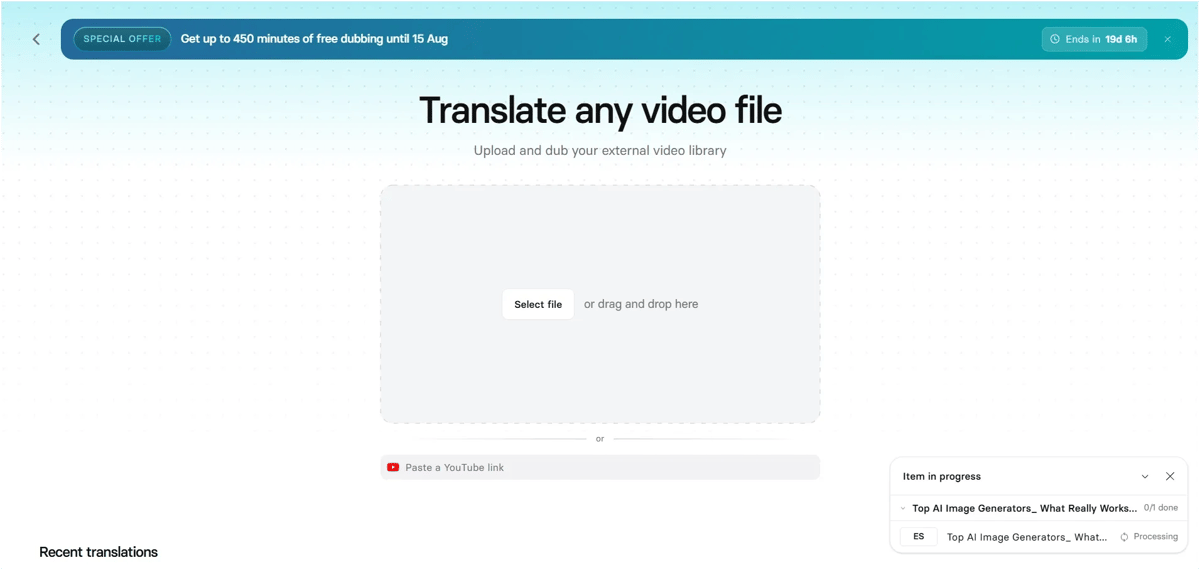
This feature is exactly what it sounds like, upload any external video, even paste a YouTube link, and Synthesia dubs it for you without needing to reshoot a single frame. You don’t have to build the video inside Synthesia first, which is handy if you already have footage sitting elsewhere and just want it reaching a wider audience. There’s also a recent translations section, so you can track past dubbing jobs and revisit them without starting over. For a channel that publishes in English but wants reach in other markets, this is a straightforward way to multiply one video into several without extra filming.
Synthesia Editing: Simple and Easy to Use
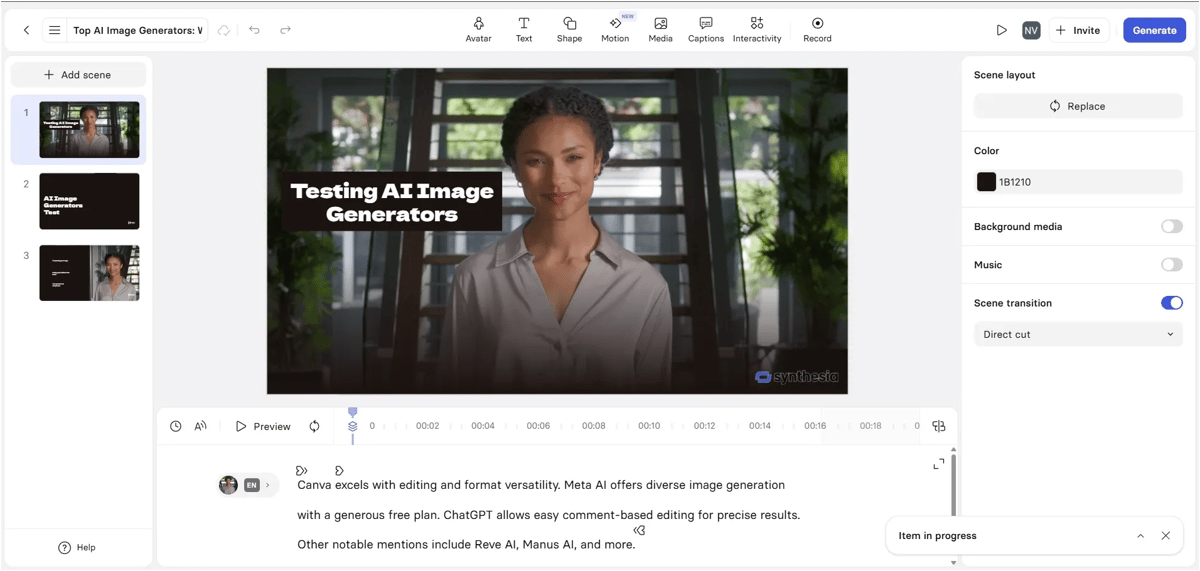
Editing inside Synthesia felt more like working in a slide editor than a video tool. Each scene sits in its own panel on the left, so switching between the intro, the tools comparison and the closing scene took just one click. Adding avatar, text, shapes, motion or captions is all sitting right on top as separate tabs, no digging through menus. I could type or paste my script directly into the timeline box at the bottom and the avatar picked up the pacing on its own. The right panel let me tweak background color, toggle background media and music without touching the main canvas. Overall it felt built for people who want to move fast, not fiddle with settings.
Personal Avatars: Your Own Digital Twin in 5 Minutes
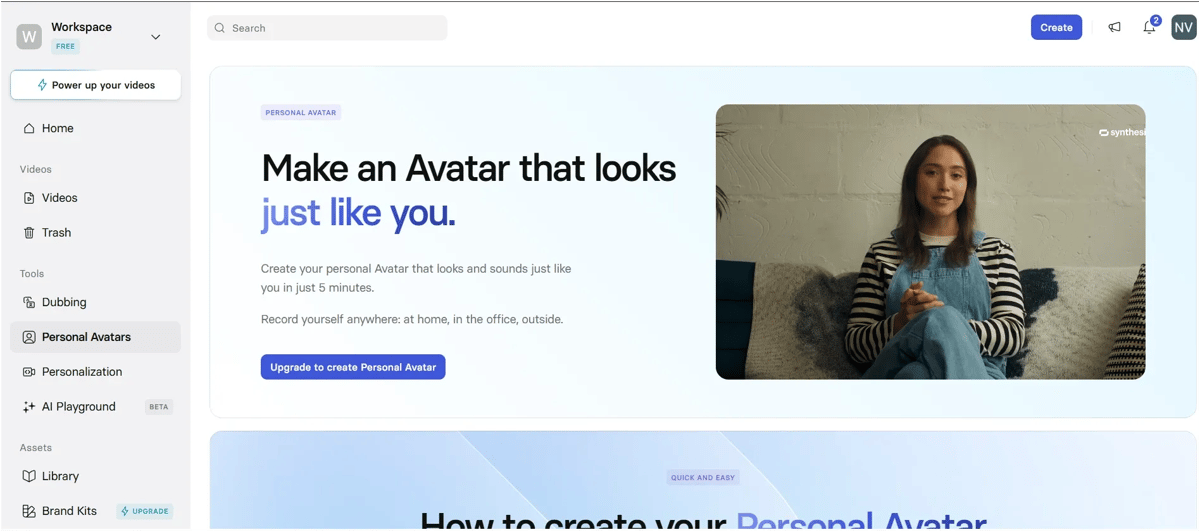
Creating a Personal Avatar felt way less technical than I expected. You just record yourself talking for a few minutes, anywhere at home, in the office, even outside and Synthesia turns that into your own avatar by the next day. What stood out most is how far it goes beyond a static talking head. You can keep your natural hand movements while filming, clone your own voice in 29 languages and choose different framings like sitting, standing or walking for more variety in your videos. It’s built for people who want their content to actually look and sound like them, not a generic AI presenter.
Synthesia Voices: A Voice for Every Kind of Video
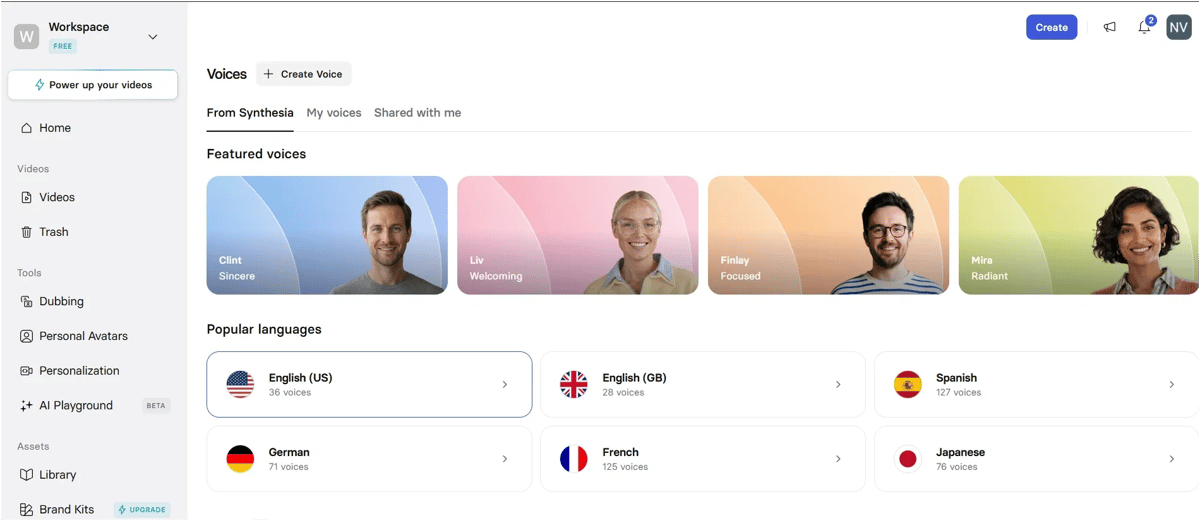
Browsing the voice library, what struck me was how many real options there are, not just a handful of generic robotic voices. There are 36 English (US) voices alone and the library covers popular languages like Spanish, German, French and Japanese with over a hundred voices each. Every voice comes with a short description of its actual delivery style, so you know exactly what you are picking instead of guessing from a name. Whether you want something calm and mature for explainer content, warm and relatable for a testimonial or sharp and confident for an announcement, there is a voice built for that exact tone.
It made picking the right voice for a video feel less like trial and error and more like choosing the right person for the job. If voice quality alone is your priority, our best AI voice generators guide compares tools that focus purely on that.
Synthesia AI Playground: Generate Any Visual You Need
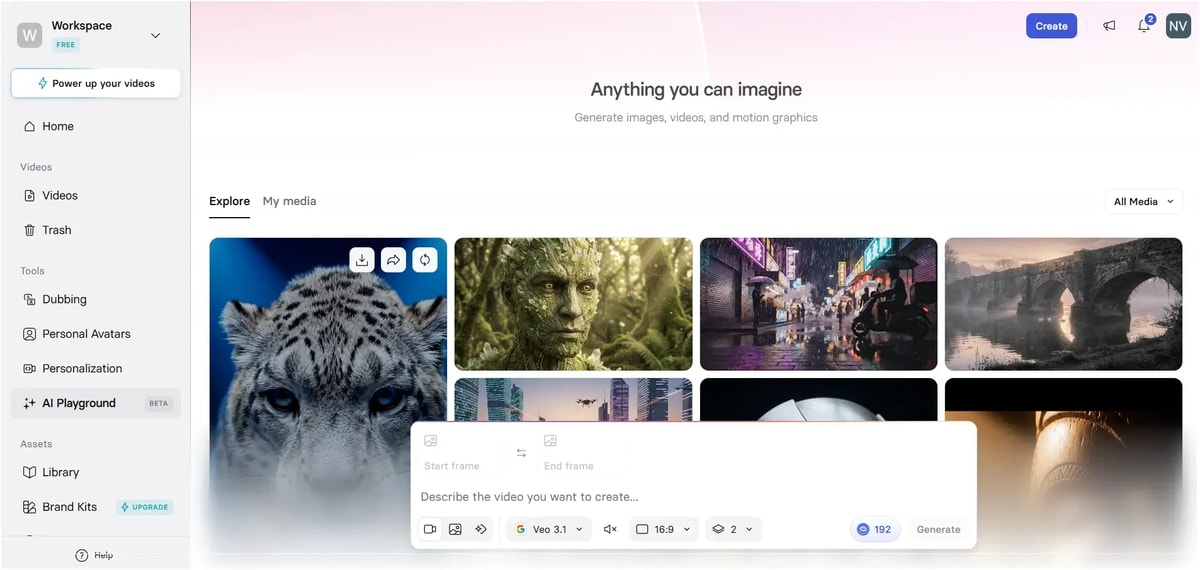
This is where Synthesia goes beyond avatars. The AI Playground lets you generate images, videos and motion graphics straight from a text description, no filming needed at all. It’s powered by Google’s Veo 3.1 model and you can set a start frame and end frame separately, which gives you real control over how a shot begins and ends instead of leaving it to chance. You can choose aspect ratio, generate multiple variations at once and mute audio if you only need visuals.
The Explore feed shows just how varied the output can be, from realistic animals and portraits to moody street scenes and architecture, all generated purely from prompts. If you mainly need static visuals rather than video, our best AI image generators guide breaks down tools built specifically for that. For someone building B-roll or supporting visuals for a video, this cuts out a lot of stock footage searching.
Personalized Videos: Templates That Fit Your Actual Use Case
This section made me realize Synthesia isn’t just for one type of video. There’s a whole library of ready-made templates built around real business scenarios, recruitment first calls, job ads, sales product overviews, meeting follow-ups. Each one already has the layout, avatar framing and text style figured out, so you’re not designing from a blank canvas every time. The four-step flow, select a template, upload info, personalize, generate, keeps things simple even if you’re doing this for the first time. And if none of the templates fit, there’s an option to build your own personalizable template from scratch, which is useful if your use case is more specific, like Ijaz’s AI tools content.
My experience
Generating one video took about 7 minutes. Free users, keep this in mind: you can’t download the video on a free account, and you can’t remove the watermark either. Most of the good features are locked behind the paid plan.
My take is this, use the free plan just to test it out and see if it fits. If you’re planning to make videos regularly, the paid plan is worth it. Editing is easy too, everything is organized like slides, and you can dub your video into whatever language you need in just a few clicks.
Who Should Use Synthesia, and Who Shouldn’t
Synthesia is a good fit if you are:
A corporate training or HR team that needs to produce onboarding and policy videos regularly.
A global business that needs the same message delivered in multiple languages without hiring separate voice talent each time.
A marketer who needs to update explainer or product demo videos often as features change.
An educator or course creator who wants to focus on the content instead of camera setup.
Synthesia is not the right fit if you are:
Making social media content, reels or short form videos where personality and spontaneity matter more than polish.
Producing YouTube vlogs or anything that depends on real emotional connection with the viewer.
Working on cinematic or brand storytelling content where a human presenter’s natural expression is the whole point.
If you fall into the second group, a real camera or a tool built specifically for social video will serve you better than Synthesia.
Synthesia Alternatives
| Platform | Best for | Starting price | Key difference from Synthesia |
|---|---|---|---|
| HeyGen | Marketing and social videos | Similar entry pricing | More expressive avatars, better fit for short form content |
| Zebracat | Blog to video, marketing clips | Lower entry pricing | Built more for fast marketing content than corporate training |
| Colossyan | E-learning modules | Similar range | Stronger SCORM and quiz features for course creators |
If your priority is corporate training and multilingual reach, Synthesia is still the more mature option. If you want punchy social content, it is worth comparing HeyGen or Zebracat before you commit. We’ve also tested InVideo AI Video generator and shared real outputs from it, worth a look if you want to compare.
Frequently Asked Questions
1. Is Synthesia free to use?
Yes, the free plan gives you 10 minutes of video a month with 9 stock avatars, though your videos will carry a Synthesia watermark.
2. How much does Synthesia cost per month?
Paid plans start at $18 a month if you pay yearly, or $29 a month if you pay monthly. The Creator plan starts at $64 a month yearly or $89 monthly.
3. Do unused video minutes carry over?
No. Any minutes you do not use in a billing period do not roll over to the next one.
4. Can I create a custom avatar of myself?
Yes, custom avatars are available starting on the Starter plan and Enterprise plans include unlimited custom avatars.
5. Is Synthesia good for YouTube or social media videos?
Not really. Synthesia is built for structured content like training and explainer videos. For fast, personality driven social content, a tool built for that format will work better.
Final Verdict
Synthesia works best if you’re making training videos, onboarding content or explainers, especially when you need the same video in several languages. The pricing feels fair for what you get and the free plan lets you try it out before spending anything.
But if your content needs real human emotion or a fast, creative style, it won’t feel like the right fit. For everyone else who wants structured video content, made at scale, Synthesia is worth a try.