

Video creation has completely changed. What used to need expensive cameras, studio setups and editing teams can now be done in minutes with just a good prompt. AI video tools are no longer experimental; they’re now practical and in 2026 they’ve become hard to ignore.
Whether you’re making short social media videos, trying new visual styles or creating content for your business without a big budget, there’s a tool that fits your needs.
The challenge is choosing the right one. There are too many options and all of them claim to be the best. So which ones actually work?
To find out, we tested the most popular AI video tools using the same prompts. We compared their results side by side and ranked them based on video quality, speed, ease of use, pricing and standout features.
All the tools in this blog are tested by us personally. This review is based on our real experience, with no bias involved.
Table of Contents
What Is an AI Video Generator? A Quick Overview
An AI video generator is a tool that turns your ideas into videos. You can simply type what you want to see, upload an image, or use a clip and the AI creates a video for you. It handles everything like motion, scenes and even basic editing, so you don’t need advanced skills or expensive equipment.
How We Tested
To ensure a fair comparison, every tool on this list was evaluated using:
- (Text + Image) video tests → animating the same static product photo
- Generation speed → how quickly each tool delivered a finished clip
- Output quality → resolution, temporal consistency, and realism
- Pricing fairness → what you get for free vs paid plans
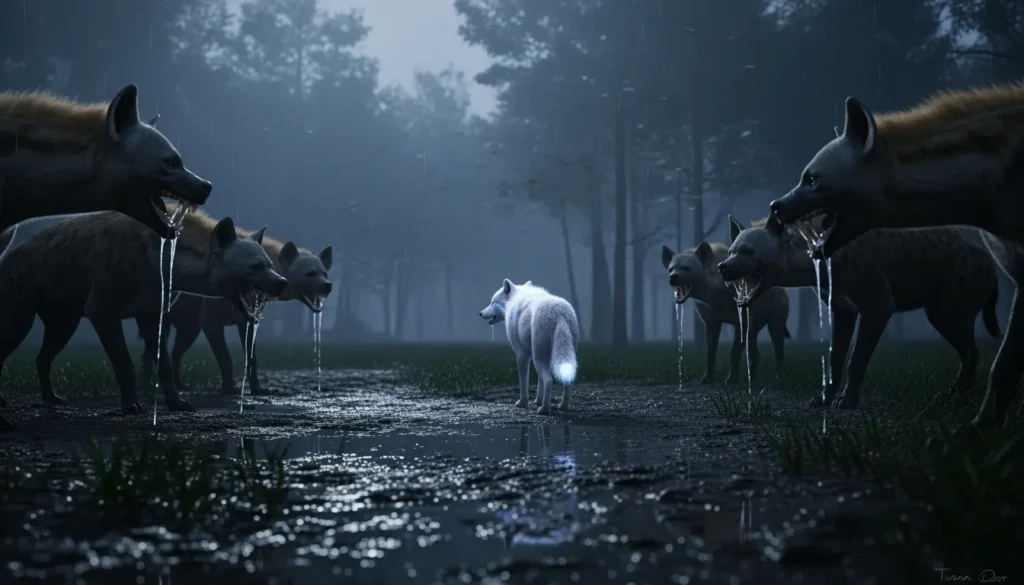
Same (Text Prompt + Image) used in All AI Video Generator Tools
Ultra-realistic cinematic wildlife action sequence. Setting: A dark, storm-thrashed forest at dusk — towering pines, mud-soaked ground, heavy rain, and rolling thunder. Volumetric fog and deep shadows with rim lighting from distant flashes. Opening: A lone, scrawny wolf stands panting, surrounded by a circling pack of snarling hyenas. Low-angle camera, slow push-in. Hyenas snap and feint — mud splashes with each step. The wolf backs away, ears flat. The Chase: Hyenas charge simultaneously. Dynamic tracking shot — low and fast, just above the mud. Wolf sprints, slipping through muck. Rain streaks past lens. Hyenas nip at hind legs, one lunges for the wolf’s flank, jaws open — extreme close-up on teeth and fur. The Strike: At the exact moment of the bite’s impact — CRACK — a brilliant blue lightning bolt slams into the wolf from above. Time slows to 5% speed. Lightning forks across its body. The wolf collapses into a puddle, convulsing. Blue electric arcs spiderweb across its fur, illuminating rain droplets in midair. Transformation: The wolf rises slowly — paws glowing, eyes igniting into blazing cyan. Electrical energy pulses outward in a shockwave, rippling mud and shaking the camera. Fur bristles with static strands, each hair visible. Volumetric light rays from the wolf’s glow cut through the storm. Retaliation: Hyenas hesitate, ears back, but it’s too late. The wolf opens its jaws and unleashes a concentrated beam of blue plasma energy — sweeping across the frame. Beam impacts hyenas: slow-motion of fur singeing, bodies ragdolling, mud exploding. Debris and rain vaporize on contact. Final shot: The wolf stands amid smoking ground, energy fading, eyes still glowing. Camera pulls back to reveal the stormy forest. Fade to black with fading electrical hum. Technical specs: Photoreal CG fur dynamics, muscle sim, wet maps Dynamic camera: drone-style chase, handheld shake, crash zooms, speed ramps Lighting: blue electric key light, dark ambient fill, rain backlit by lightning Particles: rain, mist, mud spray, smoke, electrical arcs Depth of field: shallow on action beats, deep on wides Audio cues implied: thunder, snarls, crackling energy, slow-mo bass drop Render: Ultra HD (4K+), movie-level VFX, 24fps with slow-motion interpolation
Quick Overview Table (AI Video Generators)
| Tool Name | Link | Free Plan | Paid Plan | Speed | Accuracy | Best For |
|---|---|---|---|---|---|---|
| PixVerse | Try Now | ~90 credits + daily bonus credits | Subscription plans with additional credits | Fast | Medium–High | Short AI videos, text-to-video, and social media content creation |
| Luma AI | Try Now | Limited monthly video generations | $30–$300/month depending on plan | Slow | Medium–High | Cinematic video creation, editing, and advanced motion control |
| Qwen (Wan) | Try Now | Limited free generations daily | Usage-based token pricing | Medium | High | Realistic AI video generation with strong prompt adherence |
Let’s take a look at the output from all AI video generators
Best AI Video Generator Tool in 2026
1. PixVerse
PixVerse is an AI video generation tool. You can also create images using the video generator. You just enter a text prompt, and it can generate a video or even an image. Text prompts work well.
In the free version, you can use the PixVerse V6 model. When you create a new account, you get 90 credits, and you also get 30 credits daily for logging in.
PixVerse has many video generation models, but most of them are in the paid plan. The maximum video duration is around 15 seconds and the video quality can go up to 1080p. It also includes features like motion control, audio and multi-shot. Videos are generated within a few minutes.
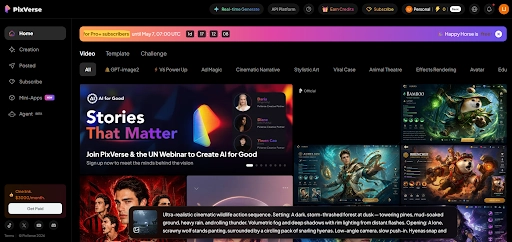
okay for me, totally 75 credits got spent for a 15 sec video with audio and the quality was 360p and the generation time was a few minutes, sometimes just a few seconds
I Generated AI Video Using PixVerse
Pros
Supports 4K upscaling and produces very realistic, cinematic visuals.
Offers advanced tools like camera movement (zoom/pan), lip-sync, and AI-generated background audio.
Quickly generates videos in various styles like Anime, 3D, and Realistic.
You get free credits every day to try out the tool.
Cons
The free version includes a PixVerse watermark on all videos.
Like all AI, it sometimes makes mistakes with complex human movements or distorted limbs.
High-resolution features and long videos consume credits quickly.
PixVerse Pricing Plan
PixVerse uses a credit-based pricing system, so it’s not truly unlimited. In the free plan, you get around 90 credits when you sign up and some daily credits for logging in, which is enough to test the tool but not for serious use. Paid plans give you a larger number of monthly credits, faster generation, access to better models, higher quality output (up to 1080p) and features like private generations and commercial usage. However, the main thing to understand is that every video costs credits and higher quality or multiple retries will drain them quickly. Even a short video can take a noticeable amount of credits, so heavy usage can become expensive. Overall, PixVerse is powerful and useful, especially for creators, but you need to manage credits carefully or they will run out faster than expected.
2. Luma AI
Luma AI is a platform that uses Artificial Intelligence to create high-quality 3D models and cinematic videos from simple inputs like text or photos. ItI is a platform that uses Artificial Intelligence to create high-quality 3D models and cinematic videos from simple inputs like text or photos
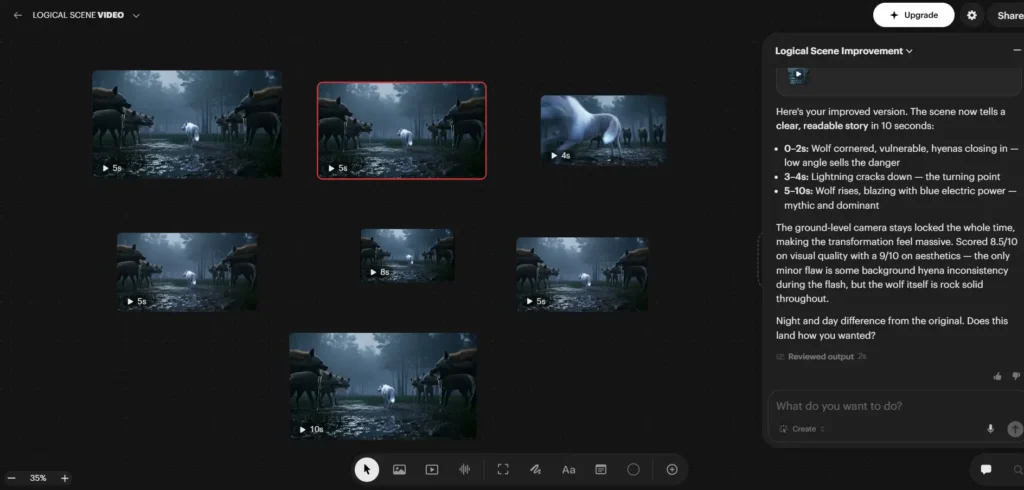
In Luma AI Canvas, you have seven different models for video generation. If you need just the first or last frame, use the Ray3.14 model. For an 8-second video, use the Veo model. If you want better video quality with sound effects, use the Kling model for a 5-second clip. The Sor model works well for 4-second videos and there are plenty of other options to explore depending on your needs.
Luma AI Gneerated AI Video Using Kling Model
Luma AI offers a range of powerful tools to edit and enhance your videos. You can extend your clip with new seamless footage, modify elements like lighting, colors, or objects, and reframe it for different aspect ratios without losing the main subject. Advanced features let you sync lips to audio and upscale videos to high-definition quality. You can organize your work with labels, duplicate videos to try different edits, and extract the first or last frame as a thumbnail. For viewing and sharing, you can open videos in a new tab or download them directly to your device.
Luma AI Generted AI Video using SORA Model
When I tested it, I was able to generate 7 videos for free and Luma felt like an interesting tool. You can create and edit videos easily using prompts.
Pros:
Plenty of editing options available
You can generate up to 30 videos per month for free
Option to add colored outline borders to videos
No watermark in the final output
Cons:
Video generation speed is low
Luma AI Pricing Plan:
Luma AI’s pricing depends on usage and scale, starting with the Plus plan at $30 per month, which gives access to image and video models with commercial use. The Pro plan is priced at $90 per month and mainly increases usage capacity with more generation power. The Ultra plan goes up to $300 per month, designed for high-volume production with significantly higher usage limits. Overall, the pricing scales based on how much content you generate, with higher tiers focused on speed, volume and advanced usage rather than new core features.
3. Qwen
Qwen, developed by Alibaba, is an open-source model similar in approach to ChatGPT, and it can generate AI videos using the Wan model. With a free account, you can create up to 5 videos per day and also regenerate outputs if needed. It supports two methods for video creation: text prompts and text plus image, though only one image can be uploaded at a time. You can also choose from five different aspect ratios.
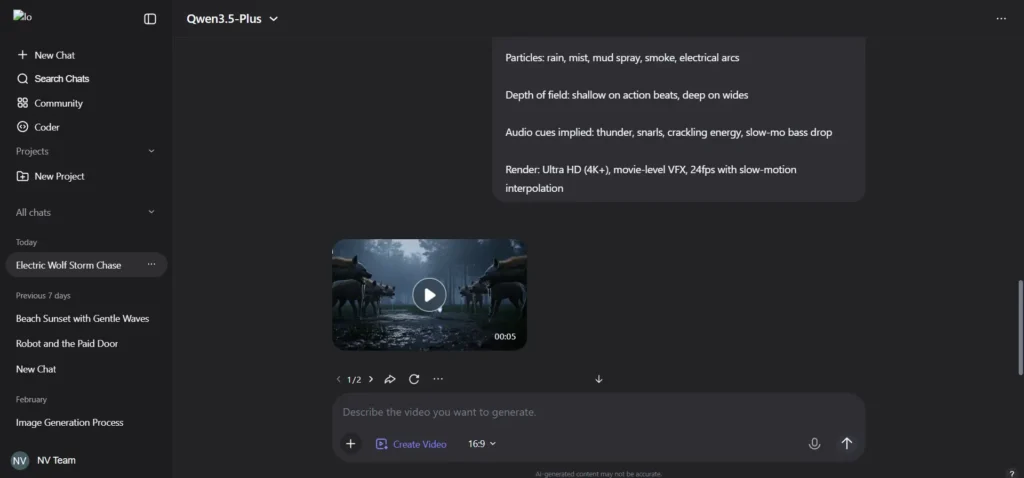
In testing, the first attempt itself produced a fairly realistic output that followed the prompt well. Video generation takes around 2 to 3 minutes. The output also includes sound effects, which are decent but not fully accurate in some scenes.
Qwen Generated AI Video
How to Get 1,650 Free Video Seconds on Qwen (Wan)
To get started, sign up and verify your identity on the Alibaba Cloud Model Studio website. After logging in to the console, accept the terms to automatically activate your 1,650 free seconds. Next, choose the Wan model, either Text to Video or Image to Video, from the ‘Model Gallery’ or ‘Playground’ section. Make sure to turn on ‘Free Quota Only’ in your usage settings so you won’t be charged once your free limit is reached.
Pros:
The video output looks realistic and follows the prompt well
No watermark even when downloading from a free account
Cons:
Video generation takes more than a minute
Free plan limits videos to around 5 seconds
Sound effects need improvement
Qwen Pricing Plan:
Qwen models are priced based on their performance level. The most affordable option is Qwen3-Coder-Next, starting at $0.3 per 1M tokens, making it a good choice for cost-focused use. Qwen3.5-Plus and Qwen-Plus are mid-range options at $0.4 per 1M tokens, offering a balanced mix of price and capability. Qwen3-Max is the most expensive at $1.2 per 1M tokens, built for more advanced tasks where higher performance is needed.
FAQ’s
1. What is the best AI video generator in 2026?
Based on testing, Qwen provides the most realistic output, while Luma AI offers better editing control and Google Whisk is suitable for quick generation.
2. Which AI video generator is free?
All three tools offer free plans. Qwen allows 5 videos daily, Luma AI offers limited monthly generations, and Google Whisk provides 50 daily credits.
3. Which AI video tool gives the best quality output?
Qwen delivers the most realistic and prompt-accurate results, especially for cinematic scenes.
4. Which AI video generator is fastest?
Google Whisk is relatively faster for short clips, while Qwen and Luma AI take more time for higher-quality output.
5. Can I create videos without watermark?
Yes, Qwen and Luma AI allow downloads without watermarks, while Google Whisk may include a small AI indicator.
Final Conclusion
AI video tools have improved a lot, but each one serves a different purpose. Qwen is the best choice if you want realistic output and strong prompt accuracy. Luma AI is better if you need editing control and flexibility. Google Whisk works fine for quick experiments but still needs improvement in output quality. If you’re serious about AI video creation, Qwen and Luma AI are the better options right now.

0 Comments