

This blog was created after noticing that design.com consistently appears at the top when searching for ‘logo generator’ on Google. To understand the reason behind its ranking, the platform was tested in detail. This review covers how the tool works, the quality of the logos it generates and the different features and options available, with a clear and unbiased approach.
Table of Contents
What is Design.com (Short overview)
Design.com is an online AI-powered design platform that helps users create logos, websites and other branding materials without needing design skills. It offers multiple tools in one place, including a logo generator, social media post creator, business card maker and basic website builder.
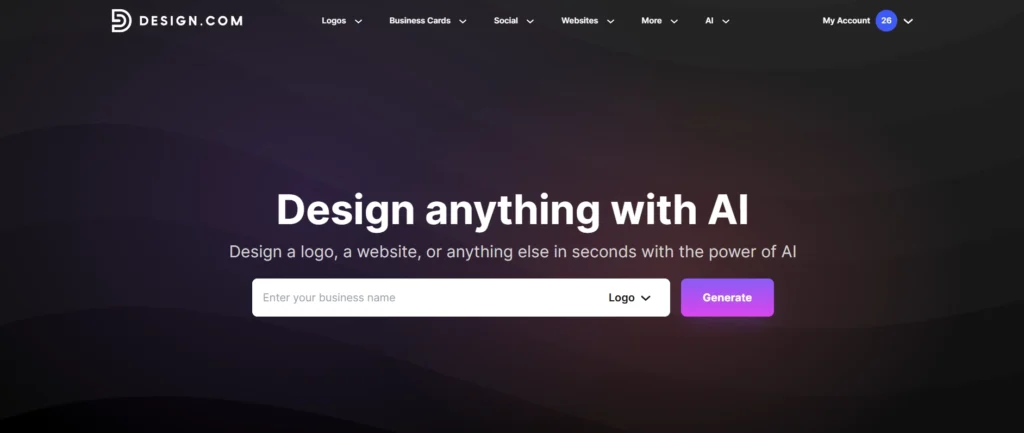
The platform works in a simple way. You enter your business name or idea and it generates design options using templates and AI. You can then customize the designs based on your needs and download them.
Overall, it is mainly built for beginners or small businesses who want quick and easy branding without spending much time on design.
Quick Overview of Design.com features
1. Logo Maker
Design.com Logo Maker is an online tool that helps users create logos quickly without needing advanced design skills. It also has an AI option where you can enter a simple prompt and instantly generate logo ideas, then customize them by changing colors, fonts, shapes, sizes, background, opacity and even edit in layers. You can use the AI option for free up to 5 times to generate or edit logos.
Just enter your brand name and click generate and within a few seconds you will see the list of logo templates.
There are around 300 pages of templates, and each page has 2 to 3 free logos you can download. You can edit and download the free templates at no cost. If you like any of the premium templates, you can edit them completely. If you are satisfied with the edited output and wish to download it, you can complete the payment and proceed with the download.
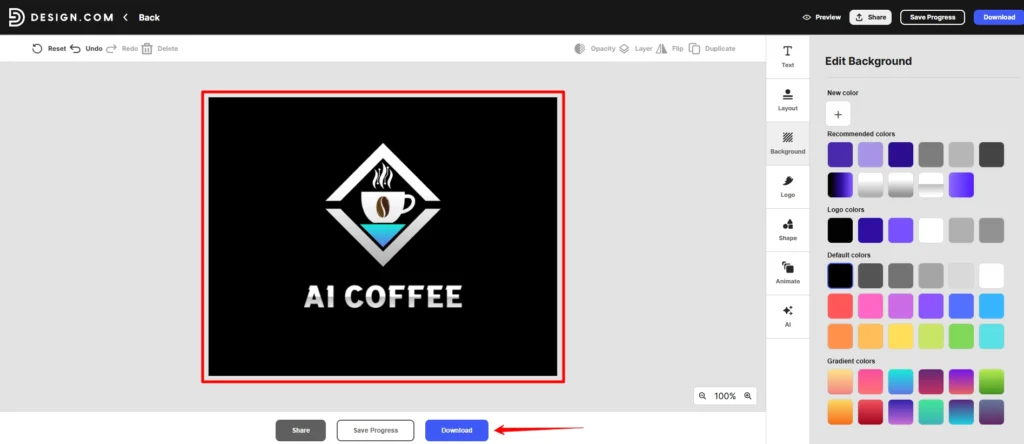
For beginners, small businesses and creators, it works as a simple starting point to explore, refine and export logos in a more professional format.
2. Business Cards
You can easily design a professional business card for your business using Design.com.
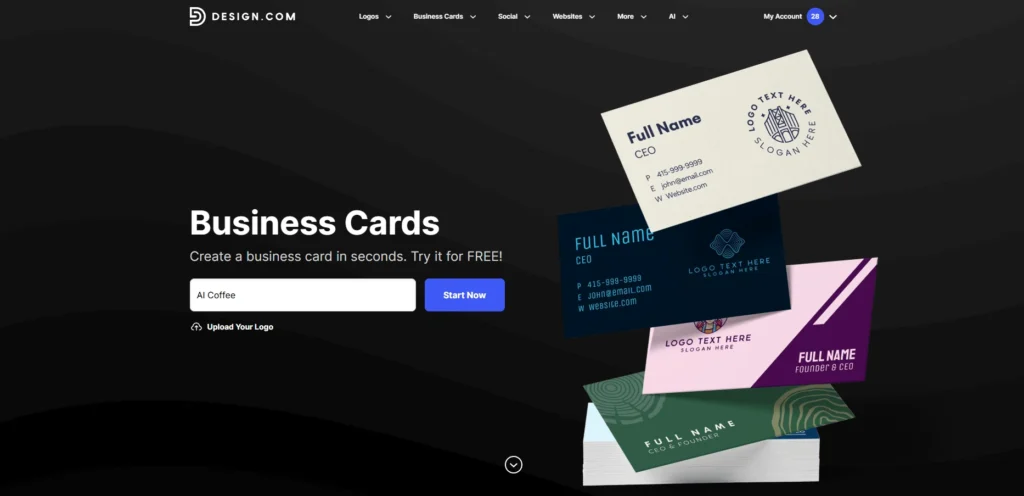
You can either start fresh or upload your existing logo to easily create business cards. There are many templates that automatically match your logo colors, so you can pick the one you like. Once you select a template, you will be taken to the customization section, as shown in the image below.
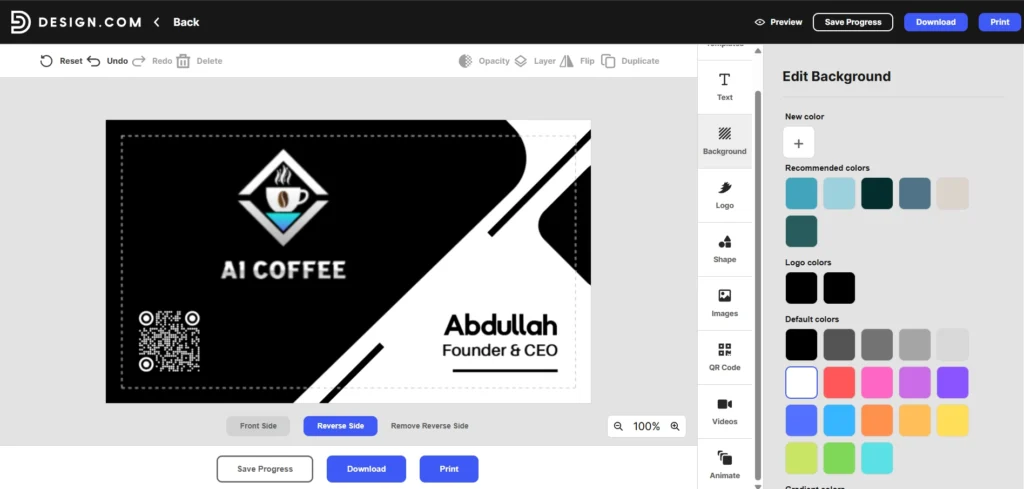
If you want to change the template again, just go to the templates option and switch anytime. You can customize everything like text, background, logo and more. You can also add shapes, images and upload videos up to 250MB. There is a QR code option where you can decide what details show when it is scanned. You can preview your design anytime and I have added a live screen recording below for better understanding.
Screen recording of creating a business card on Design com
3. Website Builder
When you create a website using Design.com, you can publish and host it directly on their platform without needing a separate hosting service. Everything is managed in one place, making it simple for beginners. You can use the link for professional portfolios, visual and interactive resumes, showcasing projects, events and more. You can either use the free Design.com URL, purchase a new domain or connect an existing domain you already own.
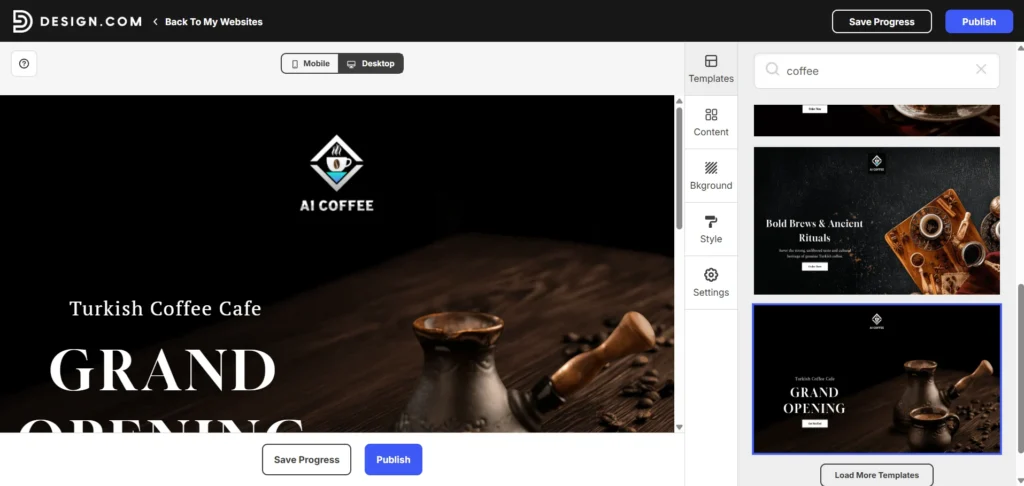
To make your website live, you first customize it in the builder by choosing a template and adding your business details. Then you can preview the site to see how it looks and once you are happy with the design, click the publish button. To go live, you will usually need a premium plan, which costs about $5 to $6 per month when billed annually.
The tool uses a drag and drop interface, so no coding knowledge is needed. It works as an all in one platform where you can manage your logo, business cards and website from a single account. You can also add features like contact forms, social media links and basic payment options, making it useful for small business owners and beginners.
You can use the side panel options to customize content, colors, header, footer and other elements based on your needs and quickly build your website your way.
Screen recording of creating a website on Design com
Note: You can design and preview your site for free, but downloading it requires a paid subscription.
4. Background Remover
This tool is very useful because you just need to upload your image, and within a few seconds the background is removed, allowing you to quickly download it.
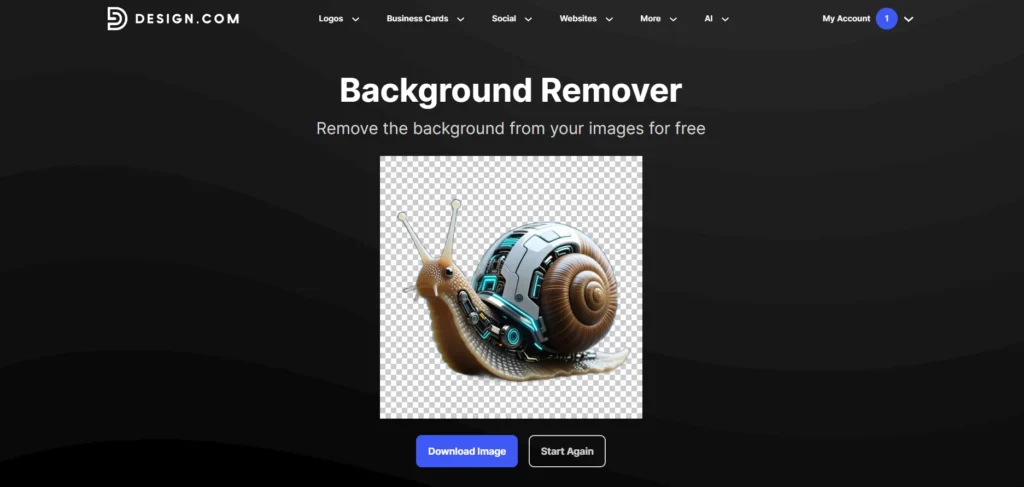
You can use Design.com’s quick background remover for free (there are some limits). Just download the image after using it. There is also a crop option, but when I tried it, it took a long time to load and didn’t work properly, so I couldn’t really use it. Still, you can download the result.
If you want to remove and change backgrounds with AI, I have already written a detailed blog about the best AI background remover tools. Feel free to check it.
5. Domain Names
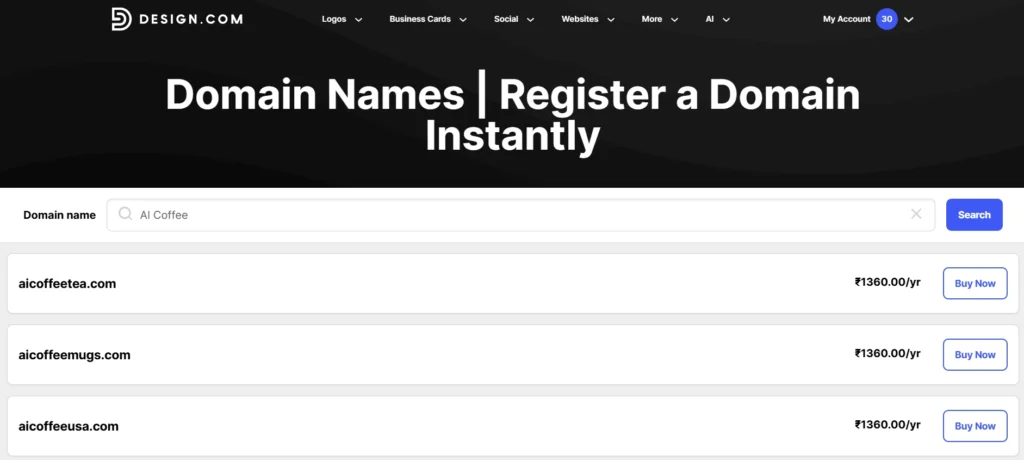
Design.com domain tool is a simple search feature that helps you find and secure a professional web address for your brand. You enter your business keywords and it quickly generates available domain names and shows how they would look on a live website.
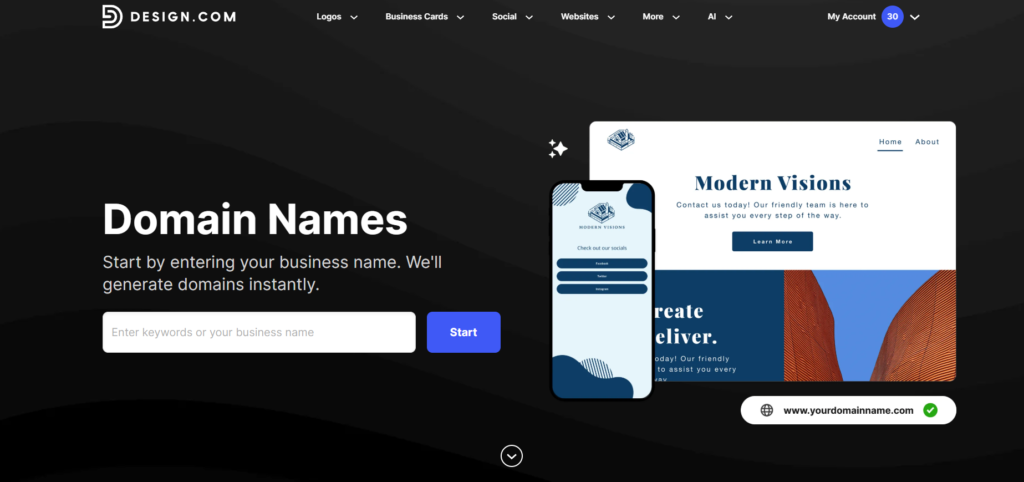
The main advantage is automatic integration, so you don’t have to deal with technical DNS settings to connect your domain to your site. It is designed for people who want a one-stop solution where their logo, website and domain are managed in one place. Using a custom domain through this tool removes generic watermarks and gives your business a more professional and credible look.
6. Social Media Post
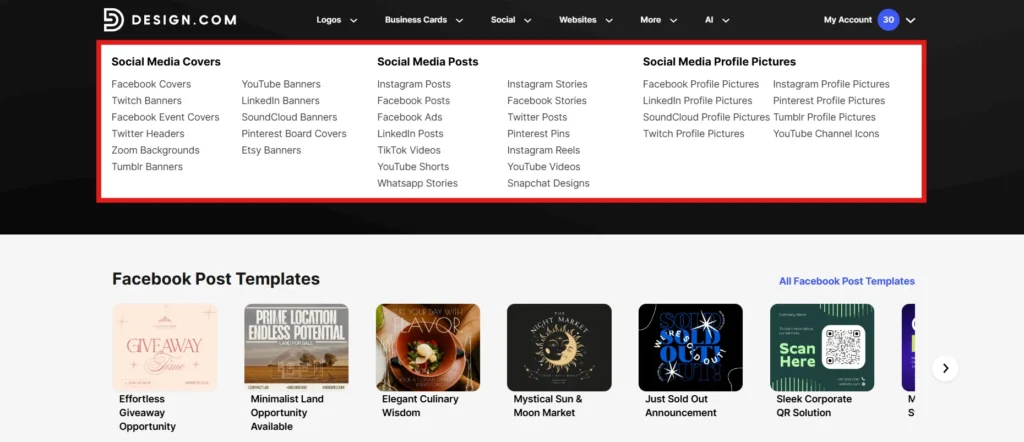
Design.com also includes templates for social media posts and banners. This feature is helpful if you want ready-made designs without spending time on editing. The designs are easy to customize, but they lack flexibility when compared to more advanced tools. If your goal is to create unique or highly creative content, you may find this feature somewhat limited.
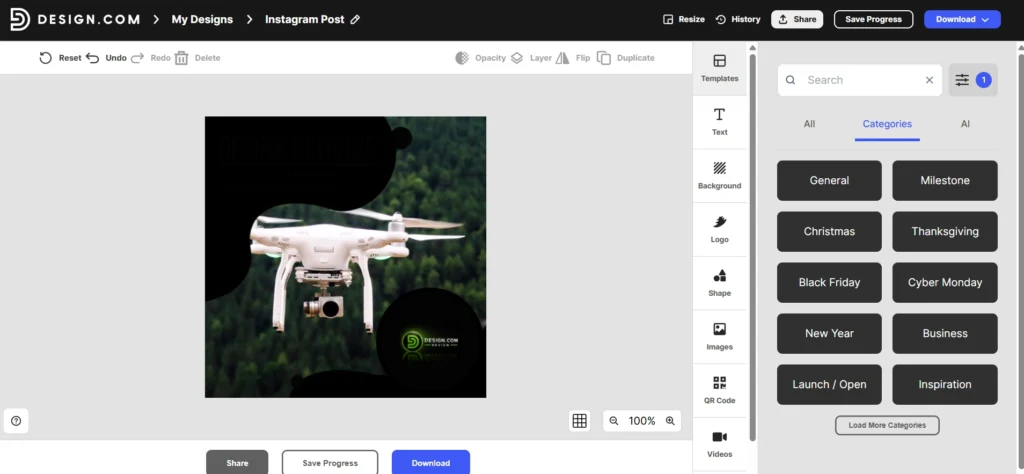
For your reference, I have chosen an Instagram post example and attached the image below.
Complete Design Tools and Templates Overview
Explore all the design tools and templates available to create logos, social media posts and business assets in one place. Pick what you need, customize easily and get your branding ready faster without any design experience.
| Category | Options |
|---|---|
| Core Tools | Logo Maker, Background Remover, Website Builder, Business Cards, Design Templates, Background remover, Custom Design and more |
| Social Media Templates | Instagram Posts, Facebook Posts, LinkedIn Posts, Pinterest Pins, Profile Pictures, Stories Templates, Banners and more |
| Platform Templates | YouTube, TikTok, Instagram, Facebook, LinkedIn, Pinterest, Snapchat, Twitter and more |
| Business & Print Designs | Invoices, Flyers, Posters, Presentations, Email Signatures, Menus, Invitations, T-Shirts and more |
| Logo Categories | Business Logo, Brand Logo, Gaming Logo, Food Logo, Fashion Logo, Photography Logo, Real Estate Logo, Shop Logo and more |
Pricing and What to Expect
Design.com allows users to explore and customize designs for free, and it takes you to the pricing page when you want to download the premium design. There are both one-time purchase options and subscription plans, depending on what you need.
The final cost can increase during checkout due to additional options and upgrades. This does not mean the platform is unreliable, but it does mean you should carefully review all pricing details before making a purchase.
Benefits of Using Design.com
One of the biggest advantages of Design.com is how easy it is to use. The platform is designed for beginners, so you can create a logo or branding material within minutes without any prior experience. It also offers a large collection of templates, which increases the chances of finding a design that matches your business. For those who need quick and affordable branding, Design.com can be a practical solution.
Limitations You Should Know
Despite its advantages, Design.com has some limitations. The biggest issue is the lack of originality, as most designs are based on reusable templates. This makes it difficult to build a unique brand identity. In addition, customization options are limited, which feels less creative if you want more control over your design. Pricing clarity is another concern, as some users feel the cost is higher than expected after adding extras.
FAQ’s
1. Is Design.com suitable for creating professional logos?
Yes. Design.com is built to help individuals and businesses create high-quality, professional logos quickly. Users can start with AI-generated designs and further refine them using advanced editing tools to match their brand identity.
2. What file formats do I get after downloading my logo?
All downloaded logos include high-resolution raster formats and scalable vector files, making them suitable for both digital and print use without quality loss.
3. Can I fully customize my logo on Design.com?
Yes. Users can customize colors, fonts, layouts and design elements. In addition, AI-powered editing tools allow deeper modifications to create highly unique and personalized logos.
4. Does Design.com have hidden costs or pricing surprises?
No. Pricing is clearly shown during checkout, including monthly or yearly plans and optional add-ons. Users can choose only the features they need and there are no hidden charges in the base plan.
5. Can I cancel my subscription easily?
Yes. Users can manage or cancel their subscription anytime through the account settings. The process is straightforward and designed for user convenience.
Final Verdict
Overall Design.com feels like a solid and easy to use platform especially for beginners. The design tools logo maker and website builder work well and help you create things quickly without much effort. What I liked is that everything is available in one place. Instead of using different tools for logo website and branding you can do it all here which saves time and makes the process simple.
But if you are someone who wants deep customization or a very unique brand identity you might feel a bit limited. In that case using separate advanced tools would give you better results. But overall for startups, small businesses or anyone who just wants to get started quickly Design.com is definitely useful. It really depends on your needs if you want something simple and fast it is worth considering.



0 Comments