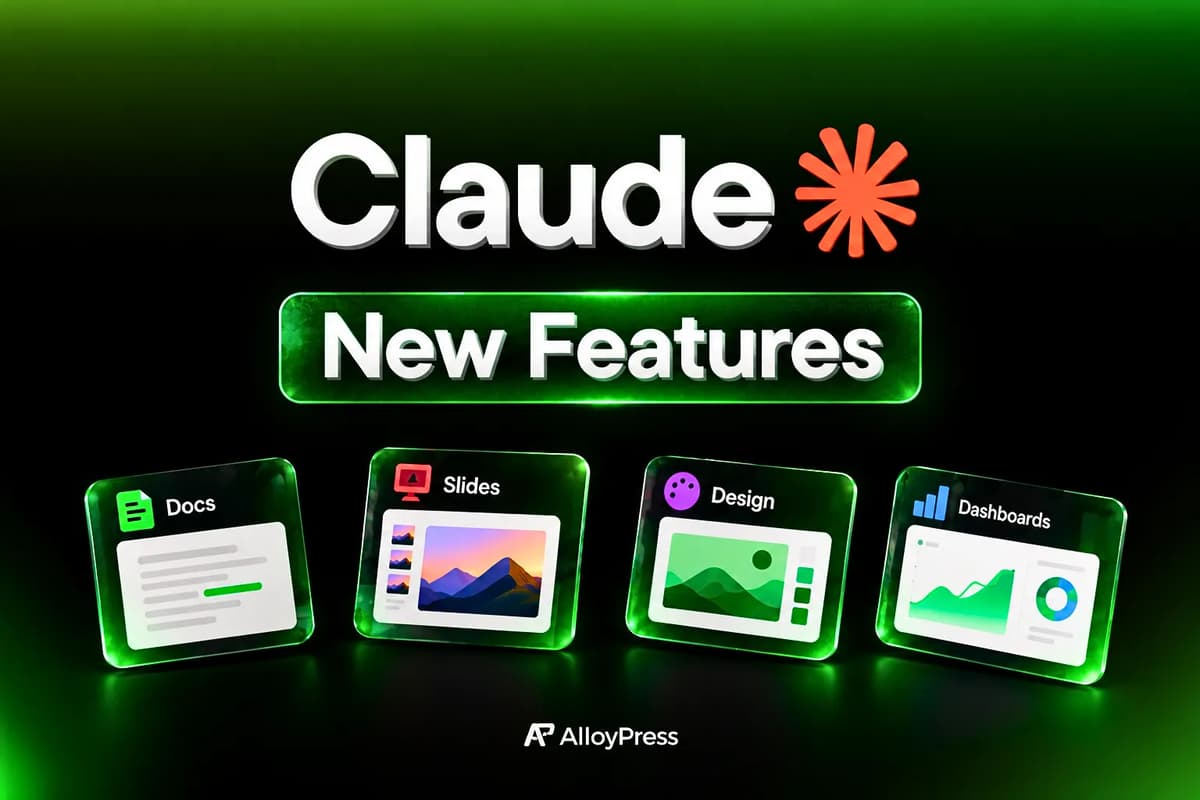
Claude is no longer just a chat box. On October 8, 2026, Anthropic turned it into a full workspace that builds documents, presentation decks, visual designs and live data dashboards, each opening in its own editor beside the chat.
The biggest surprise for everyday users is the price. Docs, Slides and Design have left beta and now work on every Claude plan, including Free. Here is everything that changed, who gets what, and how to start using each feature today.
What's New in Claude? The October 2026 Update Explained
Anthropic's latest update makes Claude a place where finished work gets made, not just discussed. Instead of pasting text from a chat into Word or PowerPoint, you now ask Claude for the finished piece and it opens in an editor built for that format.
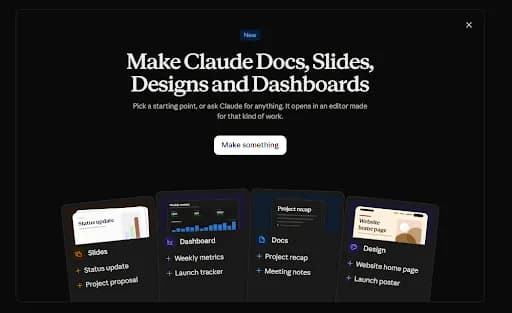
Anthropic calls these finished pieces artifacts. The headline ready-made templates are Docs, Slides, Design and Dashboards. When you open Claude, a new "Make something" screen lets you pick a starting point such as a status update deck, a weekly metrics dashboard, a project recap doc or a website home page design.
This did not happen overnight. Here is how the rollout unfolded:
Date | What happened |
|---|---|
December 14, 2026 | Standalone Claude Design site (claude.ai/design) closes |
October 15, 2026 | Docs, Slides and Design switched on by default for Enterprise organizations |
October 8, 2026 | Dashboards launches in beta; Docs, Slides and Design leave beta on all plans |
September 16, 2026 | Docs and Slides introduced; Design moves into every Claude conversation as Cowork and chat merge |
April 17, 2026 | Claude Design first launched by Anthropic Labs as a separate tool |
Anthropic's reasoning is simple. Asking questions of company data usually means a ticket to the data team or writing SQL. Claude now builds the first version for you and shows its work: every dashboard number shows the query behind it.
Claude New Features: What Each One Does and How to Use It
1. Claude Docs: Living Documents You Write With Claude
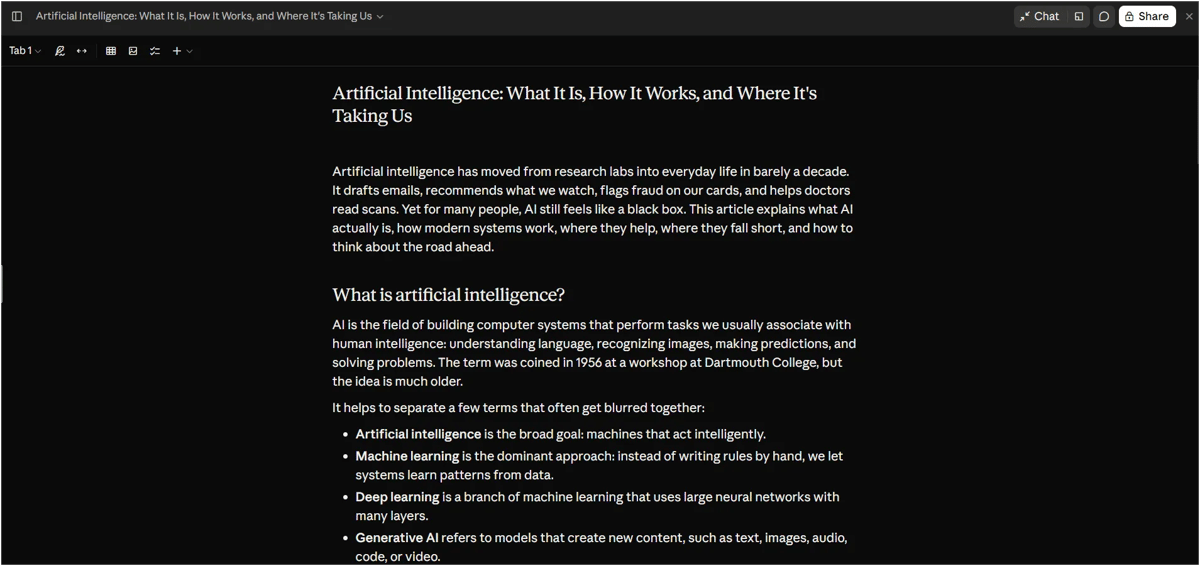
Claude Docs lets you create and edit documents directly inside Claude instead of drafting everything in chat and downloading a file for every revision. You can work on the document alongside Claude, make changes to specific sections and collaborate with your team.
It's useful for creating reports, meeting notes, project summaries, proposals, SOPs and blog drafts.
How to use Claude Docs:
- Open Claude, select Make something, and choose Docs or ask Claude to create a document in a chat.
- Describe what you want to write and attach any relevant files, such as meeting notes or project documents.
- Once Claude creates the document, edit the text directly or ask Claude to improve specific sections without rewriting everything.
- Share the document with teammates to collaborate on the content.
- Export the finished document in a supported format, such as Word, PDF or Markdown.
2. Claude Slides: Presentations From Your Notes in Minutes
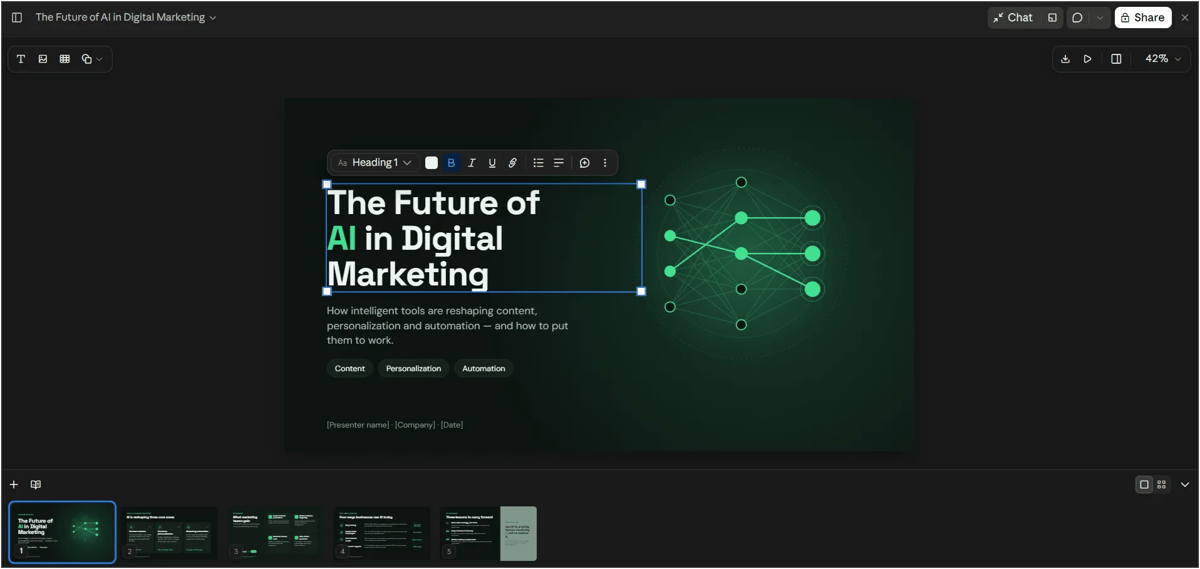
Claude Slides helps you turn notes, reports, and existing content into presentation decks without building every slide from scratch. You can edit slide content, change layouts, and refine the presentation directly in Claude.
It's useful for project updates, business proposals, pitch decks, client reports, and training presentations.
How to use Claude Slides:
- Open Make something, select Slides, and describe the presentation you want. You can also ask Claude to turn your existing notes into a deck.
- Add your source material, such as meeting notes, PDF reports, or information from your chat.
- Review the generated slides and edit titles, images, layouts, or slide order as needed.
- Ask Claude to make specific changes, such as adding a comparison slide or simplifying the content.
- Present your deck directly in Claude or export it in a supported format, such as PowerPoint or PDF. You can also send it to Google Slides if that option is available.
3. Claude Design: Posters, Web Pages and UI Mockups
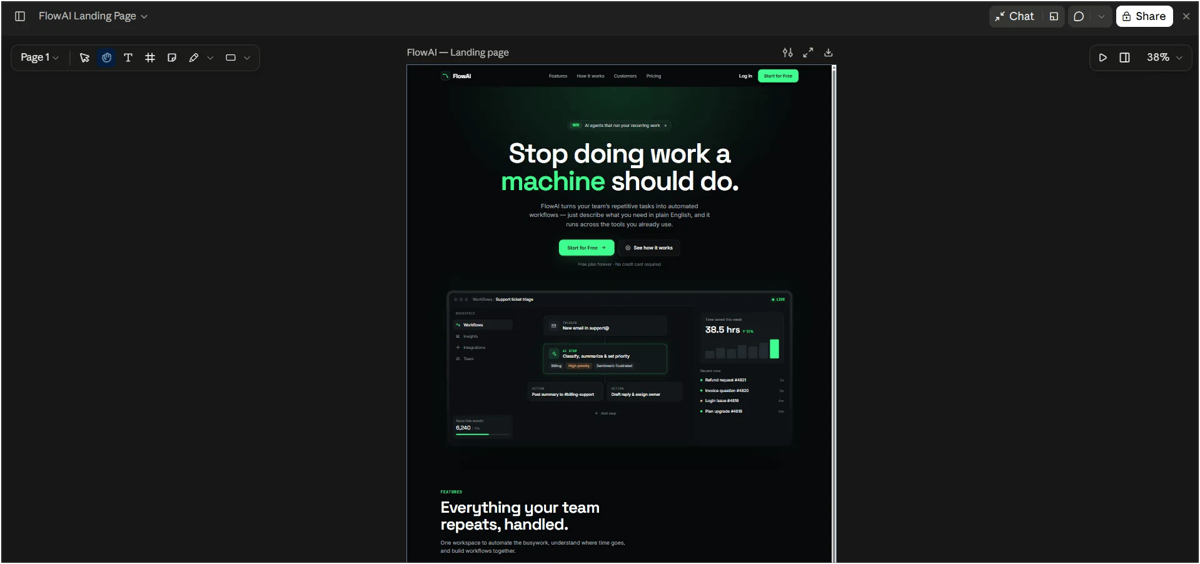
Claude Design lets you create visual assets such as landing pages, posters, flyers, app screens, and graphics using simple text prompts. You can refine the design directly on the canvas or ask Claude to make changes, without starting over each time.
It's useful for marketers, founders, designers, and anyone who needs visuals without building everything from scratch in a separate design tool.
How to use Claude Design:
- Open Make something, choose Design, and describe what you want to create, such as a product launch poster or website homepage.
- Add your logo, brand colors, or existing design files to help Claude match your visual style.
- Edit text and individual elements directly on the canvas, or ask Claude to generate different versions.
- Export your design in a supported format, such as PDF or an image, or share it with others.
- If you're already using Claude Design, migrate your team design systems from the Artifacts page before December 14, 2026, when the standalone website shuts down.
4. Claude Dashboards (Beta): Live Dashboards From Plain-English Questions
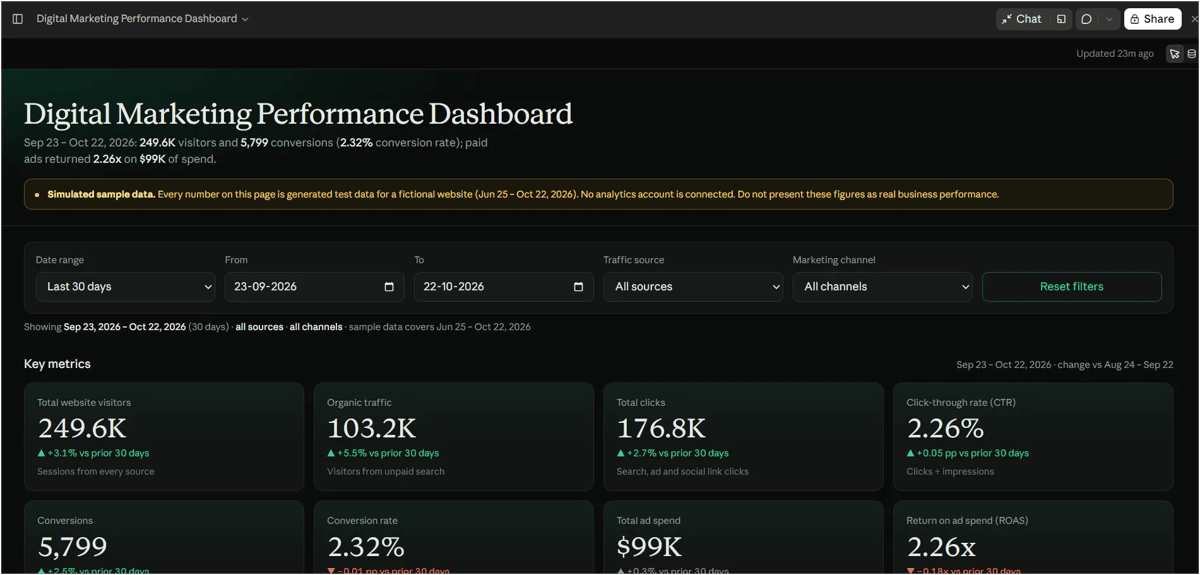
Claude Dashboards turns company data into interactive dashboards that update as new data becomes available. You can ask questions in plain language, view charts, and inspect the queries behind individual numbers without building everything manually.
It supports data sources such as Amazon Redshift, BigQuery, ClickHouse, Databricks, and Snowflake, along with connected tools like Salesforce. You can also send dashboards to supported analytics platforms, including Grafana, Mixpanel, and Tableau alternatives listed by Anthropic.
Availability: Currently in beta for paid plans, including Pro, Max, Team, and Enterprise.
How to use Claude Dashboards:
- Connect your data source or CRM through Claude's available connectors.
- Ask Claude to build a dashboard, such as "Show this quarter's revenue by region."
- Review the charts and click individual numbers to inspect the queries behind them.
- Share the dashboard with your team and monitor updates as new data arrives.
- Enterprise users may need their administrator to enable the feature under Organization settings → Artifacts.
Which Claude Plan Gets Which Feature?
Free users get the three core editors; Dashboards needs a paid plan.
Feature | Status | Free | Pro / Max | Team / Enterprise |
|---|---|---|---|---|
Claude Docs | Generally available | Yes | Yes | Yes |
Claude Slides | Generally available | Yes | Yes | Yes |
Claude Design | Generally available | Yes | Yes | Yes |
Claude Dashboards | Beta | No | Yes | Yes (admin enables on Enterprise) |
Sharing, Export and Enterprise Upgrades
Claude now makes it easier to work with your team. You can co-edit documents, slides, designs and dashboards with Claude, share supported content through links and export presentations to PowerPoint or PDF while preserving their formatting. You can also edit documents, slides and designs from the Claude mobile app.
For Enterprise users, Claude adds customer-managed encryption keys (CMEK) and lets admins control which templates their organization can use.
Claude Design Standalone Site Is Closing
The original Claude Design site stays open until December 14, 2026. After that, chats and comments left in the standalone version will not be available, and its public project links will stop working. Migrate your design systems from the Artifacts page and save anything important before the deadline.
Conclusion: Claude Is Becoming an All-in-One AI Workspace
With Docs, Slides, Design and Dashboards, Anthropic is moving Claude from a chatbot that writes text to a workspace that delivers finished, shareable work. Making the three core editors free on every plan lowers the barrier for students, freelancers and small businesses, while Dashboards target teams that live in data.
The practical takeaway: if you use Claude for writing, try asking for a Doc or a Slides deck instead of plain chat text. If you run a team on a paid plan, connect your data warehouse and test Dashboards on one routine report. Keep in mind that Dashboards is still in beta, and Anthropic has not published accuracy figures for generated queries, so review the numbers before you share them.
The competition with Microsoft Copilot, Google Gemini and Canva's AI tools for everyday office work just got sharper, and users are the ones who benefit.
Frequently Asked Questions
1. What are the new features in Claude?
Claude now includes Docs, Slides and Design (generally available) and Dashboards (beta). Each creates a finished artifact that opens in its own editor beside the chat.
2. Is Claude Docs free to use?
Yes. Claude Docs, Slides and Design are available on every Claude plan, including the Free plan, since October 8, 2026.
3. Can I export Claude Slides to PowerPoint?
Yes. You can download decks as PowerPoint or PDF with the editor formatting preserved or send them to Google Slides as editable files.
4. Which data sources does Claude Dashboards support?
Amazon Redshift, BigQuery, ClickHouse, Databricks and Snowflake, plus connected tools such as Salesforce. Looker, Tableau, monday.com and Databricks Genie support is coming soon.
5. Is Claude Dashboards available on the Free plan?
No. Dashboards are in beta on paid plans only.
6. What happens to the old Claude Design website?
The standalone site at claude.ai/design closes on December 14, 2026. Design now works inside every Claude chat and teams can migrate design systems from the Artifacts page.
7. Can I edit Claude Docs and Slides on my phone?
Yes. Docs, decks and designs can be edited in the Claude mobile app.
8. Can my team edit the same document together?
Yes. Teammates and Claude can work on the same doc, deck, design or dashboard and you can share by link if your admin allows it.