How I Tested ElevenLabs
I tested ElevenLabs hands-on using its main features, including text-to-speech, voice cloning, sound effects, music, image/video generation, voice changing, speech-to-text and dubbing.
I used my own prompts and sample audio and checked the actual results for quality, generation time, credit usage and ease of use.
This gives you a clear idea of what ElevenLabs can actually do and what to expect from the tool before spending money on a paid plan.
ElevenLabs Quick Overview
Feature | What I Tested / Got | Generation Time | Credits Used | Plan Availability |
|---|---|---|---|---|
Text to Speech | Very realistic, expressive voices; Audio Tags, voice controls & multiple speakers | ~10 sec | 737 for 737 characters | Free + Paid |
Voice Cloning | Instant & Professional Voice Cloning available | Within a minute | — | Starter+ |
Sound Effects | Prompt-based SFX with duration, prompt influence & looping | A few seconds to start processing | Depends on duration | Paid plans |
Image Generation | 4K image generation tested successfully | Few minutes | Depends on Model and specifications | Paid |
Video Generation | 15-sec video using Seedance 2.0 Fast; 720p max in test | A few minutes | Depends on Model and specifications | Paid |
Voice Isolator | Removes background noise and separates voice from music | Within 10 sec | 128 | Paid |
Voice Changer | Changes voice while keeping pacing, pauses, emotion & delivery | Within 10 sec | 128 | Paid |
Music | Generates background music, songs & instrumentals from prompts | Within a minute | 2699 | Paid |
Speech to Text | Transcribed uploaded voice quickly; supports speaker identification | Within 10 sec | 42 | Paid |
Dubbing | Translates audio/video while preserving speaker voice, tone & background sounds | A few minutes | 12,912 | Paid |
Audiobooks | Converts long documents into chapter-based audiobooks with multiple voices | A few Minutes | — | Paid |
Audio Native | Turns website/blog content into an embeddable AI audio player | A Few Minutes | — | Paid |
What is ElevenLabs?
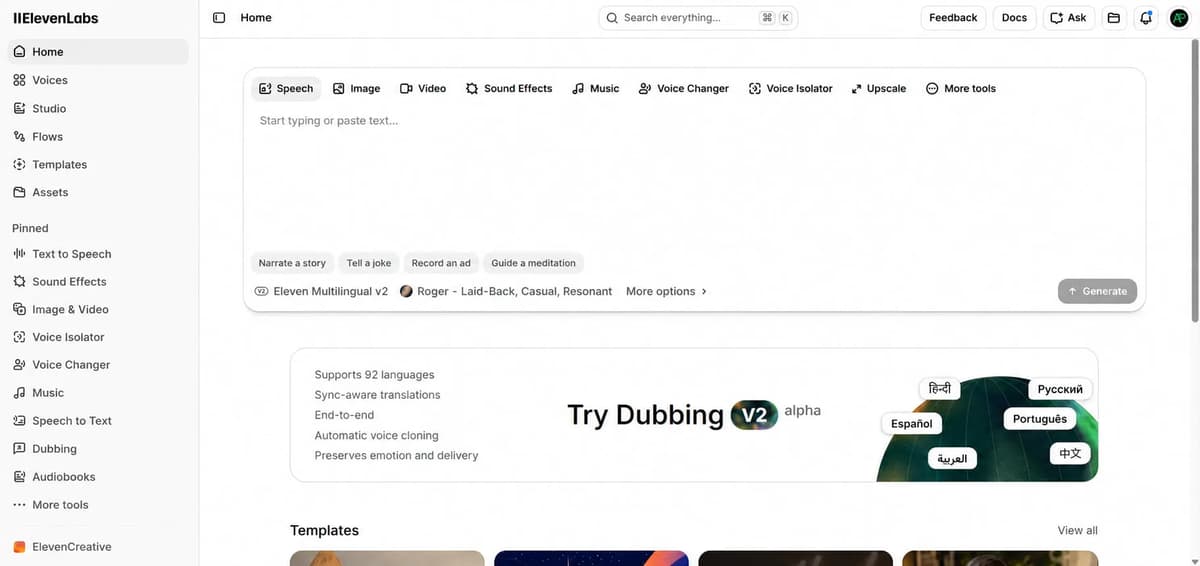
ElevenLabs is an AI voice generation tool mainly used to create voiceovers from text. You can give it a script and generate the audio without recording it yourself.
It also lets you clone voices, create AI voices, change voices, dub videos and generate sound effects. You can use it for YouTube videos, podcasts, audiobooks, ads, games and other voice-based content. It also provides an API if you want to add AI voice features to an app or website.
In short, ElevenLabs is built for creating and working with AI-generated voice and audio, rather than being just a basic text-to-speech tool.
ElevenLabs Pricing Comparison
Plan | Price / Month | Credits / Month | Commercial Use | Voice Cloning | Team Seats | Key Extras |
|---|---|---|---|---|---|---|
Free | $0 | 10K | ❌ | — | 1 | TTS, STT, Music, SFX, Voice Design, Image, 3 Studio projects |
Starter | $6 | 30K | ✅ | Instant | 1 | Image & Video, Dubbing Studio, 20 Studio projects |
Creator | $22 (first month $11) | 121K | ✅ | Professional | 1 | More credits, advanced voice cloning |
Pro | $99 | 600K | ✅ | Professional | 1 | 44.1kHz PCM API output, 192kbps audio |
Scale | $299 | 1.8M | ✅ | 3 Professional | 3 | Team collaboration, workspace seats |
Business | $990 | 6M | ✅ | 10 Professional | 10 | Low-latency TTS from 5¢/min |
Enterprise | Custom | Custom | ✅ | Custom | Custom | SSO, SLAs/DPAs, HIPAA BAA, priority support, higher limits |
ElevenLabs Pros
Pros | What makes it useful |
|---|---|
Very realistic voices | Natural breathing, pauses, emotion, and expressive delivery make the voices feel close to human speech. |
Excellent voice control | Audio Tags let you control emotions, pauses, speed, volume, accents, and delivery. |
Strong voice cloning | Supports both Instant and Professional Voice Cloning. |
Lots of audio tools | TTS, voice changing, SFX, music, speech-to-text, dubbing, audiobooks, and more are available in one platform. |
Fast TTS generation | I was able to generate two enhanced voice variations in about 10 seconds. |
Good dubbing | It translated the test content while keeping the speaker’s voice style and background sounds. |
Useful for different content types | It can handle YouTube voiceovers, podcasts, audiobooks, ads, games, and other voice-based content. |
ElevenLabs Cons
Cons | What I Found |
|---|---|
Credit usage can be high | Longer scripts and resource-heavy features can consume credits quickly. |
Video can be very expensive in credits | My 15-second video generation used 21,996 credits. |
Some generation feedback is unclear | With Sound Effects, it wasn’t immediately obvious that the generation was processing. |
Occasional download problems | One generated voice stayed stuck loading and couldn’t initially be downloaded. |
Output can sometimes be inconsistent | Some users reported different volume levels between generated sentences. |
Some account-related complaints | A few users reported unexpected account restrictions, including on paid plans. |
ElevenLabs Text-to-Speech: My Experience
If you want highly realistic AI voice generation, ElevenLabs is one of the strongest options available right now. The voices sound very natural, with things like breathing, pauses and emotions that you don’t usually get from basic AI voice tools.
New users currently get 10,000 free credits. In my testing, I could generate up to 5,000 characters at a time and the credits used mainly depend on the number of characters in the script. Shorter scripts used fewer credits, while longer voiceovers used more.
One feature I found particularly useful is Audio Tags. You can add simple tags inside square brackets to control how the voice delivers certain parts of the script.
For example, tags such as [cheerful], [calm], [excited] and [sad] can change the emotion. You can also add reactions like [laughs], [sigh], [whispers] and [pause] to make the delivery more expressive.
There are also tags for controlling things like speaking speed, volume and delivery, including [slow], [fast], [soft] and [dramatic pause]. You can even use style tags such as [British accent], [robotic tone] and [pirate voice].
These controls give you more flexibility when creating voiceovers and reduce the need to manually edit the audio afterward.
Another useful feature is the ability to turn the generated voice into a talking video. You can choose from the available image templates or upload your own image. ElevenLabs also has integrated video models, with the different features working through a credit-based system.
During my testing, voice generation was very fast and ElevenLabs usually gave me two output variations for the same script, which made it easier to compare and choose the better result.
How to Generate an AI Voice Using ElevenLabs (TTS)
Creating an AI voice with ElevenLabs is simple. You can choose a voice, adjust a few settings and generate the audio from your script in just a few steps.
Step 1: Open Text to Speech
Log in to ElevenLabs and open Text to Speech from the dashboard.
Step 2: Add Your Script
Paste your script into the text editor. A natural, conversational script usually works better than text that sounds too formal or robotic.
Step 3: Choose a Voice
Choose the voice you want from the available options. ElevenLabs has different voices with various tones, personalities and speaking styles.
If your account supports voice cloning, you can also use a cloned version of your own voice.
Step 4: Adjust the Voice Settings
You can adjust settings such as speed, stability, similarity and style exaggeration from the settings panel.
For example, higher stability can make the voice more consistent, while style exaggeration can make the delivery more expressive.
Step 5: Add Audio Tags
ElevenLabs also supports tags such as [pause], [laughs], [whispers] and [excited] to add more expression to the generated speech.
Step 6: Generate the Audio
Once your settings are ready, click Generate Speech. In my testing, the audio was generated quickly, and the output sounded realistic in most cases.
You can listen to the result, make changes if needed and download the audio afterward.
Step 7: Create Multi-Speaker Conversations
For dialogue-based content, you can use multiple speakers with different voices and personalities. This works well for podcasts, interviews, storytelling and conversations.
Human-Like AI Voice Test Script
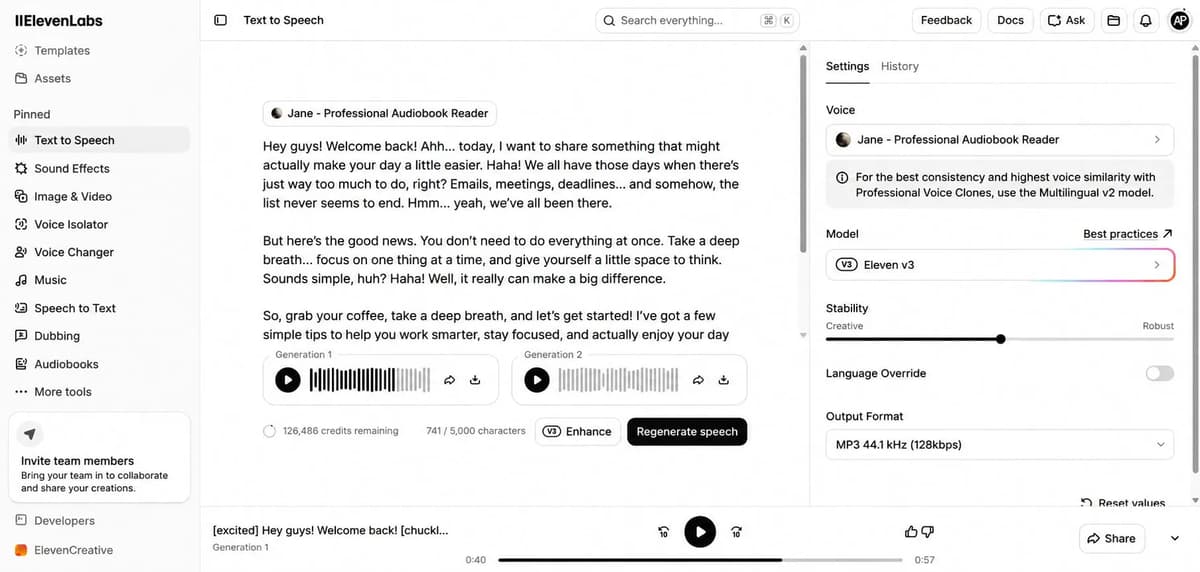
I generated the above text in ElevenLabs. The script had 737 characters, so the tool used 737 credits. The credit usage depends on how many characters you enter, so longer scripts use more credits.
One important thing I noticed is that you should select the Eleven v3 model if you want the most realistic and human-like voice. In my testing, Eleven v3 sounded much more natural and expressive than Eleven v2. It also has an Enhance option that improves the text before generating the voice. After enhancing my script, I clicked Regenerate, and this time ElevenLabs generated two voice variations in around 10 seconds. The download option was also available, so I was able to download the original voice output and attach it here for you to hear.
The main issue I faced earlier was with the download option. It kept loading for a long time and never became available, so I could not download the audio from that attempt. However, after regenerating the enhanced version, the download worked normally.
I have also added ElevenLabs to my [best AI voice generators] article, where you can check the real audio output from my previous testing. This time, I was able to download the output, so you can check the original voice result attached here.
Real audio output
ElevenLabs Sound Effects
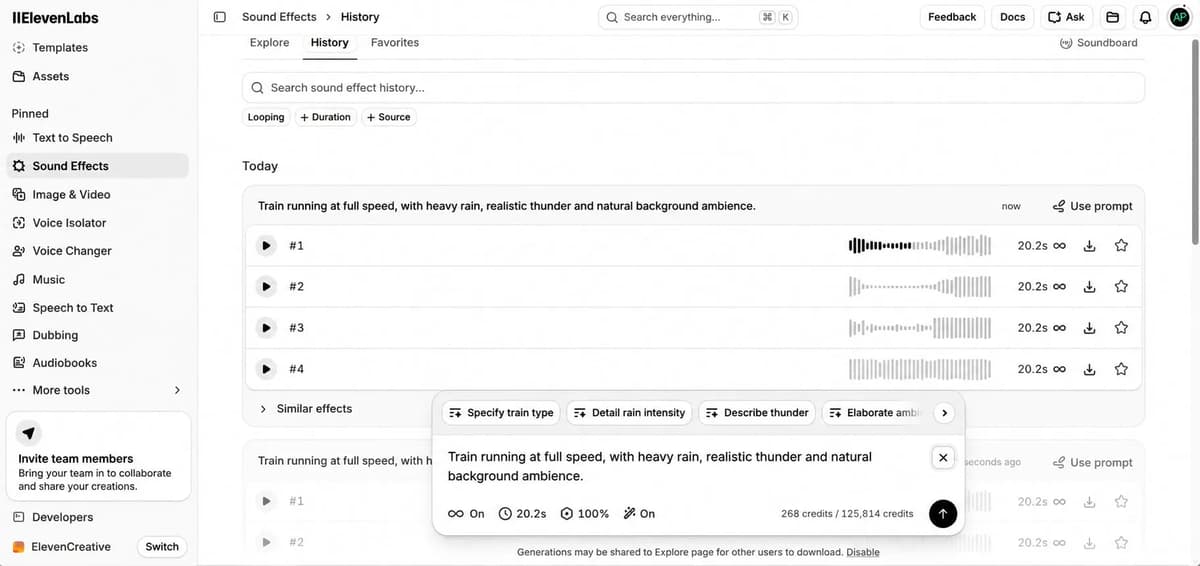
You can simply type what sound effects you want and set the duration. The number of credits used depends on the duration you choose. You can also adjust the prompt influence to control how closely the output follows your prompt.
There is an option to automatically improve the prompt. You can keep it on if you want ElevenLabs to enhance your prompt, or turn it off if you prefer to use your original prompt. There is also a looping option that you can turn on when you need a seamless loop.
One issue I faced was that after clicking Generate, it was not immediately clear whether the request was loading or not. I clicked Generate again, and then both requests started processing and generating outputs. So, avoid making the same mistake. After clicking Generate, wait a few seconds because it can take some time to start processing.
This time, it generated four outputs. I’m attaching the two best results below so you can check the quality.
ElevenLabs Image & Video
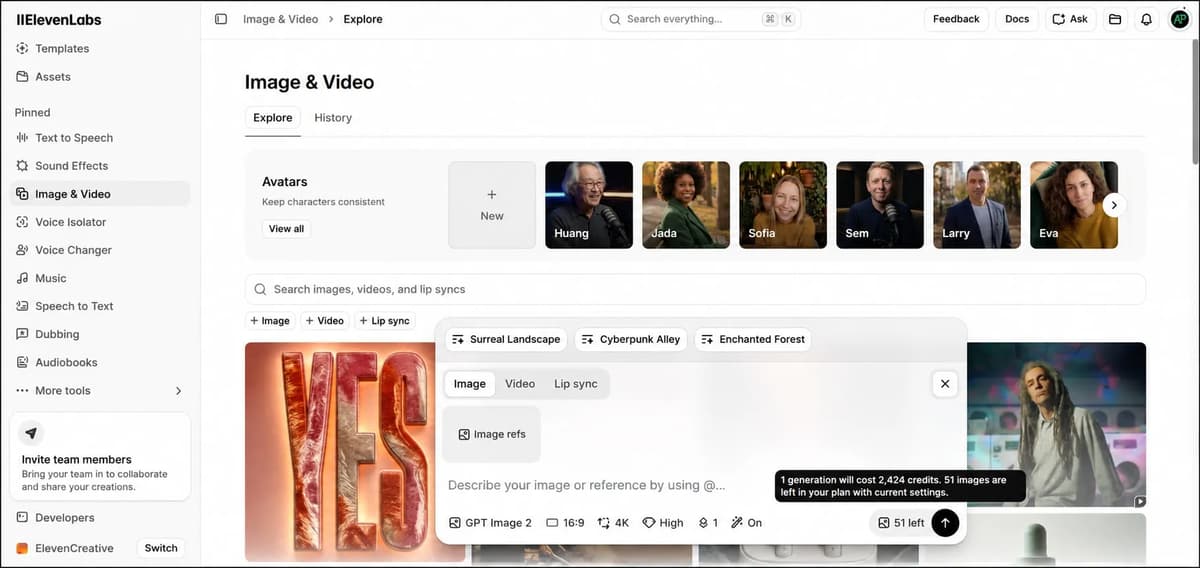
Image Prompt & Video Prompt
For the image generation, I spent 2,424 credits. I set the output to 4K with high quality, selected 1 generation, chose the required aspect ratio and used the GPT Image 2 model.

Using the above image as the reference, I selected the Video option, chose the Seedance 2.0 Fast model and set the duration to 15 seconds. For this video model, 720p is the maximum quality available. It used 21,996 credits and the video was generated within a few minutes. The output is really good. I’m attaching the original video output, so please check it and let me know what you think.
ElevenLabs Voice Isolator
Voice Isolator is an AI tool that helps you get clear human speech from an audio or video recording by removing unwanted background sounds.
What Does Voice Isolator Do?
- Removes Background Noise: Removes sounds like traffic, wind, fans, air conditioners, and other background noise.
- Separates Voice from Music: Helps extract clear vocals when there is music or other sounds in the background.
- Improves Voice Quality: Makes unclear or noisy recordings sound cleaner and easier to understand.
Original VoiceVoice Isolator Output
My Original Voice
This is the original recording before applying ElevenLabs Voice Isolator.
ElevenLabs Voice Isolator Output
This is the same recording after ElevenLabs Voice Isolator removed the unwanted background sound.
ElevenLabs Voice Changer
Voice Changer (or Speech-to-Speech) is an AI tool that converts your recorded voice into another person’s voice while keeping your exact tone, emotion, speed, and delivery style.
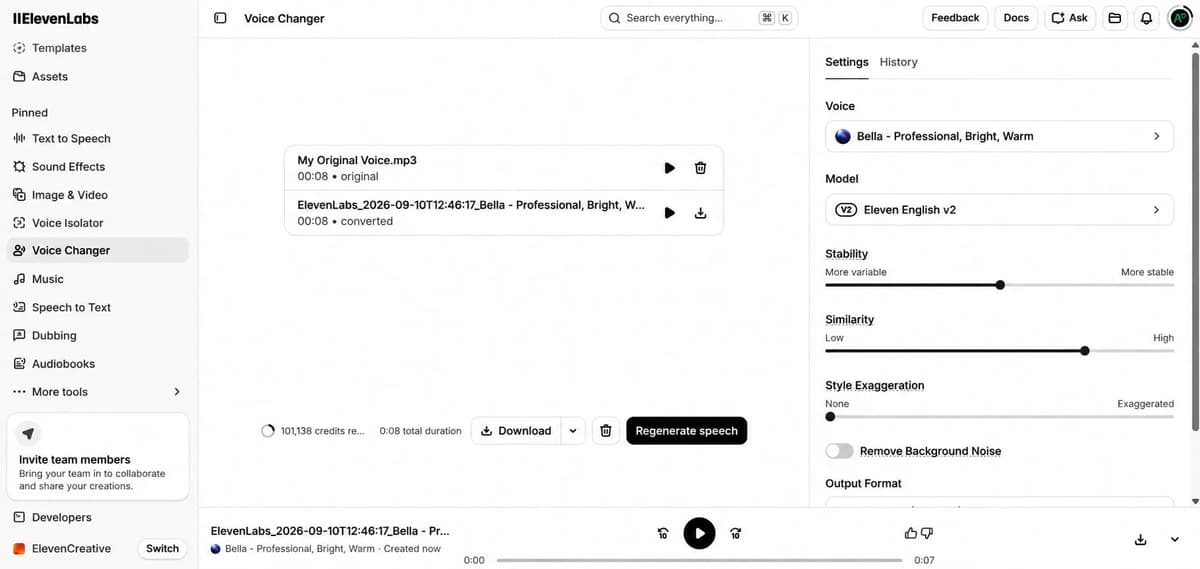
What it does:
- It keeps your natural pacing, pauses, and emotional tone instead of sounding like regular text-to-speech.
- It can also transform your voice into a different persona, accent, or gender while keeping your original delivery
Original VoiceVoice Changer Output
My Original Voice
This is my original voice recording before using the ElevenLabs Voice Changer.
ElevenLabs Voice Changer Output
This is the same recording after processing it with the ElevenLabs Voice Changer.
ElevenLabs Music
The Music feature is an AI music generator that creates original background tracks, songs and instrumentals based on your text prompt or selected genre.
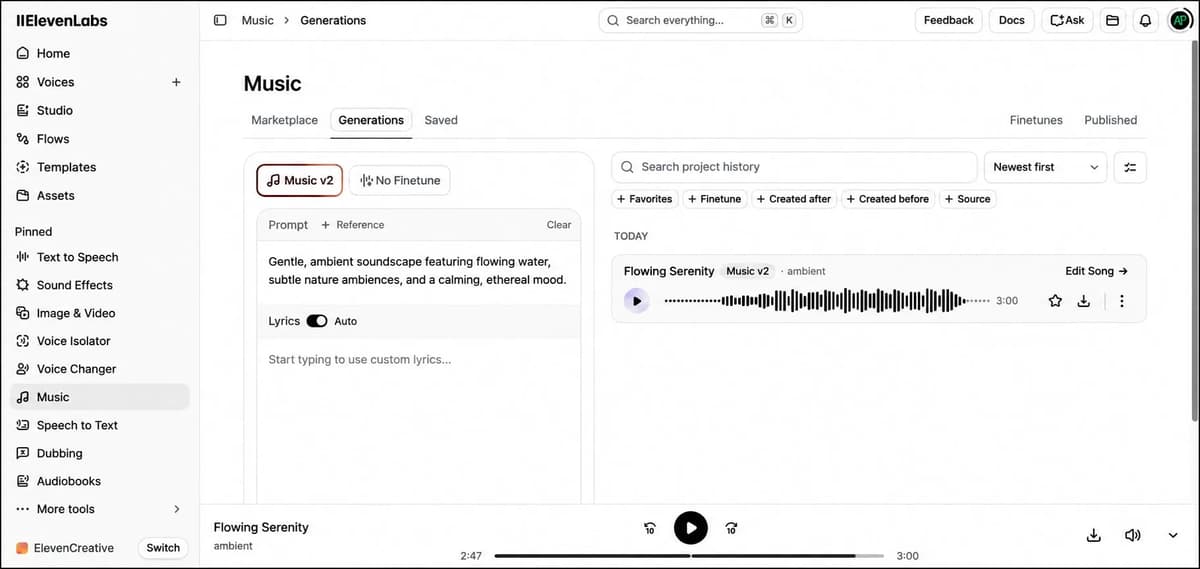
It can generate custom music from a simple description, such as an upbeat synthwave track or an acoustic ballad and adjust the tempo, mood and instruments to match different styles like cinematic, corporate, jazz or pop.
I generated a 3-minute music track and it used 2,699 credits.
ElevenLabs Speech to Text
Speech to Text is an ElevenLabs feature that converts spoken audio or video into written text automatically. It can transcribe recordings in 90+ languages, identify different speakers in a conversation and work with both live speech and uploaded audio or video files.
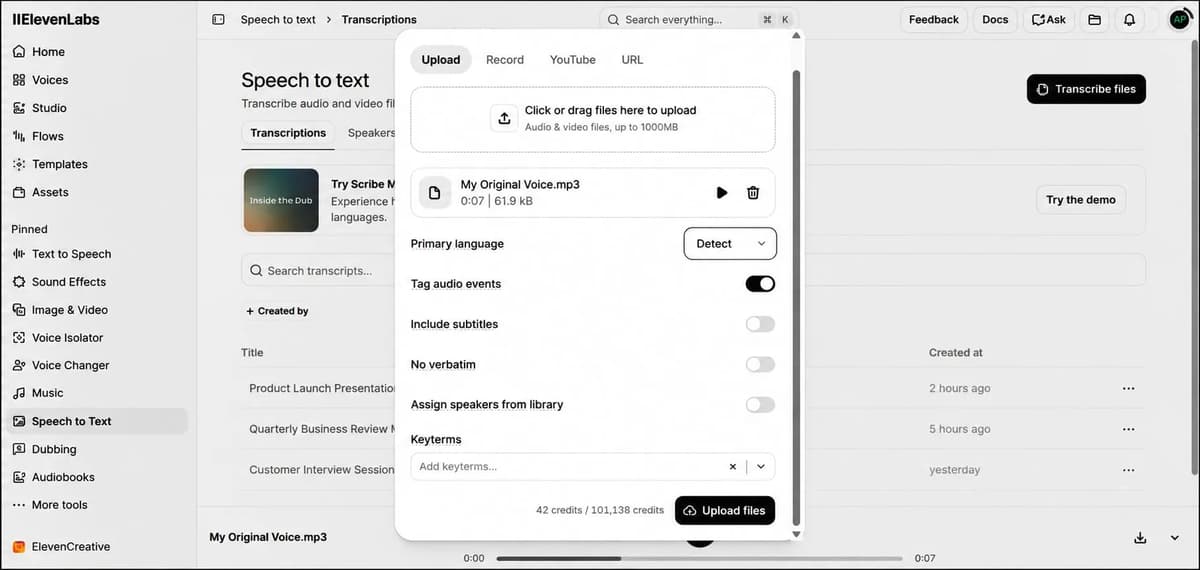
After uploading my original voice, ElevenLabs generated the text from my voice within a few seconds. I also used the Run Spell Check option to check whether there were any mistakes in the transcribed text. It worked well and there were no errors in my text.
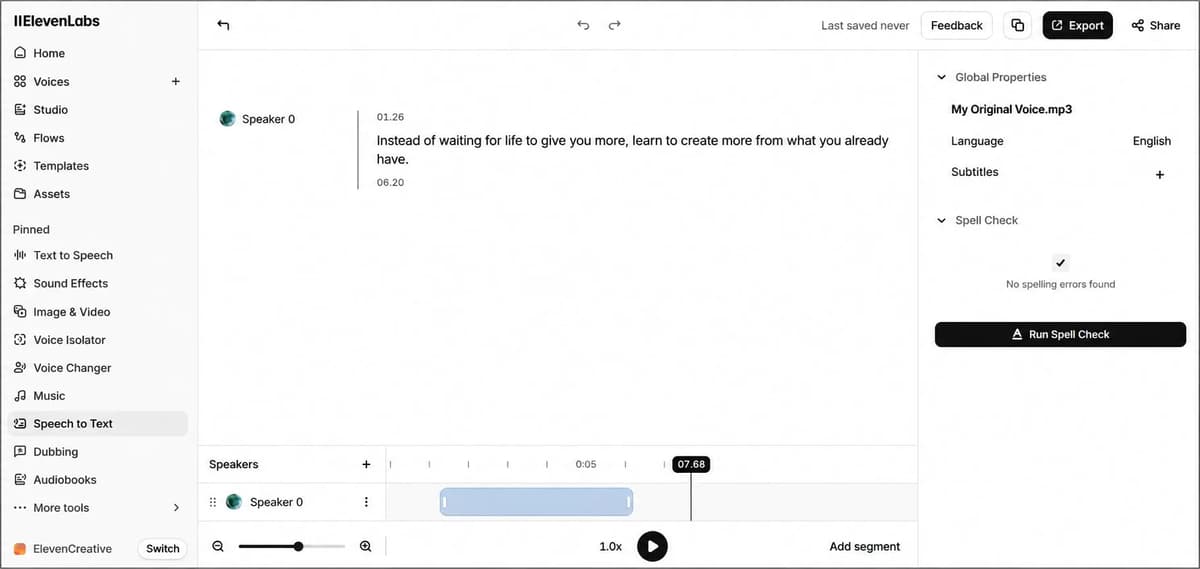
ElevenLabs speech to text transcription result
Speech to text output
ElevenLabs Dubbing
AI Dubbing automatically translates the spoken content in a video or audio file into another language while keeping the original speaker’s voice, tone and speaking style.
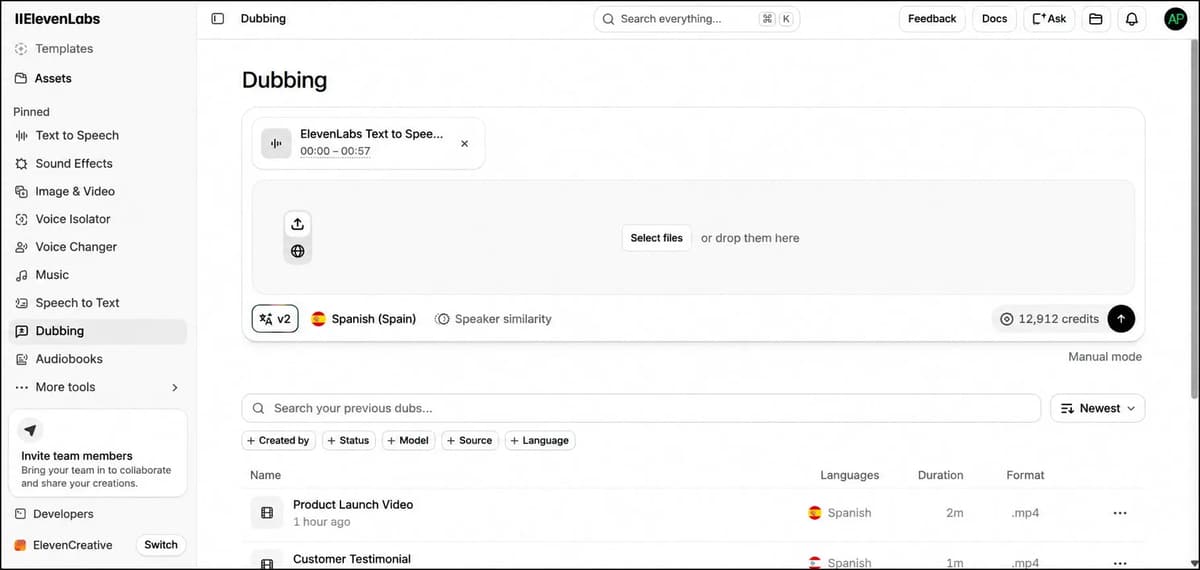
It first transcribes the spoken dialogue, translates it into the selected language and then generates the translated speech in a voice that matches the original speaker. It also keeps the background music and ambient sounds in the recording while replacing the original dialogue with the translated version.
The dubbing used 12,912 credits and the output was ready within a few minutes. The translation was good, and I’m attaching the output below so you can check it.
ElevenLabs Audiobooks
The Audiobooks feature in ElevenLabs lets you turn long-form content such as books, eBooks and guides into audiobooks using AI voices.
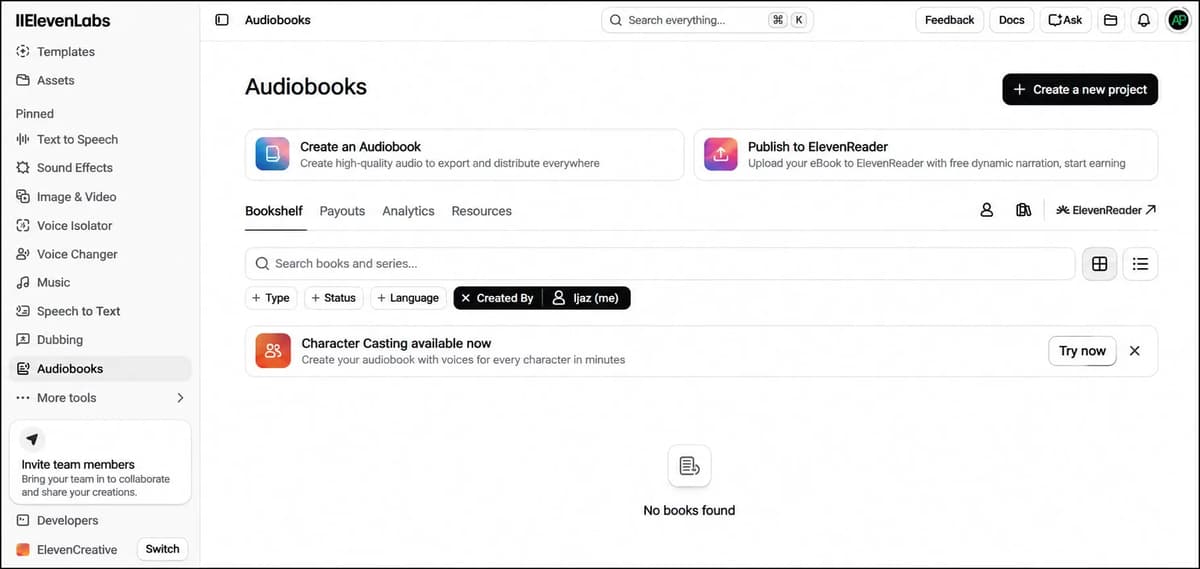
It can handle long documents, organize the content by chapters and keep the narration consistent throughout the book. You can also assign different AI voices to characters while using another voice as the main narrator.
After generating the audio, you can review each chapter, make changes if needed and export the finished audiobook for distribution or publishing on supported platforms.
ElevenLabs Audio Native
Audio Native is an embeddable AI audio player that converts the written content on your website or blog into natural-sounding audio.
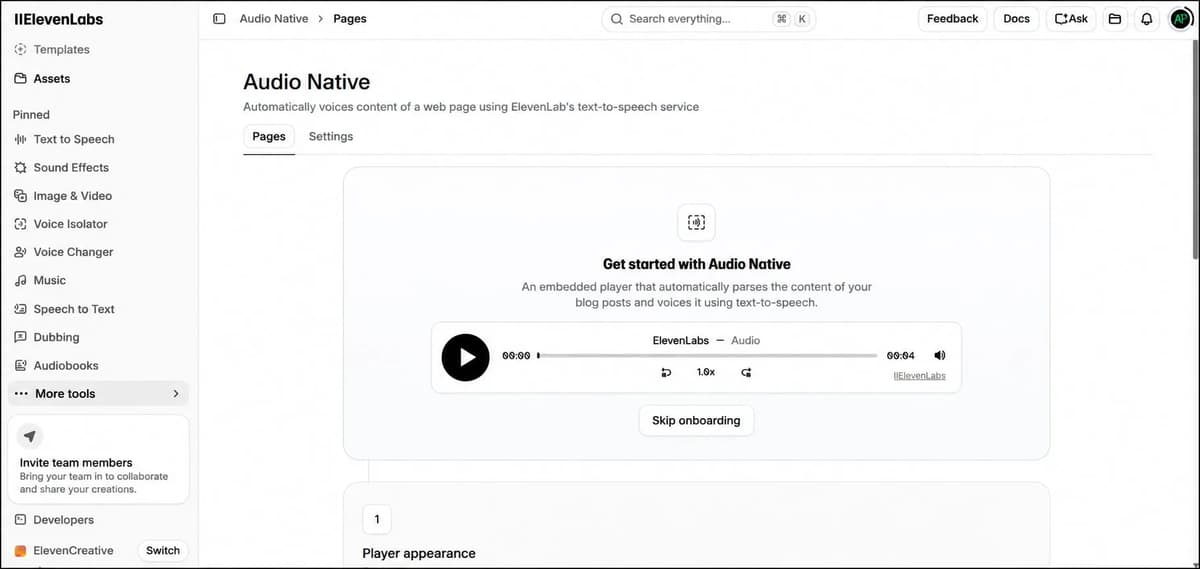
It automatically reads the text from your web page and turns it into an audio version using AI text-to-speech. You can add the player directly to your website so visitors can listen to your articles instead of reading them.
You can also customize the player’s appearance, such as the background and text colors, to match your website design. After setting it up, you just need to add your website to the URL allowlist, copy the embed code, and paste it into your site.
Common Mistakes People Should Avoid
Give the Sound Effects generation a few seconds before clicking Generate again. In my testing, clicking it twice caused both requests to run.
Use Eleven v3 when voice quality matters. It sounded more natural and expressive than Eleven v2 in my testing.
Keep an eye on your credits, especially when testing music, video or multiple voice generations. Credits can be used up quickly.
Write your scripts in a natural, conversational way instead of making them sound too formal. This helps the generated voice sound more natural.
Use Audio Tags when you want better control over pauses, emotions, whispers, laughter and other expressions.
Always listen to the final output before using it. I faced a download issue during testing and some users have also reported inconsistent volume between sentences.
What Users Say About ElevenLabs
I also looked at 448 user reviews to see how people feel about ElevenLabs beyond my own testing. Overall, most users were somewhat satisfied with the platform, especially with the quality of its AI voices and the range of tools available for voice generation, translation and other audio tasks.
Many users praised the realistic output quality and the number of features available for different creative projects. The support team also received positive feedback, with users mentioning that they were helpful when they needed assistance.
However, there were also some recurring complaints. A few users reported inconsistent volume levels between generated sentences, which sometimes meant regenerating the same content and using additional credits. Some users also reported unexpected account restrictions, including issues while using paid plans.
So, while ElevenLabs offers powerful AI audio tools and generally receives positive feedback, the experience may not always be consistent. Credit usage, occasional generation issues and account-related problems are worth considering if you plan to use it regularly.
Final Conclusion
After testing ElevenLabs across voice generation, voice cloning, sound effects, image and video generation, voice changing, music, speech-to-text, dubbing, and audiobooks, I found that voice quality is still its biggest strength. Eleven v3 in particular gave me noticeably more natural and expressive results during testing.
What makes ElevenLabs more interesting is that it is no longer just a text-to-speech tool. You can use it for everything from creating a YouTube voiceover to dubbing videos, generating sound effects, converting speech to text and turning long-form content into audiobooks.
That said, credit consumption is something you should keep an eye on, especially if you’re generating lots of audio or experimenting with video. Overall, though, if you want AI-generated voices that sound genuinely human and give you plenty of control over delivery, ElevenLabs is a tool I’d recommend trying.
Frequently Asked Questions About ElevenLabs
Is ElevenLabs free to use?
Yes, ElevenLabs has a free plan that lets you try its AI voice tools with a limited amount of usage. If you need more credits, higher limits or additional features, you can upgrade to a paid plan.
Can ElevenLabs clone my voice?
Yes. ElevenLabs lets you create an AI version of your voice from an audio sample. It offers Instant Voice Cloning for quick results and Professional Voice Cloning for a more accurate voice replica.
How realistic are ElevenLabs AI voices?
The voices can sound very realistic, especially when you use a suitable voice and a well-written script. ElevenLabs also provides controls for pacing, emotion, pronunciation and other aspects of voice delivery.
How many languages does ElevenLabs support?
ElevenLabs supports a wide range of languages for speech generation and voice cloning, including English, Hindi, Tamil, Spanish, French, German, Japanese and many others. The exact language support depends on the model and feature you use.
Can I use ElevenLabs voices for commercial projects?
Yes, commercial use is available on eligible paid plans, but the exact rights and restrictions depend on your plan and the type of content you create. It is worth checking the current plan terms before using generated audio commercially.