GravityWrite is an AI content creation tool that helps you create content faster without spending much time writing complex prompts. It offers ready-to-use tools to generate text, images and even videos with simple input.
The platform is easy to use and well structured, so both beginners and professionals can create content quickly without needing advanced prompt skills.
But the real question is: Is it actually worth using?
In this review, we’ll look at GravityWrite’s features, tools, usability, pricing and overall value to see if it’s worth your time and money.
What Is GravityWrite?
GravityWrite is an AI tool built to handle different types of content in one place. It lets you write articles, create social media posts, generate images, make videos and even summarize files from a single dashboard.

Normally, you would need different tools for each of these tasks. One for blog writing. Another for social media. A separate tool for images. Something else for videos. And another one for summarizing documents.
GravityWrite tries to bring all of this under one roof. The main idea is simple. Make the workflow easier and more organized, instead of forcing you to jump between multiple platforms.
GravityWrite Features: A Quick Overview
Feature | Details |
|---|---|
Founded By | Website Learners (India) |
Best For | Bloggers, marketers, freelancers, small businesses |
Number of Tools | 250+ templates and tools |
Languages Supported | 30+ |
Free Plan Available | Yes |
Paid Plans Start At | ~$8/month (Plus plan) |
AI Models Used | GPT-4, Claude, and others |
Integrations | Ahrefs, Google Analytics, WordPress |
Unique Standout Features | AI Humanizer, Blog Writer with competitor analysis, Video Generator |
No API Available | Correct – no public API as of 2026 |
GravityWrite Core Tools: What They Actually Do
1. AI Blog Writer
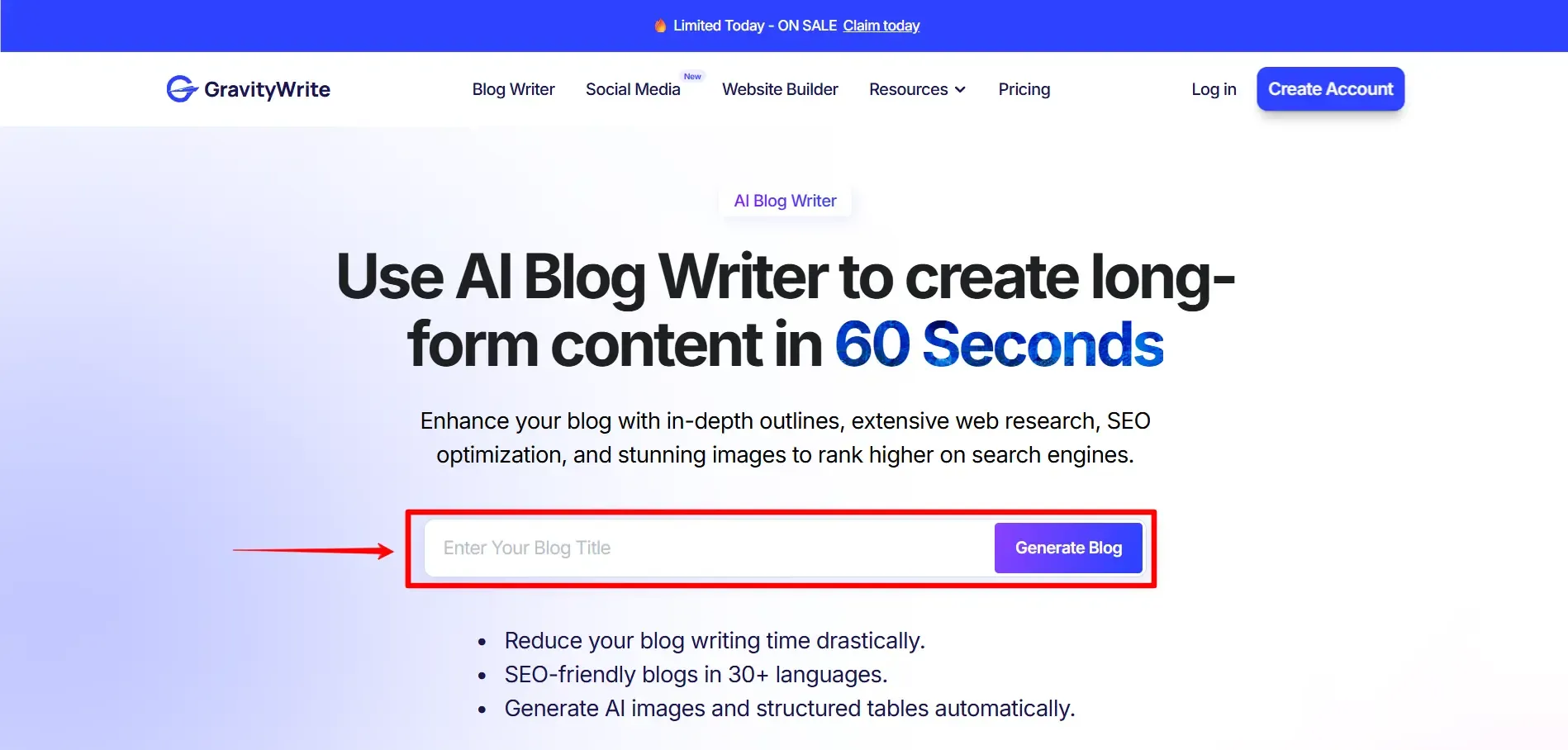
Just enter the title of the blog you want to write and click the Generate Blog button. The blog writer tool will open. Inside, you’ll see two options: Blog Writer and Easy Blog Writer. Let’s look at the difference between these two one by one.
- Blog Writer
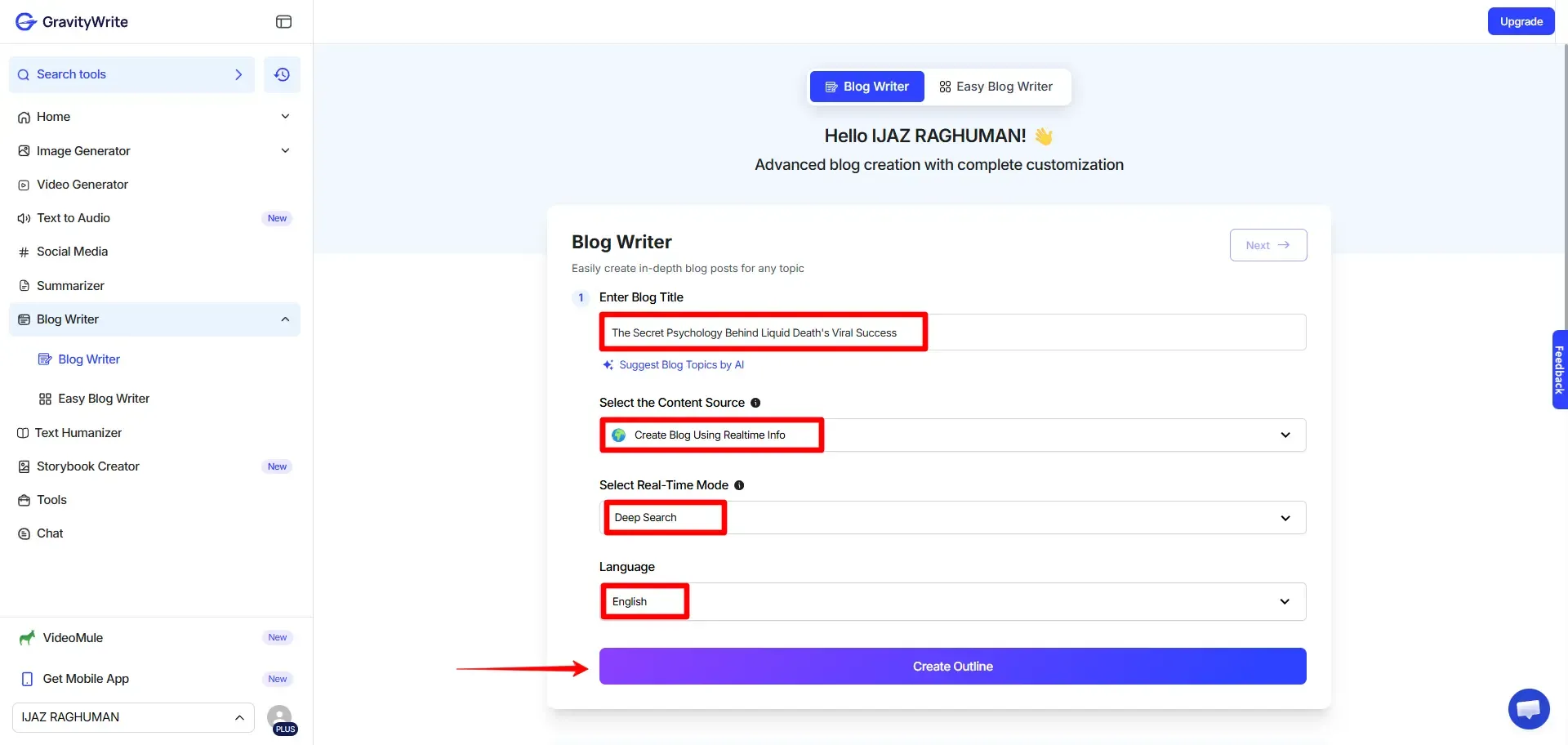
First, enter your blog title. If it’s not strong enough, you can use AI to generate topic ideas and choose one from the suggestions. Next, select the Content Source. You can generate the blog using AI, real-time information or a blog URL if you want the content based on that page.
Here, I’m using Real-time Info. It has two options: Regular and Deep Search. I selected Deep Search.
Then choose the language and click Create Outline. The tool will generate the outline as shown in the image below.
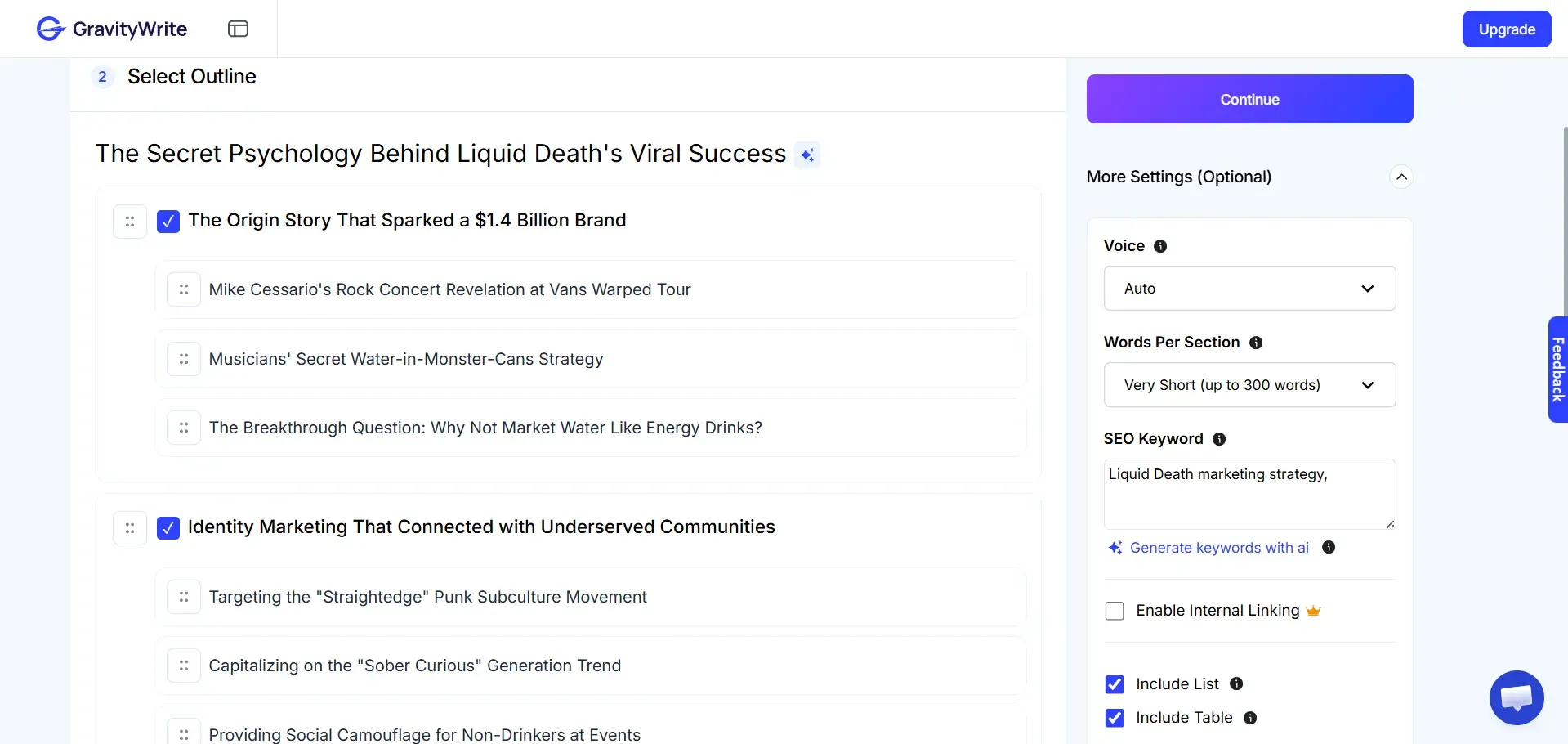
You can edit the outline by deleting headings you don’t need or adding new ones. You can also set the content length for each section.
On the right, the More Settings option lets you customize the blog. You can choose the voice tone, set word count per section and add or generate primary and secondary keywords. You can also add internal links, but this is available only in the Pro plan.
You can also enable lists, tables and AI images and choose the image quality. After setting everything, click Continue to open the next page.
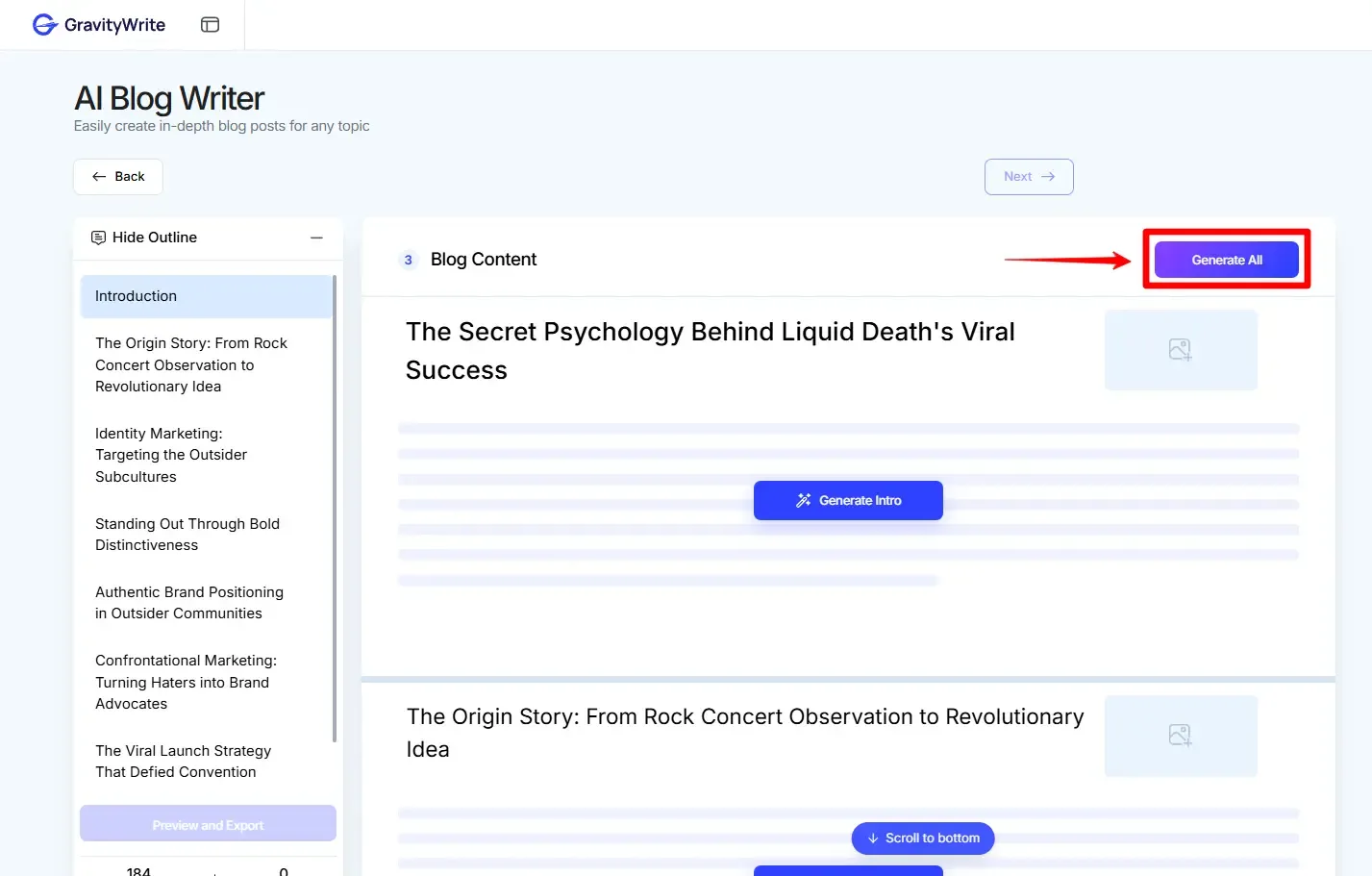
Click Generate All to create the entire blog in a few minutes. When a section is ready, a green tick appears next to the outline on the left. The tool generates content and images together, so you don’t need separate prompts like in ChatGPT or Google Gemini. If needed, you can regenerate the text or image. You can also click an image to edit the prompt or add your own.
However, the image generation needs improvement. Some results had spelling errors and didn’t match the prompt well. When I tested the same prompt in ChatGPT and Gemini, ChatGPT’s image was acceptable, but Gemini’s result was more accurate.
Related Article: Best AI Chatbots
The tool also shows the total word count and image count. At the end, you can preview the blog or export it.
You can download the blog with images as a PDF or publish it directly to WordPress. Check the tutorial in the screenshot before exporting to WordPress.
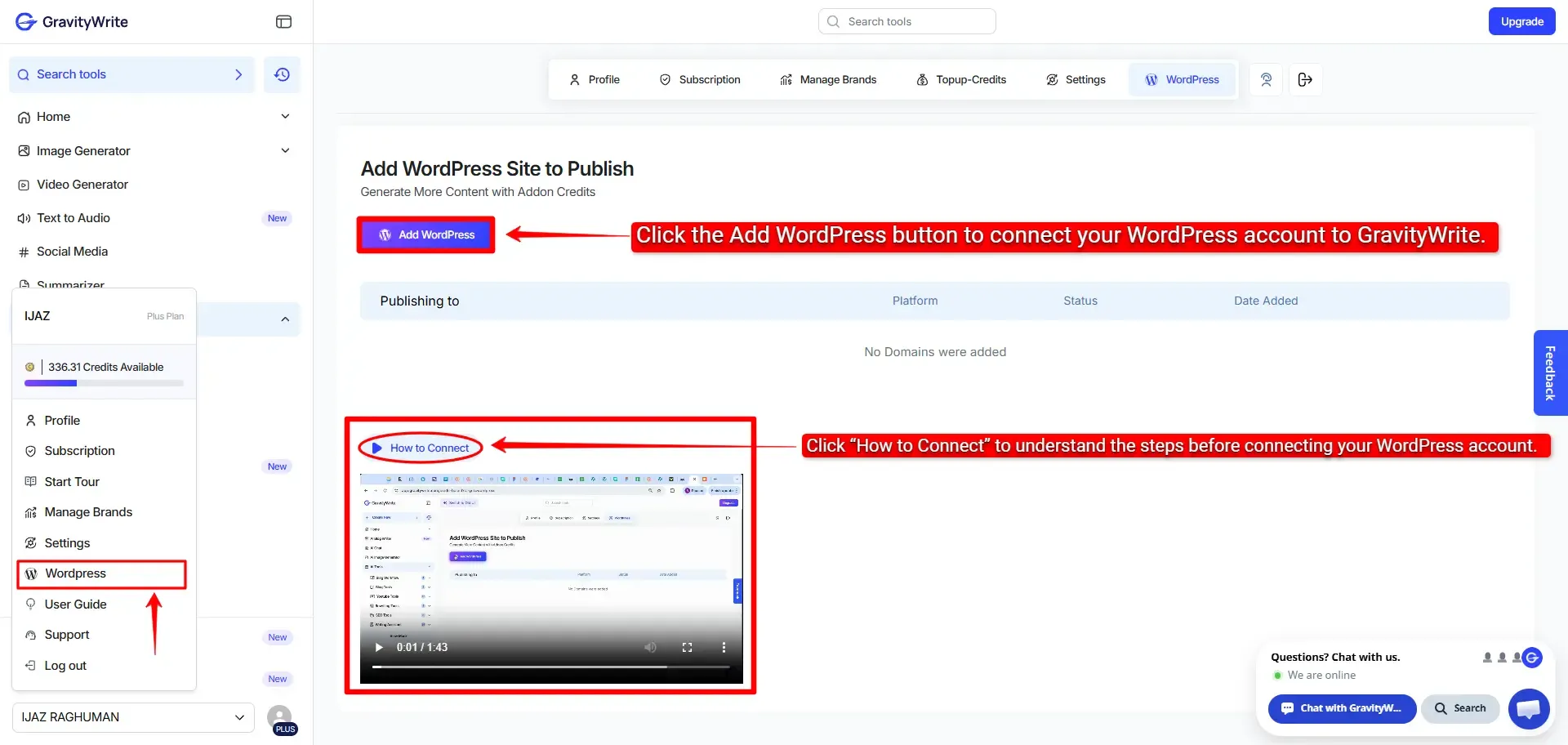
Once your WordPress account is connected to GravityWrite, you can click Export to WordPress and choose whether you want to publish it immediately, save it as a draft or schedule it for later.
Once you publish it, the blog will be published in a few minutes and a link will be generated. You can copy that link and open it to check your blog.
- Easy Blog Writer
The name itself says Easy Blog Writer, so I think this method is simpler than the first one. Just fill in the sections marked in the image below and click the Create Outline button.
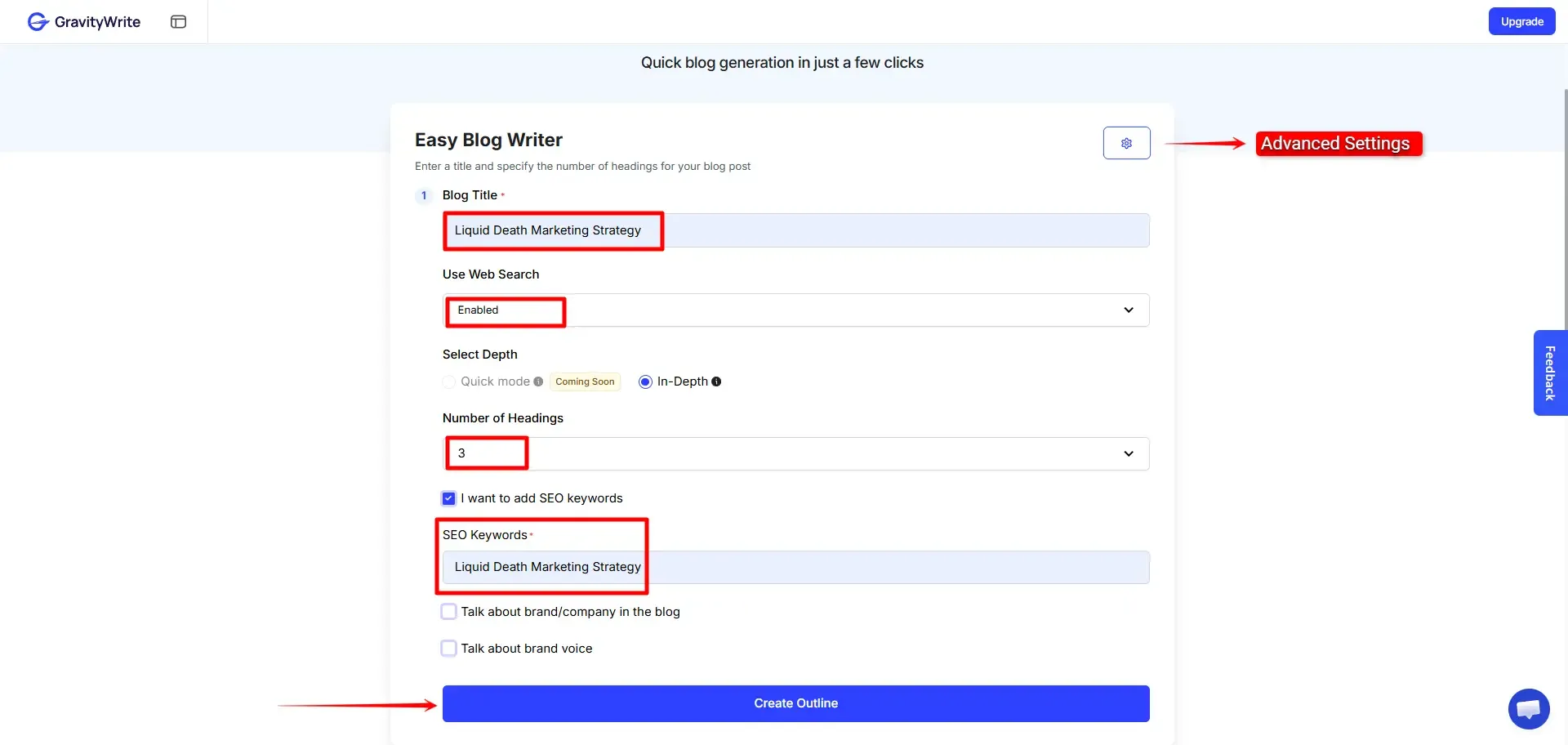
Once the outline is ready, click Continue. In a few minutes, the full blog will be generated with relevant images. You can then download the output as a PDF, DOC or TXT file or export it directly to WordPress.
You can easily edit the content, but there is no option to regenerate the images. So in my opinion, the first method is better because it allows more customization when generating the blog.
If you want to explore more blog writing tools, check this blog Best AI Blog Writing Tools in 2026, you’ll get ideas to generate blogs and save time.
Related Review: Writesonic AI Article Writer
2. AI Social Media Post Generator
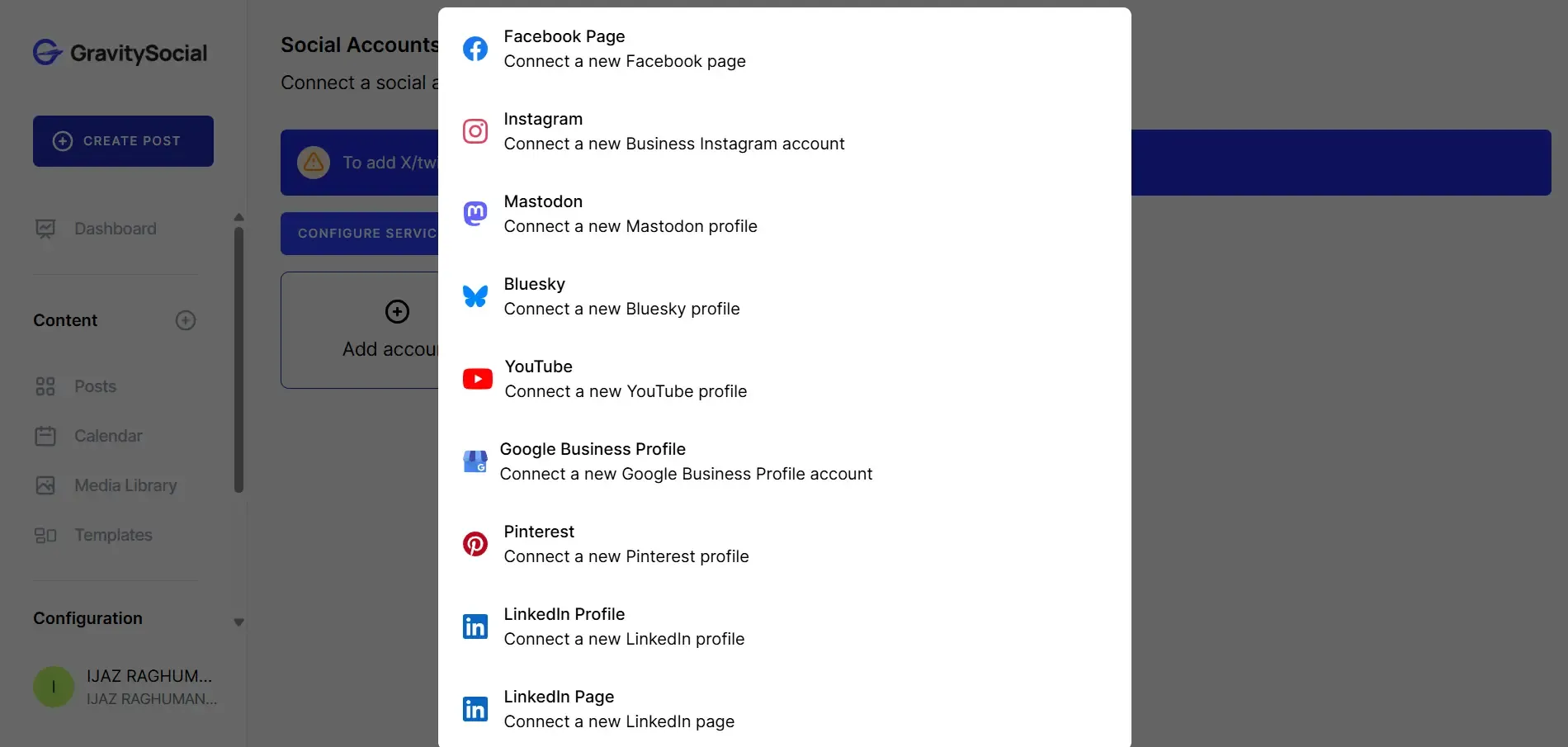
You choose the platform like Instagram, LinkedIn, X or Facebook, set the tone, and enter your topic. It generates captions based on that. You can adjust character limits and content style. It’s helpful when you need quick variations or want to fill your content calendar faster. It speeds up writing, but it does not replace a proper content strategy.
3. AI Image Generator
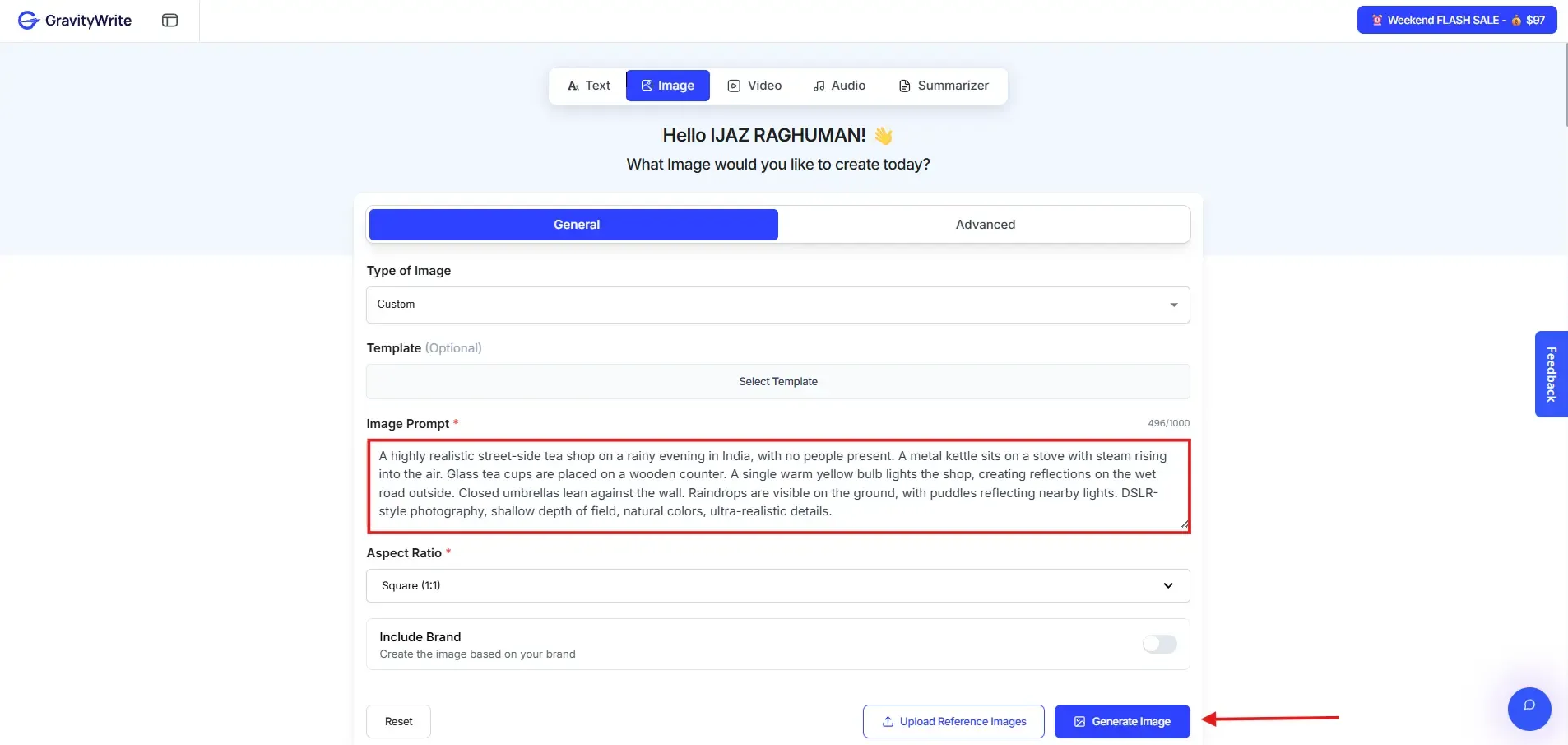
You describe the image you want, and it creates visuals for blogs, thumbnails, or social posts. The output works well for regular marketing needs. If you expect high level design quality, this will not replace professional tools. It is practical for everyday use.
If you need more image generation tools, check this page on the best AI image generators, it covers all the latest tools and gives you a clear idea of how to create images for free.
4. AI Video Generator
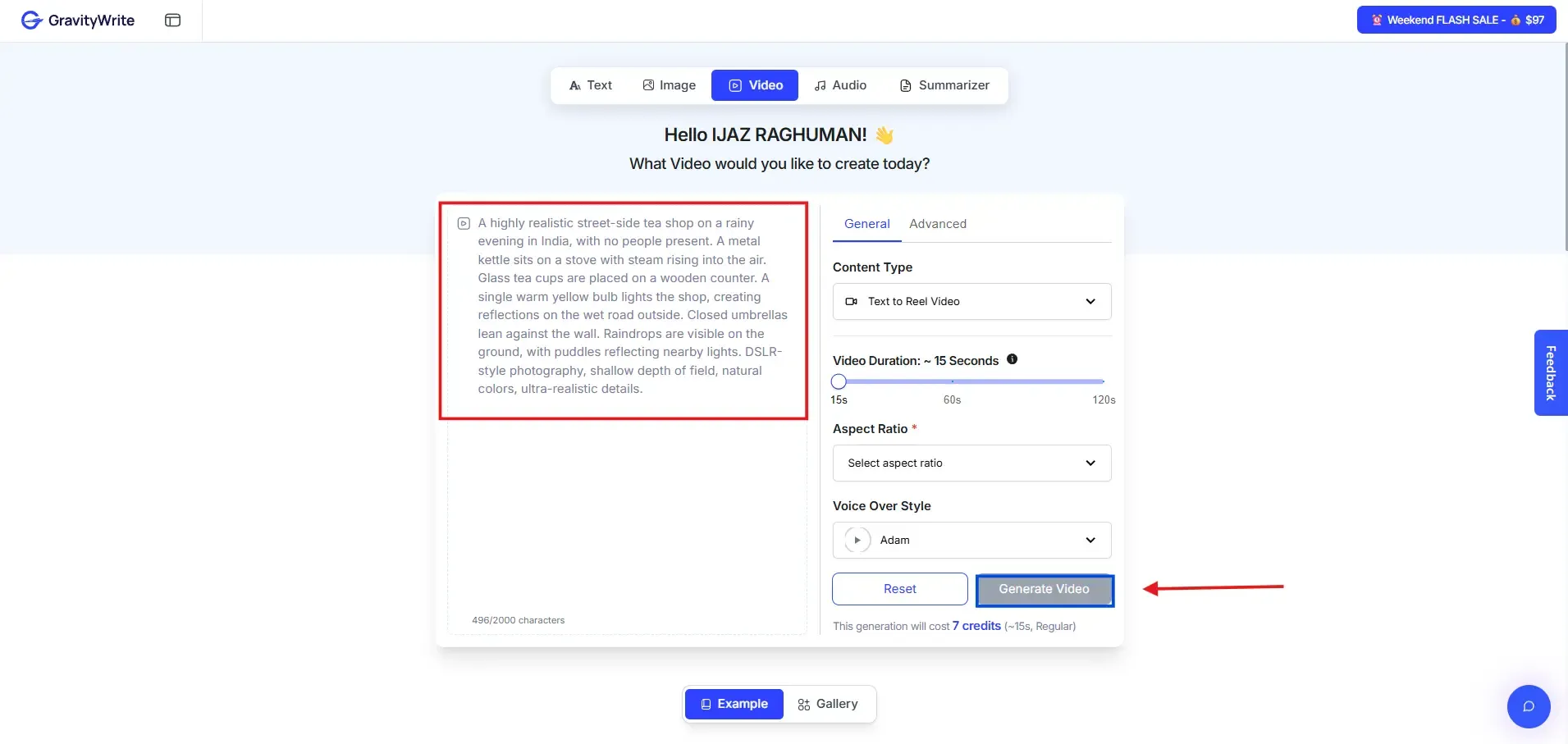
You provide a script or topic, and it turns that into a short video with visuals, text, and voiceover. It works for explainer videos, product promos, or reels. It is built for quick, functional content rather than cinematic production.
If you want more AI video generator tools with the latest updates, check out the best AI video generators, you’ll get clear ideas to create videos.
5. Website Builder
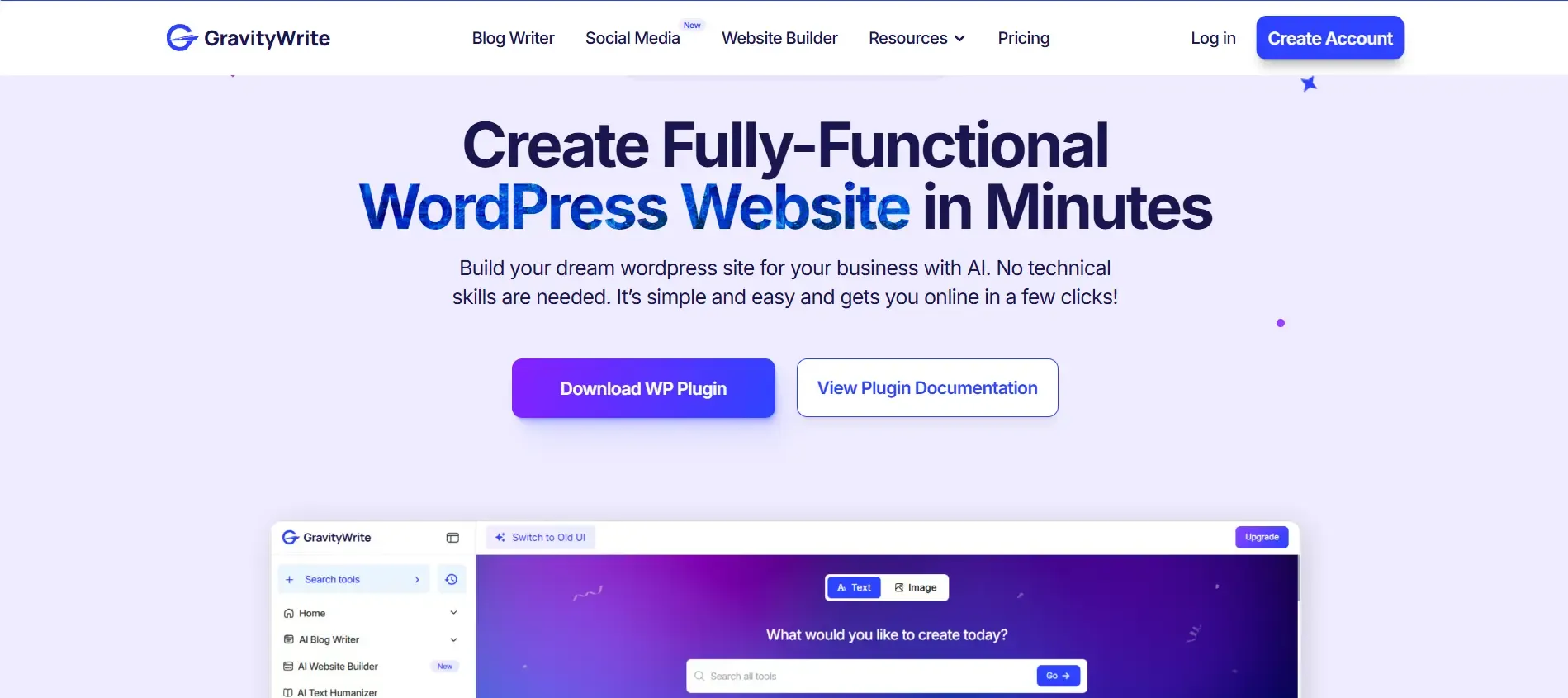
This feature helps you create a basic website structure using prompts. It is useful for simple landing pages or small business sites. It will not compete with advanced website builders in design flexibility, but it is convenient if you want something live quickly.
6. Text Humanizer
This tool rewrites AI generated text to make it sound more natural. You can use it on content created inside GravityWrite or paste content from other tools. It improves readability, but heavily AI written content still needs manual editing.
Related Article: Best AI Humanizer
7. Storybook Creator
A creative feature for generating illustrated stories or story style content. It combines text with matching visuals. This can be useful for educators, children’s content or brands that use storytelling in marketing.
8. File Summarizer
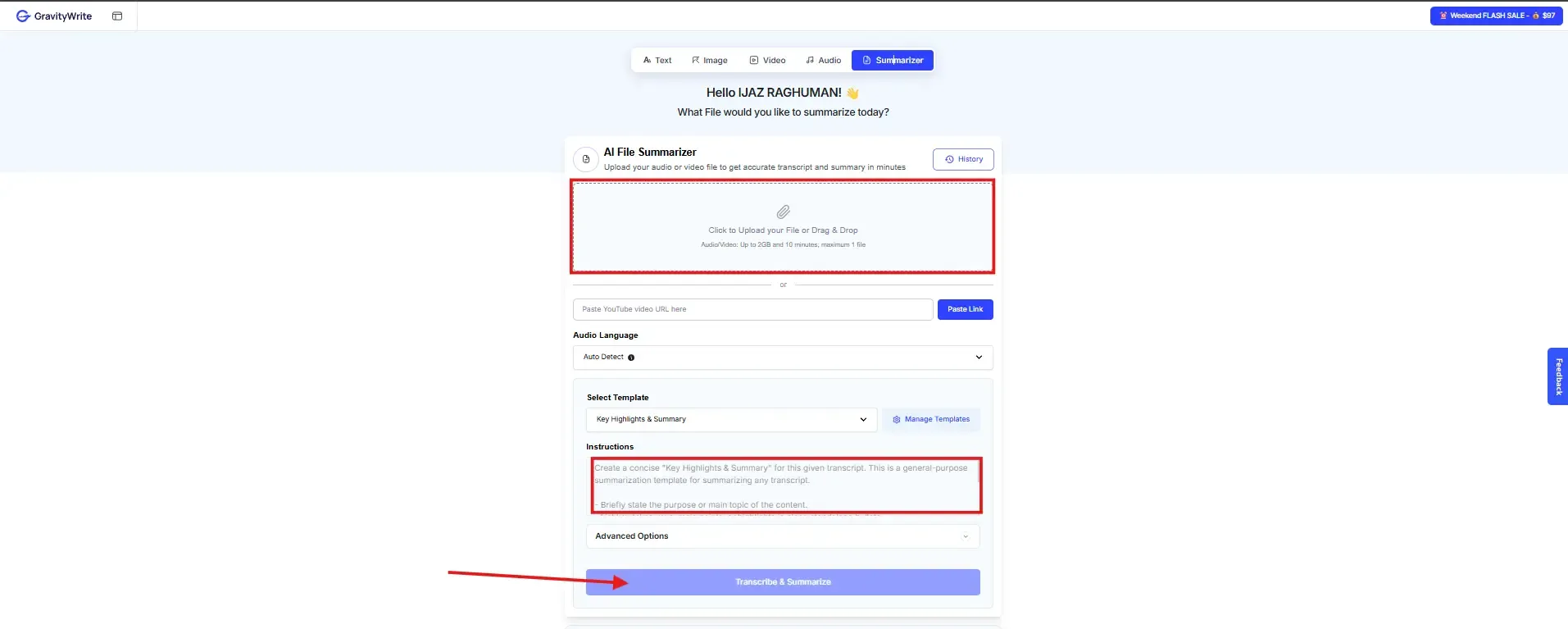
You upload a PDF or document, and it pulls out the main points. It is useful when you do not want to read long reports or research documents fully. The summaries are clear for general content, though very technical documents may lose some detail.
Who Is GravityWrite Useful For?
- Bloggers and content writers can use it to speed up research, outlining, and drafting, especially for SEO articles, though editing is still needed.
- Digital marketers and social media managers can create platform specific content faster instead of starting from scratch every time.
- Small business owners without a content team can produce website copy, posts and basic marketing material on their own.
- Freelancers and agencies benefit from the wide range of templates and formats, making it easier to handle different clients.
- Students and educators can quickly summarize documents and structure reports.
- Video creators can turn their videos into blogs or captions without rewriting everything manually.
What works well
- GravityWrite covers a lot inside one platform. You can handle blogs, social posts, images, videos, summaries and even basic website building without paying for multiple tools. The blog writer feature is genuinely helpful for SEO work. Being able to pull a competitor URL and build an outline from it makes the research process faster and more structured.
- The Text Humanizer is another useful addition. Not many platforms include that as a built in feature, especially tools like Jasper and Copy.ai. With over 250 templates across different categories, you are not stuck using the same generic prompt for everything. It also supports more than 50 languages, which makes it practical for non English content creators.
- There is a free plan available, and it is good enough to test the platform properly before deciding to upgrade.
- If you want to test how GravityWrite fits into your own workflow, trying the free plan first makes more sense than depending only on screenshots or reviews. It gives a better idea of how the templates, long-form editor and AI generation actually perform in real usage.
Limitations you should know
- The AI output is decent, but not perfect. Blog posts and summaries usually need editing before they are ready to publish. There is no public API, which can be limiting if you want to connect it with custom systems or developer workflows.
- The image and video quality is good for regular marketing use, but it does not compete with specialized platforms like Midjourney or Runway when it comes to high end visuals. Integration options are more limited compared to Jasper, which connects with tools like Surfer SEO and Google Docs.
- At first, the number of tools and templates can feel overwhelming. It takes some time to understand which feature fits your exact use case. Also, pricing details can change, so it is always better to check the official GravityWrite website directly before making a purchase decision.
Looking for similar tools? Check our detailed guide on GravityWrite alternatives to compare other AI content creation platforms.
Pricing Plans
Feature | Free Plan | Plus Plan | Pro Plan |
|---|---|---|---|
Monthly Price (USD) | Free | $8 | $49 |
Monthly Credits | 1,000 words | 500 credits | 2,500 credits |
Estimated Word Output | 1,000 words | 75,000 to 100,000 words | 250,000 to 300,000 words |
AI Image Generation | Limited | 50 to 500 images | 250 to 2,500 images |
Connected Social Accounts | 3 | 5 | 30 |
Blog Generation | 1 blog per month | Around 15 blogs | Around 70 blogs |
AI Model Access | Standard | Latest models | Elite models |
Best For | Testing the platform | Individual creators and small businesses | Agencies and high volume teams |
Before choosing a plan, calculate your monthly content needs properly. Paying for more credits than you actually use does not make sense. Also verify current pricing directly on the official GravityWrite website since details can change.
Frequently Asked Questions
What Real Users Say About GravityWrite
GravityWrite is loved by many for being easy to use and saving time, making content creation faster and more efficient. It helps people get past writer’s block and produce high-quality content quickly. However, some users feel it’s expensive, especially if you’re on a budget and they also mention limits on words and credits can be a bit frustrating.
Conclusion
- GravityWrite is a practical all in one content platform. The Blog Writer stands out, especially for SEO focused work where competitor structure and outline generation save time. Having a Text Humanizer, image generator, video generator and summarizer inside the same dashboard adds convenience.
- It is not flawless. Integrations are limited. Output still needs editing. Visual tools will not replace specialized platforms for high quality design work. But if you are a solo creator or small team producing content consistently, it offers solid value for the price.
- The smartest move is simple. Test the free plan. See how much time it actually saves you. If the Blog Writer alone improves your workflow, upgrading might make sense.
- If you are planning to use GravityWrite regularly for blog writing, SEO content, or bulk generation workflows, starting with the Plus plan makes more sense because it gives a better understanding of how the platform performs in actual long-form usage instead of just testing limited features.
Bottom Line
GravityWrite gives you multiple content tools at a reasonable cost. It will not replace expert writers or premium specialized platforms. What it does well is save time. For most small teams and solo creators, that matters more than perfection.