If you look at GravityWrite, it has almost everything a content creator needs in one place. There’s a dedicated SEO-optimized blog writer, plus an image generator, video generator, social media management tools and even a website builder.
It’s positioned as an all-in-one platform. There isn’t one single tool that replaces everything it offers. That’s what makes it unique.
But instead of looking for one exact alternative, it makes more sense to break it down properly.
In this blog, we’ll take each major tool inside GravityWrite and compare it category by category with the best specialized alternatives available.
GravityWrite Alternatives – Detailed Comparison Table
Tool | Try Now | Category | Main Use Case | Free Plan | Key Features | Limitations | Best For |
|---|---|---|---|---|---|---|---|
Manus AI | AI Image Generator / Content Assistant | Creating visuals and assisting with content tasks | Yes (daily limits) | Text-to-image generation, background removal, image editing, resizing, upscaling | Free generation limits | Creators who want quick visuals with editing options | |
Reve AI | AI Image Generator | Generating high-quality images from prompts | Yes (limited daily usage) | Prompt-based image creation, upscaling, background removal, multiple variations, batch image generation | Limited free usage | Designers and creators needing social media graphics | |
Grok Imagine (Image) | Image Generator | Fast image creation and AI conversation | Yes | Real-time data access from X, fast image generation, prompt-based visuals, editable outputs | Image quality may vary depending on prompts | Users who want AI assistant + image generation in one tool | |
Grok Imagine (Video) | AI Video Generator | Creating short AI videos quickly | Yes (≈15 videos/day) | Text-to-video, image-to-video, prompt editing, video upscaling, video extension | Short video duration | Fast AI video experiments and short content | |
Gemini (Veo) | AI Video Generator | Generating realistic cinematic AI videos | Yes (limited daily videos) | Text-to-video, image-to-video, realistic rendering, cinematic visuals | May not always follow prompts perfectly | High-quality AI video generation | |
Qwen AI | AI Video Generator | Quick short AI video creation | Yes (≈4 videos/day) | Text-to-video, image-to-video, realistic rendering | Very short videos (≈5 seconds), slower generation | Users testing AI video tools for free |
Why People Look for GravityWrite Alternatives in 2026
In 2026, creators know what to expect from AI tools. They are not just looking for a long list of features. They want tools that deliver better results.
As your content improves, you may start exploring tools that offer more depth in specific areas.
For example:
• Some platforms offer more advanced blog optimization features
• High end AI image tools can produce more detailed visuals
• Dedicated video tools provide better control and output quality
• Specialized website builders allow deeper customization
• Advanced social media tools give stronger analytics
• Premium voice tools sound more natural
It’s not about something being wrong. It’s about choosing tools that are stronger in one specific area.
As needs grow, many creators prefer specialized platforms that focus on doing one thing really well.
Category Wise GravityWrite Alternatives
GravityWrite AI Image Generator Alternatives
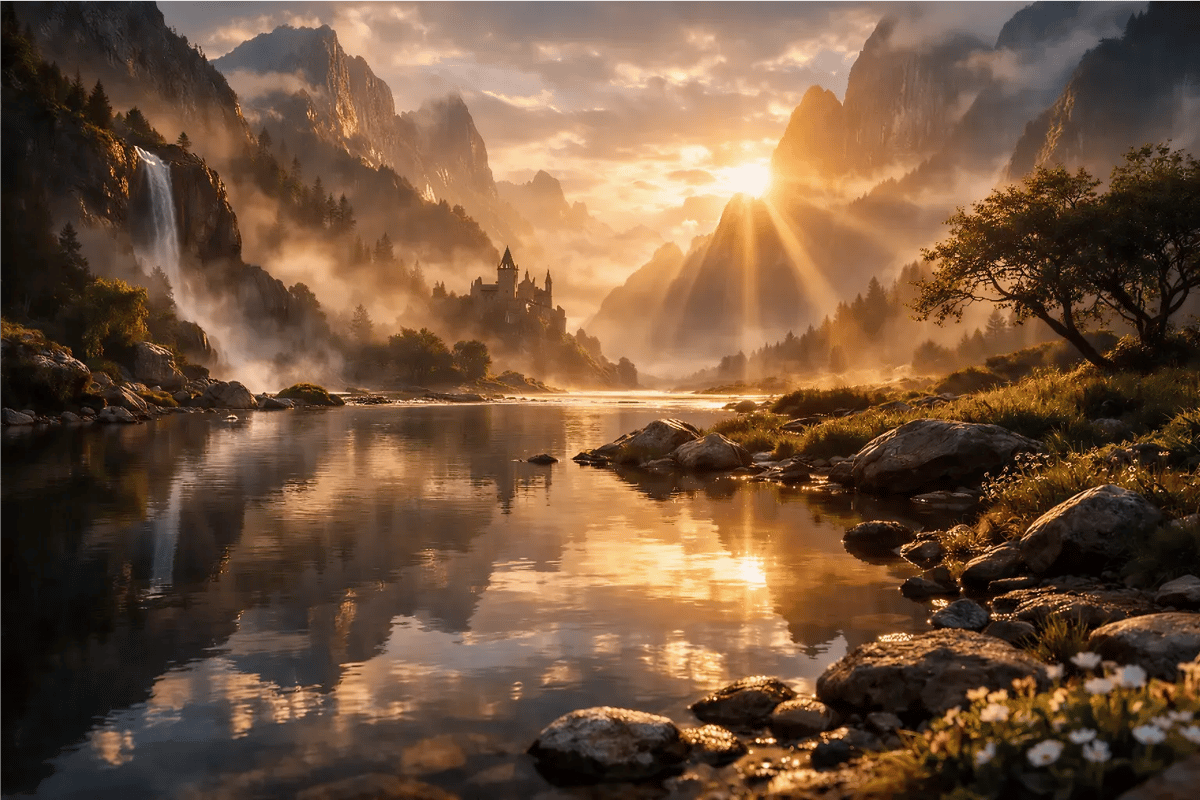
Sample image Prompt :
For testing purposes, use the same sample prompt across all AI tools.
1. Manus AI
Manus AI is an AI platform that helps with writing, research and other content tasks. It is mainly used to make content creation faster and easier.
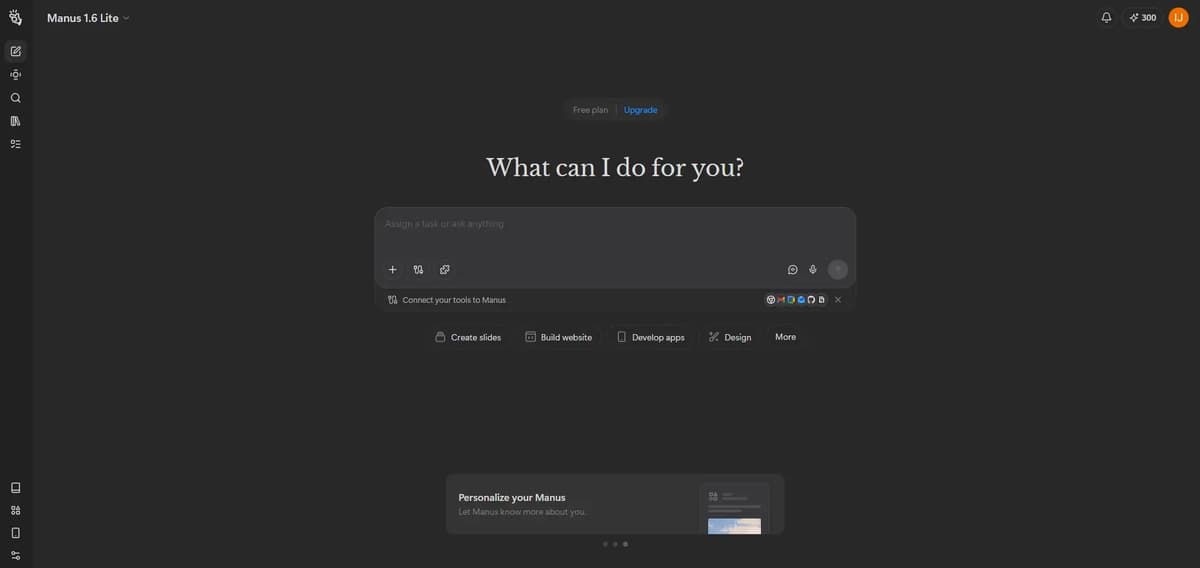
Its image generator lets you create images from text prompts. You can generate simple visuals or creative marketing-style images based on your idea.
You can upscale images, remove backgrounds, edit, and resize them. Free image generation is available daily, but with certain limits. There’s also no watermark on the final output.
For a closer look at how these features work in practice, you can refer to this detailed Manus AI review
2. Reve AI
Reve AI is an AI tool focused mainly on generating images from text prompts. It is used by creators who want quick, high quality visuals for content, design or marketing.
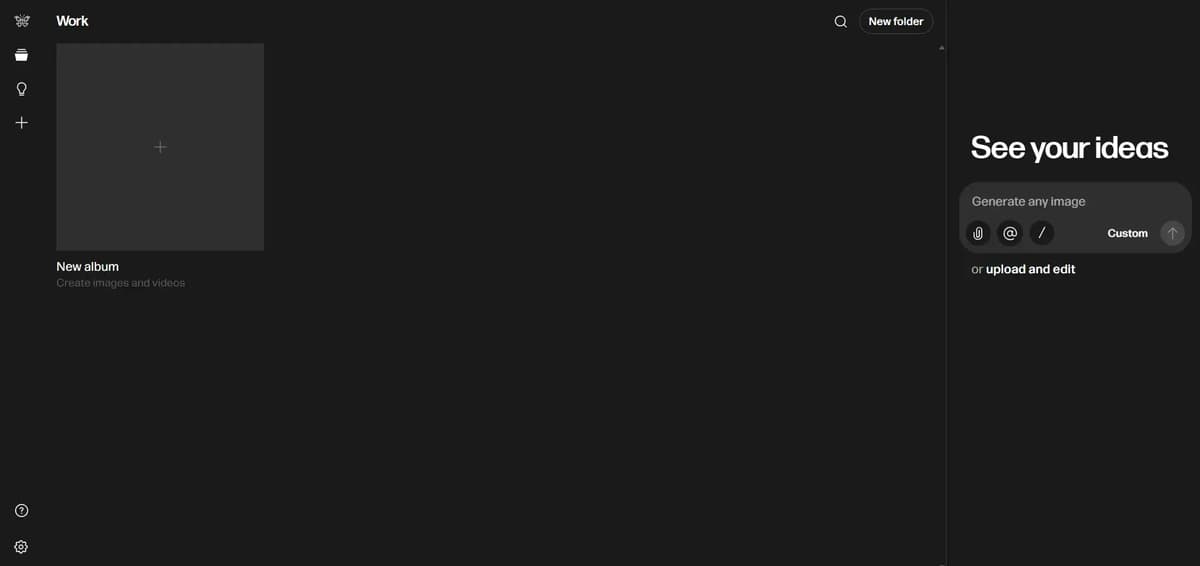
You simply describe what you want and the image generator creates a visual based on your prompt. It’s commonly used for social media graphics, concept art and creative projects.

You can upscale images, remove backgrounds, create multiple variations and edit them easily. There’s no watermark and you can use it daily for free, though there are limits. You can also choose your preferred size and generate up to 8 images in a single click.
If you’re considering using it, this detailed review breaks down how it actually performs in real use: reve ai review
3. Grok AI
Grok is an AI chatbot made by xAI. It can answer questions, generate content and have conversations like other AI assistants. Currently grok freely allow people to generate (5-10) images in grok chat section and grok free imagine is dead for free users
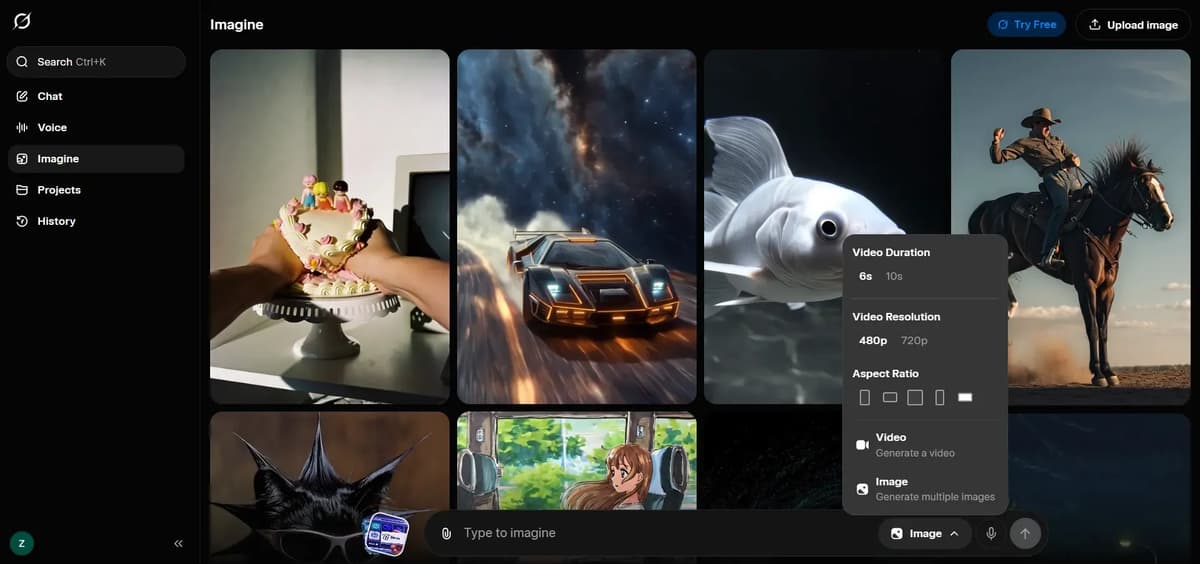
It is connected to X, so it can access real time information and trends. It also supports image generation and creative tasks.
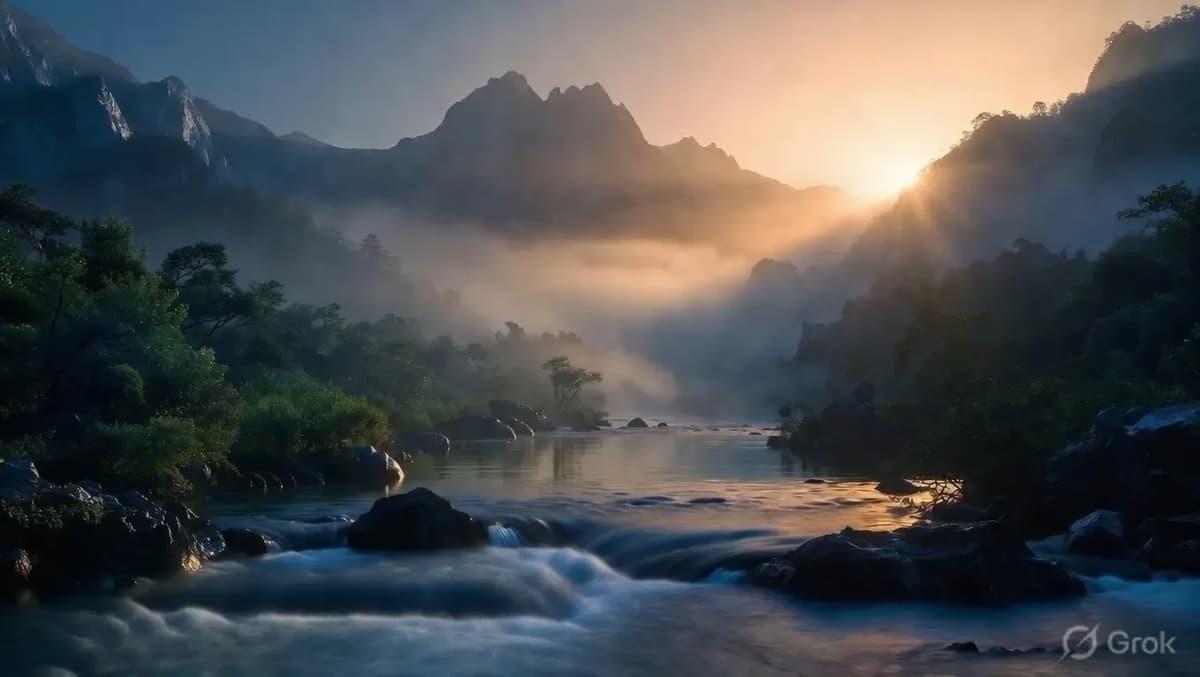
With Grok, you can choose the image size you need and generate visuals in just a few seconds – one of the fastest tools for quick image creation and you can edit them right after. If you want a detailed look at how Grok’s image and animation features actually work, check out this review: grok ai image and animation review
If you want to learn more free image generation tools, check our best AI image generators blog, it has detailed reviews and real examples, so you’ll get a clear idea to create images.

GravityWrite AI Video Generator Alternatives
Sample video prompt:
1. Grok Imagine
You can generate AI videos using Grok Imagine but it’s not available for free users, only paid users can access it. The video length starts at around 10 seconds and you can extend it up to 30 seconds. There’s also an option to upscale the video. However, the audio quality isn’t great right now and may not be suitable for all use cases. That said, the tool is improving with frequent updates and the plans and features are likely to keep evolving.
There are three ways to generate videos:
- Text → Video
- Image → Video
- Text + Image → Video
Mention everything clearly in the prompt. If the prompt is unclear, the AI may make logical mistakes. Before generating the video, check your prompt once again. Make sure all the important instructions are included. Also add a negative prompt to avoid unwanted results.
2. Gemini
Google Gemini Veo 3.1 can generate very realistic AI videos. Indian users get 18 months of free access if they are above 18 and using Jio 5G. You can generate up to 3 videos per day for free and each video can be 8 seconds long. It takes few min to generate video
There are three ways to generate videos:
- Text → Video
- Image → Video
- Text + Image → Video
The videos look quite realistic, but the AI may not always follow the prompt instructions perfectly, so minor mistakes can still appear in the final output.
3. Qwen
Using Qwen AI, you can generate 5-second AI videos. It usually takes a few minutes to generate and you can create up to (4-5) AI videos per day for free.
There are three ways to generate videos:
- Text → Video
- Image → Video
- Text + Image → Video
Qwen video generation looks quite realistic and generally follows the prompt well. However, it takes a few minutes to generate the video. The video length is also short, around 5 seconds, but considering that it offers free daily generations, it is still worth trying.
We created a detailed blog on free best AI video generators with real output videos, check it out and you’ll understand clearly and get more ideas.
GravityWrite AI Blog Writer Alternatives
1. Bloggr.ai

Bloggr.ai is a simple AI blog writing tool that helps you create complete articles step by step. You start by entering your blog title and target location. If you don’t have a keyword, the AI can generate primary and secondary keywords along with search volume, which is useful for planning your content. One thing to note is that this AI generation can be used only once, so you’ll need to choose whether to use it for keywords or title.
Next, you can set your brand voice by adding your website URL and define guidelines like headings, tables or bullet points. Based on this, the tool generates an outline, which you can fully edit or regenerate. Once finalized, the blog is created in a few minutes.
The editor is quite powerful, so you don’t need extra tools. You can edit content, generate images, add videos, links, tables and more directly inside the platform. Export options like HTML, Markdown and Word are also available.
The free version already offers good features. The paid plan starts at around $4.99/month and gives more blogs, models and keyword tools. Overall, Bloggr.ai is a solid alternative to GravityWrite, especially if you want an easy, all-in-one blogging tool.
2. Writesonic AI Article Writer
Writesonic provides two modes. One is the 10-Step Article mode, which takes around 5 minutes to generate a blog. The other is the Instant Article mode, which claims to generate the article in just one minute. Let’s check and compare both options.
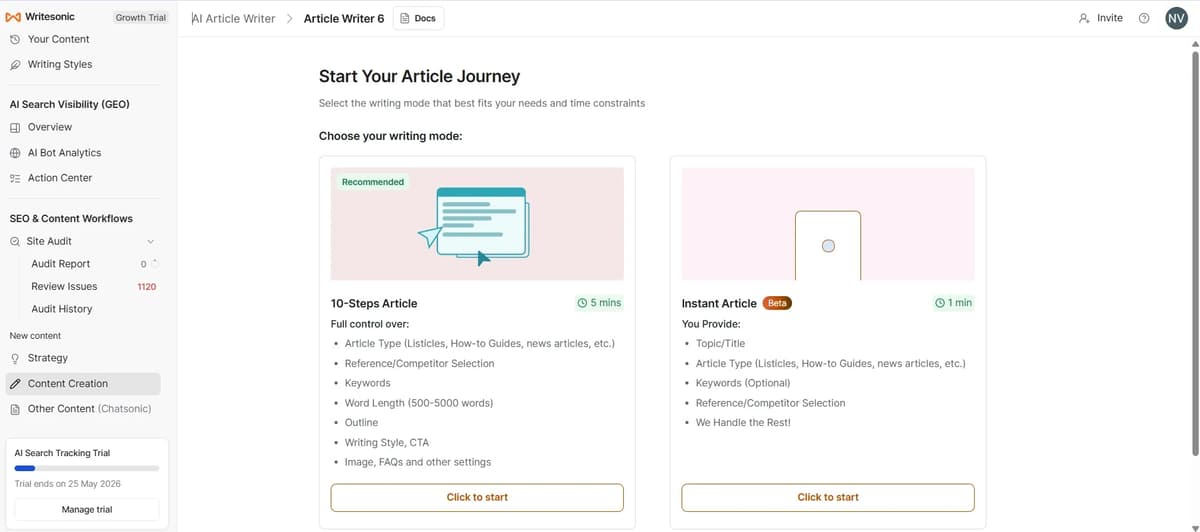
1. 10 Steps Article
First, enter your topic. The article language and target audience location will already be set by default, but you can change them if needed. After clicking continue, the next page will open, where you need to select the article type and research method, as shown in the image below.
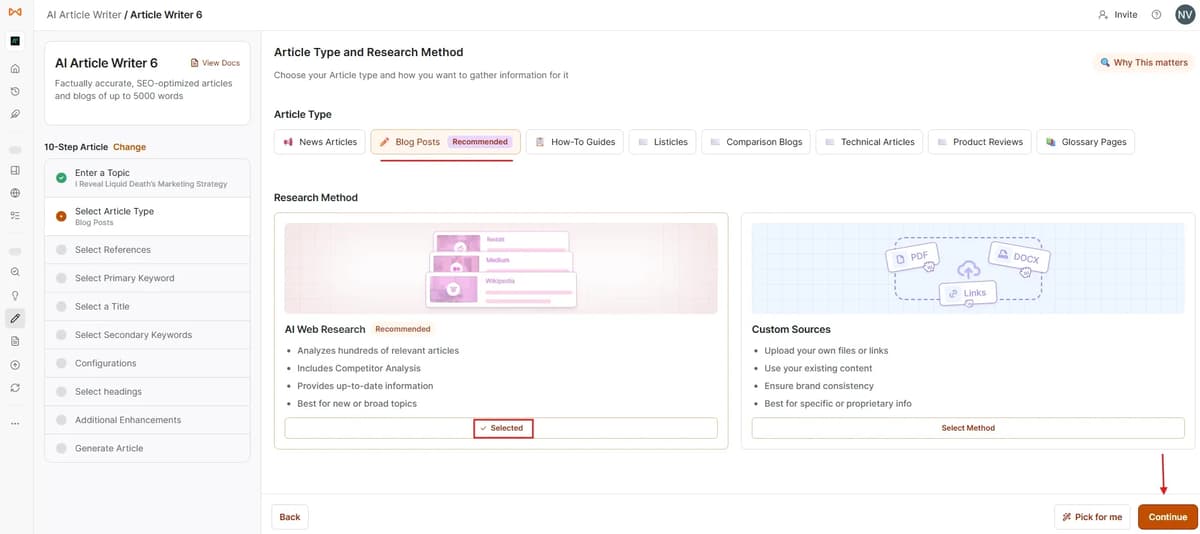
I selected the blog post option and chose the AI research method. Then, after clicking continue, I copied the links of websites that are already ranking at the top for the keyword and pasted them into the “Add Your Own Competitors” section before pressing the add button.
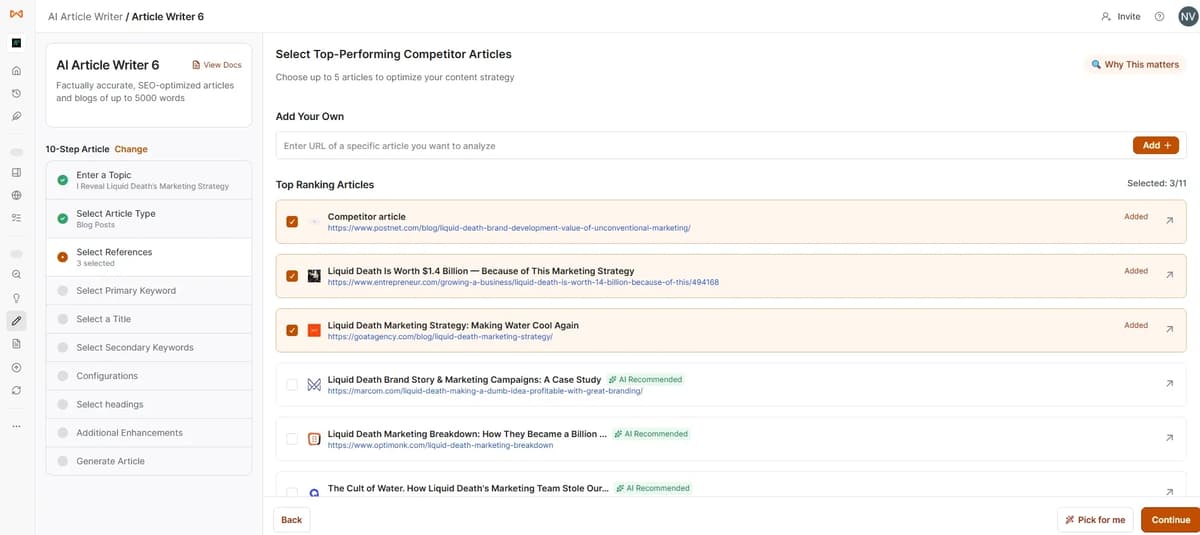
I manually searched the focus keyword on Google using guest mode and copied the links from the top-ranking pages to check what Writesonic might have missed. Actually, Writesonic already analyzes and suggests relevant competitor pages automatically, but it is still better to double-check manually.
Another thing to note is that even if you add many competitor links, you can only select up to 5 competitor pages before continuing.
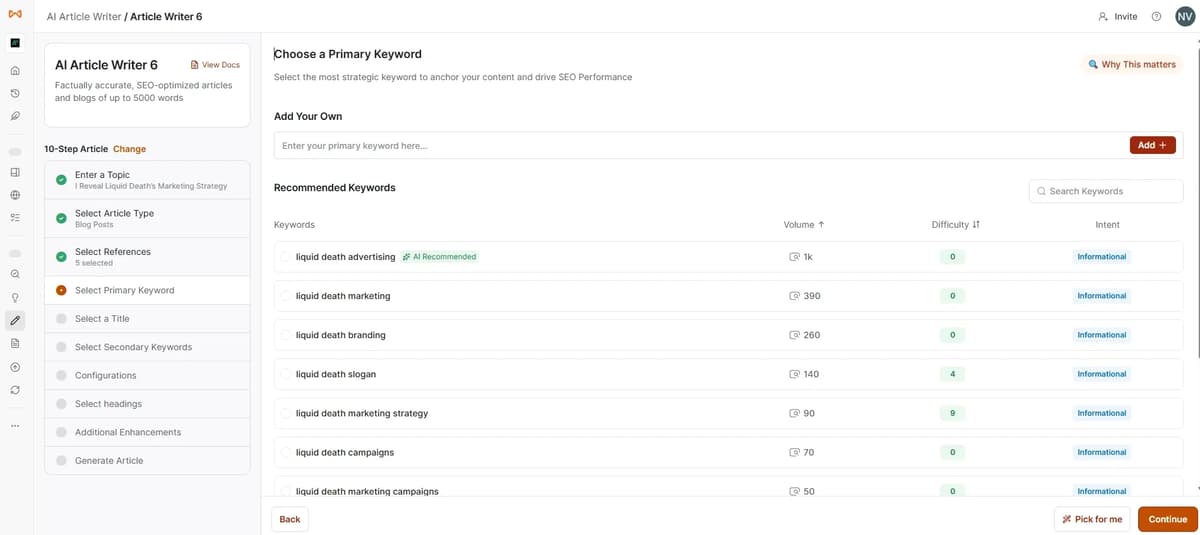
Then set your main focus primary keyword by selecting or typing it manually and adding it. After clicking continue, the tool will start loading and generate blog title suggestions.
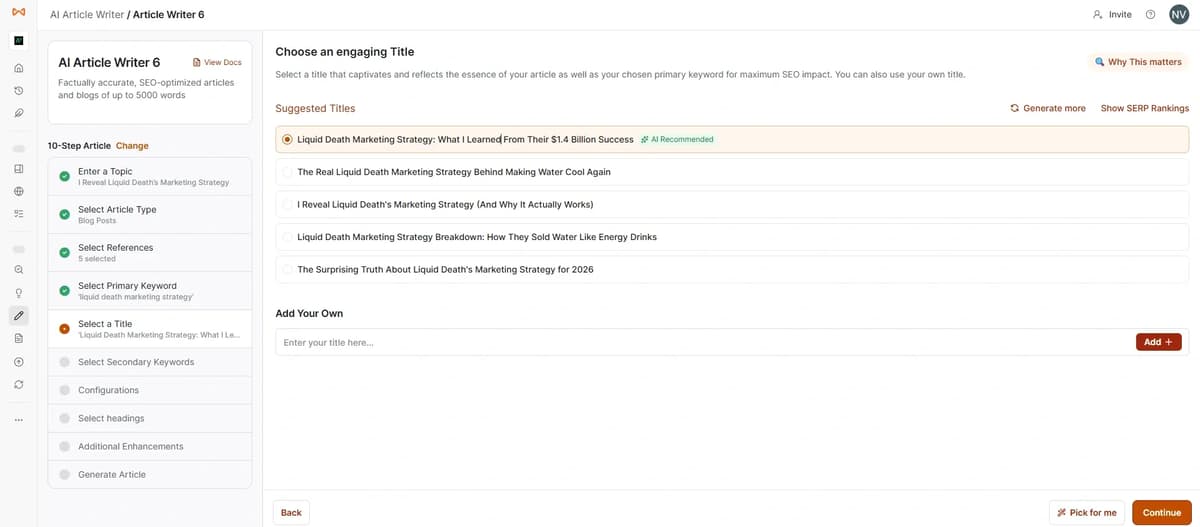
Then choose the title and click continue. After that, it will load and ask you to select secondary keywords. You can add up to 20 secondary keywords. Once you continue again, the next page will open, where you can customize your content to perfectly match your audience’s needs and your brand’s voice.
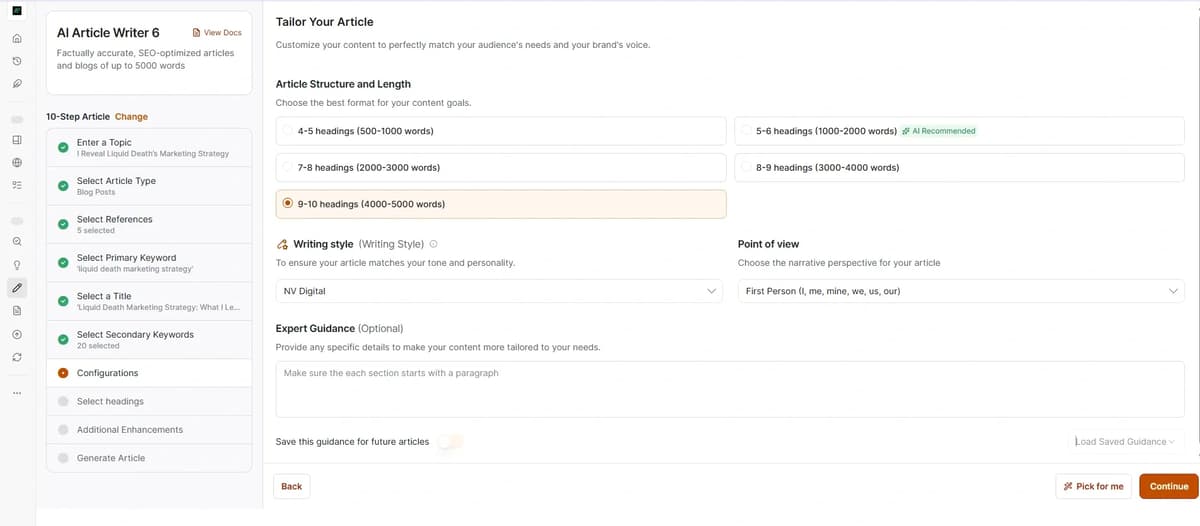
Select the article structure based on how many headings and sections you want. If you already have a unique writing style, you can upload it using a URL, document or file. It may take a few minutes because the tool analyzes and learns your writing style before proceeding.
Finally, you can choose the blog narrative perspective and tone and then the outline will be generated. I’ll share the image below.
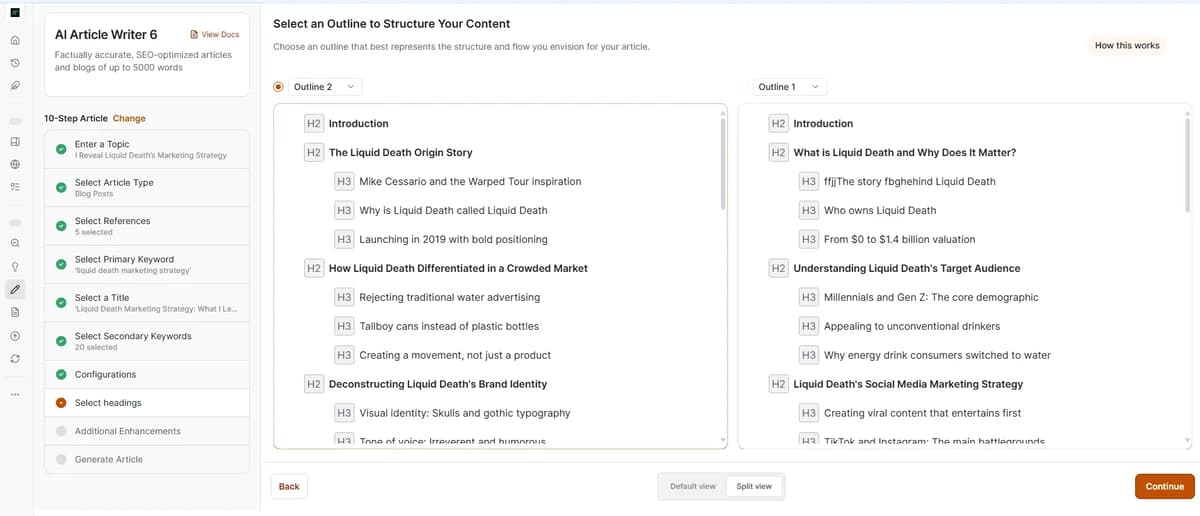
You will get two outline options, and if you enable split view, you can easily compare and analyze both outlines side by side. Then you can choose the one you need or edit them before continuing.
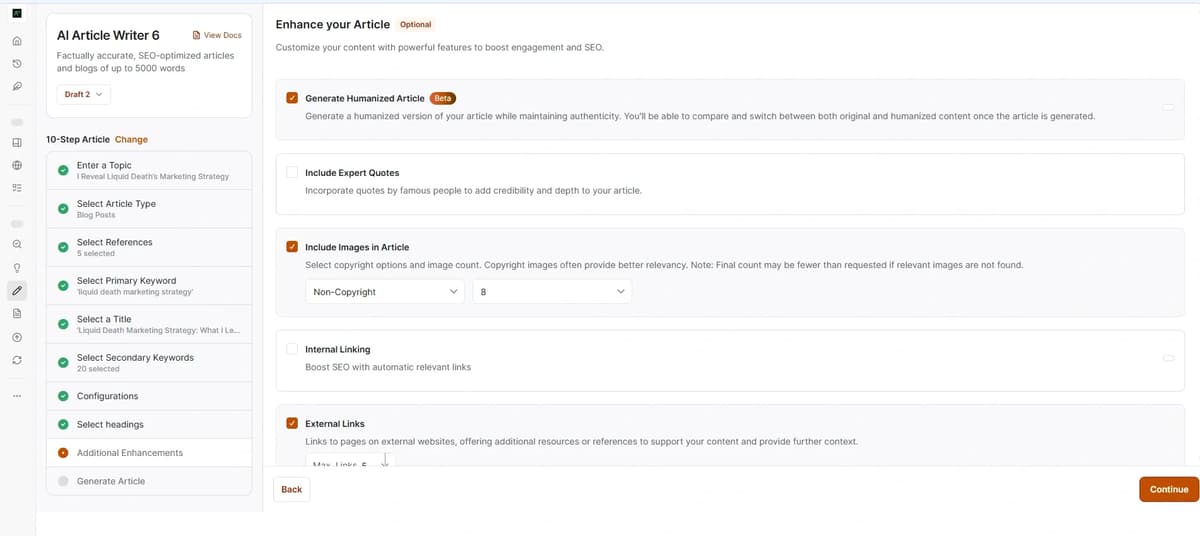
This section is actually very good because it includes almost everything needed for a proper blog post. You can add up to 25 internal links and 25 external links, include FAQs and insert up to 8 images. They also provide an option to select copyright-free images, add a cover image, call-to-action sections and key takeaways. You can even choose exactly where these sections should appear inside the article.
There is also an option to include expert quotes and most importantly, you can enable a “humanized article” option, which is one of the main highlights here. After selecting all these settings, you can continue and start generating the blog.
Related Reviews: Best AI Humanizer
However, when I tested it, the blog was generated only on the third attempt. I am not sure what the exact issue was. I waited because they mentioned it could take around 5 minutes to generate, but it kept loading and suddenly returned to the previous step asking me to select the outline again. Even after selecting the outline again, the same thing happened another time. Finally, on the third attempt, the complete blog was generated, although it was quite slow.
But the final output was genuinely good. The images were high quality and relevant and the internal/external links were added properly. You can save the article and edit it later. There are also options to regenerate images or even regenerate the full blog, although some advanced features require the Enterprise plan.
Inside the editor, they provide AI editing tools that make content editing much easier. You can also generate and insert new images directly from the editor. Another good thing is that the generated output already includes options for meta title, meta description, URL slug and schema settings right at the beginning of the article.
When downloading the article, they also ask whether you want to include citations, which can be useful depending on your needs.
2. Instant article
They mention that a blog can be generated in just one minute, but this option has very limited customization and input details.

I tried this, but the output did not generate for me. It just showed a blank white screen.

FAQ’s
Conclusion
GravityWrite is designed for convenience, which can be helpful for beginners. However, in 2026, many creators care more about quality than the number of features. Instead of using one tool that does many things at an average level, they prefer tools that specialize in one area and do it well. This approach often leads to better SEO performance, higher visual quality, stronger video output and more consistent branding.
Bottom Line
- If convenience is your main goal, GravityWrite can work.
- If performance is your main goal, it makes sense to explore alternatives based on what you actually need.
- Choose tools that match your workflow, not just the longest feature list. That choice can make a real difference in your content results in 2026.