India’s Sovereign AI Platform is an initiative by the Government of India to build and manage its own AI infrastructure instead of relying fully on foreign tech companies. The goal is to keep data within the country, strengthen digital independence and develop AI systems tailored to India’s needs.
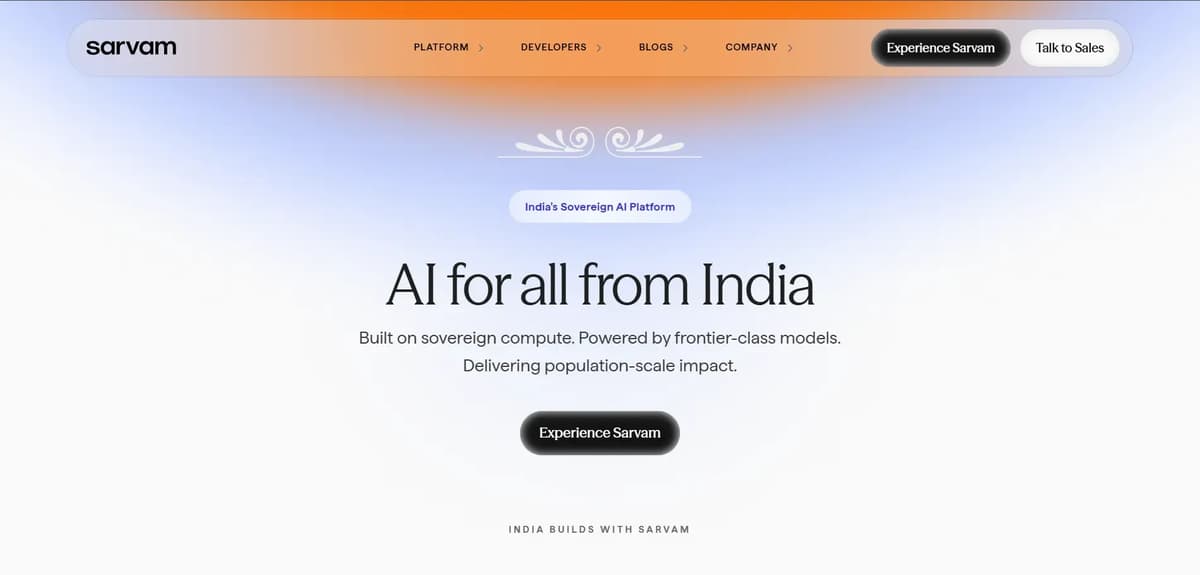
When you open Sarvam AI, this is how the user interface looks. After that, click on the Experience Sarvam button. It will ask you to log in and once you log in, you will see the dashboard like in the image below. Initially, they provide 1000 credits for free.
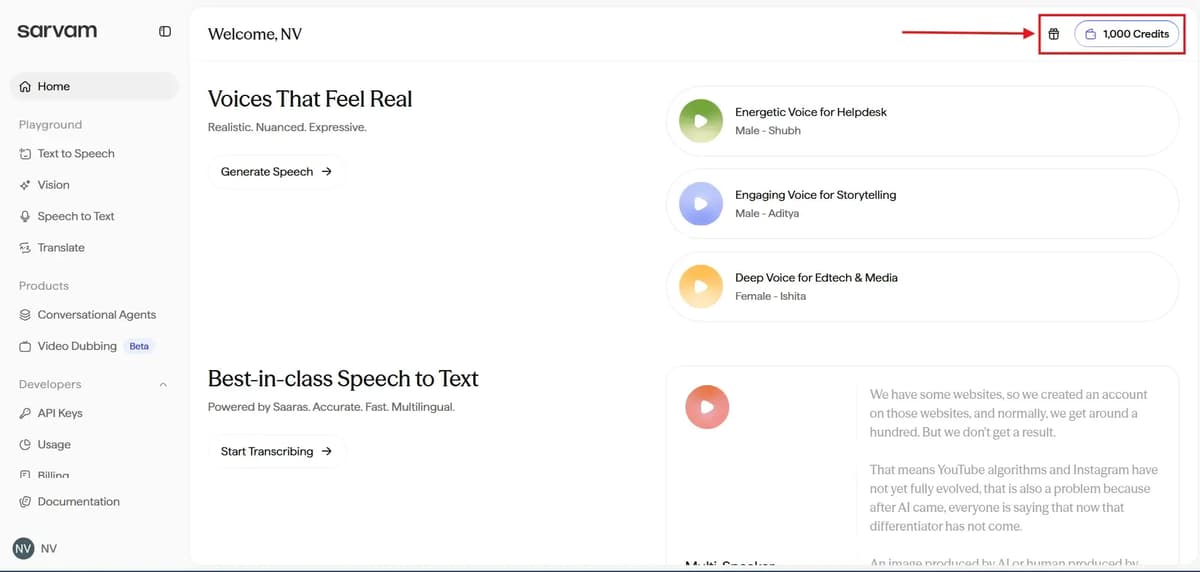
Free users can do:
- 33 hours of audio transcription
- 7 hours of voice generation
- 500K characters of translation
- Unlimited AI chat (free)
Related Article: Best AI Chatbots
Quick summary table of all Sarvam AI features.
Category | Feature | What It Does | Key Details / Notes |
|---|---|---|---|
Free Credits | Signup Bonus | 1000 credits when you join | Gives ~33 hrs transcription, 7 hrs voice generation, 500K translation characters, unlimited chat |
Text to Speech | Convert Text to Voice | Turns written text into natural audio | Supports 10+ Indian languages; no automatic translation |
Bulbul V3 | Advanced Voice | Expressive, natural voice output | Multiple categories: News, Sales, Audiobooks, etc. |
Bulbul V2 | Basic Voice | Older, simpler voice | Limited styles, less expressive |
Voice Controls | Adjust speed & pitch | Customize how the voice sounds | Easy slider controls |
Audio Quality | Sampling Options | Choose quality for output | 8 kHz → IVR; 22.05 / 48 kHz → high-quality content |
Video Generation | Voice + Text → Video | Create videos with synced voice | Multiple background styles; text-sync issues reported |
API Access | Developer Integration | Connect Bulbul to apps, SaaS, IVR | Requires technical setup |
Vision AI – Text Extraction | Extract text from images | Converts image text into editable format | Works well on simple images; may miss some lines |
Vision AI – Image Understanding | Describe images | Generates multi-language captions | ~75% accuracy |
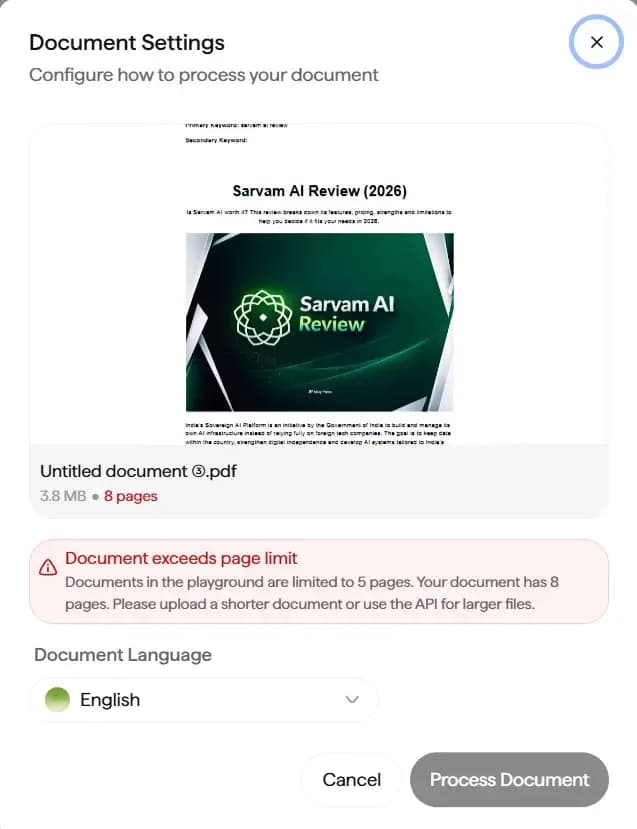
File Limits | Upload Restrictions | Images <5MB, Docs ≤5 pages | Larger files need API access |
Structured Output – Table → HTML | Convert tables | Web-ready code from tables | Direct website integration |
Structured Output – Extract as Markdown | Markdown tables | Clean output for blogs & docs | — |
Chart → JSON | Structured Data | Convert chart visuals to data | Useful for analytics & dashboards |
Chart → Markdown | Chart Summary | Explains charts in text form | Summaries may not always be short |
Speech to Text | Transcribe | Converts spoken audio to text | Real-time recording supported |
Translate | Speech + Translation | Multilingual speech translation | — |
Verbatim | Exact Speech Capture | Includes every filler word | — |
Transliterate | Script Conversion | Convert script while keeping pronunciation | — |
Code Mixed | Mixed Language Handling | Handles speech with multiple languages | Especially useful for Indian users |
STT Modes | Normalized | Clean, punctuated text ready to use | — |
Unnormalized | Raw text, no punctuation | — | |
Romanized | Phonetic English output | — | |
Text Translation – Tone Control | Style Selection | Formal / Modern / Classical | Region & style control available |
Smart Option | Context-aware translation | Produces more natural output |
Sarvam AI – Text to Speech Explained Clearly
What Text to Speech Does
Sarvam AI’s Text to Speech converts written text into audio. You use it when you need voice output instead of text.
For example:
- YouTube videos
- Voice assistants
- IVR systems
- Learning apps
- Accessibility support
Instead of recording manually every time, you just paste text and generate voice instantly.
It is free until the end of February 2026 and supports 10+ Indian languages.
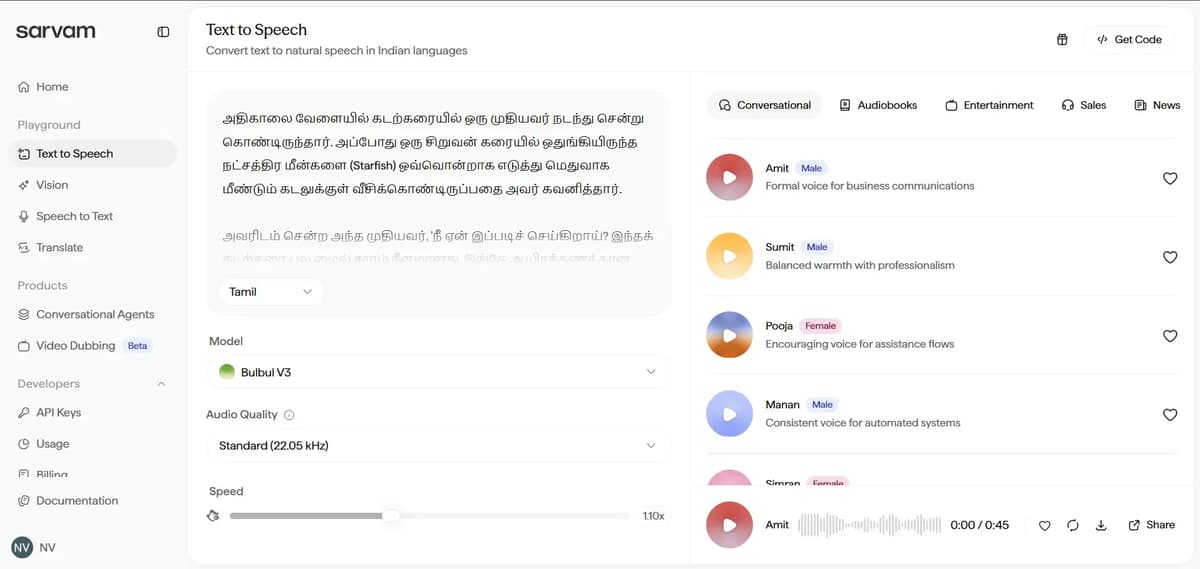
Important: How Language Selection Works
If you type text in Tamil, it will read in Tamil – even if Hindi is selected in the dropdown.
The language dropdown does not translate. It mainly controls pronunciation style and voice model. So whatever language you type, it reads that language in the selected voice style.
These languages are in dropdown (English, Tamil, Hindi, Bengali, Gujarati, Kannada, Malayalam, Marathi, Odia, Punjabi, Telugu.)
Models Available (One-Line Difference)
Sarvam AI provides two models:
Model | What It Means |
|---|---|
Bulbul V3 | Newest model, more natural and expressive |
Bulbul V2 | Older model, simpler voice options but realistic |
Bulbul V3
- Bulbul V3 is the latest and more advanced model. The voice sounds very natural, expressive and professional.
- It offers multiple voice categories such as Conversational, Audiobooks, Entertainment, Sales andNews. You can choose specific voices based on your exact use case.
- It is suitable for business communication, IVR systems, storytelling, sales calls and news narration. You can adjust the speed easily and download the audio without difficulty.
- There is also a video generation option available, although there have been mentions of minor text display issues in videos.
- In short, if you need serious, professional or enterprise-level output, Bulbul V3 is the better choice.
Bulbul V2 – Voice Options
- Bulbul V2 is the older version of the model. It mainly provides conversational voices. The voice sounds natural, but it has a simpler feel compared to V3.
- The voice variety is limited when compared to Bulbul V3. You can adjust speed and pitch and it works well for casual or basic projects.
- In short, if your requirement is simple and does not need advanced options, Bulbul V2 is sufficient.
Audio Quality Options
You can select output quality.
Option | Usage |
|---|---|
Standard (22.05 kHz) | Balanced quality |
Telephony (8 kHz) | Phone calls & IVR systems |
High Quality (48 kHz) | Best clarity |
Choose based on what you actually need. If you’re setting it up for IVR, go with Telephony. If it’s for content creation, choose Standard or High Quality.
Get Code Option
The Get Code option gives you an API snippet that lets developers connect Sarvam AI directly to their app, website, chatbot, IVR system, or SaaS product, so text can be automatically converted to speech instead of doing it manually through the dashboard.
Share Option (Video Generation)
When you click Share, it lets you convert your text + voice into a video. You can choose a background style.
Styles Available | Warm Sunset | Midnight | Deep Ocean | Soft Light | Ember |
|---|
After selecting a style, click Generate Video. Within a few seconds, it creates a video automatically. You can download it easily.
Output
I found an issue in the video section.
There’s a problem when converting to video. The full text doesn’t display properly. Only part of it shows and when the next sentence plays, the visual text mostly stays static instead of updating. Fixing this would make the feature much better.
If you’re interested in AI video generation, take a look at this: Best AI Video Generators
What “Vision” Actually Means (Simple Explanation)
Vision is an AI feature that understands images and documents. It reads, analyzes and converts visual content into structured digital data.
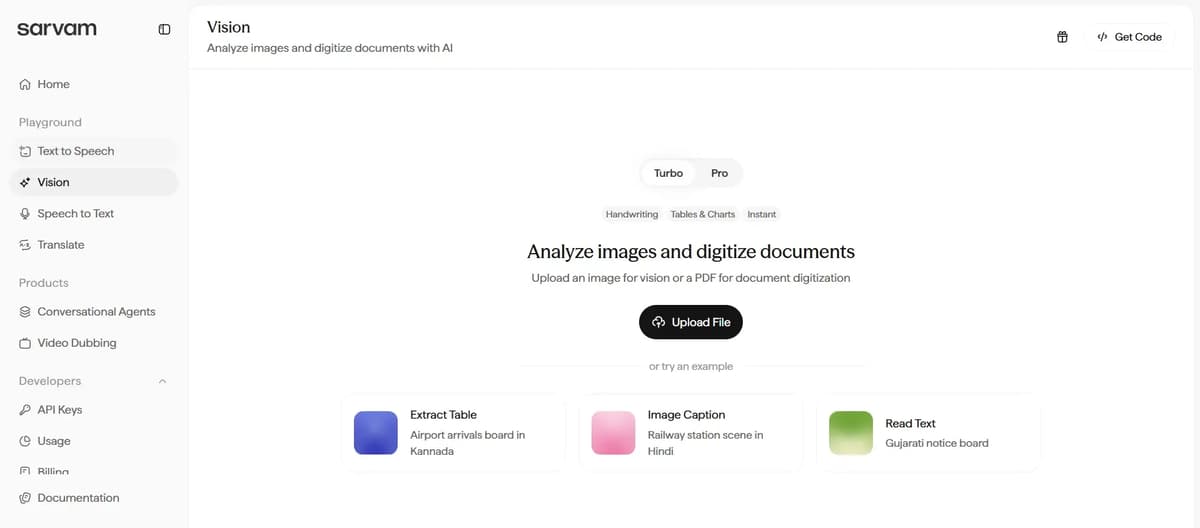
Text Extraction
If you want to extract text from an image, upload it, select this option and click analyse. The tool will extract only the text from the image.
It usually captures all the text when the content is minimal, but sometimes it may miss a few words or lines.
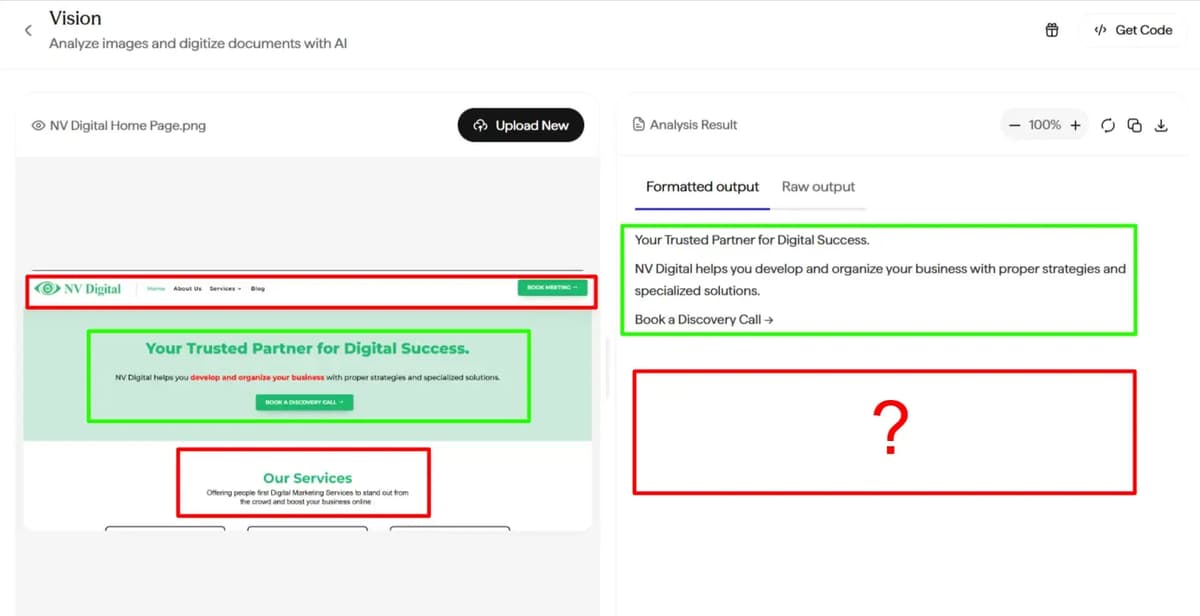
As you can see in the image above, only the text inside the green box was extracted. The text inside the red box was not captured. This is clearly a limitation in the output.
Note: If you upload an image that does not contain any text, it will simply show the message, “There is no text in this image.”
Image Understanding Option
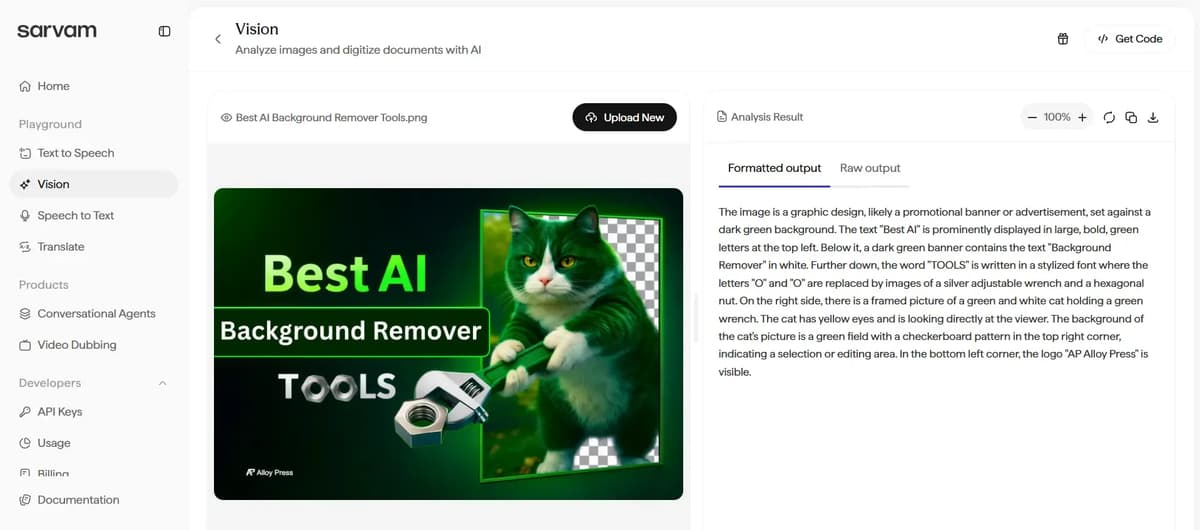
I clicked the upload file option and uploaded the featured image from the blog on the best AI background remover tools. In the image understanding section, I selected English for the caption, and it can be changed to other Indic languages if required. The output provided a detailed description of the image, including the logo. It analyzed the image clearly, though it was about 75 percent accurate and not completely precise.
The result includes formatted output and raw output sections. The formatted output is ready to use. You can zoom in or out, regenerate the result, and download it in notepad format.
Structured Data option
It clearly gives four different ways to extract and format data from tables charts or any images
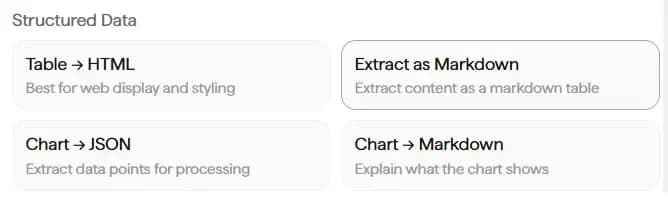
(Table → HTML)
By using this option, you can convert a table into HTML format, which makes it easier to display on a website and apply proper styling.
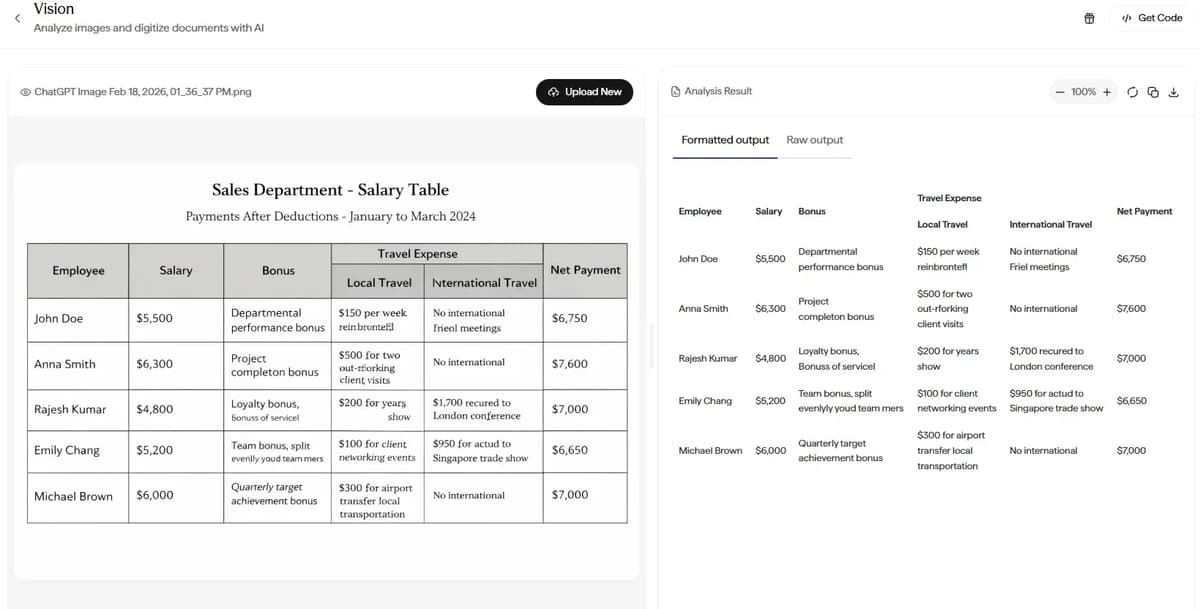
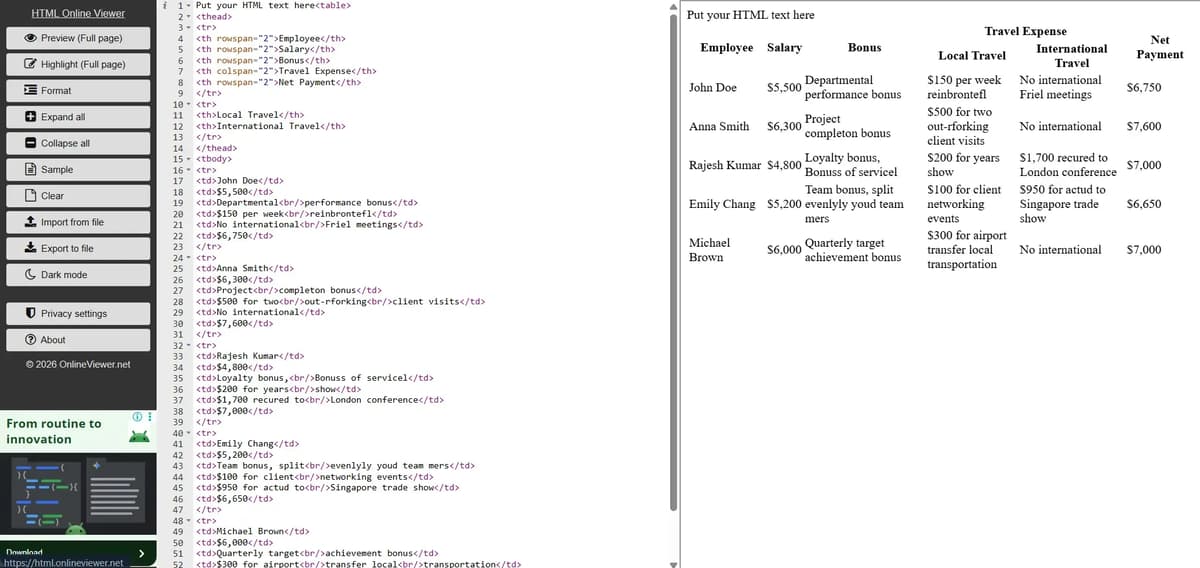
When I uploaded the table image, the tool extracted the text in a properly formatted output. It also gave the raw output in HTML code. I copied that code and tested it using an online HTML viewer tool to make sure it worked. The output displayed correctly. I have shared the result in the image below.
(Extract as markdown)
When you select this option and click analyse, it extracts the content from the image and presents it in a table format. This makes the information much easier to read and understand without having to study the image closely.
Check this: Best AI Image Generators
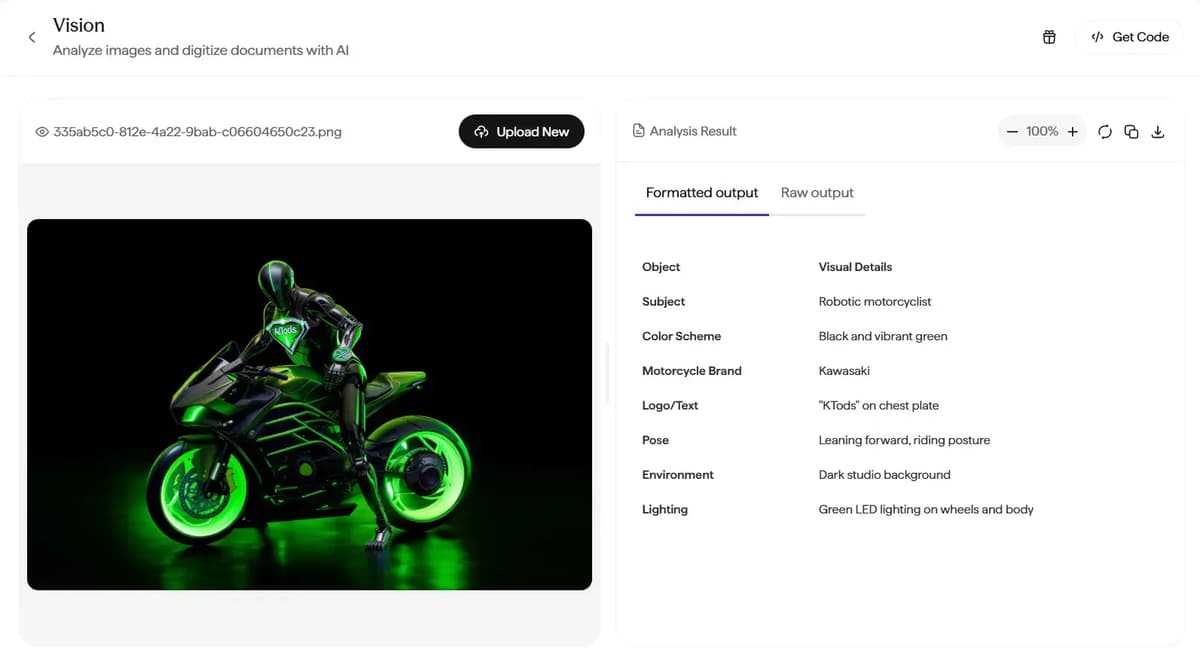
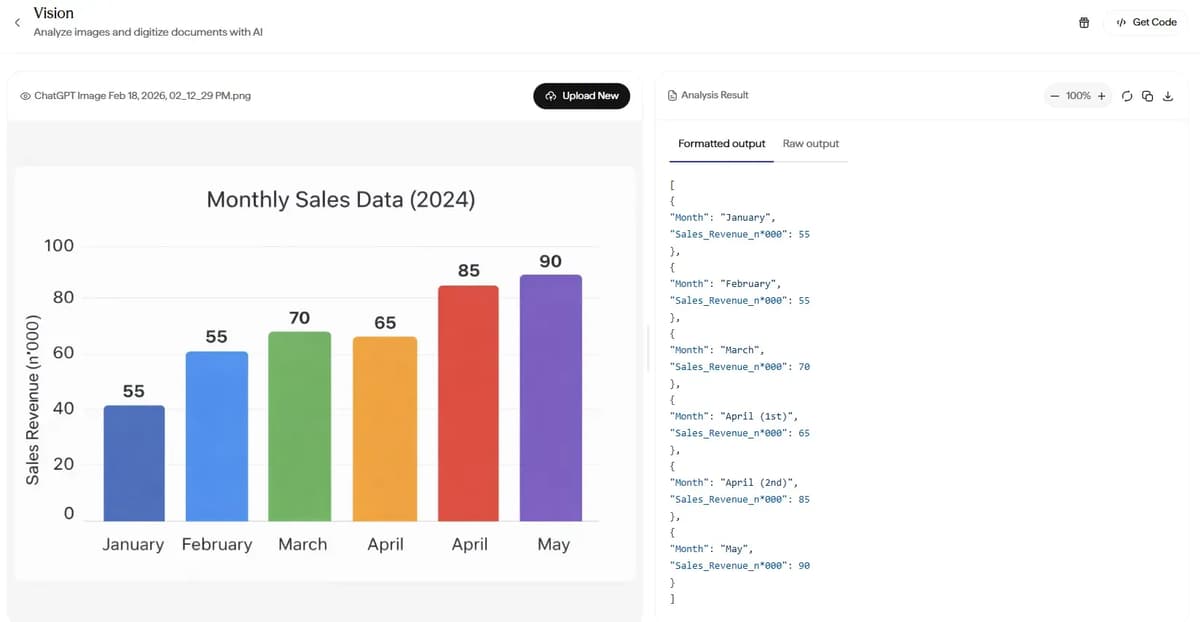
(Chart → Jason)
It converts chart values into structured data format like this
(Chart → Markdown)
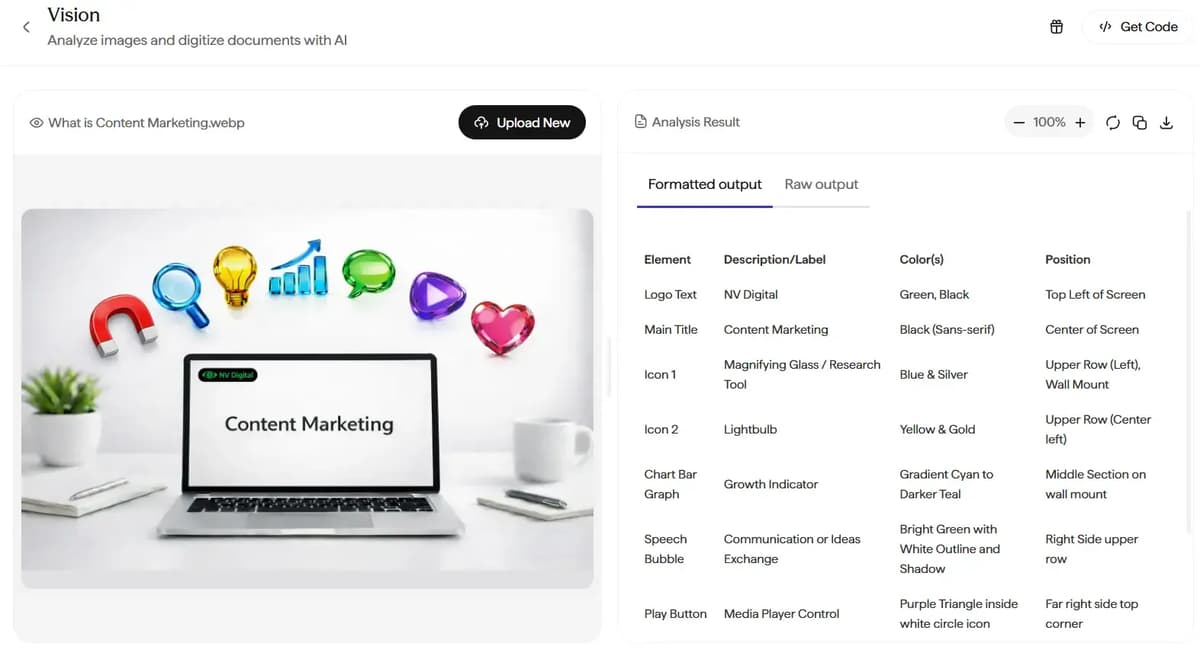
It is meant to convert chart data into simple readable text. But when I tested it by uploading a normal image instead of a chart, it didn’t give a short summary. Instead, it extracted all the details from the image and showed them clearly in a table format.
Vision Structured Output – Difference Table
Option | Core Purpose | Output Type | Strongest Use Case | Who Should Use It |
|---|---|---|---|---|
Table → HTML | Web-ready table rendering | HTML code | Direct website integration | Frontend devs, web teams |
Extract as Markdown | Lightweight structured documentation | Markdown table | Blogs, GitHub, internal docs | Writers, devs, tech teams |
Chart → JSON | Programmatic chart reconstruction | Structured JSON | Dashboards, analytics systems | Developers, data teams |
Chart → Markdown | Human-readable chart explanation | Text summary | Reports, articles, business docs | Content & reporting teams |
Think about where you’re going to use the output before choosing the format.
If it needs to appear on a website, use HTML. If it’s for documentation, Markdown is usually the better choice. If you plan to handle it inside an application or script, JSON makes sense. If you simply need to explain what a chart shows in words, convert it to Markdown.
Pick the format based on its purpose, not because it sounds more technical.
It is especially useful for school and college students. It can also help content creators and anyone who frequently works with documents or written content.
Speech to Text
The interface looks clean and straightforward. There’s a clear Start Speaking button, which makes it obvious how to begin recording. That’s good design. No confusion.
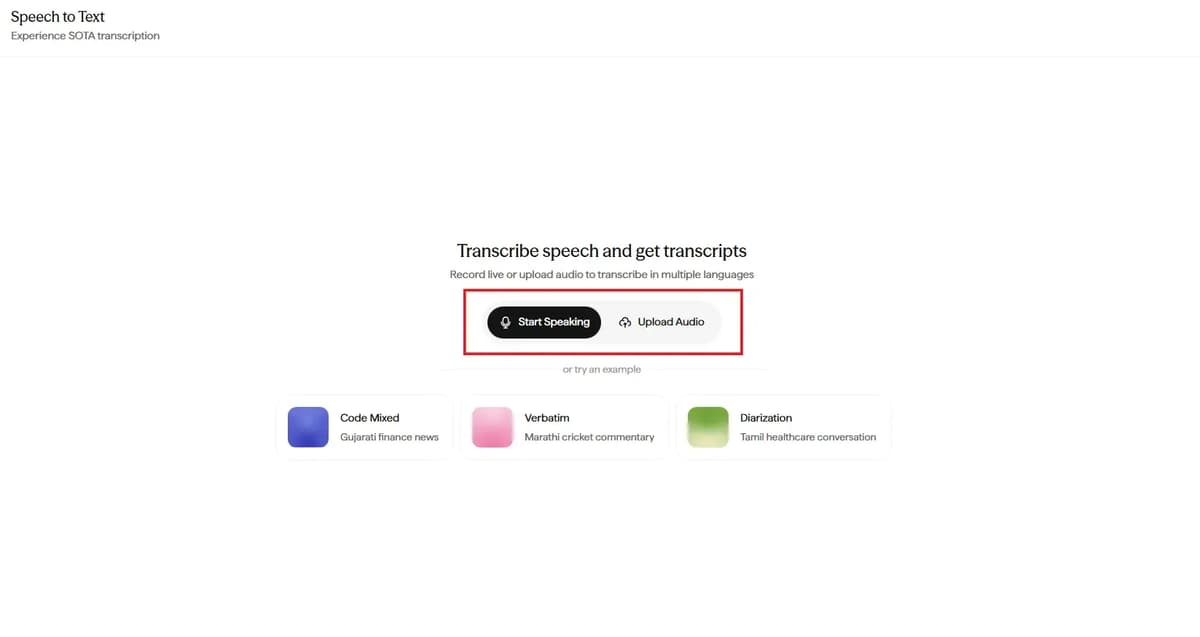
You also have different modes to choose from.
- Transcribe converts speech into regular text.
- Translate converts speech and gives you the translated version directly.
- Verbatim captures exactly what was said, including fillers and pauses.
- Transliterate changes the script but keeps the same pronunciation.
- Code Mixed handles speech that blends multiple languages, which is common in India.
This flexibility makes it more than a simple dictation tool. It is designed to handle real multilingual usage.
Speech to Text Mode Settings Explained
You can select the STT model, choose the language such as Tamil and decide how the final text should be displayed.
In the Mode section, there are three options.
Unnormalized gives raw text in the native script without punctuation.
Romanized converts speech into English letters without punctuation.
Normalized provides clean text in the native script with proper punctuation and standard numbers.
If you need clean, ready-to-use text, choose Normalized. If you need raw or phonetic output, use Unnormalized or Romanized.
Who It’s Useful For
Content Creators
If you speak faster than you type, this helps you save time. You can record your ideas and convert them into written content instantly.
Students
It is useful for recording lectures, turning spoken explanations into notes and translating discussions. It is especially helpful when classes are in mixed languages.
Want to humanize your AI content? Check this out: Best AI Humanizer Tool
Journalists and Interviewers
They can record interviews and get transcripts quickly instead of typing everything manually.
Business Professionals
It works well for meeting notes, voice memos, quick documentation and summarizing client calls.
Multilingual Users
People who switch between English and regional languages can use the Code Mixed and Translate options easily.
Accessibility Users
Those who find typing difficult can rely on voice input to create text.
Who Doesn’t Really Need It
If someone types fast and works only in one language with short text, it may not add much value.
Text Translate
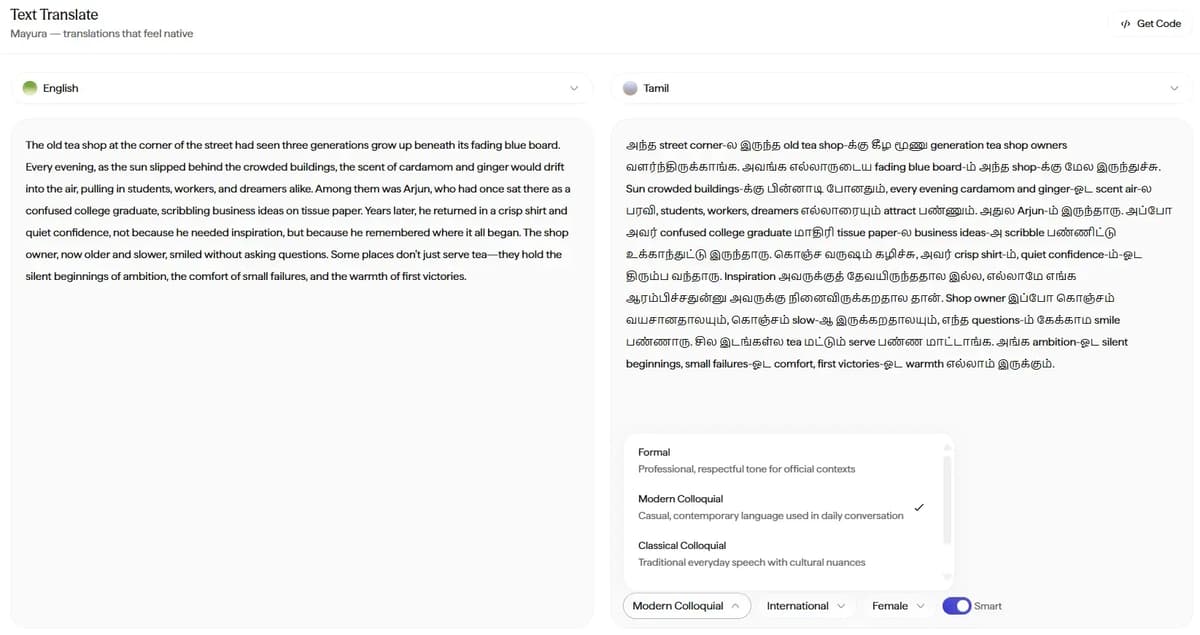
On the left side, you enter or paste the original text, which is in English in this case. On the right side, you see the translated version in Tamil.
You can choose how the translation should sound. Tone options such as Formal, Modern Colloquial and Classical Colloquial allow you to control whether the output feels professional, casual, or traditional.
To test if your content appears human-written or AI-generated, check this: Best AI Detectors
There are also additional settings like region style and voice preference. The Smart option helps improve the natural flow and context of the translation.
This tool does not simply translate word by word. It adjusts the output based on the tone and style you select so the final text sounds more natural.
FAQ’s
1. Is Sarvam AI good for multilingual Indian speech to text with code mixed language support?
Yes. It is designed specifically for Indian users and handles mixed language speech like Tamil + English or Hindi + English using its Code Mixed mode.
2. What is the difference between Bulbul V3 and Bulbul V2 in Sarvam AI text to speech?
Bulbul V3 offers more natural, expressive voice output with multiple professional categories, while Bulbul V2 provides simpler conversational voices with fewer options.
3. How accurate is Sarvam AI Vision for extracting text and tables from images?
It performs well on simple images and tables, but may miss some lines in complex visuals. Image understanding accuracy is around 75 percent based on testing.
4. Can Sarvam AI convert charts and tables into HTML, Markdown, or JSON format for websites and dashboards?
Yes. It can convert tables into HTML for websites, Markdown for documentation, and chart data into JSON for analytics or dashboards.
5. Is Sarvam AI suitable for students, content creators and businesses in India?
Yes. Students can use it for lecture notes and translation, creators for voiceovers and transcription and businesses for IVR systems, meeting summaries and multilingual communication.
Conclusion
Sarvam AI is a practical choice if you work with Indian languages, voice workflows or structured data. It handles multilingual and code mixed use cases well and fits real business needs. If your focus is mainly English content, other global tools may feel more refined. Choose it based on your actual use case. For Indian language and voice-driven work in 2026, it is a strong option.