What Is an AI Image Detector?
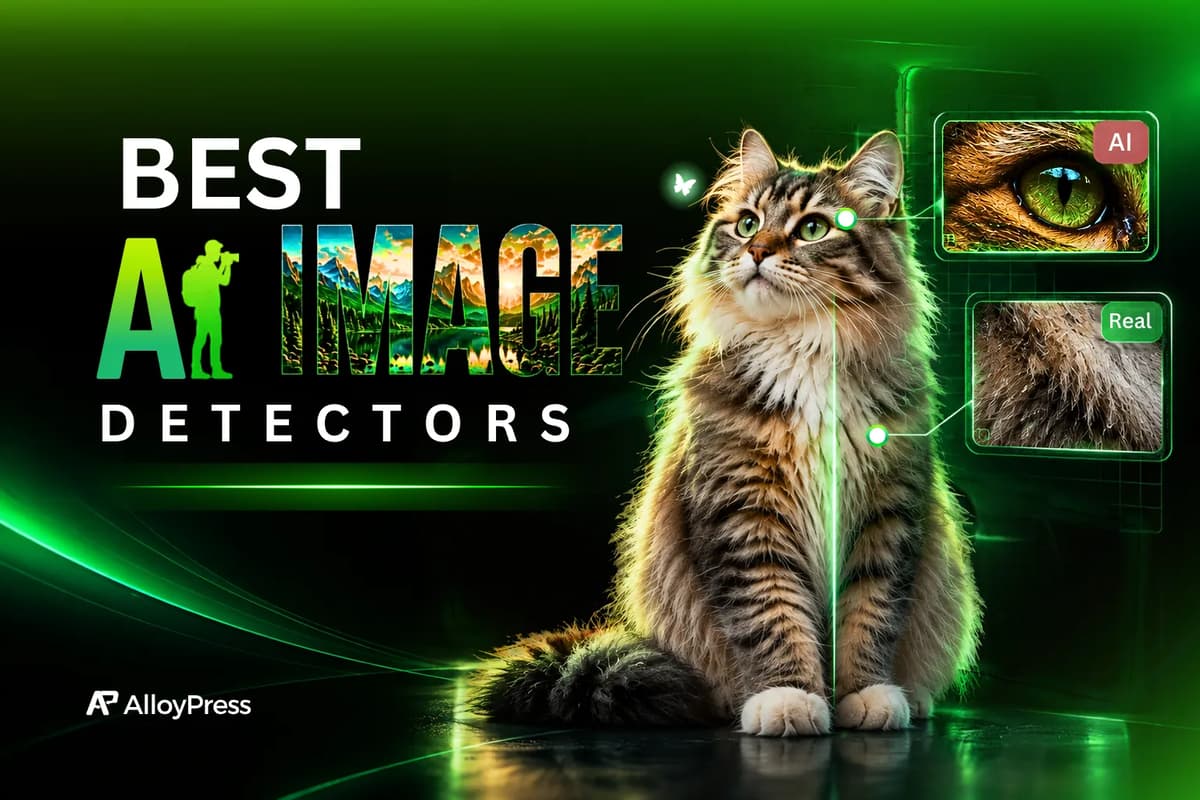
An AI image detector is a tool that checks whether an image was created by AI or captured with a real camera. It analyzes the image for patterns that can help identify AI-generated content. These tools are useful when you want to verify an image before using, sharing or trusting it.
How We Tested the AI Image Detector Tools
We used different types of images to test each AI image detector fairly:
- Test 1 - A real cat photo from a photoshoot and an AI-generated cat image
- Test 2 - A real human photo from a photoshoot and an AI-generated version of the same image
- Test 3- A screenshot image from ai generated image and real photoshoot image
We uploaded the same test images to every tool and checked whether each tool could correctly identify which images were real and which were AI-generated. We compared the results across all the tools and removed the ones that gave inaccurate results.
After testing multiple AI image detectors, we selected the 3 tools that performed the best in our tests. You can check them out below.
Quick AI Image Detectors Comparison Table
Feature | ZeroGPT | Sightengine | wasitAI |
|---|---|---|---|
Login needed? | No | No | After 2 scans |
Free limit | 15+ images, no limit hit | Not mentioned | 10 images per month (new users) |
File size limit | 10 MB | Not mentioned | Not mentioned |
Result format | % Fake or Real, plus confidence | % AI, plus breakdown by AI model | Colour scale, icon, % confidence |
Can it name the AI tool? | No | Yes (but unreliable) | No |
Does it explain the result? | No | No | Yes (mentions C2PA metadata) |
Tests passed | 3/3 | 3/3 (detection only) | 3/3 |
1. ZeroGPT
ZeroGPT is an AI detection tool that checks whether content or images were created by AI. For AI image detection, it analyzes an uploaded image to estimate whether it is AI-generated or real, while its broader AI detection capabilities can also be compared with other best AI detectors.
This tool lets us detect more than 15 images for free and we didn’t reach any usage limit during our testing. It also didn’t ask us to log in, which made it easy to use. The free plan doesn’t mention any specific limits for image detection, but it was still useful for testing and checking multiple images.
Our Experience with ZeroGPT
We uploaded an AI-generated image created with ChatGPT to ZeroGPT. ZeroGPT correctly detected it as an AI-generated image with 99% confidence.
We also tested it with a normal real photo and it identified it as a 97% real image.
Another good thing is that ZeroGPT didn’t ask us to log in when we opened the tool. We could directly upload and test the images.
One thing to keep in mind is the 10 MB image size limit. If your image is larger than 10 MB, you won’t be able to upload it, so check the file size before testing.
We also tested screenshots. We took a screenshot of the AI-generated image, saved it and uploaded it to ZeroGPT. It correctly detected it as 97% AI-generated. We did the same with a screenshot of the real photoshoot image and ZeroGPT identified it as 88% real.
Overall, ZeroGPT passed all three of our tests. It correctly identified the original AI-generated image, the real photoshoot image and the screenshots, making it one of the strongest tools in our testing.
ZeroGPT Pros
No | Pros |
|---|---|
1 | No login needed, upload directly |
2 | Tested 15+ images, never hit a limit |
3 | AI cat: 99% fake. Real cat: 97% real |
4 | AI-edited portrait: 99% fake |
5 | Screenshots passed: AI screenshot 97% AI, real screenshot 88% real |
6 | Simple design, easy for beginners |
ZeroGPT Cons
No | Cons |
|---|---|
1 | 10 MB file size limit |
2 | Free plan limits are not clearly stated |
3 | Cannot tell which AI tool made the image |
4 | Shows "Confidence: Low" even for correct real-image results, which is confusing |
5 | Real screenshot scored only 88% (lower than the others) |
Note: DeepAI also worked similarly to ZeroGPT and gave us the same results. It can be used for free, but the main difference is that DeepAI asks you to log in before using the tool.
One more thing we noticed is that both ZeroGPT and DeepAI use a model powered by TruthScan for AI image detection.
2. Sightengine
Sightengine is an image detection tool that can check whether an image is real or AI-generated. It also tries to identify which AI tool may have been used to create the image. We tested it with real photos, AI-generated images and screenshots to see how accurately it works.
Our Experience with Sightengine
When we opened Sightengine, it didn’t ask us to log in. We could directly use the tool for free.
For our first test, we uploaded a cat image generated with ChatGPT. Sightengine correctly detected it as 99% AI-generated and also gave 58% confidence that it was generated by GPT. This was useful because it not only detected the image as AI-generated but also tried to identify which AI tool created it.
When we uploaded the original cat photoshoot image, it detected 0% AI-generated, which means it correctly identified it as a real image. So, Sightengine passed our first test.
For the second test, we uploaded a real human image that we edited using ChatGPT. Sightengine detected it as 99% AI-generated, which was correct. However, when identifying the AI tool, it gave Gemini a much higher percentage and GPT a much lower percentage, so it guessed the tool incorrectly.
We also tested it with the original human photoshoot image. It detected only 1% AI-generated, meaning it considered the image 99% real. So, it passed the AI detection part again but made a mistake when trying to identify the AI tool.
For the third test, we uploaded screenshots of both the AI-generated and real photos. The screenshot of the ChatGPT-generated image was correctly detected as 99% AI-generated and Sightengine identified GPT with 99% confidence. The screenshot of the real photoshoot image was detected as 0% AI-generated. This was the strongest result across our three tests.
Important note: Sightengine has a feature that tries to identify which AI tool generated an image. We tested this with images generated by different tools, including Grok, Gemini, Seedream and ChatGPT. However, it often identified the wrong AI tool. So, while its AI image detection worked well in our testing, the AI tool identification feature was not reliable enough to trust.
Sightengine Pros
No | Pros |
|---|---|
1 | No login needed, free to use |
2 | Real images scored 0% to 1% AI, very clear |
3 | AI cat 99%, AI screenshot 99%, edited portrait 99% |
4 | Detailed breakdown (GenAI, Diffusion, GAN, Face manipulation) |
5 | Tries to guess the AI tool (GPT 58% on the cat, 99% on the screenshot) |
Sightengine Cons
No | Cons |
|---|---|
1 | AI tool guessing is unreliable. It called the edited portrait "Imagen / Nano Banana" (94%) when it was made with ChatGPT |
2 | Often guessed the wrong tool for Grok, Gemini, Seedream and ChatGPT images |
3 | Free limits not clearly stated |
4 | The technical breakdown may feel too much for beginners |
3. wasitAI
wasitAI checks whether an image is real or AI-generated. It shows the detection result with a confidence score, colours and icons. We tested it with real photos, AI-generated images and screenshots to see how accurately it works.
Our Experience with wasitAI
wasitAI allowed us to use the tool directly without logging in and we could test images for free.
For our first test, we uploaded an AI-generated cat image and it correctly identified it as AI-generated. It showed the result using colour levels, with a red colour and a robot icon to indicate that the image was likely created by AI.
We then uploaded the original cat photoshoot image. It correctly identified it as not AI-generated, showing a green colour with a human icon.
For our second test, the tool asked us to sign up after detecting two images. We could still test two images without signing up, but after creating an account, we found that new users can detect 10 images per month.
We uploaded the real human photoshoot image and WasItAI identified it as 73% not AI-generated. We then uploaded the same image after editing it with AI and it correctly detected it as 100% AI-generated. So, it identified both images correctly, although the confidence score for the real image was a little low.
For the third test, we uploaded a screenshot of the AI-generated image and it correctly detected it as 100% AI-generated. We also uploaded a screenshot of the real photoshoot image, and it identified it as 86% not AI-generated.
Overall, WasItAI correctly identified all our AI-generated and real images, including the screenshots. The only downside was the 10-image monthly limit for new users.
wasitAI Pros
No | Pros |
|---|---|
1 | Colour scale with robot or human icon, very easy to understand |
2 | Gives a reason for the result (for example, C2PA metadata found) |
3 | AI-edited portrait: 100% AI. AI screenshot: 100% AI |
4 | Has a "Report wrong result" button and a browser extension |
5 | 2 images can be tested without login |
wasitAI Cons
No | Cons |
|---|---|
1 | New users get only 10 images per month |
2 | Asks for sign-up after 2 scans |
3 | Real portrait scored only 73% confidence (low) |
4 | The 100% on the edited portrait came from C2PA metadata. If the metadata is removed, the result may change |
5 | Cannot tell which AI tool made the image |
Results of All 3 Tools (Test by Test)
Test | Image | ZeroGPT | Sightengine | wasitAI |
|---|---|---|---|---|
1 | AI cat | 99% Fake ✅ | 99% AI (GPT 58%) ✅ | AI (red, robot) ✅ |
1 | Real cat | 97% Real ✅ | 0% AI ✅ | Not AI (green) ✅ |
2 | Real human | 97% Real ✅ | 1% AI ✅ | 73% Not AI ✅ (low confidence) |
2 | AI-edited human | 99% Fake ✅ | 99% AI ✅ (tool guess ❌) | 100% AI ✅ (metadata based) |
3 | AI screenshot | 97% Fake ✅ | 99% AI, GPT 99% ✅ | 100% AI ✅ |
3 | Real screenshot | 88% Real ✅ | 0% AI ✅ | 86% Not AI ✅ |
Pricing Comparison Table
Sightengine | ZeroGPT | WasItAI | |
|---|---|---|---|
Free plan | 2,000 operations/month (max 500/day), AI detection included | $0 forever, no credit card | 10 images/month, includes confidence score, detailed reports, browser extension and API access |
Entry paid plan | Starter: $29/mo for 10,000 operations | Personal plans exist (monthly or annual, 40% off annually). Price not shown on the page | Basic: $3.99/mo for 100 images |
Mid plan | Pro: $99/mo for 40,000 operations | Business/EDU plans (price not shown) | Advanced: $35/mo for 1,000 images |
High volume | Enterprise (custom) | Enterprise (custom quote) | Pro: $300/mo for 10,000 images, then Enterprise (custom) |
Overage | $0.002 per extra operation | API is pay-as-you-go | Not mentioned |
API access | Yes | Yes (pay-as-you-go, balance-based) | Yes, in every plan including Free |
Login needed in our test | No | No | 2 scans, then sign-up |
How AI Image Detectors Work
You might wonder how a tool can tell whether an image was made by AI. It cannot simply look at an image and know. Instead, it checks different signals in the image and uses them to make a prediction.
For example, it may look at the pixel patterns, texture, noise, lighting, shadows, and other small details that can differ between real photos and AI-generated images.
Some detectors can also check metadata or hidden AI watermarks when they are available. After checking these signals, the tool gives you a result, usually as a percentage showing how likely the image is AI-generated.
The important thing is that these tools are not 100% accurate. Image editing, compression, or even taking a screenshot can sometimes affect the result.
Final Conclusion: Which One Should You Actually Use?
All three passed every test, so this isn't about "which one works." It's about which one fits how you'll use it.
If you are... | Use | Why |
|---|---|---|
Checking an image or two, once in a while | ZeroGPT or Sightengine | Both were free with no login in our testing. Sightengine gave the more decisive scores, while ZeroGPT showed no limit across 15+ images. |
A developer or business checking images at volume | Sightengine | Cheapest per check on paper (about $2.90 per 1,000 vs. $30-40 on WasItAI), with a 2,000/month free tier to prototype on. |
A journalist or fact-checker who wants a second opinion | Sightengine, plus WasItAI as a cross-check | Sightengine had the widest confidence gap. WasItAI can catch AI images through C2PA metadata, so the two tools check different things. |
A casual user who wants a simple verdict and a browser extension | WasItAI Free | Easy colour bar and a browser extension, but you only get 10 images/month. |
Someone who wants to know which AI tool made the image | None of them | Sightengine's tool-name guesses were often wrong in our tests. |
Our verdict: Sightengine is the one we'd bookmark. Its scores were the most decisive across all three tests, and it's the most affordable if your usage grows. ZeroGPT is the best "just let me test a few images" option. WasItAI is accurate but the least generous, so it only makes sense for light use or as a second opinion.
One honest limit: this was 6 images per tool. That's enough to show real differences, but not enough to promise 100% accuracy on every image you'll ever test. For anything high-stakes, run two tools and don't treat one score as proof.
Frequently Asked Questions
1. Can AI image detectors spot screenshots of AI images?
Yes, in our tests. All three tools correctly flagged a screenshot of an AI image (97% to 100% AI) and correctly passed a screenshot of a real photo (88% real for ZeroGPT, 0% AI for Sightengine, 86% not AI for WasItAI).
2. Can they detect a real photo that was edited with AI?
Yes. All three flagged our AI-edited portrait: ZeroGPT 99%, Sightengine 99% and wasItAI 100%. Keep in mind WasItAI's score was based on C2PA metadata.
3. Can an AI detector tell which AI tool made an image?
Sightengine tries, but it was inconsistent. It correctly named GPT for the cat image (58%) and the screenshot (99%). It misidentified the edited portrait as Imagen/Nano Banana (94%), and it often guessed wrong across Grok, Gemini, Seedream and ChatGPT images.
4. Are free AI image detectors accurate?
The three we picked were, on our images. We started with dozens and removed the ones that gave inaccurate results, so accuracy varies a lot between tools. Test any detector with known images first.
5. Do I need to sign up or pay to check an image?
Not to start. ZeroGPT and Sightengine needed no login. WasItAI gave us two scans before asking for sign-up and then 10 per month. ZeroGPT has a 10 MB file size limit.