Most Midjourney reviews focus on image examples, feature lists and marketing claims. After reading several reviews, I noticed a common problem: they tell you what Midjourney can do, but they rarely show how it performs in real-world work.
That is the question most people actually care about.
Can Midjourney create blog featured images that attract clicks?
Can it generate product photos that look professional enough for e-commerce stores?
Can it design advertising visuals that save marketers time?
And most importantly, is it worth paying for when alternatives like ChatGPT Image Generation, Gemini Nano banana, Manus AI Image generation, Reve AI image generator and Grok Imagine are available?
To find out, I spent considerable quality time testing Midjourney V8.1 across seven practical tasks that creators, marketers, bloggers, agencies and business owners regularly face.
Instead of generating random fantasy artwork, I focused on the kind of images people actually need for work.
In this review, I will share the prompts I used, the results I got, what impressed me, what frustrated me and whether Midjourney is still worth using in 2026.
What Is Midjourney?
Midjourney is one of the top AI image generator that creates images from text prompts. You simply describe what you want to see and the tool generates images based on your description.
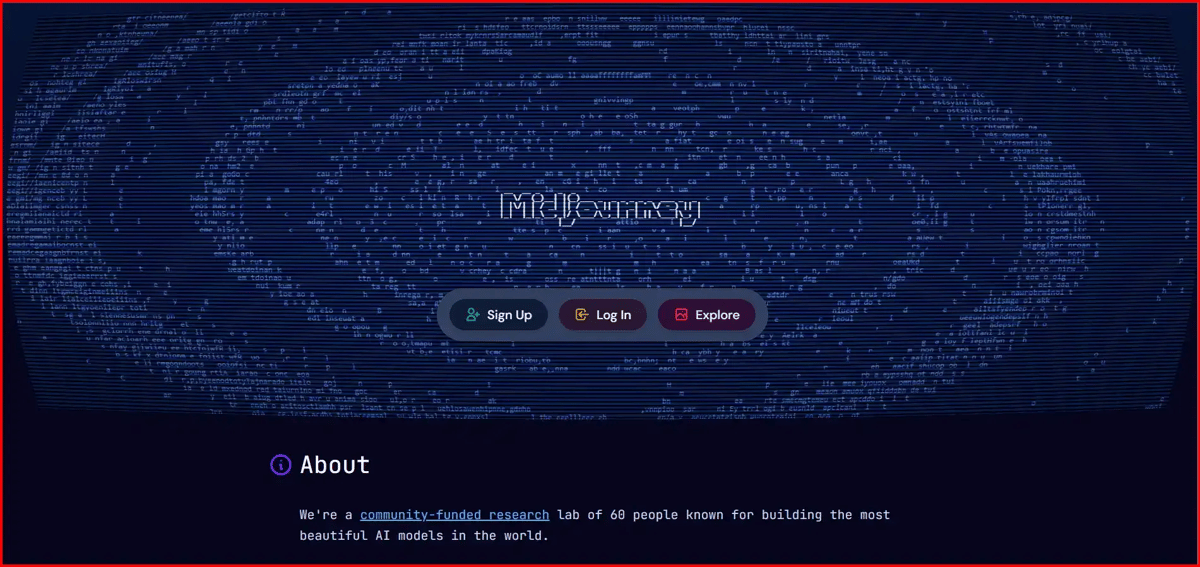
People use Midjourney for things like blog featured images, marketing visuals, product concepts, social media graphics and digital artwork. The results can vary depending on the prompt but the goal is to turn ideas into images without creating them manually from scratch.
Midjourney Pricing
Pricing is the top concern as we have many alternatives to Midjourney. It offers four subscription plans: Basic, Standard, Pro and Mega. All plans are available with monthly or annual billing and annual subscriptions come with a discount compared to paying month by month.
Plan | Monthly Price | Best For |
|---|---|---|
Basic | $10/month | Beginners and occasional users |
Standard | $30/month | Regular creators and bloggers |
Pro | $60/month | Freelancers, designers, and agencies |
Mega | $120/month | Teams and high-volume users |
One of the main differences between the plans is usage limits. The Standard, Pro, and Mega plans include unlimited image generation in Relax Mode, while Stealth Mode (private image generation) is only available on the Pro and Mega plans.
Since Midjourney does not offer a free plan or trial credits, I used a paid subscription and tested its image quality, editing capabilities and real-world workflows across multiple use cases. This hands-on testing allows you to understand the platform’s strengths and limitations without spending money to evaluate it yourself.
How Do I Test Midjourney?
In real-world usage, I tested Midjourney in different practical scenarios to understand how the perform work across various creative needs. I used 7 different prompt types based on common work purposes and analyzed the output quality, speed, and how accurately it follows prompts. I also compared results, checked image sharpness and shared my final opinion based on real outputs.
Here are the 7 test areas I used:
- Product Photography Test
- Complex Scene Test
- Text Rendering Test
- Blog Featured Image Test
- YouTube Thumbnail Test
- Advertisement Poster Test
- Reference Image Editing Test
Each test helped me understand where Midjourney performs strongly and where it struggles. I’ve shared sample outputs and my final thoughts so you can clearly decide what type of work it’s actually useful for in real projects.
Alright, let’s go straight into image testing.
Test #1 – Product Photography Test
Can Midjourney Create Professional Product Photos?
Prompt:
I’ve attached the four output images from Test 1 below. Swipe to view all the results.
Test #2 - Complex Scene Test
How Well Does Midjourney Handle Complex Scenes?
Prompt:
I've attached the four output images from Test 2 below. Swipe to view all the results.
Test #3 - Text Rendering Test
Can Midjourney Generate Accurate Text?
Prompt:
I've attached the four output images from Test 3 below. Swipe to view all the results.
Test #4 - Blog Featured Image Test
Can Midjourney Create Click-Worthy Blog Images?
Prompt:
I've attached the four output images from Test 4 below. Swipe to view all the results.
Test #5 - YouTube Thumbnail Test
Can Midjourney Create Attention-Grabbing Thumbnails?
Prompt:
I've attached the four output images from Test 5 below. Swipe to view all the results.
Test #6 - Advertisement Poster Test
Can Midjourney Generate Marketing-Ready Ad Creatives?
Prompt:
I've attached the four output images from Test 6 below. Swipe to view all the results.
Test #7 - Reference Image Editing Test
How Good Is Midjourney at Editing Existing Images?
Prompt:
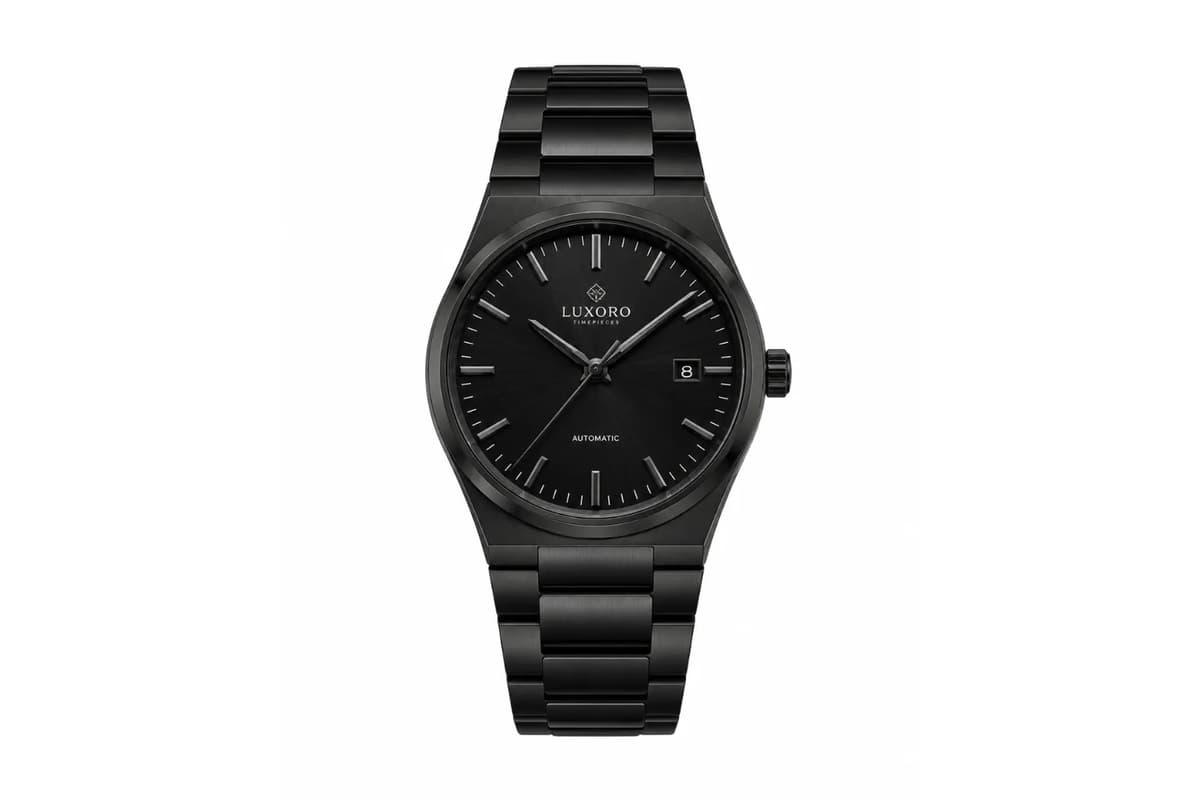
Reference Image
I've attached the four output images from Test 7 below. Swipe to view all the results.
My Experience Journey with Midjourney Image Generation
Overall, I was really impressed with the image quality. The outputs are sharp, clean and look premium. The generation speed is another big plus. It creates four images in around 15 seconds with just one click.
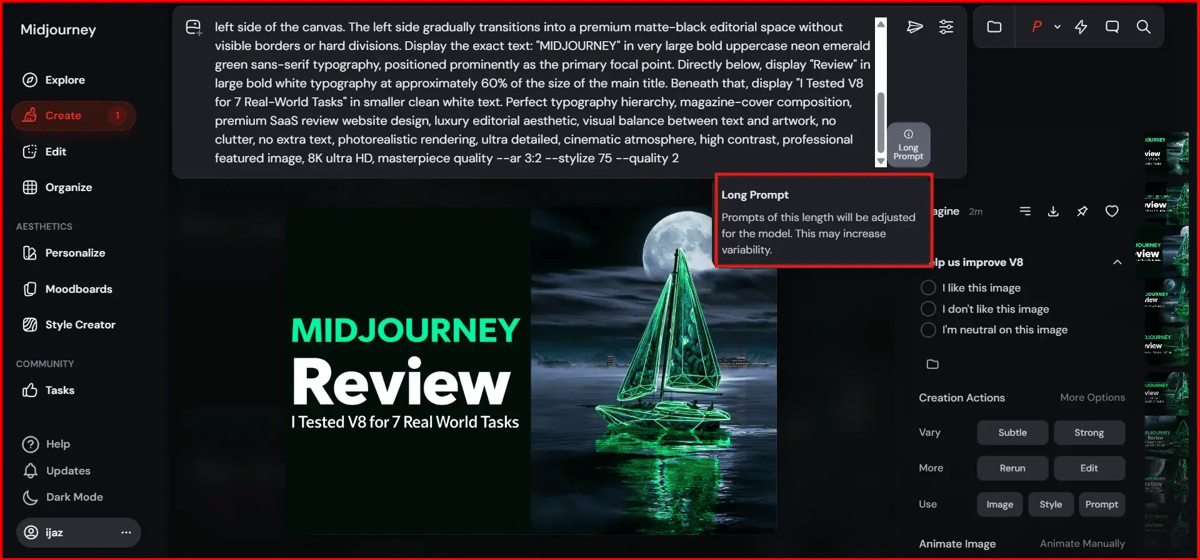
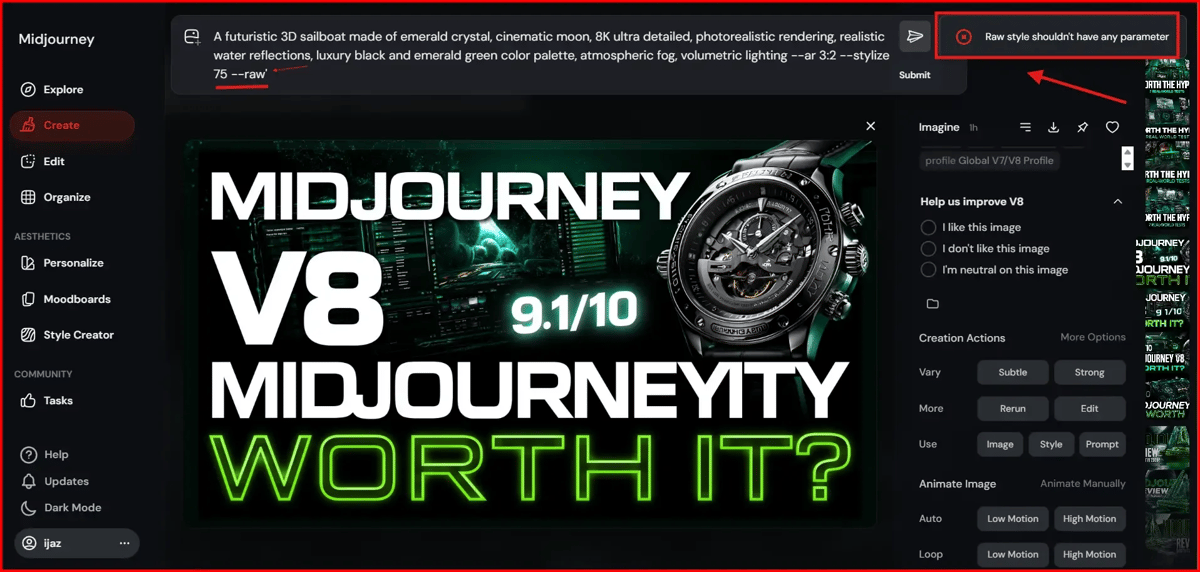
One thing I learned is to avoid writing very long prompts. I got warnings a few times, so keeping the prompt short and clear works much better. I've attached a screenshot below for reference.
The tool is good at generating the text you specifically mention in your prompt, but it still struggles with random extra text and numbers. If you need perfect text, I recommend using it only for image generation and adding the text later in another design tool.
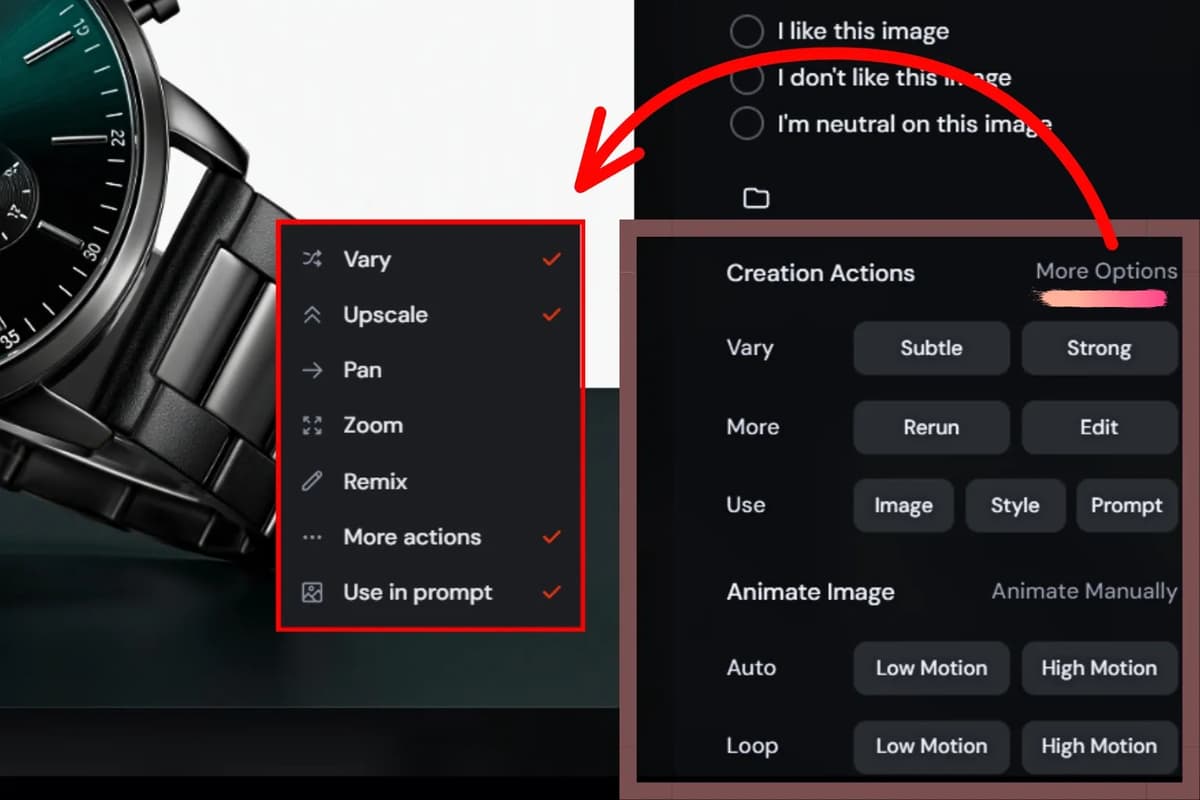
It also comes with a lot of editing options, which make it easy to improve the final result without starting over. Overall, I think it's worth using. If your main goal is creating product images, this tool does a really good job.
How to Use MidJourney (Simple Workflow)
Using MidJourney is simple once you understand the basic workflow. Start by deciding what image you want to create. Then describe the main subject, followed by the background or environment. Add details like lighting, style, and quality to make your prompt more specific.
When your prompt is ready, generate the image and review the results. Upscale the version you like the most, or create variations if you want to explore different styles or compositions. If needed, make small changes to your prompt and generate again until you're happy with the final result.
Example Prompt
Luxury black watch on reflective surface, cinematic studio lighting, premium product photography, realistic reflections --ar 3:2 --stylize 100 --raw
How to Add Parameters to Your MidJourney Prompt
Parameters let you control specific parts of the image, such as the aspect ratio, stylization level, or output style. Unlike the main description, parameters are always added at the end of your prompt and begin with two dashes (--).
For example, --ar 3:2 sets the aspect ratio, --stylize 100 controls how artistic the image should be, and --raw produces a more natural-looking result.
Example
Midjourney Parameter Examples
Parameter Category | Code to Use | What it Does | Example |
|---|---|---|---|
Aspect Ratio (Landscape) | --ar 16:9 | Creates a widescreen image (YouTube thumbnails, banners). | Futuristic AI city skyline --ar 16:9 |
Aspect Ratio (Blog Image) | --ar 3:2 | Ideal for blog featured images. | Premium technology magazine cover --ar 3:2 |
Aspect Ratio (Portrait) | --ar 9:16 | Creates vertical images for mobile wallpapers and social media. | Cyberpunk Emerald Crystal Castle --ar 9:16 |
Stylize (Low) | --stylize 75 or --s 75 | Keep results close to your prompt. | SaaS review featured image --stylize 75 |
Stylize (Medium) | --stylize 300 | Balanced creativity and prompt accuracy. | AI product advertisement --stylize 300 |
Stylize (High) | --stylize 800 | More artistic and dramatic output. | Crystal sailboat under giant moon --stylize 800 |
Raw Mode | --raw | Reduces Midjourney's artistic enhancements for a realistic look. | Professional product photography --raw |
Quality | --quality 2 or --q 2 | Uses more rendering power for higher detail. | Luxury editorial cover design --q 2 |
Weirdness | --weird 500 | Creates unusual and unexpected designs. | Alien crystal architecture --weird 500 |
Chaos | --chaos 50 | Increases variation and unpredictability. | Futuristic concept vehicle --chaos 50 |
Negative Prompt | --no text | Removes specific elements. | Futuristic city skyline --no text |
Multiple Exclusions | --no people, logo, watermark | Removes multiple elements. | AI technology illustration --no people, logo, watermark |
Seed | --seed 1234 | Helps reproduce similar results. | Modern magazine cover --seed 1234 |
Multi-Parameter Code Example
Prompt:
Midjourney Pros and Cons
Pros | Cons |
|---|---|
Exceptional image quality and realism | No free trial |
Creates 4 image variations quickly | Some advanced features are only available with the Pro and Mega plans. |
Excellent for product photography | Text generation is still inconsistent |
Strong artistic and cinematic outputs | Learning curve for beginners |
Reference image support | Less suitable for simple graphic design |
Powerful editing and variations tools | Long prompts can trigger warnings |
Large community and prompt resources | Not ideal for logo design |
Great style consistency |
Midjourney Features Table
Feature | What It Does | Best Use Case |
|---|---|---|
Text-to-Image Generation | Creates images from prompts | Marketing, blogs, ads |
Reference Images | Uses uploaded images as guidance | Brand consistency |
Image Editing | Modify existing images | Product campaigns |
Variations | Creates alternate versions | Creative exploration |
Upscaling | Generates higher-resolution outputs | Printing and publishing |
Style Reference | Mimics visual styles | Consistent branding |
Character Reference | Keeps characters similar | Storytelling |
Moodboards | Save style collections | Creative teams |
Raw Mode | Less artistic interpretation | Realistic outputs |
Personalization | Learns preferred visual style | Faster workflow |
Stealth Mode | Private generations | Client projects |
Relax Mode | Unlimited generations | Heavy users |
Style Creator | Build custom styles | Agencies and brands |
How to Avoid Common MidJourney Prompting Mistakes
If you're new to MidJourney, you'll probably make a few prompting mistakes and that's completely normal. After testing it extensively, these are the most common issues I came across and how you can avoid them.
1. Don't Write Overly Long Prompts
A common mistake is trying to describe every tiny detail. In most cases, shorter and more focused prompts produce better results.
Instead of: A 300-word prompt filled with unnecessary details.
Try: Luxury black watch, cinematic lighting, reflective water surface, premium product photography.
2. Focus on One Main Idea
Avoid combining too many unrelated concepts in a single prompt. The more ideas you mix together, the more confusing the output becomes.
Instead of: Watch + robot + spaceship + forest + cyberpunk city + dragon
Try: Luxury black watch product advertisement.
3. Choose the Right Aspect Ratio
The aspect ratio affects how well your image fits different platforms. Using the wrong one can lead to awkward cropping.
- Blog featured image: --ar 3:2
- YouTube thumbnail: --ar 16:9
- Pinterest post: --ar 2:3
- Mobile wallpaper: --ar 9:16
4. Don't Expect Perfect Text
MidJourney has improved a lot, but it still isn't reliable for generating perfect text, logos, or typography. It's usually better to create the image first and then add the final text later using Canva or Photoshop.
5. Don't Always Use High Stylize Values
Higher --stylize values create more artistic images, but they can also ignore important parts of your prompt. For most marketing, blog, and product images, a value around --stylize 75 gives a good balance between creativity and prompt accuracy.
6. Use Negative Prompts When Needed
If you want to remove unwanted elements from your image, use negative prompts.
For example:
- --no text
- --no watermark
- --no people
These simple parameters help keep the final image clean and closer to what you intended.
Frequently Asked Questions (FAQs)
Q1. Is Midjourney worth paying for in 2026?
If image quality is your top priority, yes. It still produces some of the most visually impressive AI-generated images available today. For professional marketing visuals, product photography, thumbnails and blog graphics, it often outperforms many competitors.
Q2. Why does Midjourney ignore parts of my prompt?
Usually, because the prompt is too long, contains conflicting instructions, or uses very high stylization values. Simplifying the prompt often improves accuracy.
Q3. Why does Midjourney create weird text?
Text rendering has improved significantly, but it still occasionally inserts random letters, words, or numbers. For production work, it's safer to add text later using a design tool.
Q4. Is Midjourney better than ChatGPT Image Generation?
For artistic quality, cinematic visuals and premium-looking renders, many creators still prefer Midjourney. For easier editing, conversations and quick iterations, ChatGPT Image Generation can be more convenient.
Q5. Can Midjourney create professional product photos?
Yes. Product photography is one of Midjourney's strongest areas. It generates realistic lighting, reflections, materials and luxury advertising-style visuals that are often good enough for marketing mockups and concept campaigns.
Related AI Tools You May Also Find Useful
Final Verdict: Should You Use Midjourney?
After testing Midjourney across product photography, complex scenes, blog graphics, thumbnails, advertising creatives, text rendering and image editing, one thing stands out that is image quality remains its biggest strength. The outputs consistently look polished, cinematic and professional.
If you're a blogger, marketer, agency owner, content creator or ecommerce business looking to create premium visuals quickly, Midjourney is still one of the best AI image generators available.
However, it isn't perfect. Text rendering can still be unreliable, there is a learning curve and the subscription cost may not make sense for casual users.
For people who care most about image quality, creative control and professional-looking results, Midjourney is easy to recommend.