Quick Comparison Table
Rank | Tool | Free Video Generation | Video Length (from test/limits) | Generation Limit | Video Quality | Best For |
|---|---|---|---|---|---|---|
1 | Gemini | Not covered (tested on Pro plan) | Not specified | 3 videos/day (Pro plan) | Excellent, most natural and realistic | Most realistic output with natural audio |
2 | Canva | Yes | Free: 5 sec, Paid: 8 sec | About 3 videos/month (free & paid) | Good, quite realistic, 4K download | Free users who want high-resolution downloads |
3 | Grok Imagine | No (paid only) | Up to 15 sec | Not specified | Good, but lacks some realism | Longer AI video clips |
4 | MagicHour AI | Yes (credit based) | Tested 10 sec | 300 initial credits + 100 bonus credits daily | Not very realistic (MiniMax H3 model) | Trying multiple AI video models |
1. Gemini
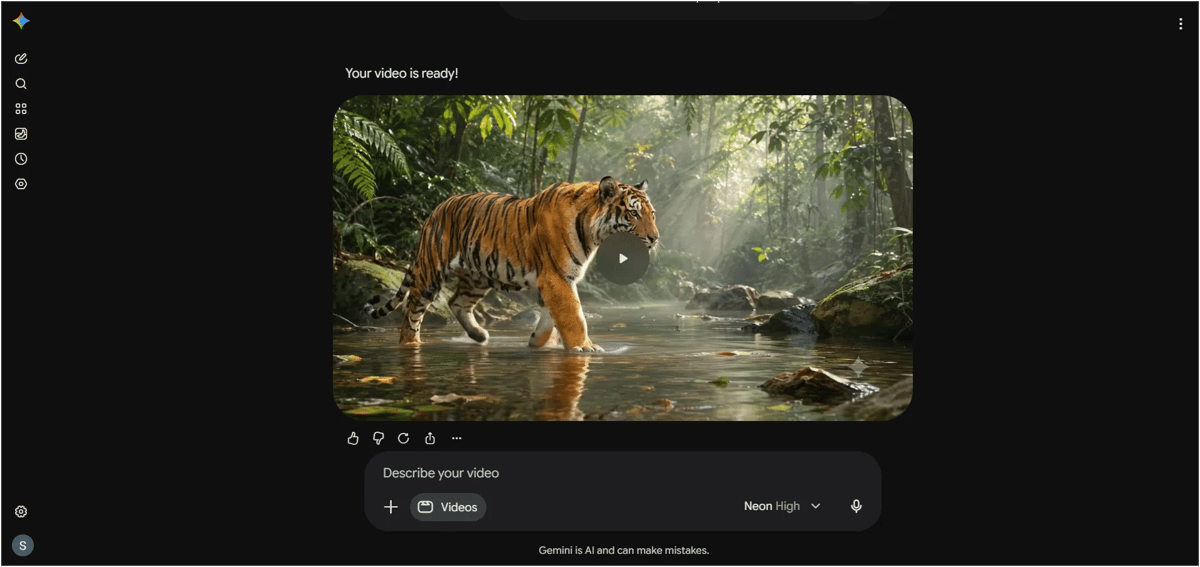
We used Gemini's Pro plan, which allows us to generate 3 videos per day. We ranked it first because its output looked the most natural and realistic among all the tools we tested. The forest sounds were also very natural, just like what you would hear in a real forest, and the overall video quality was excellent. For our test, we used the Veo 4 option with the Thinking level set to Extra High to get a more detailed output.
Pros | Cons |
|---|---|
The most natural and realistic output of all the tools tested | Only 3 videos per day on the Pro plan |
Natural sound that matches a real forest setting | Tested only on the Pro plan |
Excellent overall video quality | |
Veo 4 with the Extra High Thinking level gives more detailed output |
2. Canva
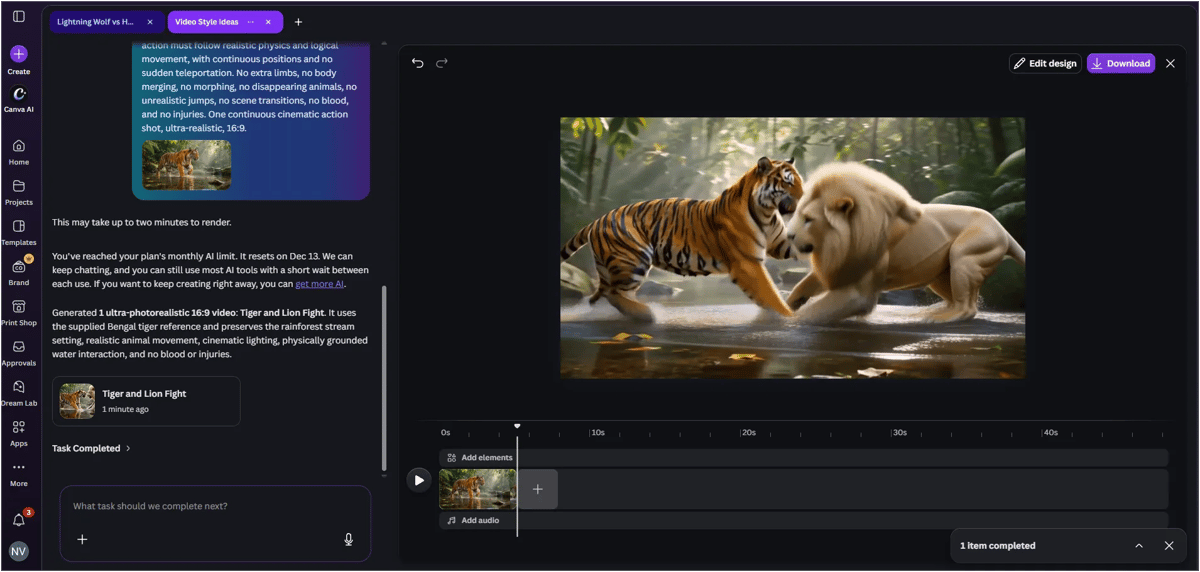
Canva has an AI video generator that lets even free users create videos using just a text prompt. The free plan supports 5-second videos, while paid users can generate videos up to 8 seconds long. The video quality was good and looked quite realistic. You can also download the generated videos in 4K resolution.
However, Canva has a limited monthly AI credit allowance. Both free and paid users can generate only around 3 videos per month, which is quite restrictive. For more details about Canva's features and AI usage limits, check out our Canva review, where we also cover common questions about its AI tools.
Pros | Cons |
|---|---|
Free users can create AI videos from a text prompt | Only about 3 AI videos per month for both free and paid users |
Good, quite realistic video quality | Free videos are limited to 5 seconds |
Videos can be downloaded in 4K resolution | Paid videos are limited to 8 seconds |
3. Grok
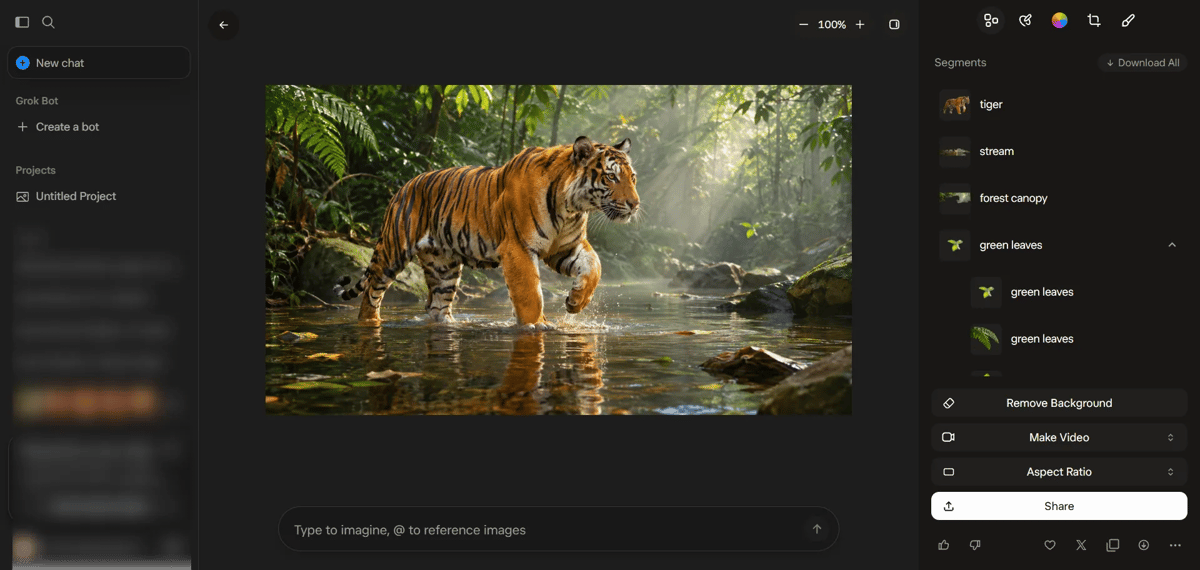
Grok Imagine lets users generate images and videos using its own video generation model. However, video generation is available only to paid users, not free users. You can set a maximum video duration of 15 seconds. We generated a 10-second video at 720p, and it took around one minute to complete.
The overall video quality was good, but the output lacked some realism. The audio also felt slightly out of sync with the visuals.
Pros | Cons |
|---|---|
Generates both images and videos with its own model | Video generation is not available to free users |
Videos can be up to 15 seconds long | The output lacked some realism |
Fast: a 10-second 720p video took around one minute | The audio was slightly out of sync with the visuals |
Good overall video quality |
4. Magichour.ai
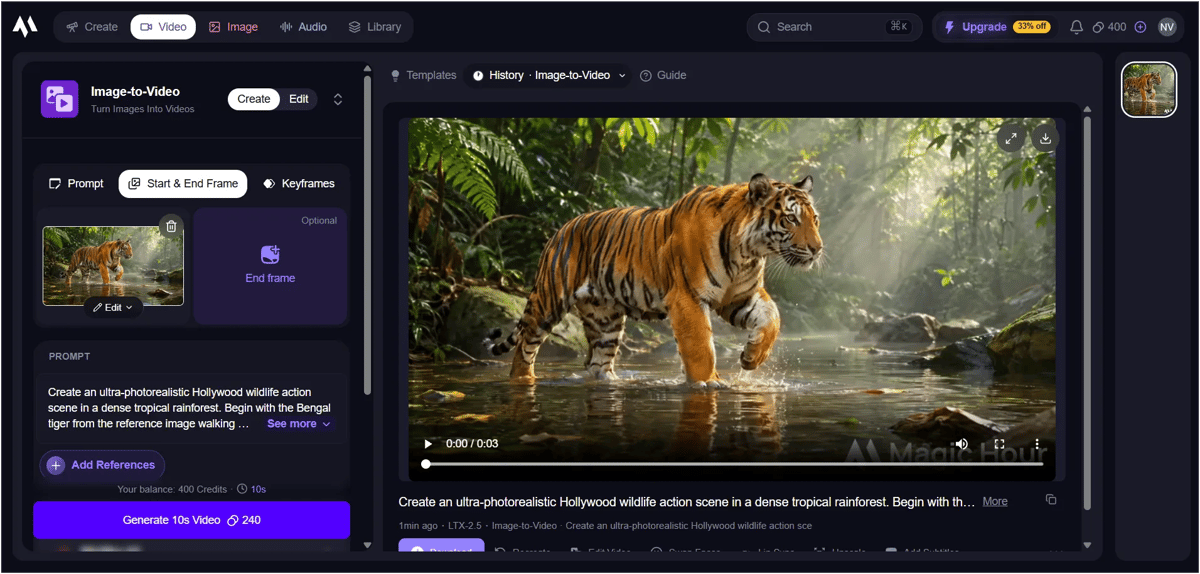
MagicHour AI lets users generate images, videos and audio using a wide range of AI models. It initially provides 300 credits, along with 100 bonus credits daily. We tested the MiniMax H3 model by generating a 10-second video at 480p with audio enabled. It used 240 credits and took around one minute to generate.
However, the output wasn't very realistic. The video also included unwanted background music, which affected the overall quality. That's why we placed MagicHour in 4th position.
Keep in mind that MagicHour offers many other video models, and the output quality and prompt accuracy can vary depending on the model you choose. Credit usage also changes based on the model, video duration, and resolution. Some models and features are available only on paid plans, so free users cannot try everything.
Pros | Cons |
|---|---|
Generates images, videos and audio | Output was not very realistic (MiniMax H3 model) |
300 initial credits plus 100 bonus credits daily | Added unwanted background music |
Wide range of AI video models to choose from | One 10-second 480p video used 240 credits |
A 10-second video with audio took around one minute | Some models and features are available only on paid plans |
Output quality and credit usage vary by model, duration and resolution |
Final Conclusion
If you want the most realistic AI videos with natural audio, Gemini is the best Pixverse alternative, as long as 3 videos per day on the Pro plan is enough for you. Canva is the best pick for free users who want realistic, 4K-downloadable clips, but its monthly AI limit is very restrictive. Grok Imagine suits paid users who need clips up to 15 seconds, though its realism and audio sync need work. MagicHour AI is good for trying many AI models with generous daily credits, but output quality depends heavily on the model you choose. For the best balance of quality and realism, Gemini is the clear winner.
FAQs
1. What is the best Pixverse alternative?
Gemini is the best Pixverse alternative. In our tests it produced the most natural and realistic videos, with excellent quality and lifelike sound.
2. Is there a free alternative to Pixverse?
Yes. Canva lets free users make AI videos up to 5 seconds long from a text prompt. MagicHour AI also offers 300 initial credits plus 100 bonus credits daily.
3. Which AI video generator gives the most realistic videos?
Gemini gave the most realistic output in our tests. We used the Veo 4 option with the Thinking level set to Extra High.
4. Can I download AI videos in 4K for free?
Yes. Canva lets you download its AI-generated videos in 4K resolution. However, both free and paid users can generate only about 3 AI videos per month.
5. Is Grok Imagine video generation free?
No. Grok Imagine video generation is available only to paid users. Paid users can make videos up to 15 seconds long.