Reve AI was simple to use. You could enter a prompt, edit an image, add a reference image, and get good results without dealing with too many settings. But Reve has now stopped allowing new image and video generation.
From September 27, 2026, users can no longer create new images or videos. If you already have images or videos in Reve, you can still download them until October 31, 2026.
If you’re a new user and want to understand how Reve AI worked, check out our Reve AI Review 2026.
So, if you were using Reve, you are probably looking for another tool now.
The problem is that there are a lot of AI image generators. But they are not all good replacements for Reve.
We tested several Reve alternatives to see which ones are actually worth using. We checked things like image quality, editing, prompt accuracy, text in images, reference images, creative control, ease of use and pricing.
After testing them, these are the tools that stood out.
Testing Image Generation Prompt
A still life product photography style shot captures a black ceramic teacup filled with freshly brewed, steaming coffee, resting on a textured dark slate coaster. The cup features a thin, polished gold rim and a matching golden handle. Swirls of white steam rise gracefully from the rich brown liquid against a deeply shadowed backdrop. Scattered loose roasted coffee beans and a pair of vibrant green coffee leaves lie clustered on the dark marble countertop next to the base of the cup. In the background on the right, a burlap sack overflowing with more coffee beans sits beside a vintage manual coffee grinder partially visible in the upper right corner. The lighting is dramatic and warm, with a soft spotlight focused primarily on the cup and steam, casting gentle highlights on the glossy beans and creating deep shadows. The color palette is dominated by rich earth tones including matte black, warm golds, deep browns, and natural greens, all contrasting with the moody dark atmosphere. The perspective is a straight-on, eye-level angle with a shallow depth of field that keeps the cup sharp while softly blurring the distant background. The surface textures feature smooth ceramic, rough burlap, glossy green leaves, matte roasted beans, and the polished grain of the dark marble surface, creating an inviting, cozy, and luxurious mood focused on artisan coffee culture.Image Size 16:9
How We Tested the Reve Alternatives?
Reve users will definitely miss two things: AI image generation and the ability to fully edit existing images with layer based controls. So, we focused on tools that could handle both tasks. We checked which tools can generate images, what editing options they offer for generated and uploaded images and how much control they give you.
We also used the same sample prompt to generate images and tested features like text editing, background removal, image upscaling, image resizing, prompt based editing, and comment based editing. Based on these tests, we shortlisted the tools that can actually work as good Reve alternatives.
Reve AI Alternatives: Comparison Table
Feature | Canva | Codia | Manus AI |
|---|---|---|---|
AI Image Generation | Yes | Yes | Yes |
AI Video Generation | Yes | Yes | Yes |
Image Editing | Yes | Yes | Yes |
Layer-Based Editing | Yes | Yes, Magic Layer | No |
Prompt-Based Editing | Yes | Yes | Yes |
Comment-Based Editing | No | No | Yes |
Background Removal | Yes | Yes | Yes |
Image Upscaling | Yes | Yes | Up to 8K |
Image Resizing | Yes | Yes | — |
Watermark Removal | No | Yes | — |
Prompt Extraction | No | Yes | — |
Ease of Use | Very easy | Moderate | Very easy |
Best For | Flexible editing & design | AI tools & editing features | Simple AI-powered editing |
1. Canva
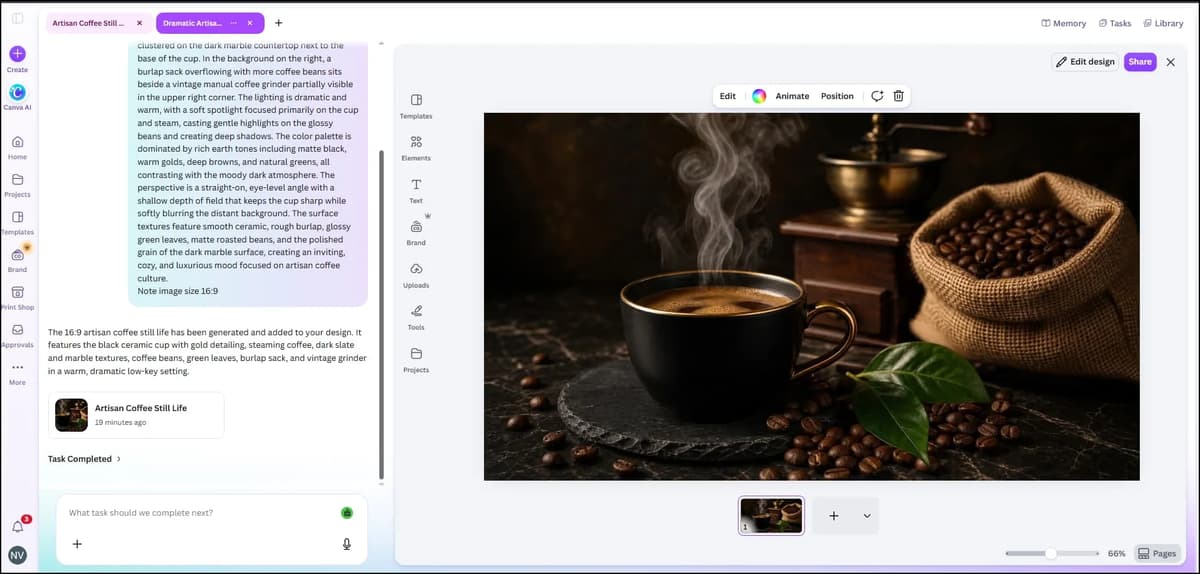
Canva is one of the best alternatives for Reve users because it supports image and video generation, along with image editing. It also offers customizable, layer based editing, which makes it a strong competitor to Reve. If you're already used to Reve, Canva shouldn't be difficult to use. It is also very user friendly.
When I used the same prompt mentioned above, Canva generated the image within a few seconds. After generating the image, I could edit it in many ways. I could change the background, resize the image, add text, add effects, add elements and customize almost every part of the design.
I’ve shared a video below showing how the layer based editing works. Please check it for reference, as it will make it easier to understand.

Canva Pros & Cons
Pros | Cons |
|---|---|
AI image and video generation | Some advanced AI features need paid credits |
Full layer based editing | AI results can be inconsistent with complex prompts |
Edit both generated and uploaded images | Too many options can feel overwhelming |
Remove and replace backgrounds | Not as focused on AI image generation as dedicated tools |
Resize images easily | Some edits may need multiple attempts |
Add text, elements, effects, and graphics | |
Very easy to use | |
Good for both quick edits and complete designs |
2. Codia
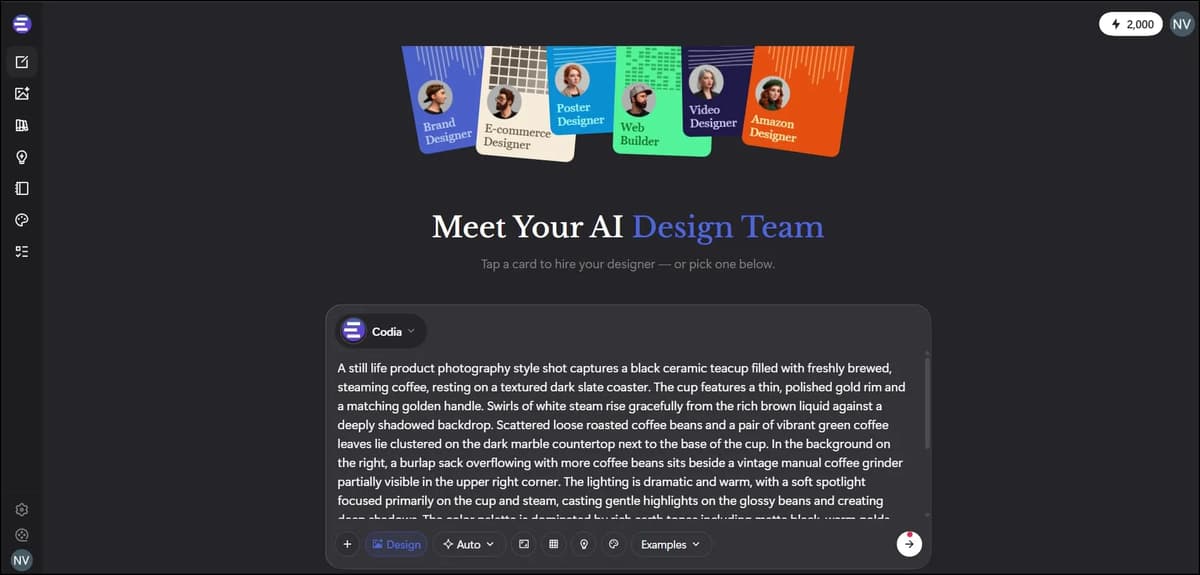
The free plan gives new users 20 credits, but it is very limited. If you want to fully explore and test the platform, you will likely need a paid plan. The Starter plan costs $20 per month and gives 2,000 credits. This is a little more expensive than Reve, but Codia offers many more features.
I checked Codia and found features like AI image generation, video generation, image editing, Magic Layer editing, background removal, upscaling, watermark removal, prompt extraction, and more.
For new users, Codia isn't as easy to use as Canva. It takes a little time to understand the different options, but the features generally work well.
In my experience, Magic Layer editing is not as good as Canva's layer based editing, but it still works well enough for basic edits.
One thing to keep in mind is that credits are used whenever you use different features. So, it is better to decide what edits you actually need before starting. This can help you avoid wasting credits on unnecessary edits.

Codia pros and cons
Pros | Cons |
|---|---|
AI image and video generation | Free plan is very limited |
Multiple image editing tools | $20/month Starter plan |
Magic Layer editing | Not as easy to use as Canva |
Background removal | Magic Layer can sometimes get stuck |
Image upscaling | Background removal can sometimes be slow or difficult to use |
Watermark removal | Some editing options are not clearly visible |
Prompt extraction | Text overlays can cover parts of the editing interface |
Many features in one platform | This can make editing harder for new users |
Credits are used for most features | |
Magic Layer editing is not as strong as Canva |
3. Manus AI
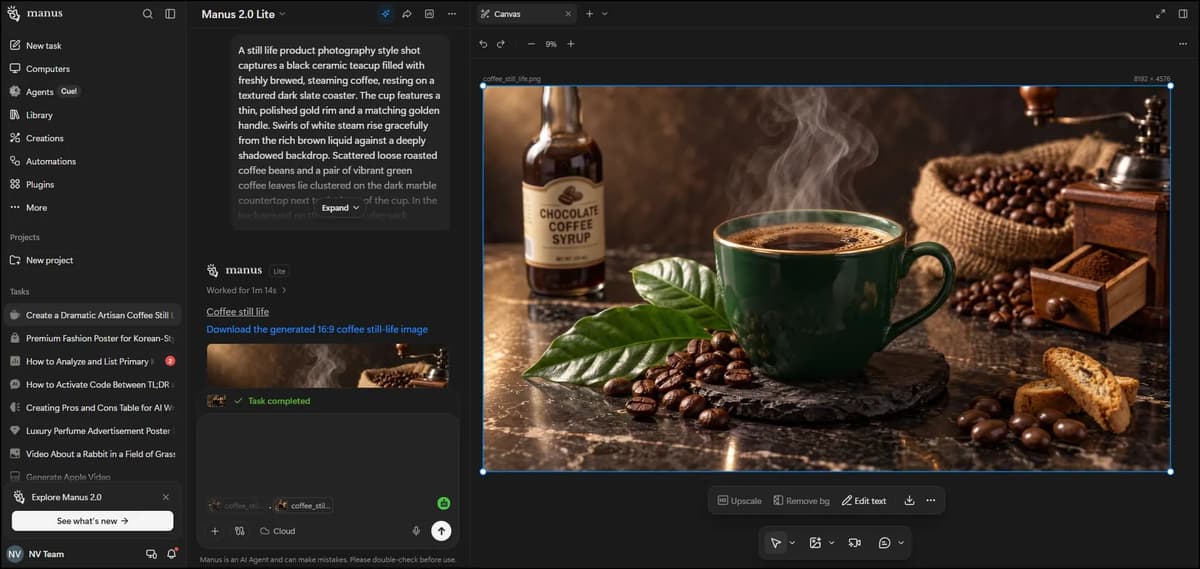
Manus gives 300 free credits initially, which is enough to test the tool. You can generate images and videos, upload images for editing, use the comment option to make edits, remove backgrounds with one click and upscale images.
Manus is very simple and user-friendly, but it does not have layer based editing. Instead, you can describe the changes you want in the comments. You can add multiple edit instructions at once and place comments wherever you want the changes to happen. Then, when you generate the image, Manus applies all the instructions together and usually gives a good final result.
You can also upscale images to 8K quality and download them.
If you want to learn more about Manus AI, check out our detailed Manus AI Review.

Manus AI pros & Cons
Pros | Cons |
|---|---|
300 free credits for new users | No layer based editing |
AI image and video generation | Less editing control compared to Canva |
Upload images and edit them | Comment based editing may need clear prompts |
Simple and user friendly interface | Complex edits may need multiple attempts |
Edit multiple things using comments in one go | Credits can be used quickly for repeated edits |
One click background removal | |
Image upscaling up to 8K | |
Good overall editing results |
Pricing Comparison Table
Tool | Free Plan | Entry Paid Plan | Pro / Mid-Tier | Highest Plan | Billing |
|---|---|---|---|---|---|
Canva | $0 | $144/year | $250/year | Custom | Yearly |
Codia | - | $20/month | $99/month | $200/month | Monthly |
Manus | 300 credits/day | $20/month* | $40/month | $200/month | Monthly |
Final Conclusion
If you are looking for a replacement for Reve AI, Canva is the easiest overall choice. Its combination of AI image generation, image editing and layer-based controls makes it the closest fit for users who want more control over their designs.
Codia is worth considering if you want a wider collection of AI tools, including generation, editing, background removal, upscaling, watermark removal and prompt extraction. However, its interface takes more time to learn and its free plan is limited.
Manus AI is the simplest option for prompt-based editing. Its comment workflow makes it easy to describe multiple changes at once and it can upscale images to 8K. The trade-off is that it doesn't provide the layer-based editing control Canva offers.
Frequently Asked Questions
1. Is Reve AI shutting down?
Yes. Reve stopped allowing new image and video generation on September 27, 2026. Existing images and videos can still be downloaded until October 31, 2026.
2. What is the best Reve AI alternative?
Canva is the best overall Reve AI alternative based on the testing in this article. It supports AI image and video generation, image editing, layer-based editing, background replacement, resizing, text, effects and more.
3. What are the best Reve AI alternatives?
We tested three Reve AI alternatives: Canva, Codia and Manus AI. Canva performed best for flexible layer-based editing, Codia offered a broad set of AI generation and editing tools, and Manus focused on simple comment-based editing with upscaling up to 8K.
4. Which Reve alternative is best for AI image editing?
Canva is the strongest option for detailed editing because it provides layer-based controls and lets you edit generated or uploaded images. Manus is simpler if you prefer describing changes through comments rather than manually editing layers.
5. Is there a free Reve AI alternative?
Yes. Canva has a $0 free plan, while Manus provides 300 free credits for new users. While Manus provides 300 free credits for new users. Codia also offers a free plan with 20 credits, although the PDF notes that its free plan is very limited.