I wrote this blog because many people are confused about which AI chatbot to use in 2026. There are too many options and new tools keep coming every week. So we did the research and explained everything clearly here. Let’s get straight to the point.
AI Chatbots Quick Comparison
Tool | Best For | Strength | Limitation |
|---|---|---|---|
ChatGPT | All-purpose use | Follows instructions well and offers easy personalization | No major specific limitations |
Claude | In-depth research | Clean presentation and strong document handling | Weak in image generation |
Gemini | Google ecosystem | Easily reads YouTube videos and Google integrations | Sometimes struggles to follow instructions properly |
Grok | Trending topics & social content | Real-time internet awareness and strong image generation | Very limited free access and usage limits apply |
1. ChatGPT (The Starting Point for AI Chatbots)
ChatGPT is already widely used and played a big role in making AI mainstream. It’s a solid all-rounder that handles most tasks without much setup, and with hundreds of millions of weekly users, it’s the default choice for many.
The latest GPT-5 models are faster and more capable than earlier versions, making it reliable for everyday work across different use cases.
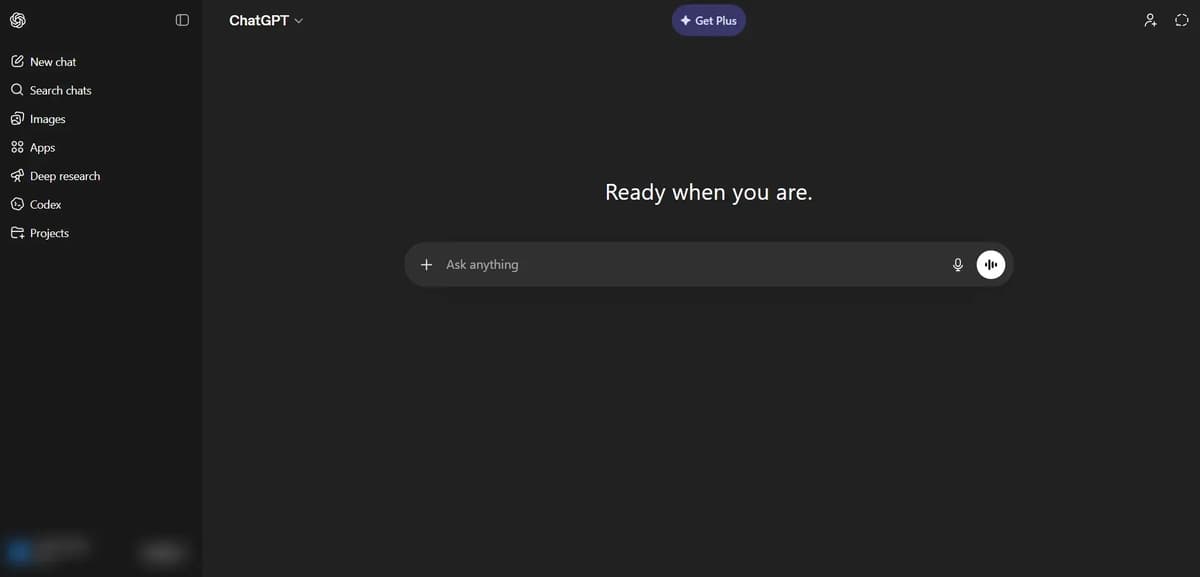
You can use it for almost anything. It can write content, emails, blogs and social media posts, explain complex topics in simple words, summarize long content, generate ideas for marketing and business, guide you step by step, analyze strategies, help with basic image tasks like removing and changing backgrounds, answer questions to save your time and it can even write code for you and handle deep research when needed.
For example, if you are using a tool and don’t understand how it works, you can take a screenshot, upload it, and ask for guidance. It will explain it in a simple way.
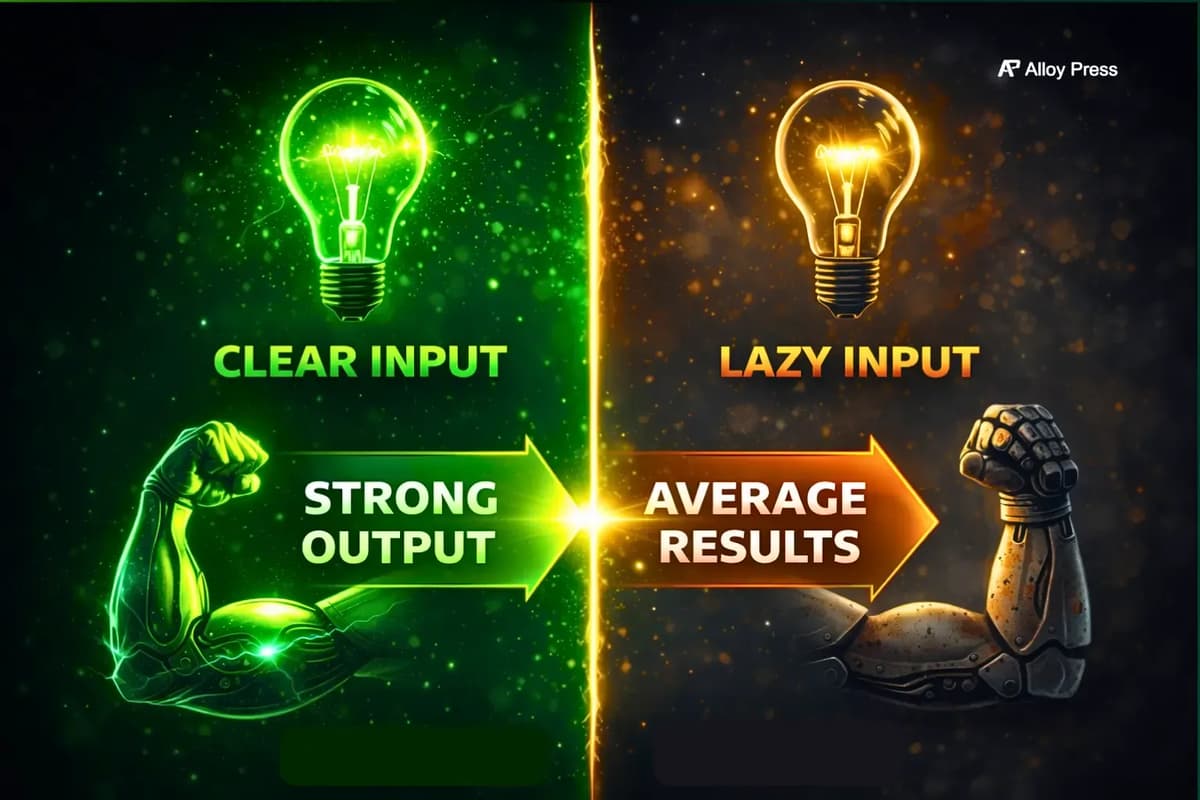
But one important thing is this. You need to clearly explain what you want. If your prompt is detailed, you will get better results. If you give a simple prompt, the output will also be basic. If your main focus is content writing, you should also check out our list of the best AI writing prompts for every task. Using better prompts can significantly improve AI-generated output quality.
Who should use ChatGPT?
If you just want one chatbot that handles most tasks without headaches, this is the safest choice. It works well for freelancers, students, writers, marketers or anyone who needs a solid all-round AI assistant.
But don’t expect it to be the best at everything. If your work depends on deep research with proper citations or heavy long-form writing, you’re better off using more specialized tools.
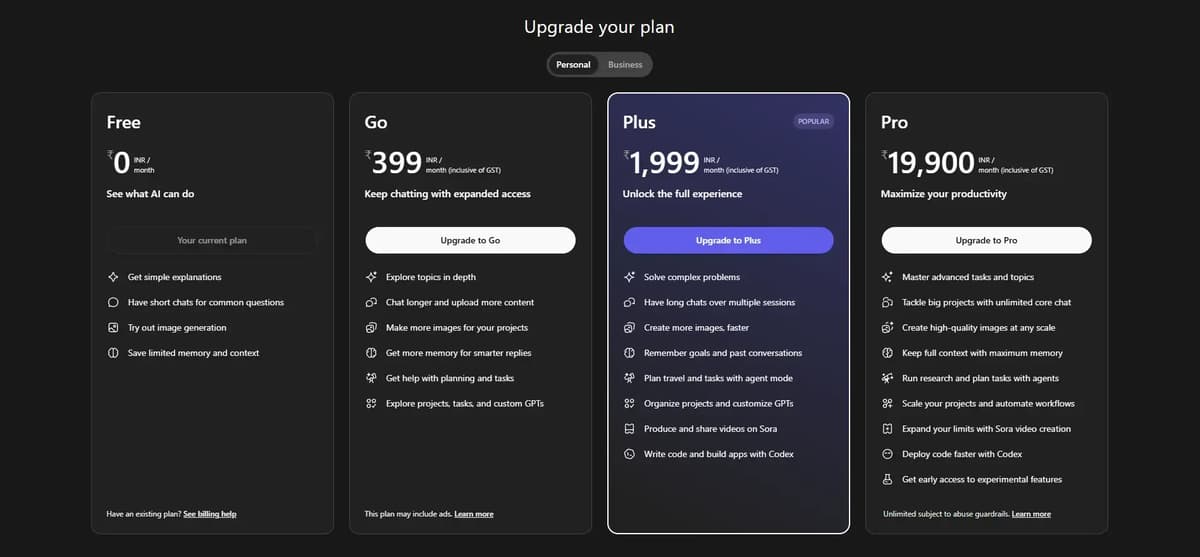
ChatGPT Pricing Page
The free plan is okay to get started, but image generation is slow and there are limits, so you can’t use it heavily. It’s fine for light daily use. If you plan to use it more, the Plus plan is a better option and should be more than enough.
2. Claude: (The Go-To Tool for High-Quality Writing)
Claude is built by Anthropic and has become a solid choice for people who care about clean, well-structured output, especially writers and developers. While ChatGPT is more widely used, Claude is known for giving more organized and thoughtful responses.
The latest versions, Opus 4.6 and Sonnet 4.6 are among the more capable AI models available right now.
If you’re using Claude, it can handle most of your everyday work without much effort. You can get emails, resumes or blogs written quickly and even export them as Word files, PDFs or slides, while also uploading spreadsheets to clean data, create charts and spot useful insights without doing it manually.
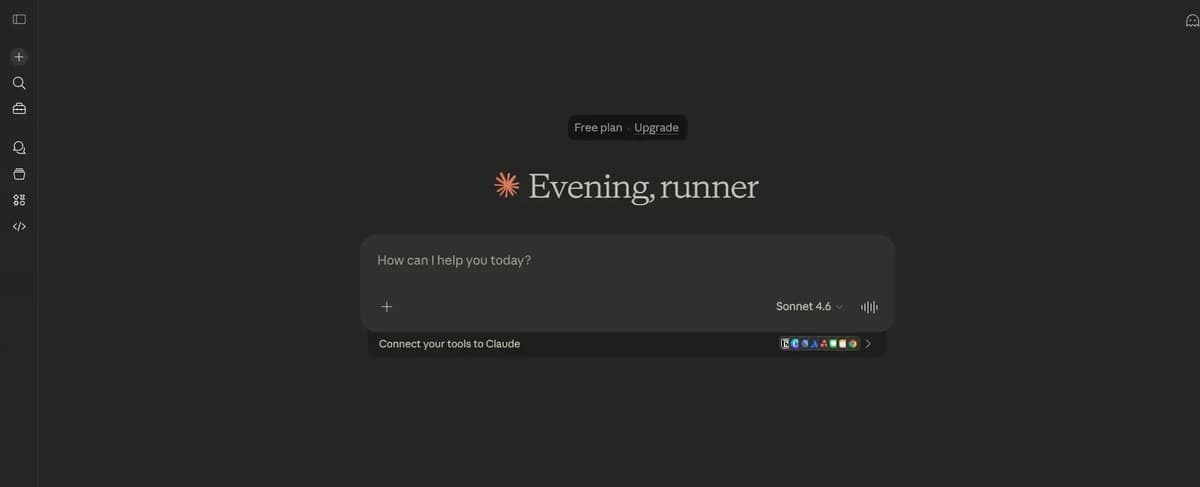
It also pulls real-time information for things like news or prices, lets you build quick tools like calculators or dashboards inside the chat and helps you plan trips, meals or study schedules in an organized way. When something feels complex, it breaks it down with simple explanations or diagrams so you actually understand it.
It can handle very large documents with a 200K token context window, so you don’t have to break things into pieces. It also lets you work side by side with outputs using Artifacts, which makes editing and comparing easier.
You get tools like Claude Code for working with full codebases, Projects to keep related chats organized and Model Context Protocol to connect external tools. On top of that, it follows instructions well and keeps the tone consistent.
Who should use Claude?
Claude is a strong choice for writers, content creators, analysts and developers who care more about quality than volume. It works especially well for long-form writing and handling large documents, and its responses feel more natural and structured.
But it’s not the best fit if you rely heavily on web search or need image generation.
Claude Pricing Plan
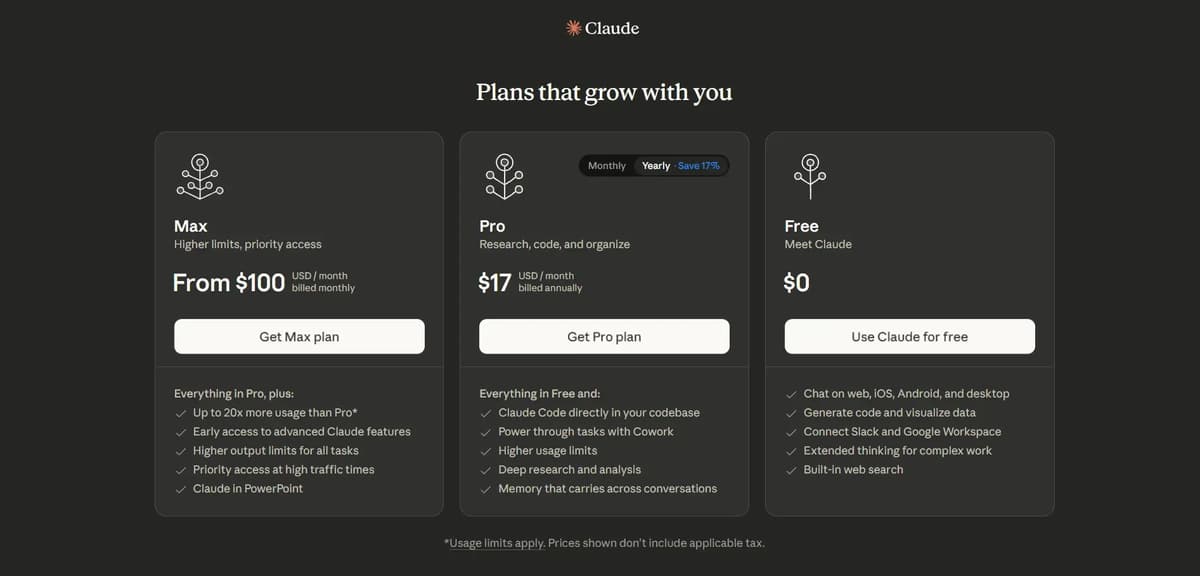
3. Gemini (Best for Google Ecosystem Users)
Google Gemini is Google’s AI chatbot, built to work seamlessly with Gmail, Google Docs, sheets, Drive and Calendar. If you use those tools, it’s extremely powerful. Outside of Google’s ecosystem, it’s still a capable chatbot, but it doesn’t have the same edge.
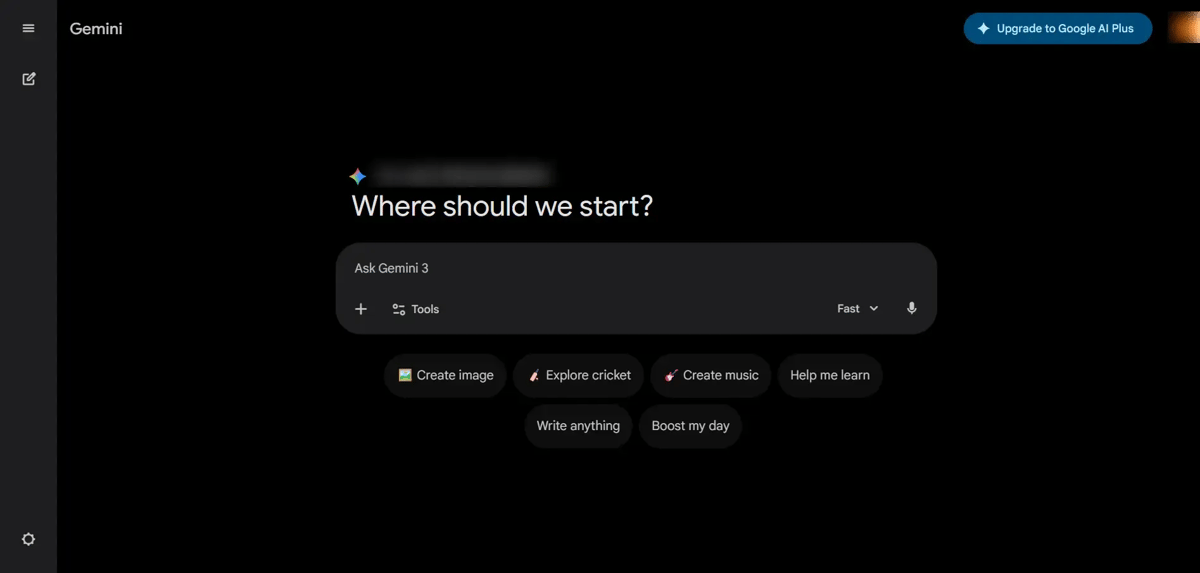
It can handle a wide range of tasks. It provides answers on topics from history and science to everyday life, creates essays, emails, stories, or poems and can generate high-quality images or short videos from descriptions. It translates and helps practice different languages, solves math problems, assists with coding, and analyzes documents or images to summarize them or answer questions. With Gemini Live on your phone, it can also have real-time conversations just like a normal chat or phone call.
Who should use Gemini?
If you rely on Google Workspace for work, Gemini makes sense. It connects straight to your emails, documents, and calendar, saving you time. Students using Google tools for school will find it useful too. If you don’t use Google products much, ChatGPT or Claude might be a better fit.
Gemini Pricing Plan
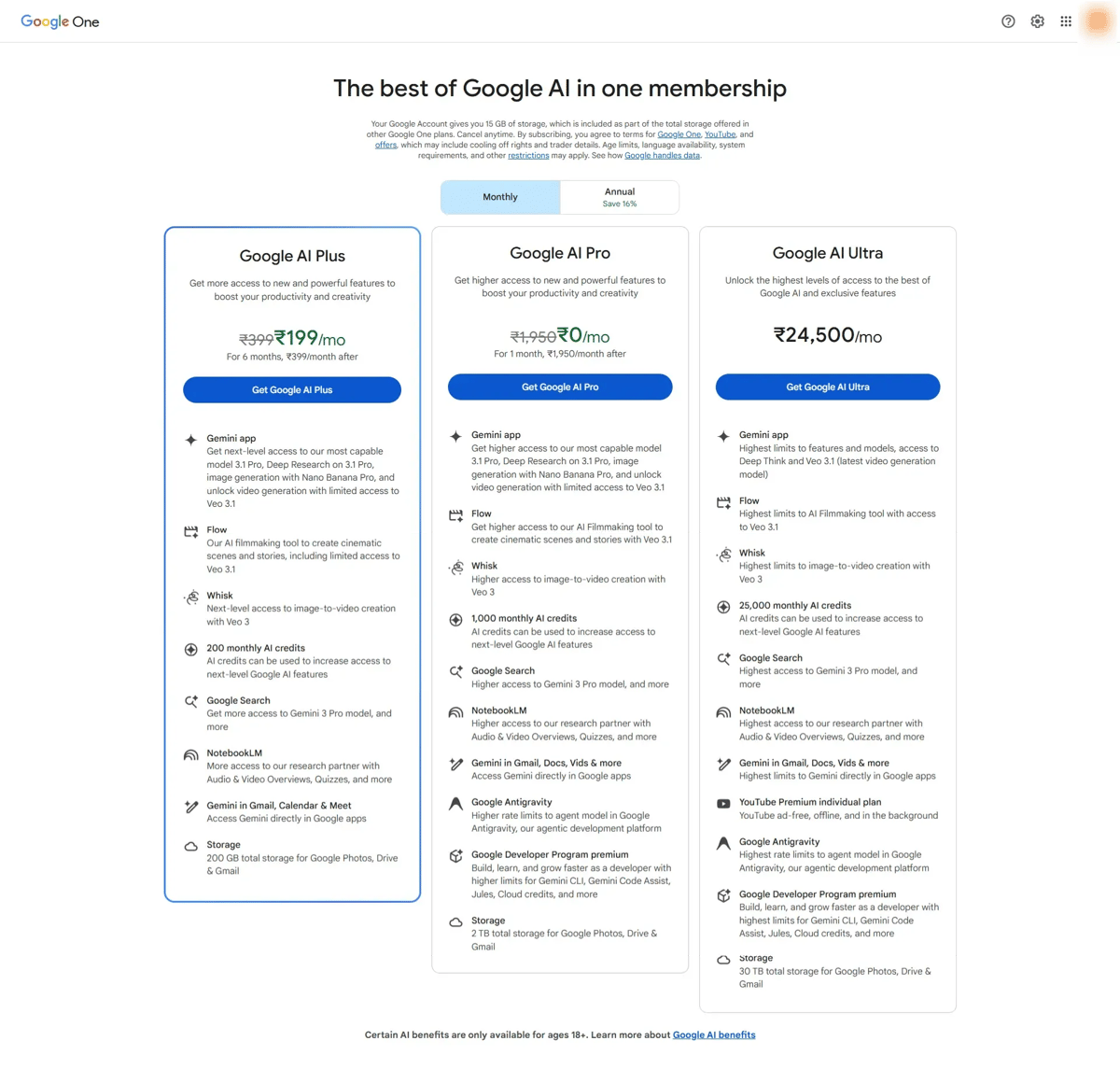
Screenshot of Gemini Pricing Page
4. Grok (Best for Trending Topics & Fast Responses)
Grok has become one of the most talked-about AI chatbots in 2026. Unlike many AI tools that sound overly formal, Grok feels more casual, internet-aware and conversational. It also has strong integration with X (formerly Twitter), which gives it a unique advantage for trending topics and real-time conversations. Many users enjoy Grok because the responses feel less robotic.
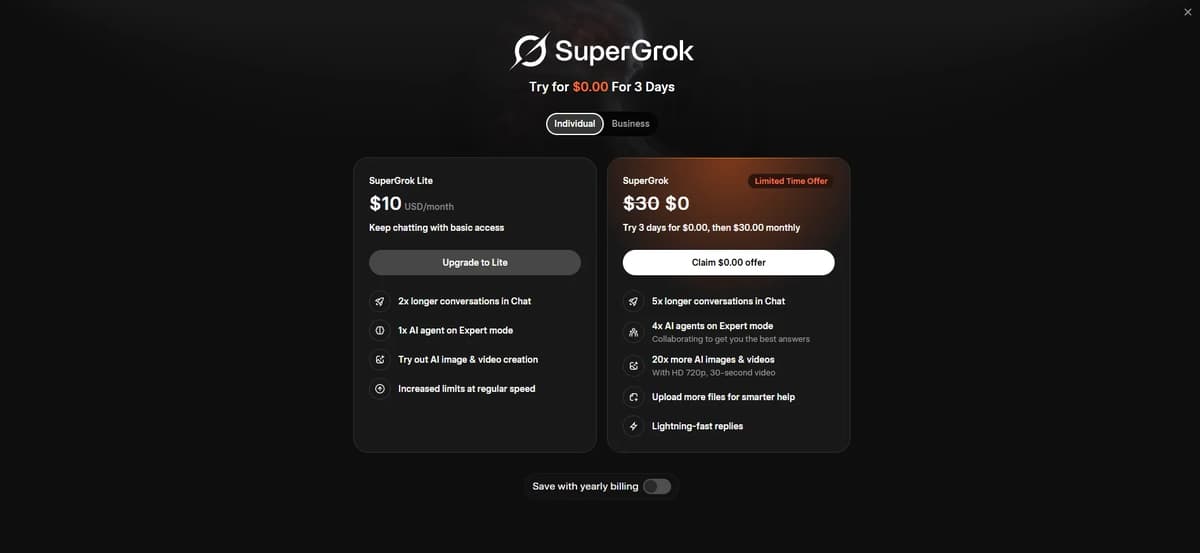
Recently, Grok removed free imagine features without giving proper notice to all grok users. Many features that were once free are now locked behind the SuperGrok paid plan. They also released a limited lite version with only a few free tries. Grok used to feel almost completely free, but now most major features have become paid.
Who should use Grok?
Grok is best for people who want a fast, internet-aware AI chatbot for trending topics, casual conversations, social media content, coding and AI image & video generation. It’s especially popular among X (Twitter) users and content creators.
People like Grok because it feels more casual, fast and connected to real-time internet trends compared to many other AI chatbots. Its responses often sound more natural and social-media-friendly instead of overly formal. Grok is also known for fast replies, trending topic awareness and strong image generation capabilities. One area where it surprised many users was AI image and animation generation, which quickly became one of its most talked-about features.
One area where Grok surprised many people is image and animation generation. We tested it extensively in our detailed Grok AI image and animation review, where we compared image quality, realism, prompt accuracy and animation capabilities.
Grok New Pricing Plan
Which AI Chatbot Is Best for Writing?
If writing is your main priority, the best AI chatbot depends on the type of work you do. Claude is currently one of the strongest options for natural long-form writing and clean readability, while ChatGPT remains the best all-in-one writing assistant for blogging, brainstorming, SEO content, emails and creative work. Grok works especially well for casual and social-media-style content and Gemini is a good choice for users who already work inside the Google ecosystem.
But choosing the right chatbot is only part of the process. Many creators now combine AI chatbots with dedicated writing platforms, prompt systems and editing workflows to get better results. If you want tools specifically built for content creation, blogging, rewriting and productivity, check out our guide to the best AI writing tools
Which AI Chatbot Is Best for Image Generation?
Modern AI chatbots are no longer limited to text. Many of them now support advanced image generation directly inside the chatbot experience. ChatGPT, Gemini and Grok all support AI image creation, but some tools perform better depending on the style you want. For a full comparison including realism, cinematic images and prompt accuracy, check our detailed guide to the best AI image generators.
Which AI Chatbot Is Best for Video Generation?
AI video generation is becoming one of the fastest-growing categories in artificial intelligence. Some modern AI chatbots can now generate short videos, animations, cinematic scenes and realistic motion clips directly from prompts. If you want to explore the top tools available right now, we compared the best AI video generators including tools focused on cinematic quality, animation and realistic motion generation.
Are AI Chatbots Reliable?
AI chatbots are incredibly useful, but they are still not perfect. Even the best AI models can sometimes hallucinate information, generate outdated facts, misunderstand prompts or give overly confident answers that are actually incorrect. In some cases, they may also produce repetitive or generic content, especially when prompts are unclear.
That’s why human review and fact-checking still matter, especially for students, researchers, businesses and content creators who rely on accuracy. As AI-generated content becomes more common, many people are also using specialized detection platforms to identify whether content was written by AI or humans. If you want to explore the most accurate tools currently available, check out our guide to the best AI detectors
Are AI Chatbots Safe for Privacy in 2026?
As AI tools become more powerful, privacy concerns are growing rapidly as well. Many users are now asking important questions like where their data goes, whether prompts are stored, if conversations are used for AI training and which platforms actually respect user privacy.
These concerns are valid because not all AI companies handle data the same way. Some platforms are far more transparent about data collection, storage and training policies than others. For users who care about security, privacy and safer AI workflows, choosing the right platform matters a lot. If privacy is important to you, check out our guide to the best privacy-focused AI tools.
Why Does AI Writing Still Sound Robotic?
One of the biggest problems with AI-generated content is that it can sometimes feel robotic, repetitive or unnatural. Even advanced AI chatbots occasionally produce writing that lacks emotion, personality or a real human tone, especially in blogs, emails and social media content.
That’s why AI humanizer tools have become extremely popular recently. These tools help rewrite AI-generated text to sound more natural, conversational and human-like while improving readability and engagement. If you want your content to feel less robotic and more authentic, check out our guide to the best AI humanizer tools.
Frequently Asked Questions
Which AI chatbot is the most accurate?
There is no single most accurate chatbot because accuracy depends on the task. For factual research with verifiable sources Perplexity leads. For general reasoning and problem solving ChatGPT and Claude are the strongest. For real-time information tied to Google’s index Gemini performs well. Always cross-check important information regardless of which tool you use.
What is the best free AI chatbot in 2026?
DeepSeek offers the best free experience if you want strong reasoning without paying anything. Meta AI is the easiest to access since it is built into apps you already use. ChatGPT’s free plan is decent but the strict message limits push you toward upgrading quickly. For research Perplexity’s free tier gives you limited but useful daily searches with sources.
Is ChatGPT still the best AI chatbot?
ChatGPT is still the most versatile option but it is no longer the best at everything. Claude produces better writing. Perplexity is better for cited research. Gemini is better for Google Workspace users. ChatGPT’s strength is that it does everything reasonably well in one place which makes it the safest default choice for most people.
Which AI chatbot is best for students?
Perplexity is excellent for research papers because every answer includes sources you can cite. Claude is great for essay writing because it produces natural-sounding prose. DeepSeek is a strong free option for math and reasoning problems. ChatGPT works well as an all-around study helper for everything from brainstorming to tutoring.
Which AI chatbot is best for coding?
Claude is widely regarded as the strongest for coding tasks especially with Claude Code for working with full codebases. ChatGPT is a close second with strong coding abilities across multiple languages. DeepSeek is surprisingly good at coding for a free tool. If you work inside an IDE tools like GitHub Copilot are worth considering as specialized alternatives.
Can AI chatbots replace Google Search?
Not entirely but they are changing how people find information. Perplexity comes closest to replacing search for research queries because it gives direct answers with sources. ChatGPT’s Deep Research feature does multi-step searching automatically. For simple factual lookups chatbots are often faster than traditional search. For complex queries that need multiple perspectives or very recent information Google Search still has the edge.
Are my conversations with AI chatbots private?
It depends on the tool and your plan. Most free plans use your conversations to improve their models unless you opt out. Paid business and enterprise plans typically guarantee that your data is not used for training. Claude and ChatGPT both offer opt-out options on paid plans. If privacy is critical always read the data policy before sharing sensitive information and prefer business-tier plans that include explicit data protection guarantees.
Do I need to pay for an AI chatbot?
Not necessarily. DeepSeek, Meta AI and Pi are genuinely free. ChatGPT, Claude and Perplexity all have free tiers that work for light usage. But if you use AI chatbots daily for work the paid plans are worth the investment. The $20 per month range for ChatGPT Plus or Claude Pro is reasonable for the productivity boost you get. Think of it as a tool subscription like any other software you use for work.
Conclusion
Choosing the best AI chatbot isn’t about picking the most popular tool. It’s about picking the right one for your work.
If you want something simple that can handle almost everything, ChatGPT is the safest choice. If your focus is high-quality writing or working with large content, Claude is a better fit. And if you already use Google tools daily, Gemini makes your workflow easier.
But here’s the truth. No AI tool will magically give perfect results on its own. The quality of your output depends on how clearly you ask. The better your input, the better your results.
So instead of chasing every new AI tool, focus on understanding one or two tools deeply. That’s what actually saves time and gets real results.