If you’ve been looking into AI tools for SEO or content creation lately you’ve probably seen Writesonic pop up everywhere. It started as a simple AI writing tool back in 2021 and has grown into something much bigger now. Today it positions itself as an all-in-one platform for GEO (Generative Engine Optimization) meaning it helps you track and improve how your brand shows up inside AI tools like ChatGPT, Perplexity and Google AI Overviews, not just Google search.
I tested Writesonic and went through the full Advanced setup. This review covers everything I found, including the setup process, what the tool actually shows, what is genuinely useful, and where it falls short.
What Exactly Is Writesonic?
Writesonic is an AI-powered SEO and content platform built around one core idea: AI search is the new battleground and you need to know where your brand stands in it.
Most traditional SEO tools track your Google rankings. Writesonic tracks are something different. It monitors how often your brand gets mentioned when people ask ChatGPT, Gemini, Perplexity or Google AI Overviews questions related to your niche. Then it gives you the content tools to act on those gaps.
Before You Pay Anything: Use the Free Trial
First, whenever we try any online tool, it’s always better to test the free plan or free trial before paying. That helps us understand whether the tool is actually useful and if the output quality is worth it for our needs. In that way, Writesonic gives a 7-day free trial for all plans, so we get enough time to test everything properly. I also explored the tool in depth, so let’s take a detailed look at how it actually performs.
If you do end up buying and change your mind, Writesonic allows refund requests within 7 days of purchase. The catch is your account should not have been heavily used during that time. If you cross the usage limits they may decline the refund. So use the trial period wisely and don’t burn through all your prompts on day one.
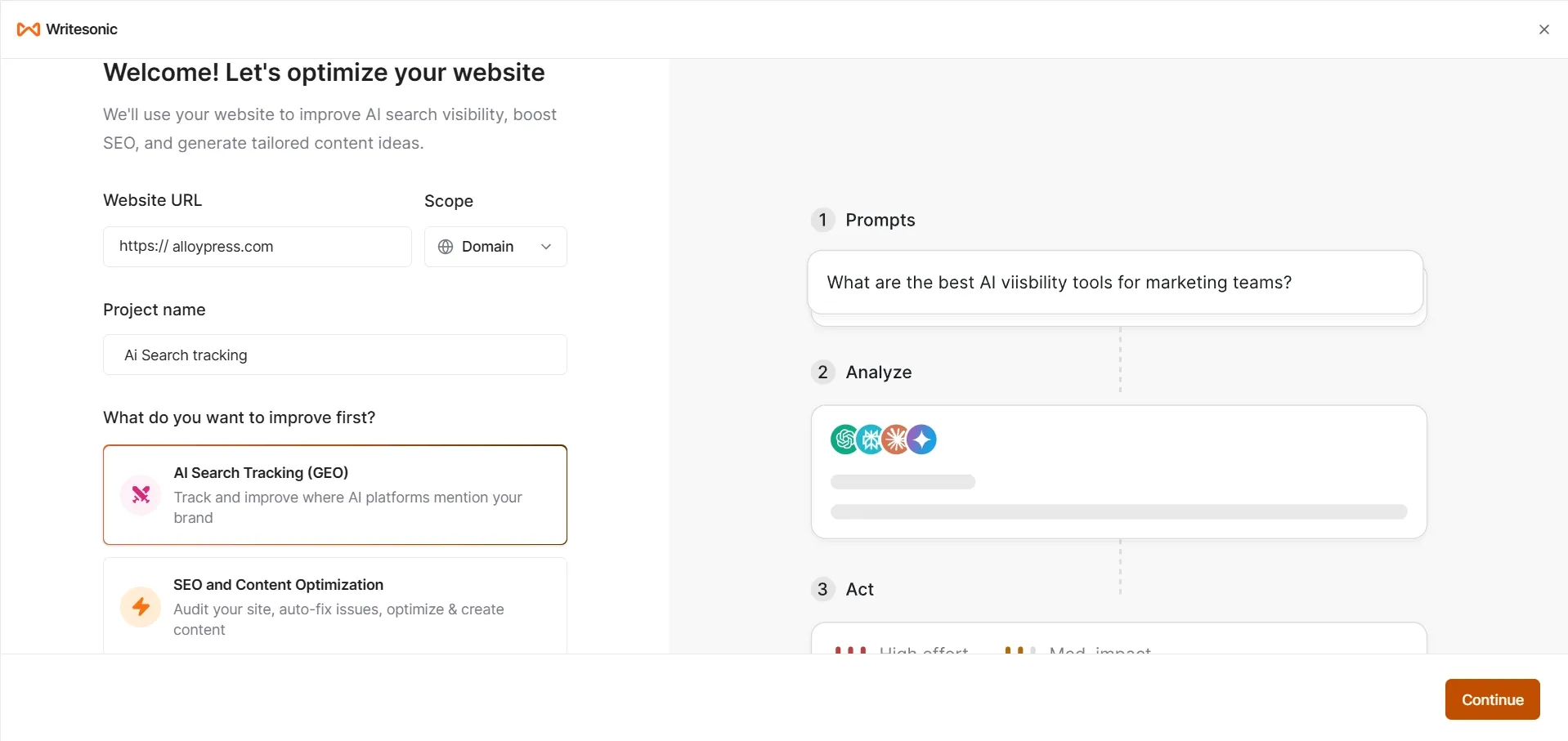
First you need to enter your website after that the “Scope” option decides which part of your website you want to check and improve. Choose “Exact URL” for one page, “Path” for one section and “Domain” for the whole website.
Use “Subdomains” if you want to include extra parts like blog or app pages too. Enter your project name and choose what you want to improve first, like AI Search Tracking (GEO) or SEO & Content Optimization. After clicking continue, it will ask you to choose a pricing plan and start the trial. One thing I liked is that Writesonic gives a 7-day trial for all three plans, so we can even test their highest Growth plan and cancel within the trial period if it doesn’t suit our needs, otherwise the plan amount will be charged automatically.
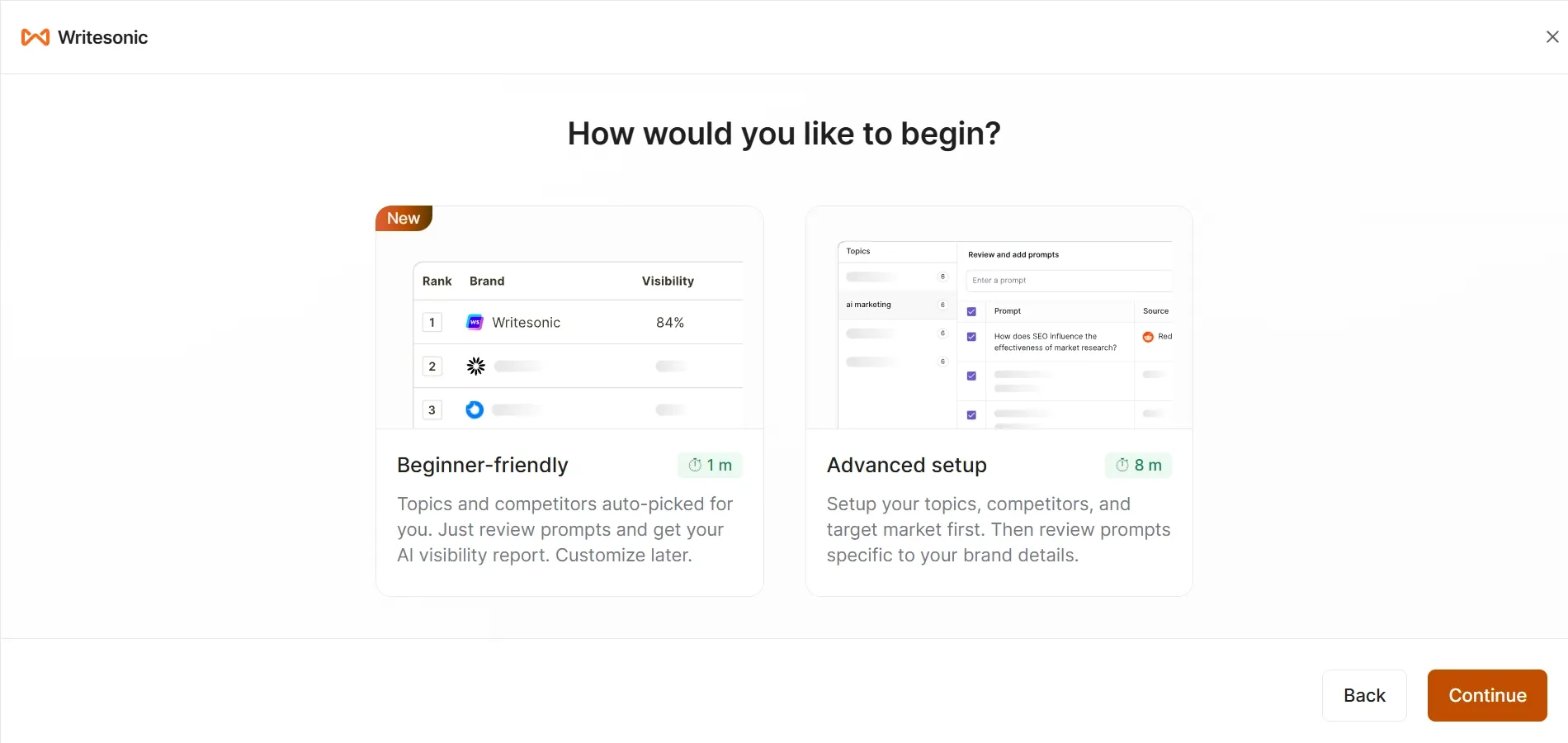
Here Writesonic gives two setup options. If you’re using the tool for the first time, Beginner-friendly is the easier option because it automatically picks topics and competitors, so setup becomes quick and simple. Advanced setup is more useful for people who already know what they want and need full control over topics, prompts, competitors and target market settings.
Which one should you choose?
If you are testing the tool for the first time, the beginner-friendly option is better, while the advanced setup gives more control for users already familiar with SEO or AI visibility tracking.
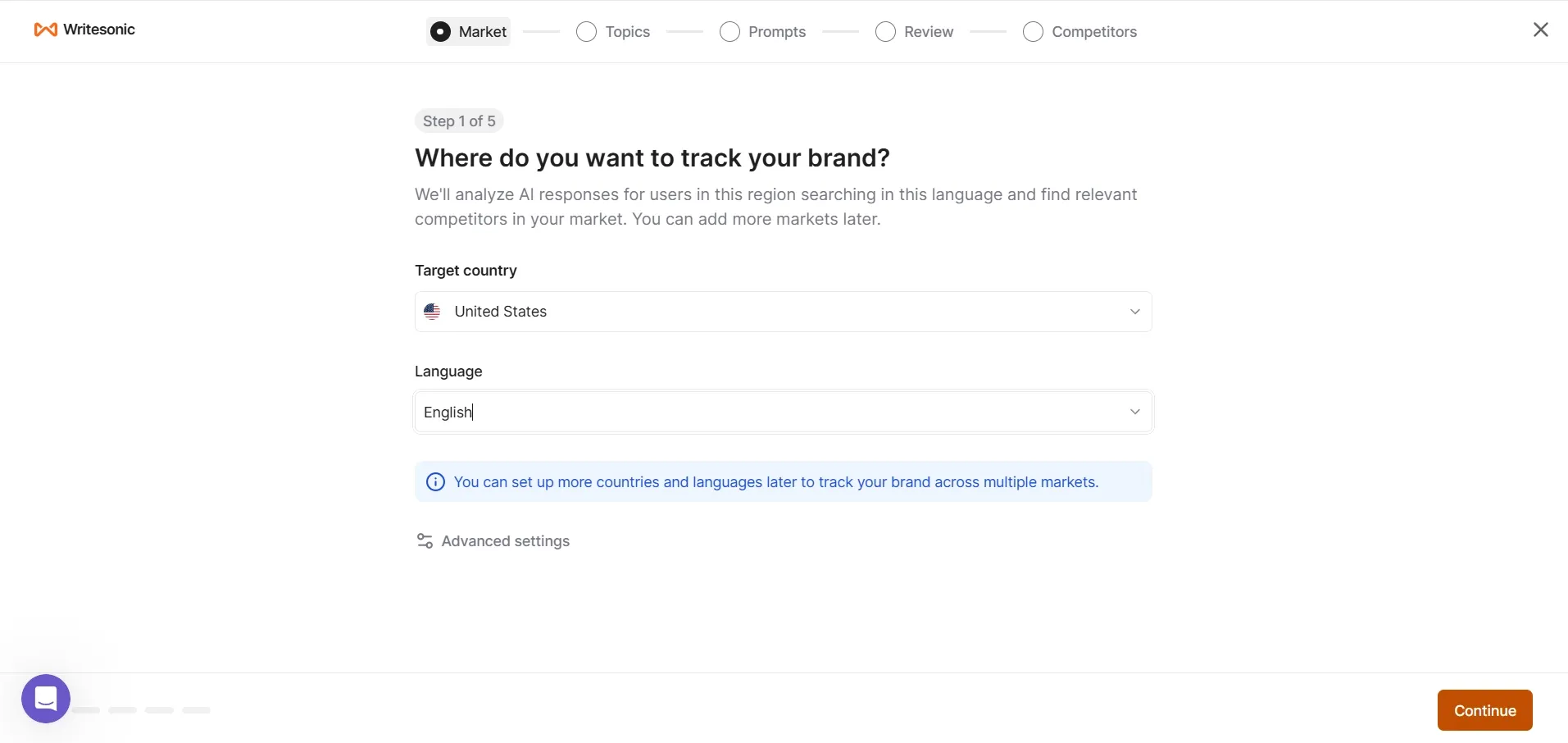
I selected the advanced setup, then it loaded for a few minutes. After that, the screen shown in the image below appeared in step one. There, you need to select the targeted country and language. I selected the USA and English language.
Step: 1
In Advanced setting Writesonic gives 3 ways to create prompts for AI Search Tracking.
“Generate from topics” means you just give a topic like “AI writing tools” and Writesonic will automatically create multiple related prompts/questions for tracking. This is the easiest option for most users.
“Bulk upload prompts” means you already have your own prompts or questions ready and you can upload all of them together instead of typing one by one.
“Generate with keywords” means you give specific keywords like “best AI image generators” or “best ai video generators” and the tool will create prompts around those exact keywords for more focused tracking.
Then, after clicking process, it will move to Step 2.
Step: 2
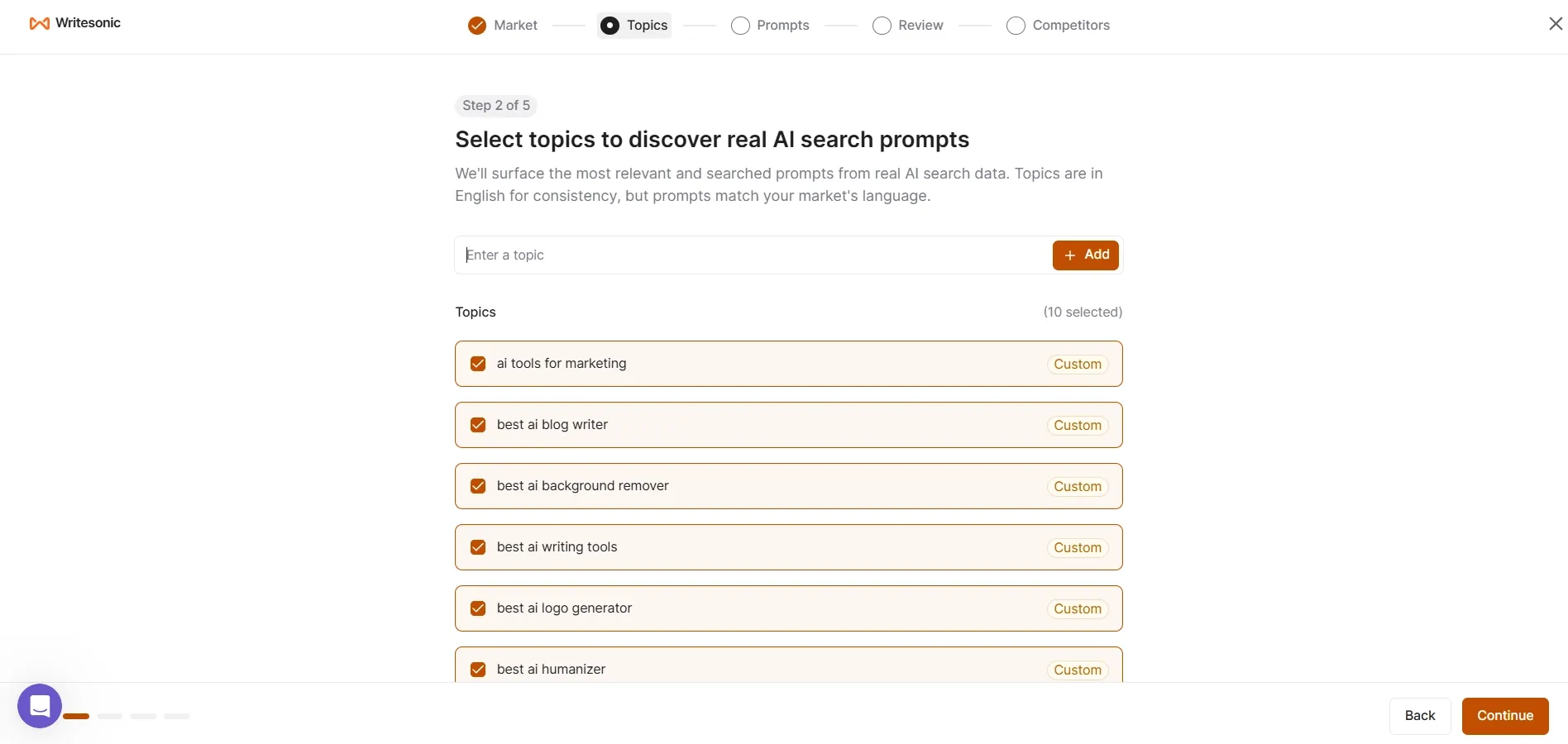
It will show you some relevant topic suggestions. You can select them if needed or you can type and add your own topics manually. Then press Continue.
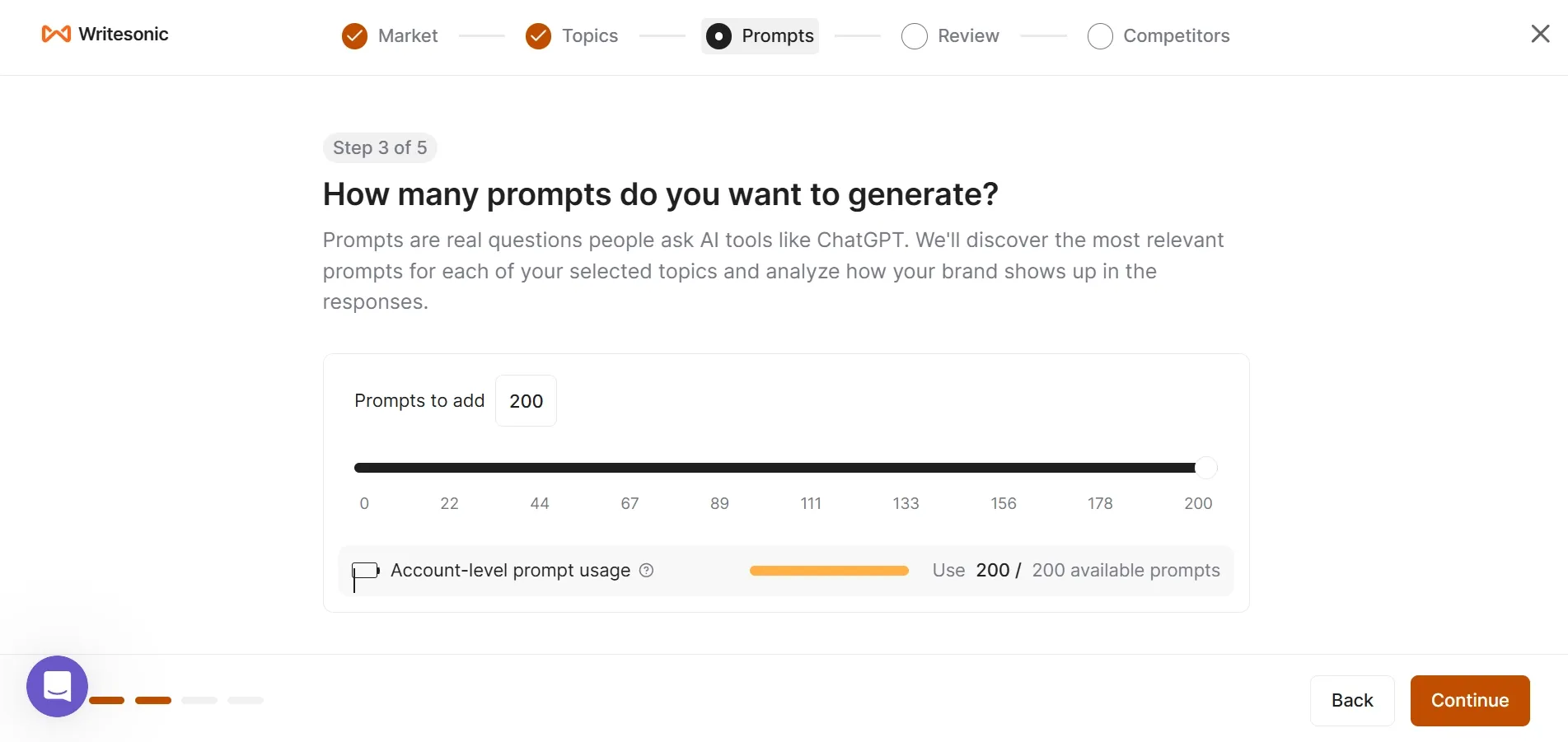
Step: 3
The third step is Writesonic asks how many prompts you want to generate for tracking. I selected the full 200 prompts to test how detailed the tracking and AI visibility results are since that’s the maximum limit available in this plan.
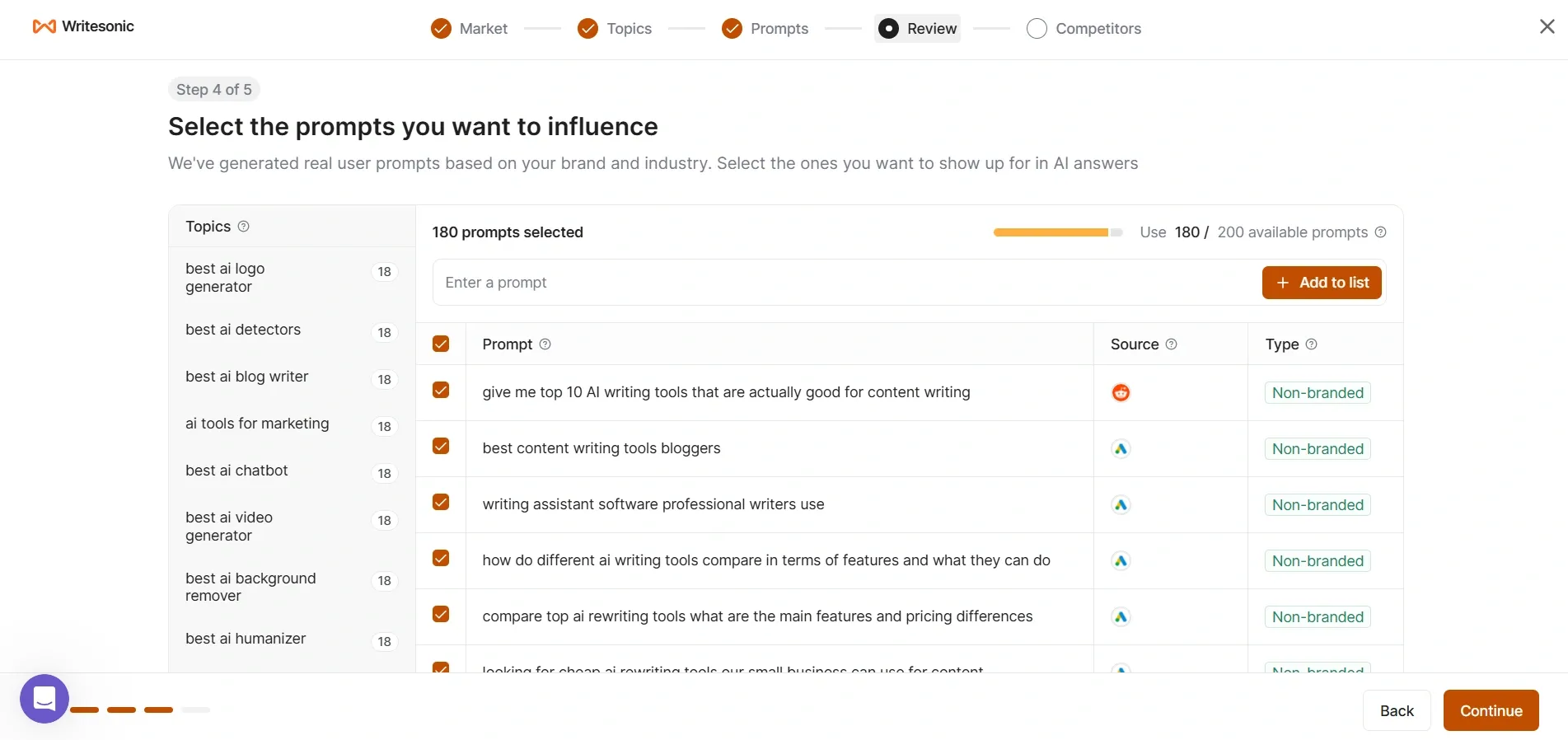
Step: 4
Then the fourth step is Writesonic shows all the AI prompts/questions it generated based on the topics we selected earlier. We can manually review them and choose which prompts we actually want to track for AI visibility. I selected around 180 prompts because most of them looked relevant to my niche and useful for testing proper tracking results.
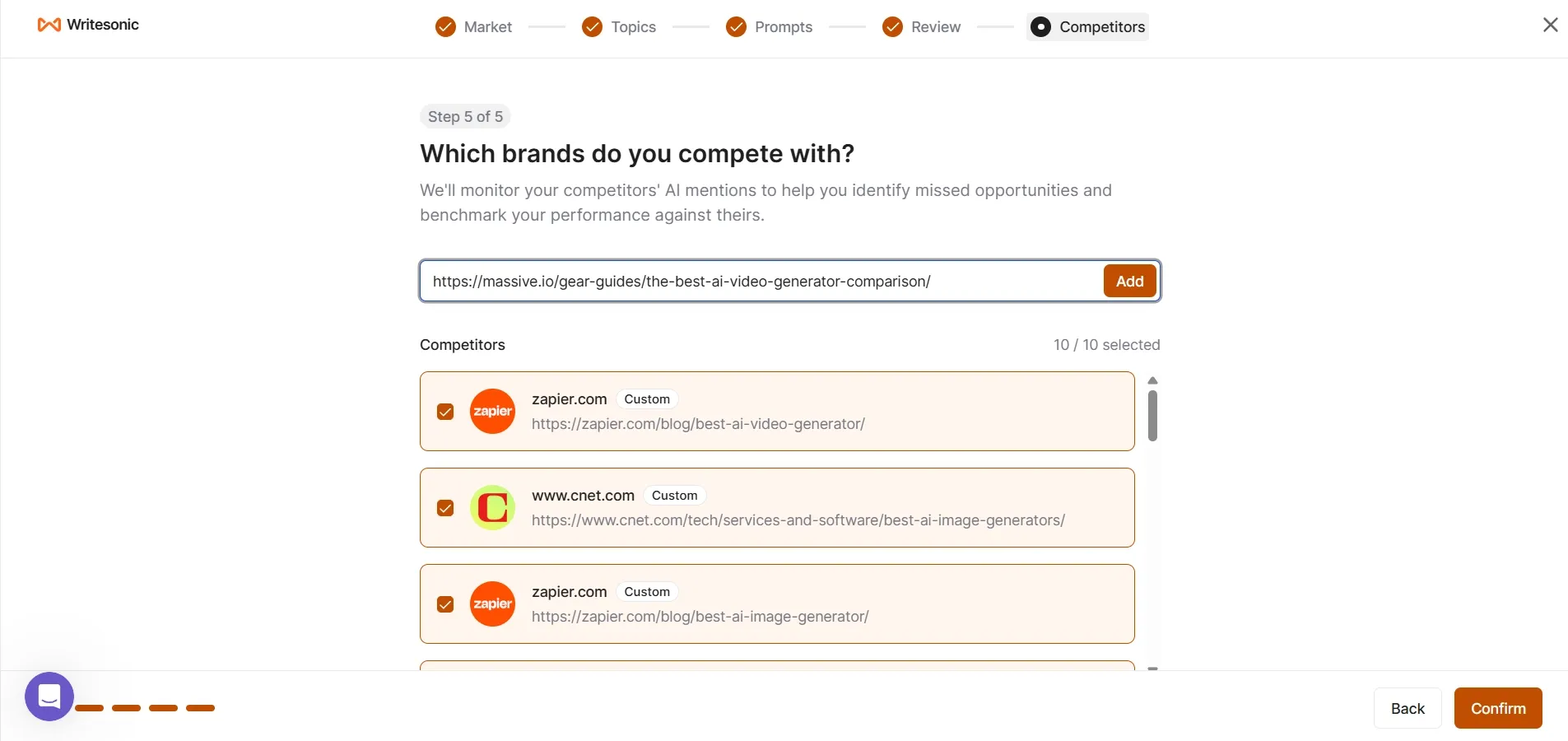
Step: 5
Then the final step is Writesonic asks which competitors you want to track and compare with your brand in AI search results. You can manually add competitor websites or pages and the tool will monitor how often they appear in AI answers compared to your brand. One limitation is that Writesonic currently allows a maximum of only 10 competitors per project.
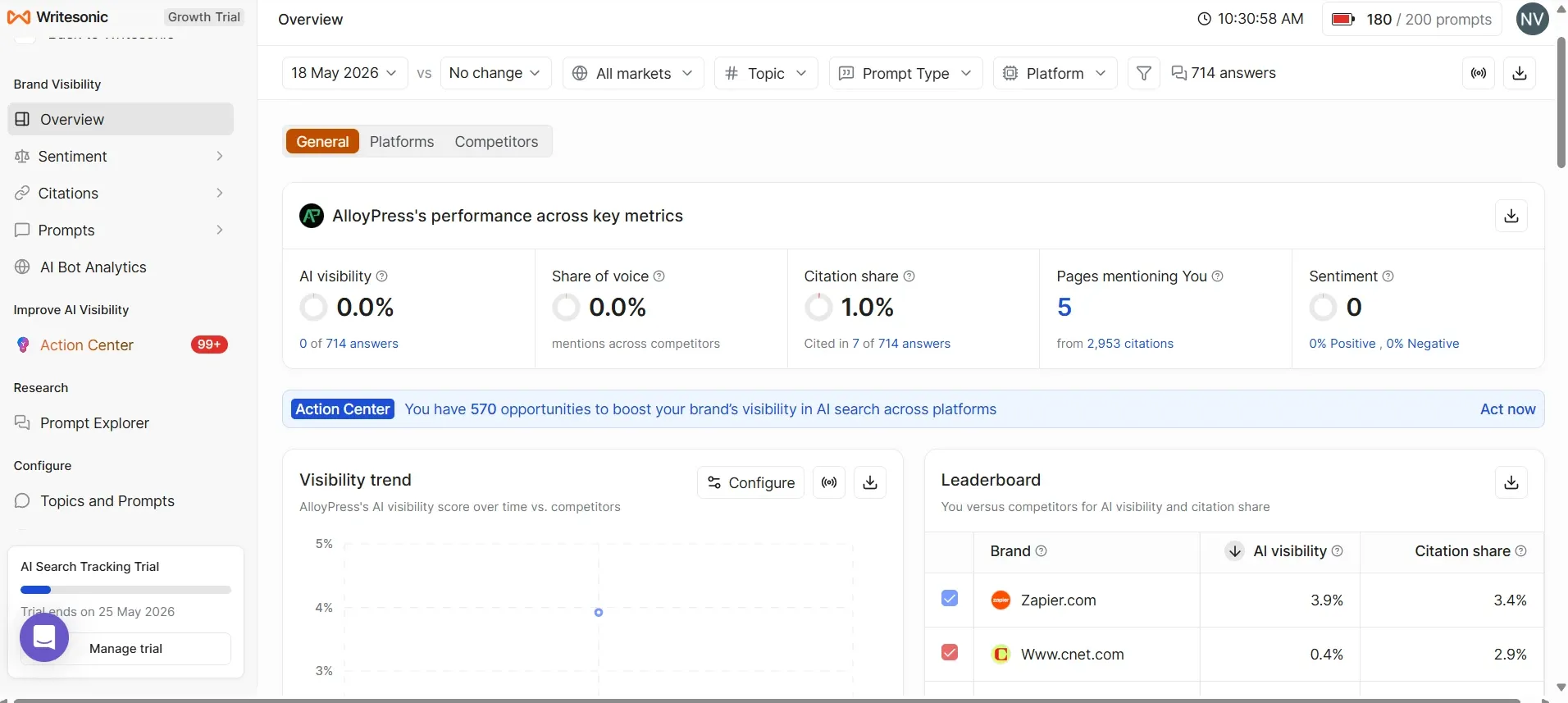
The Number That Actually Matters First
Everyone’s going to look at that 0% AI visibility and panic. Don’t. That number is a lagging indicator and it moves slowly. The number you should be excited about is the 1% citation share.
Here’s why that matters. Out of 2,953 total citations tracked across this entire competitive space, AlloyPress got cited 7 times. That means AI tools like Perplexity and Google AI Overviews are already finding your content, reading it and recommending it to real users. You didn’t pay for that. You didn’t optimize for it specifically. It just happened because the content format was right.
That’s your signal. Not the 0%. The 7 citations.
What’s Actually Working Right Now
Four pages are carrying the entire load.
Your “3 Best AI Logo Generators in 2026” article is the star. Three separate AI answers cited it. That’s not luck. That’s the format. The article is a listicle, it has a year in the title, it makes comparisons, it’s structured. AI tools love citing exactly this type of content because it gives users a direct and scannable answer.
The “Best AI Image Generators in 2026” piece came second with 2 citations. Same format, same result.
Background remover tools and AI detectors got one citation each.
So you have four data points all pointing to the same conclusion. This specific content format which is the best tool, year in title, comparison style is what’s getting AlloyPress into AI answers. You didn’t stumble into this randomly. You built something that works.
The Part Most People Miss Completely
- If you scroll past the leaderboard and visibility graphs, the most valuable part of the dashboard is actually the prompt data section at the bottom. That is where you can see what people are really searching for inside AI tools.
- For example, “Comparison chart AI detection tools” gets around 10,600 searches, but AlloyPress has zero visibility there. Not low visibility. Literally zero.
- “AI writing software for content creators” gets about 7,700 searches and again, AlloyPress is not appearing there either. Another one is “Free alternatives to paid AI detectors,” which gets nearly 7,000 searches every month and AlloyPress is missing from that too.
- What makes this interesting is that these are not unrelated topics. AlloyPress already creates content around AI tools, writing software and detection tools. The audience is already the same. The niche is already the same. The problem is simply that AlloyPress is not showing up when people ask these exact questions.
- Just these three prompts alone add up to more than 25,000 monthly searches where AlloyPress could potentially appear but currently does not. That does not look like a branding issue. It looks more like a clear content gap that can actually be fixed.
Why Zapier is at 85% and What That Actually Means for You
Zapier owns 85% of the share of voice in this space. That sounds intimidating until you understand how they got there. Years of publishing, thousands of articles, massive domain authority, huge content team.
You’re not competing with Zapier for those top level high competition prompts. Not right now. And honestly you don’t need to.
Look at the prompt volume again. Those 7,000 to 10,000 search prompts? There’s no dominant winner there yet. The leaderboard for those specific prompts is either empty or has very weak competitors. That’s where AlloyPress should be focused. Not chasing the 3.9% visibility that Zapier has but claiming the prompts where nobody has claimed anything yet.
This is actually a better position than it looks.
The Platform Split is Telling You Something Specific
- Perplexity gives AlloyPress 1% citation share. Google AI Overviews gives 1%. ChatGPT and Gemini give nothing.
- Perplexity and Google AI are the platforms that cite structured, factual, listicle style content most aggressively. Your content format already speaks their language which is why they’re picking it up even without intentional optimization.
- ChatGPT and Gemini weigh things differently. They tend to favor sources with broader topical coverage and stronger backlink profiles. That’s a longer game. But it’s not the priority right now.
- Priority is doubling down on what’s already working with Perplexity and Google AI. More content in the same format means more citations on the platforms already responding to you.
What The 570 Opportunities Number is Really Saying
The Action Center says you have 570 opportunities. Let me translate that plainly. Across 570 different AI answered prompts in your exact topic space, AlloyPress showed up zero times. Someone else’s article is being cited in each of those. A competitor is getting that visibility, that click, that user.
570 is a big number. You’re not going to close all of them. But you don’t need to. Closing even 50 of them where AlloyPress starts showing up would transform these metrics completely.
Honest Next Steps Based on What the Data is Showing
- Write the three high volume articles first. AI detection tools comparison, AI writing software for content creators, free alternatives to paid AI detectors. These are not guesses. These are prompts with proven search volume where AlloyPress has zero competition from its own content.
- Keep the format exactly the same as your logo generator article. Don’t experiment with format right now. You have proof that the listicle, comparison, year in title structure gets cited. Replicate it.
- Watch citation shares weekly. Not AI visibility because that moves too slowly to be useful short term. Citation share is your leading indicator. If new articles are getting picked up you’ll see it there first.
- Leave Zapier alone for now. Their 85% share of voice is not something you disrupt with three articles. Focus on the mid volume prompts where no one has established dominance yet. That’s where the opportunity actually is.
What I’d Take Away From All of This
AlloyPress is not starting from zero even though the visibility score says 0%. The content is reaching AI. The format is working. The citations are happening. What’s missing is volume and intentionality. More articles targeting specific prompts that are already getting searched in the format that’s already proven to work.
The dashboard isn’t showing you a problem. It’s showing you a roadmap. The data is just sitting there waiting to be acted on.
Writesonic AI Article Writer
They provide two modes. One is the 10-Step Article mode, which takes around 5 minutes to generate a blog. The other is the Instant Article mode, which claims to generate the article in just one minute. Let’s check and compare both options.
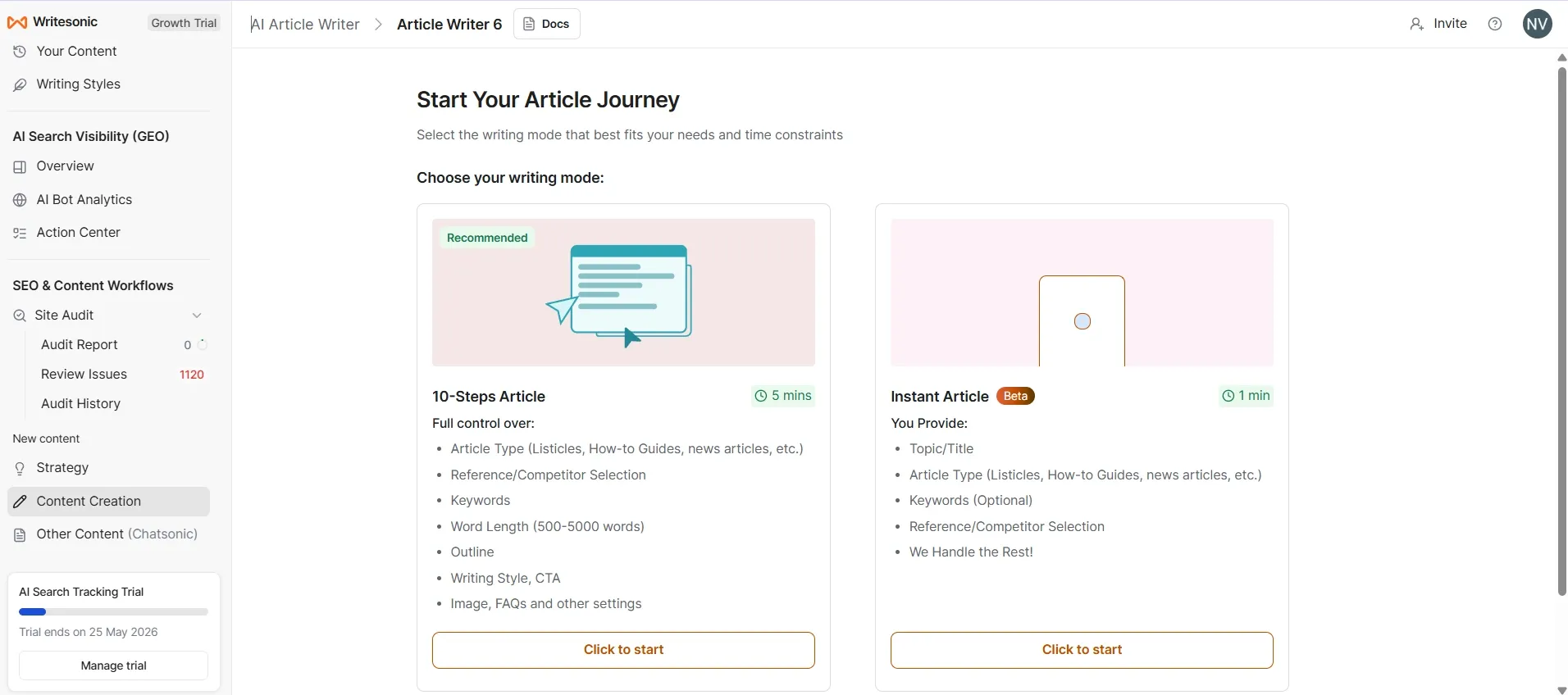
1. 10 Steps Article
First, enter your topic. The article language and target audience location will already be set by default, but you can change them if needed. After clicking continue, the next page will open, where you need to select the article type and research method, as shown in the image below.
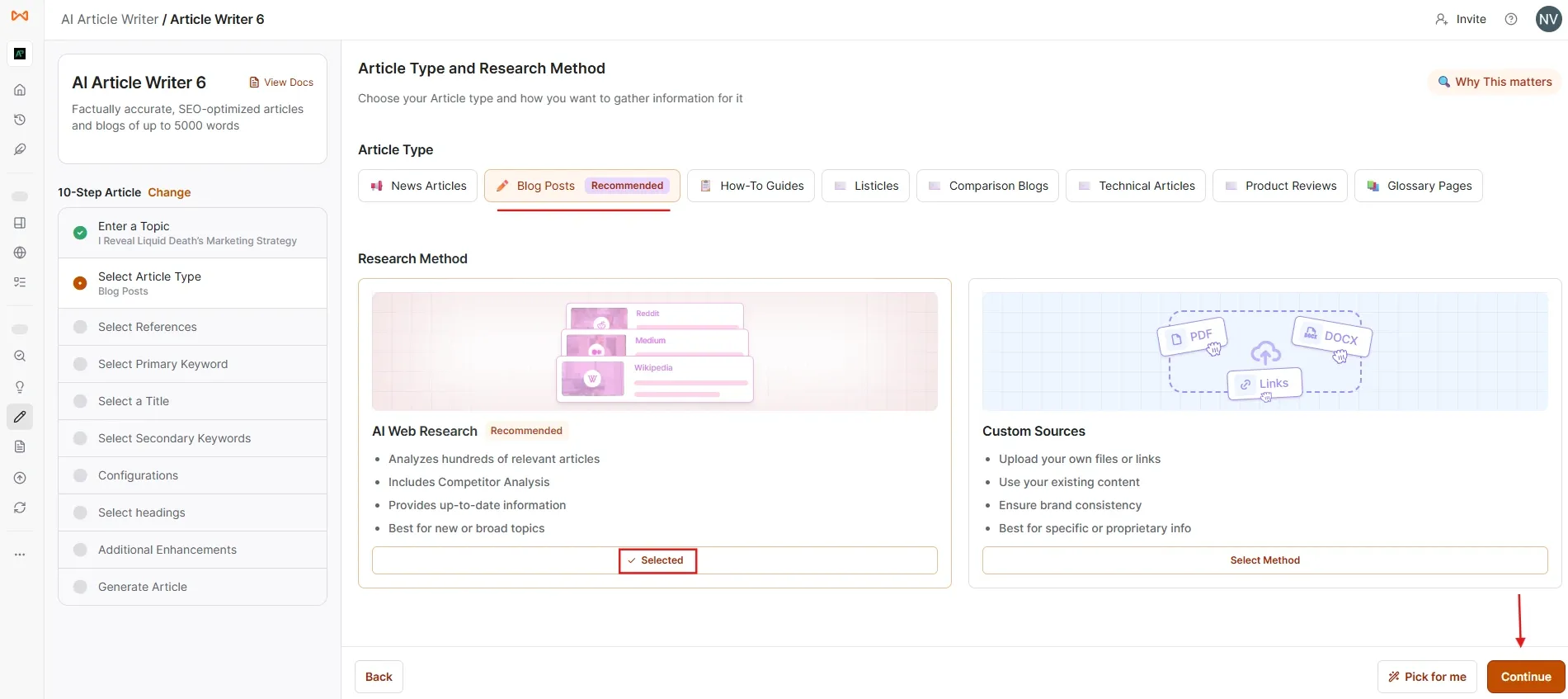
I selected the blog post option and chose the AI research method. Then, after clicking continue, I copied the links of websites that are already ranking at the top for the keyword and pasted them into the “Add Your Own Competitors” section before pressing the add button.
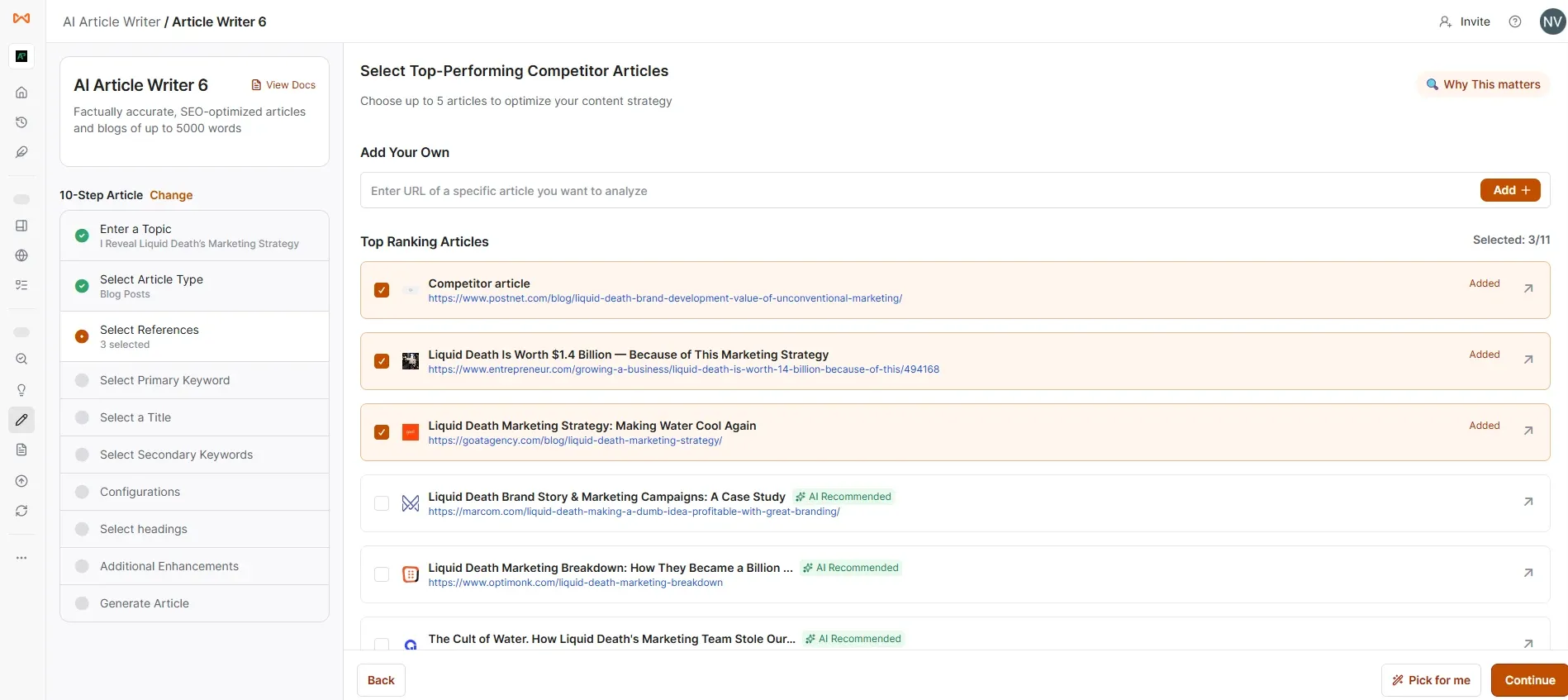
I manually searched the focus keyword on Google using guest mode and copied the links from the top-ranking pages to check what Writesonic might have missed. Actually, Writesonic already analyzes and suggests relevant competitor pages automatically, but it is still better to double-check manually.
Another thing to note is that even if you add many competitor links, you can only select up to 5 competitor pages before continuing.
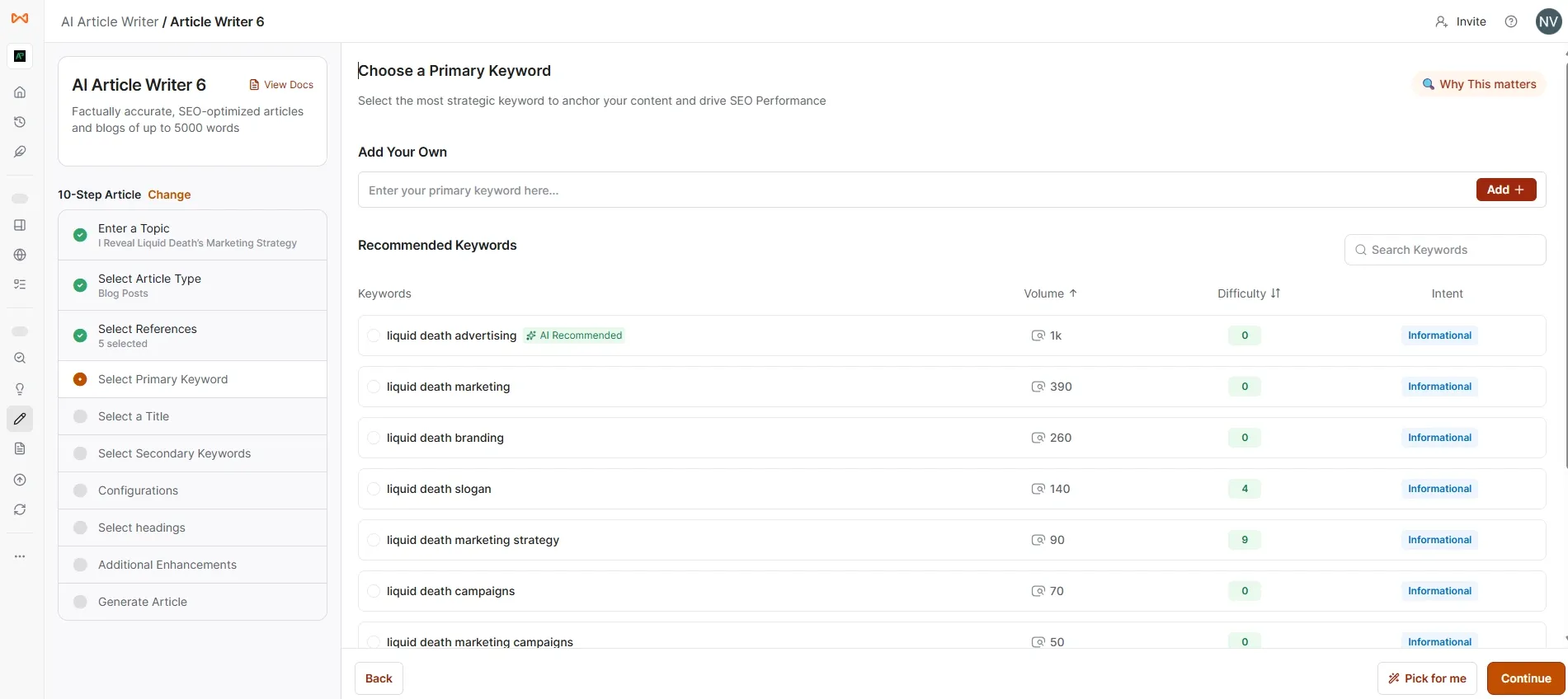
Then set your main focus primary keyword by selecting or typing it manually and adding it. After clicking continue, the tool will start loading and generate blog title suggestions.
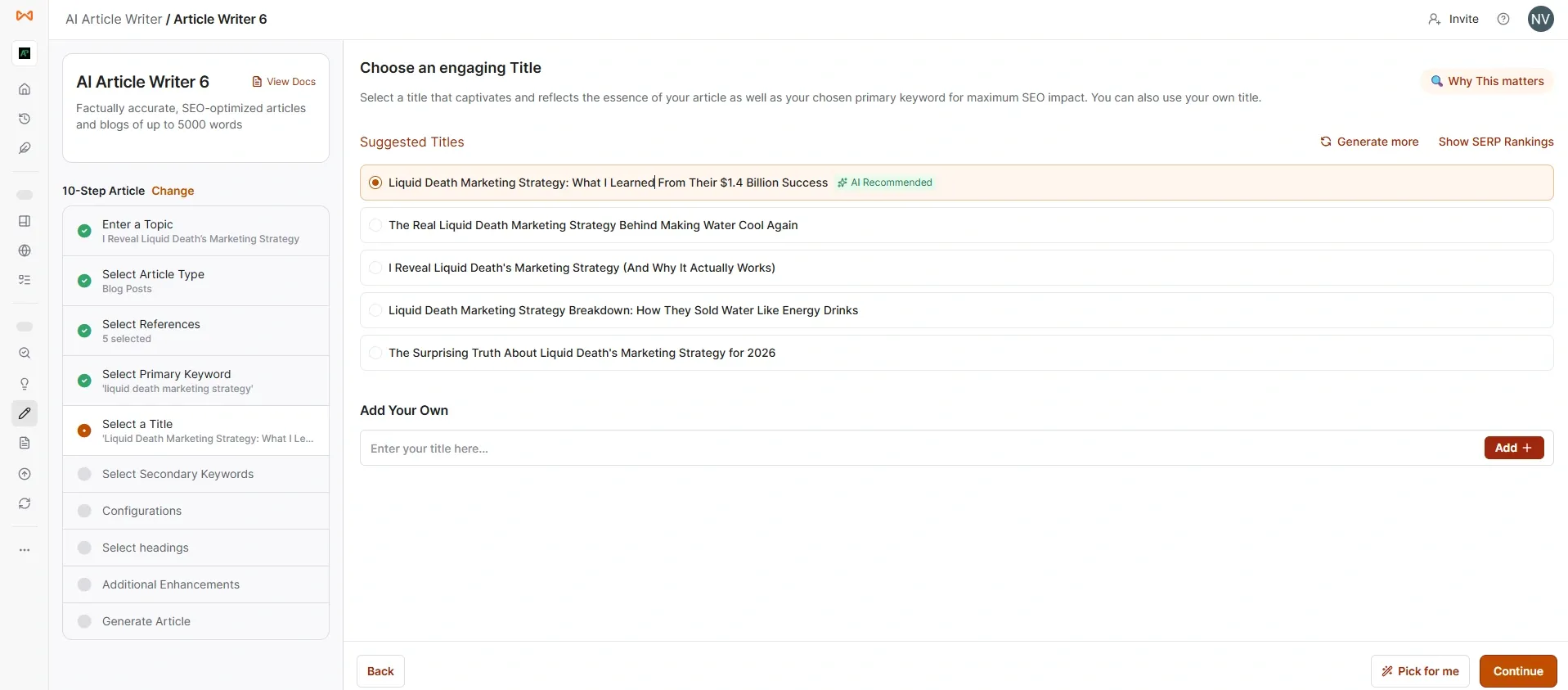
Then choose the title and click continue. After that, it will load and ask you to select secondary keywords. You can add up to 20 secondary keywords. Once you continue again, the next page will open, where you can customize your content to perfectly match your audience’s needs and your brand’s voice.
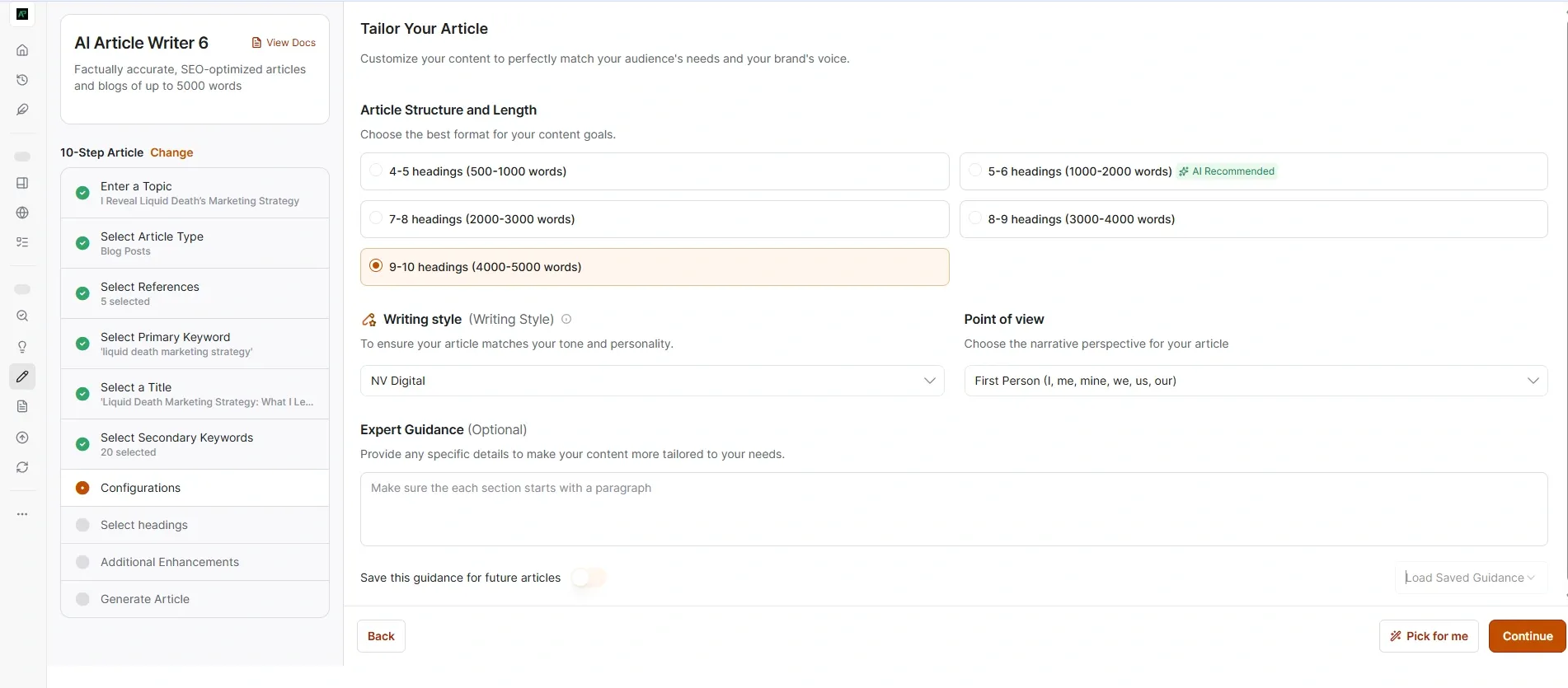
Select the article structure based on how many headings and sections you want. If you already have a unique writing style, you can upload it using a URL, document or file. It may take a few minutes because the tool analyzes and learns your writing style before proceeding.
Finally, you can choose the blog narrative perspective and tone and then the outline will be generated. I’ll share the image below.
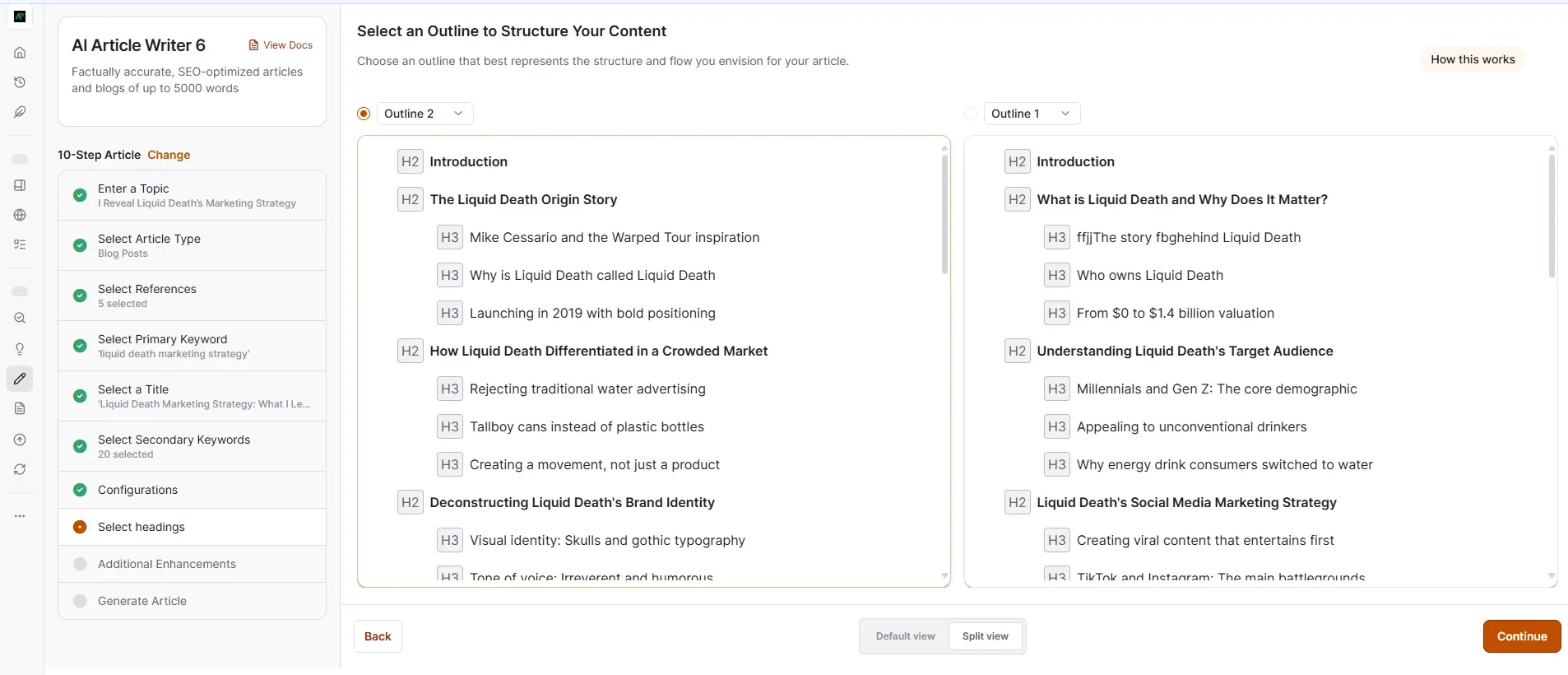
You will get two outline options, and if you enable split view, you can easily compare and analyze both outlines side by side. Then you can choose the one you need or edit them before continuing.
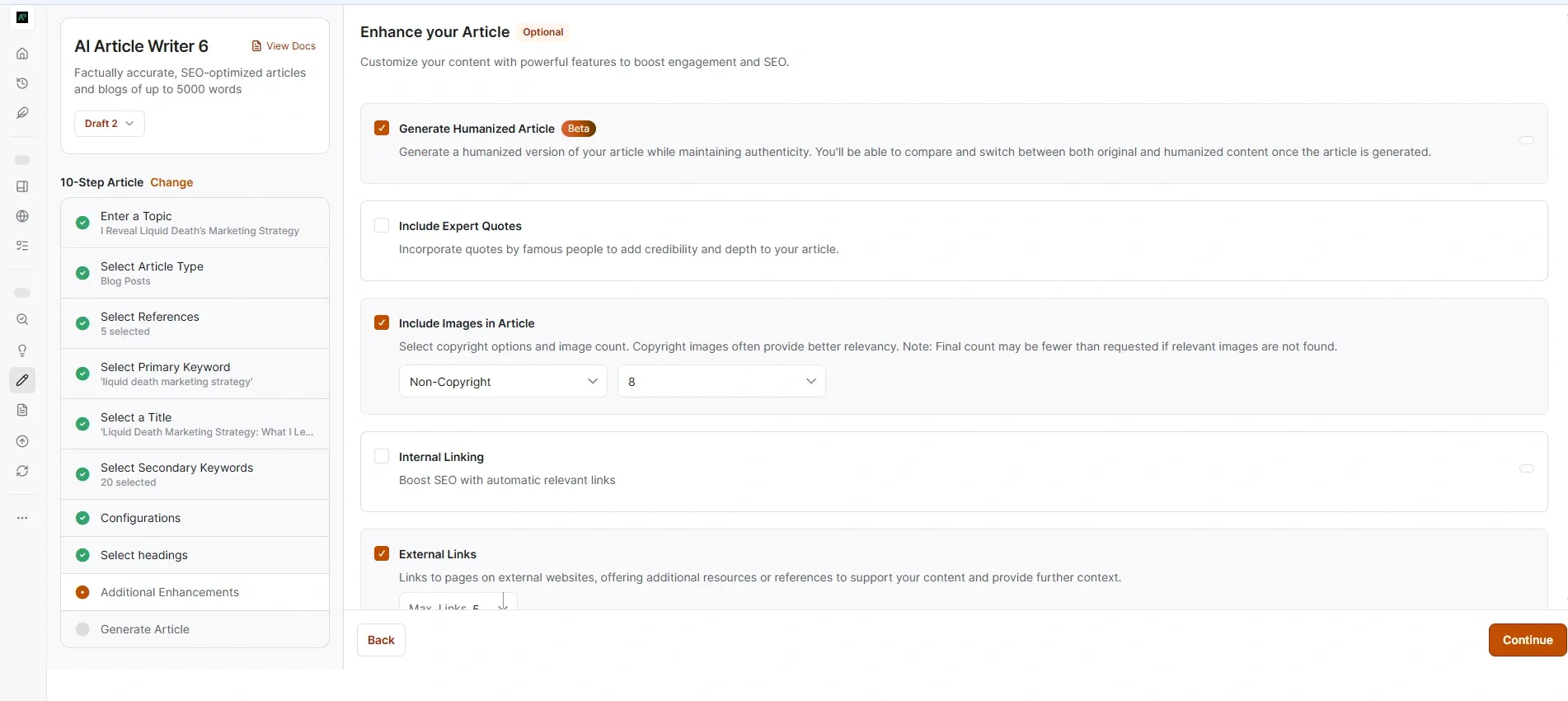
This section is actually very good because it includes almost everything needed for a proper blog post. You can add up to 25 internal links and 25 external links, include FAQs and insert up to 8 images. They also provide an option to select copyright-free images, add a cover image, call-to-action sections and key takeaways. You can even choose exactly where these sections should appear inside the article.
There is also an option to include expert quotes and most importantly, you can enable a “humanized article” option, which is one of the main highlights here. After selecting all these settings, you can continue and start generating the blog.
Related Reviews: Best AI Humanizer
However, when I tested it, the blog was generated only on the third attempt. I am not sure what the exact issue was. I waited because they mentioned it could take around 5 minutes to generate, but it kept loading and suddenly returned to the previous step asking me to select the outline again. Even after selecting the outline again, the same thing happened another time. Finally, on the third attempt, the complete blog was generated, although it was quite slow.
But the final output was genuinely good. The images were high quality and relevant and the internal/external links were added properly. You can save the article and edit it later. There are also options to regenerate images or even regenerate the full blog, although some advanced features require the Enterprise plan.
Inside the editor, they provide AI editing tools that make content editing much easier. You can also generate and insert new images directly from the editor. Another good thing is that the generated output already includes options for meta title, meta description, URL slug and schema settings right at the beginning of the article.
When downloading the article, they also ask whether you want to include citations, which can be useful depending on your needs.
👉 Start Writing Smarter with Writesonic
2. Instant article
They mention that a blog can be generated in just one minute, but this option has very limited customization and input details.
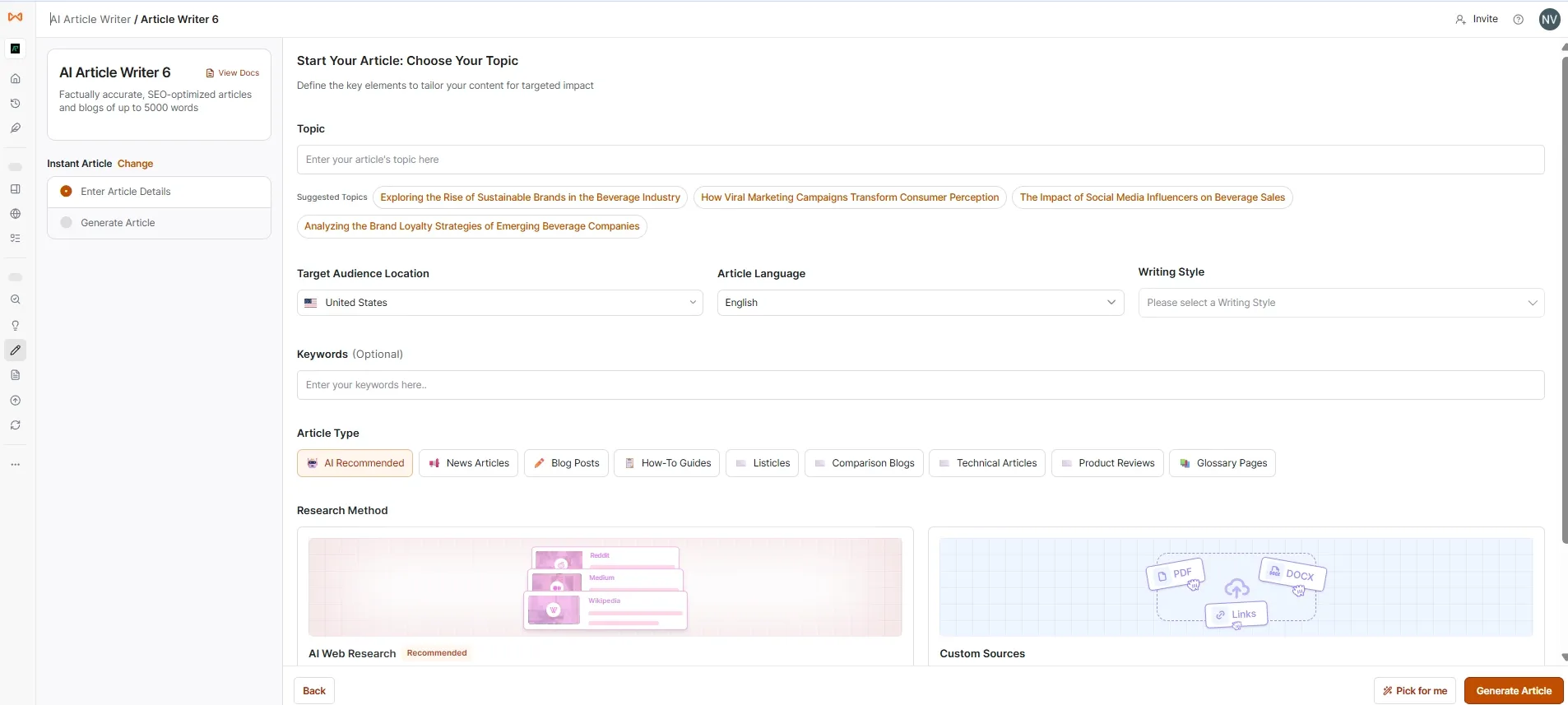
I tried this, but the output did not generate for me. It just showed a blank white screen.
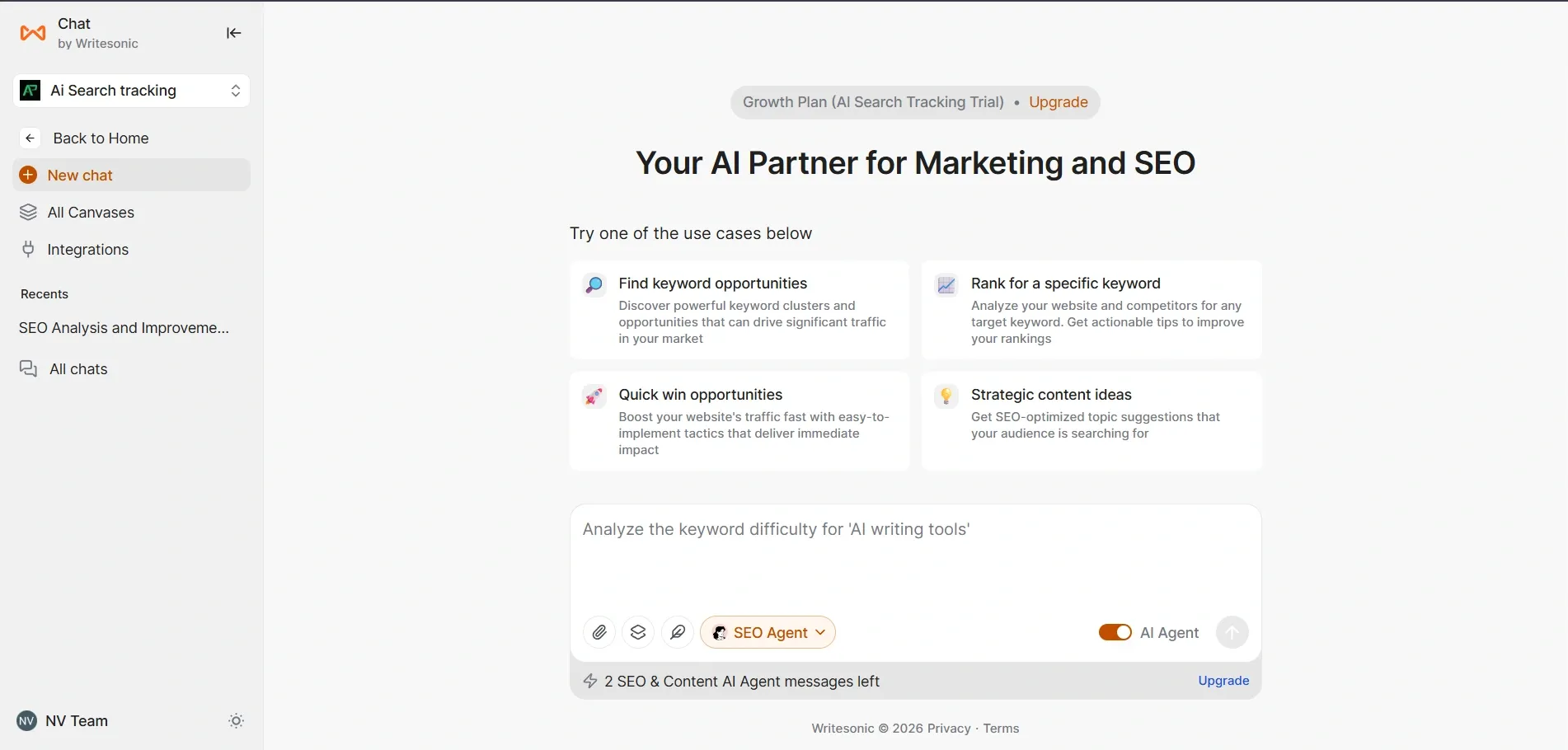
Writesonic Chat
It has an interface similar to ChatGPT, where you can enter prompts to gather ideas. It also includes prompt templates for SEO, analytics, competitor analysis, content strategy and content creation. There are three AI agents available: SEO Agent, Content Agent and LinkedIn Agent. You can also customize the writing style. If you do not want to use the built-in AI agents, you can integrate models like Claude and GPT instead. For image generation, they provide Flux and DALL·E models but those features are currently locked behind higher plans.
Related Article: Best AI Chatbots
A Few Drawbacks of Writesonic
- In Writesonic AI Article Writer, once the output is generated, you get a preview section. At that stage, they only provide an option to regenerate the first image and even that costs one credit. The other 7 images below do not have a regenerate option.
- There is a “Save and Edit” option available and after moving to the editor, you can edit the content freely. However, there is no option there to regenerate images either. You also cannot add extra images, include videos or embed external content.
- Another downside is that there are no built-in options to insert tables or quickly format content using bullet points inside the article workflow.
Related Reviews: GravityWrite review
Pricing Breakdown (Current as of 2025-2026)
Plan | Price | AI Platforms Tracked | Prompt & Answer Tracking | AI Articles | Site Audits | Users / Projects | Key Features |
|---|---|---|---|---|---|---|---|
Starter | $79/month (billed annually) | ChatGPT only | 50 prompts + 50 answers daily | 15/month | 10 audits (100 pages) | 1 user / 1 project | Basic GEO tracking and article generation |
Basic | $199/month (billed annually) | ChatGPT + Gemini + Google AI Overviews | 100 prompts + 300 answers daily | 25/month | 20 audits (1,200 pages) | 2 users | More AI tracking coverage and higher limits |
Growth | $399/month (billed annually) | Includes more advanced AI tracking | 200 prompts + 600 answers daily | 50/month | Expanded audit limits | 3 users / 2 projects | Sentiment analysis, limited Action Center access |
Enterprise | Custom Pricing | All 10 AI platforms including Perplexity, Claude, and more | Custom limits | Custom | Custom | Custom | Full Action Center, agentic workflows, dedicated strategy team |
Note: All plans include a 7-day free trial.
Who Should Consider Writesonic
- Writesonic makes the most sense if you’re a marketer or SEO professional who is genuinely focused on AI search visibility and not just traditional Google rankings. If you’re already using tools like Ahrefs or Semrush for traditional SEO, Writesonic sits on top of that as a GEO layer.
- It also makes sense if you’re producing a high volume of content regularly and need a workflow that handles research, writing and optimization in one place rather than stitching together four separate tools.
- It’s harder to justify at the Starter or Basic tier for small teams or individual creators. At $199 per month without sentiment analysis you’re paying a lot for tracking that doesn’t yet give you the full picture. The 7-day trial is the right move before committing to any paid plan.
Who Should Look Elsewhere
If your main goal is pure AI content generation without the visibility tracking side, other tools at lower price points will serve you better. If you need deep enterprise-level security and compliance, Writesonic has limitations there too since many of its premium AI features are only available in the Enterprise plan which doesn’t yet match the security posture of more established enterprise platforms.
If you need to track more than 10 competitors or require integrations beyond the core set of tools you’ll feel constrained.
FAQ’s
Final Take
Writesonic has built something genuinely interesting. The idea of combining GEO tracking with content creation in one platform is the right direction and their execution on the visibility tracking side is solid. The setup process is thorough and the data you get out of it is useful. The gaps are real though. Content quality requires editing. The most useful features are in the highest tiers. Competitor limits are tight.
Start with the 7-day trial on the Growth plan if you can. Put it through a real workflow with your actual website and topics. That’s the only way to know if the ROI makes sense for your situation. Don’t pay before you’ve tested it yourself.