

Building a brand from scratch can feel overwhelming, especially when you don’t have design experience. Many people today look for simple tools that can help them create logos and branding materials quickly without hiring a designer. BrandCrowd is one such platform that promises fast and easy design solutions for beginners.
It seems like a convenient and beginner-friendly option. It promises speed, affordability, and simplicity. But before you rely on it for your brand, it’s worth understanding how it actually works. This review explains everything in detail so you can clearly decide whether BrandCrowd is the right choice for you.
Table of Contents
What is BrandCrowd? (Short Overview)
BrandCrowd is an online design platform that allows you to create logos and other branding materials using pre-made templates. Instead of starting from scratch, you can simply search for a design, customize it with your brand name, adjust colors and layout and download the final result.
The platform is mainly designed for small business owners, freelancers and beginners who want quick results without learning complex design tools.
Struggling with Branding? Here’s What BrandCrowd Actually Provides
BrandCrowd offers a range of tools focused on basic branding needs. The platform is primarily known for its logo maker, but it also provides features for creating business cards, social media graphics and simple marketing materials. Everything works within a template-based system, which makes the process faster but also limits how much you can customize your designs. The main goal of BrandCrowd is to save time and make design accessible to anyone.
Let’s break down the detailed review below.
1. Logo Maker
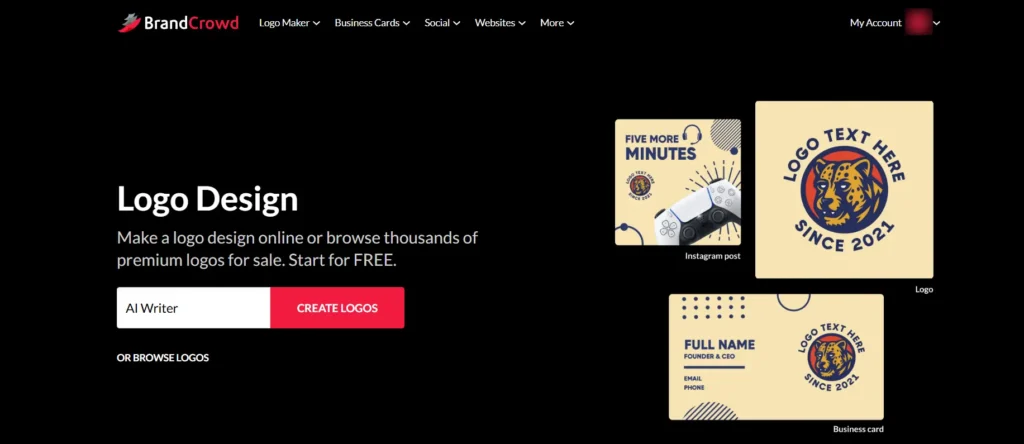
On the home page itself, they provide a box to generate your logo. Just enter your business name and click Create Logo, then it will open a page like the one shown below.
If you explore the best AI logo generators, you will get a clear idea of how to quickly and easily create a logo.
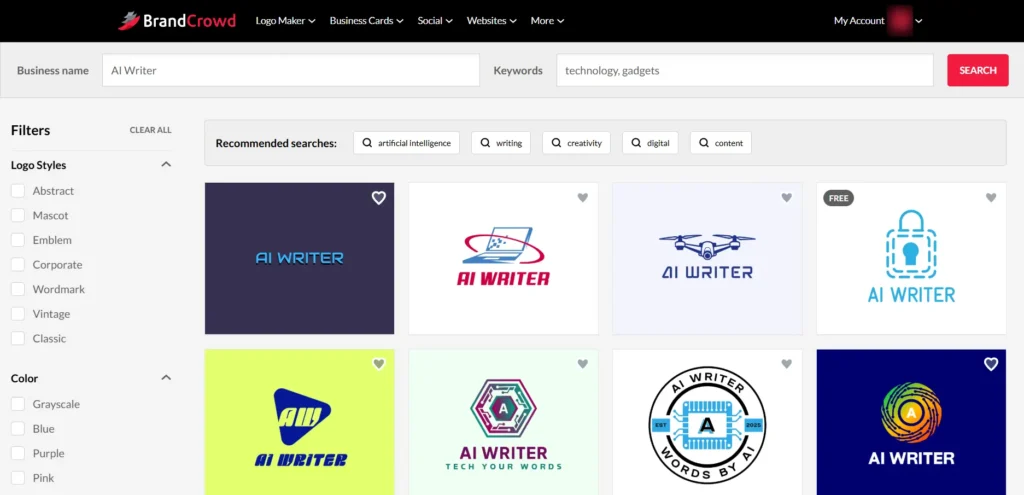
Here you will find many pre-built logo designs. You can pick the one you like and customize it based on your needs. Logos with a “Free” tag can be edited and generated without any cost. When you click download, it will take you to the pricing page, but you can choose the free plan and complete email verification. After that, you can easily download your logo in the format you need such as PNG, SVG, JPG, PDF or EPS.
Logos without the “Free” tag come under paid plans. If you select and customize those logos, when you try to download, you will not see a free option in the pricing page. Only paid plans will be shown, so you will need to pay to download them.
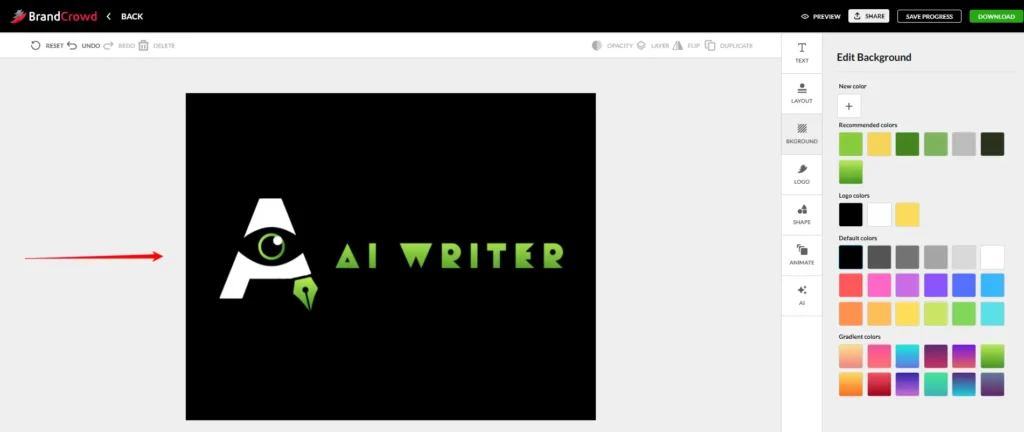
You can easily customize your logo using the logo maker. You can change the text font, adjust text color, modify the logo design and use shapes as needed. It also supports layer-based editing, so you can arrange elements properly. You can change the background color, use gradient options and adjust the layout based on your preference. There is also an AI option where you can enter a prompt to generate a logo and in the free account you can use this feature up to 5 times. I have shared a sample logo I created below for your reference.
You do not need professional design skills to create a logo. Just having a few basic ideas is enough. With the BrandCrowd logo generator, you can easily create a design you like, customize it your way and download it without much effort.
2. Business Cards
You can easily design a professional business card for your business using BrandCrowd.
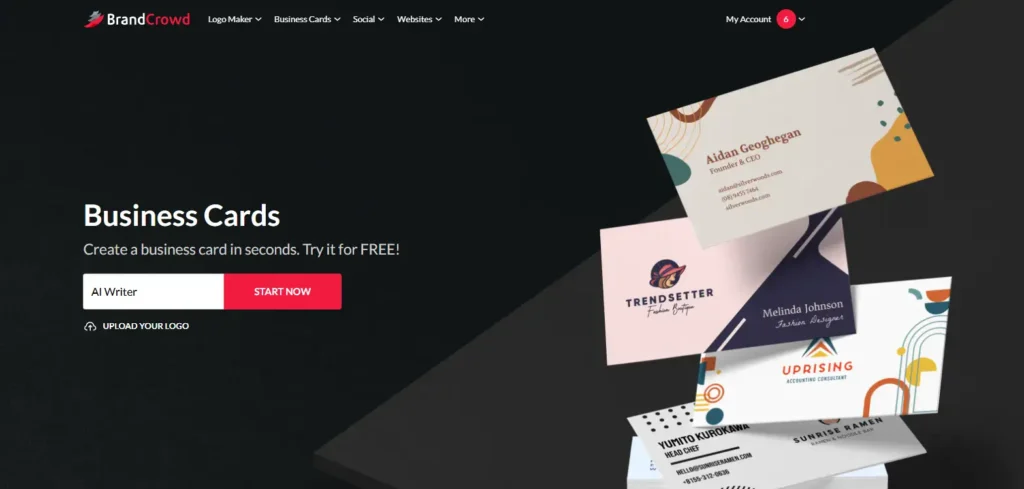
You can either start fresh or upload your existing logo to easily create business cards. There are many templates that automatically match your logo colors, so you can pick the one you like. Once you select a template, you will be taken to the customize section, as shown in the image below.
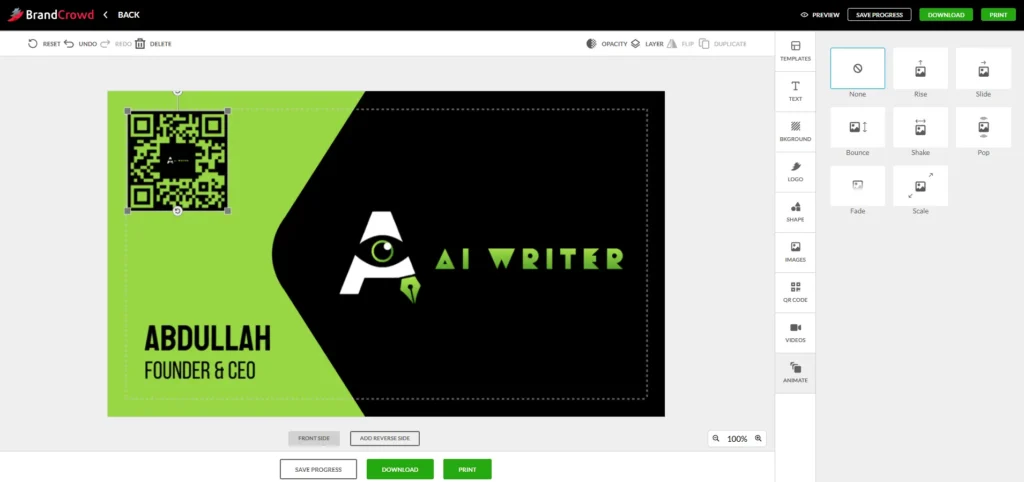
If you want to change the template again, you can simply click the templates option and switch anytime. You can customize everything including text, background, logo, and more. You can also add shapes, images and even upload videos up to 250MB. There is an option to add a QR code as well, and you can choose what details should appear when it is scanned. You can preview the design anytime to see how it looks. I have added a live screen recording video below for better understanding.
Brandcrowd Business card preparation screenrecord video
Note: While you can design and preview your site for free, download requires a paid subscription.
3. Website Builder
When you build a website using BrandCrowd, you can publish and host it directly on their platform without needing a separate hosting service. It handles everything in one place, which makes it simple for beginners. You can either use a free BrandCrowd URL, buy a new domain through their platform, or connect a domain you already own.
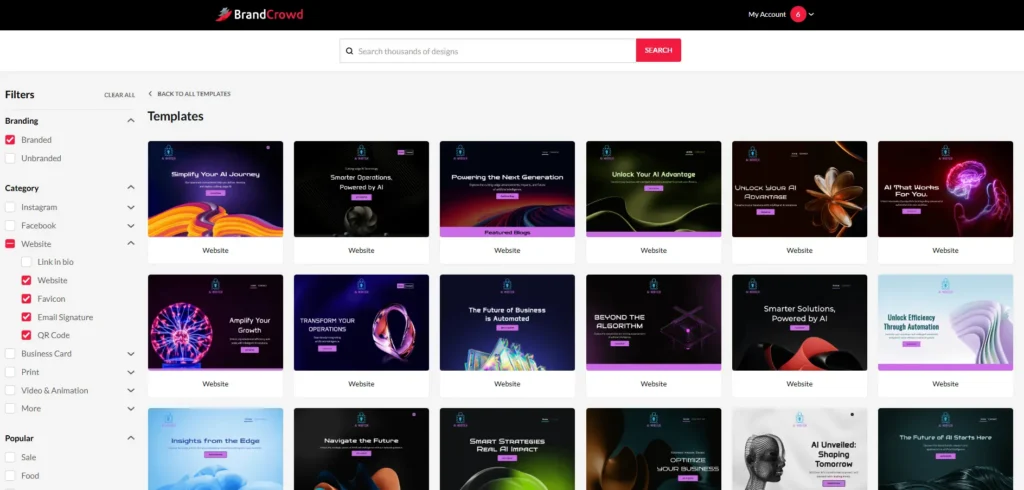
To get your website live, you first customize it using the website builder by selecting a template and adding your business details. After that, you can preview the site to check how it looks, and once you are satisfied, you can click the publish button. To make your site live, you will usually need a premium plan, which costs around $5 to $6 per month when billed annually.
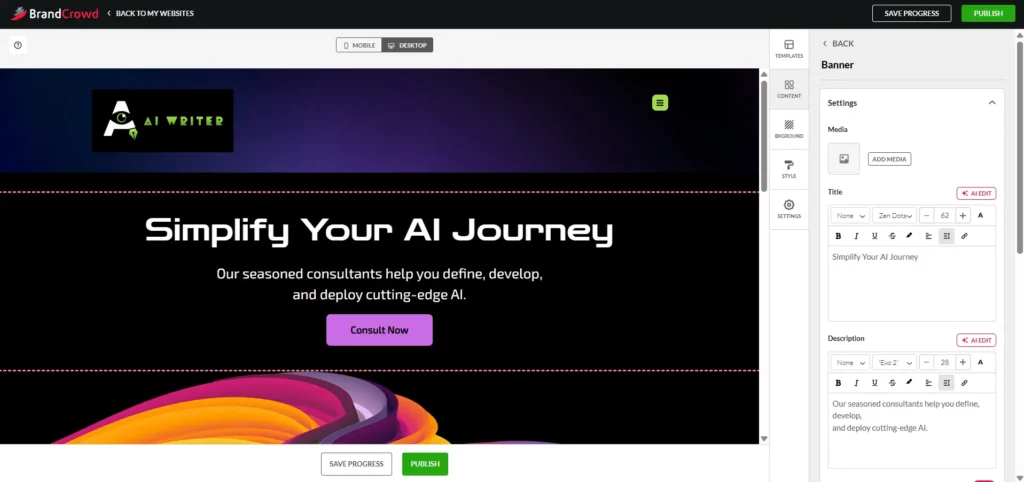
The tool is built with a drag and drop interface, so you do not need any coding knowledge. It also works as an all in one platform where you can manage your logo, business cards, and website from a single account. In addition to that, you can add useful features like contact forms, social media links and even basic payment options, making it a practical choice for small business owners and beginners.
You can use the side panel options to customize content, colors, header, footer and everything else based on your needs and quickly build a website your way.
screen recording of publishing a website on brandcrowd
4. Background Remover
This tool will be really useful for you because you just need to upload your image and within a few seconds the background is removed, and you can quickly download it easily.
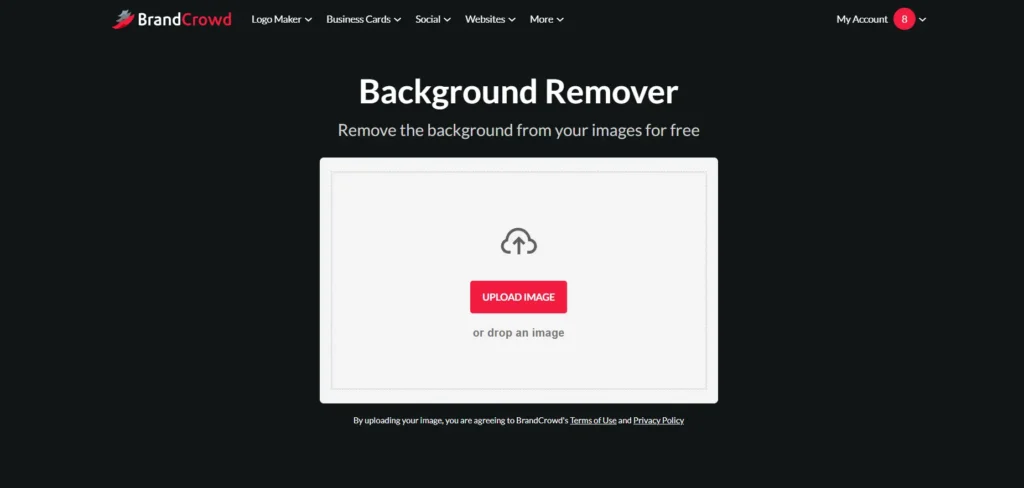
If you want to see a sample, I tried it and the background was removed quickly. I have attached the image after removal below for your reference.
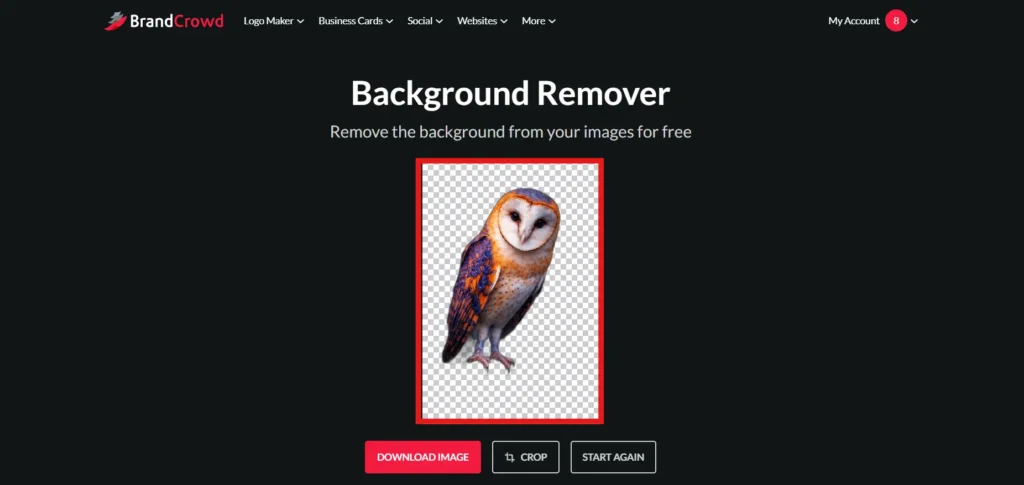
You can use BrandCrowd’s quick background remover for free (there are some limits). Just download the image after using it. There is also a crop option, but when I tried it, it took a long time to load and didn’t work properly, so I couldn’t really use it. Still, you can at least download the result.
If you want to remove and change backgrounds I have already written a detailed blog about the best AI background remover tools. Feel free to check it.
5. Domain Names
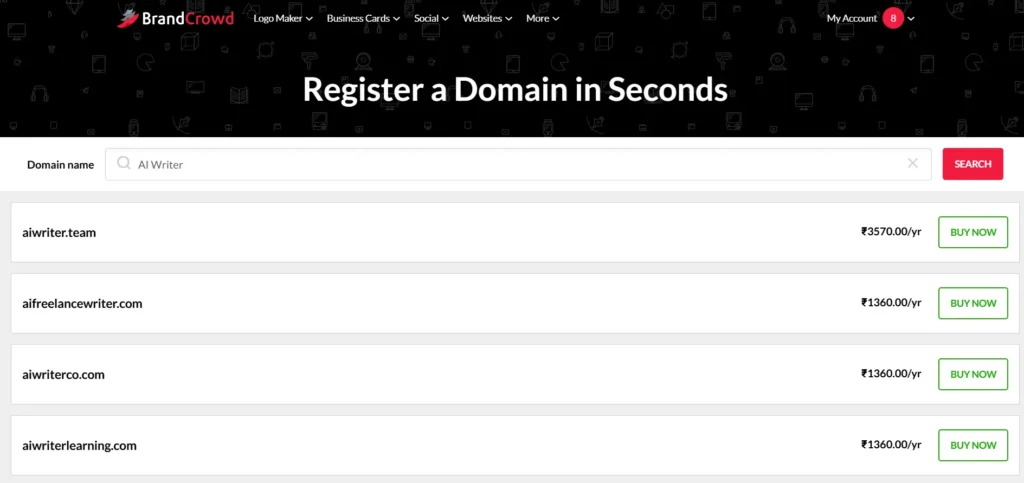
BrandCrowd’s domain tool is a simplified search engine designed to help you find and secure a professional web address that matches your brand. You enter your business keywords and it instantly generates available names, showing you exactly how they would look on a live website.
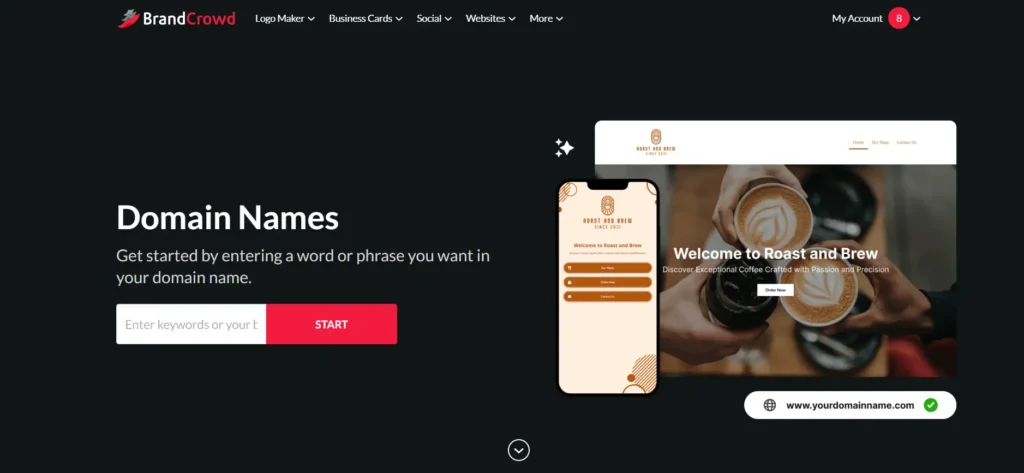
The main advantage is the automatic integration, meaning you don’t have to deal with technical “DNS settings” to link your domain to your site. It is built for people who want a “one-stop-shop” experience where their logo, website, and domain are all managed in one place. Using a custom name through this tool removes generic watermarks and gives your business the professional credibility it needs to be taken seriously by customers.
6. Social Media Post
BrandCrowd also includes templates for social media posts and banners. This feature is helpful if you want ready-made designs without spending time on editing. The designs are easy to customize, but they lack flexibility when compared to more advanced tools. If your goal is to create unique or highly creative content, you may find this feature somewhat limited.
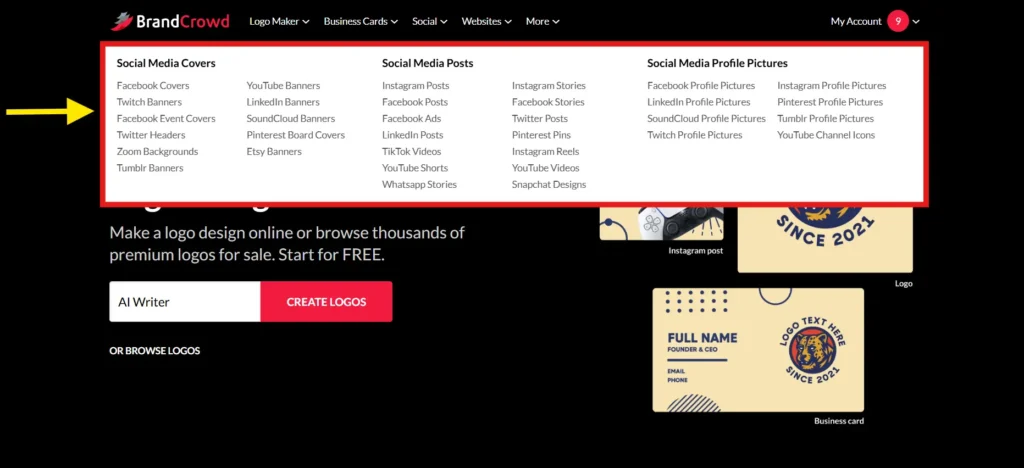
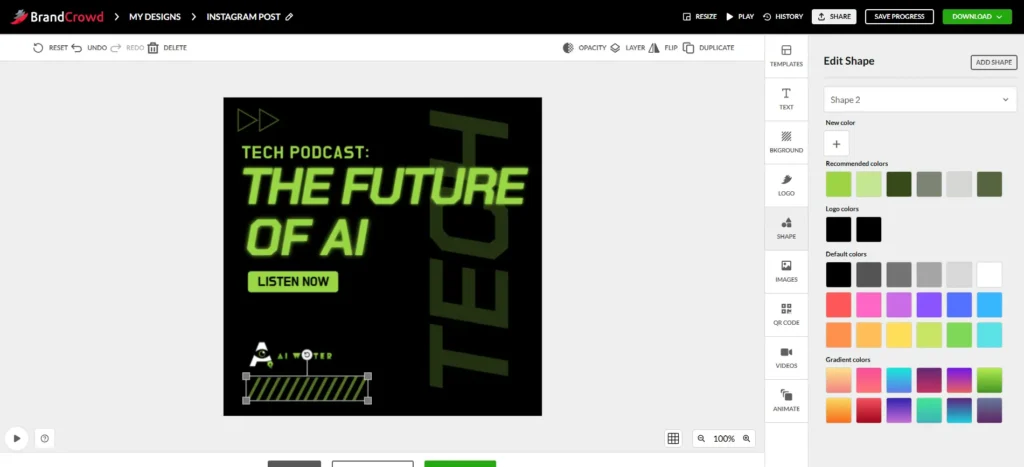
For your reference, I have chosen an Instagram post example and attached the image below.
Complete Design Tools and Templates Overview
Explore all the design tools and templates available to create logos, social media posts and business assets in one place. Pick what you need, customize easily and get your branding ready faster without any design experience.
| Category | Options |
|---|---|
| Core Tools | Logo Maker, Logo Templates, Design Templates, Social Templates, Print Templates, Website Templates, Logo Ideas, Design Ideas, Business Cards, Free Logos, Free Business Cards, Free Templates, Custom Design, Business Name Generator, AI Logo Generator, Background Remover, Website Builder, Link in Bio, Digital Business Cards |
| Social Media Templates | Facebook Posts, Facebook Stories, Facebook Covers, Facebook Events, Facebook Ads, Facebook Profile Pictures, Instagram Posts, Instagram Reels, Instagram Stories, Instagram Profile Pictures, LinkedIn Banners, LinkedIn Posts, LinkedIn Profile Pictures, Pinterest Pins, Pinterest Covers, Pinterest Profile Pictures |
| Platform Templates | Snapchat Designs, SoundCloud Banners, SoundCloud Profile Pictures, TikTok Videos, Tumblr Profile Pictures, Tumblr Banners, Twitch Banners, Twitch Profile Pictures, Twitter Headers, Twitter Posts, WhatsApp Stories, YouTube Banners, YouTube Shorts, YouTube Videos, YouTube Channel Icons, Zoom Backgrounds |
| Business & Print Designs | Email Signatures, Invoices, Menus, Flyers, Postcards, Posters, Gift Certificates, Invitations, Thank You Cards, T-Shirts, Videos, Animations, Letterheads, Etsy Banners, QR Code, Presentations |
| Logo Categories | App Logo, Bakery Logo, Beauty Logo, Brand Logo, Business Logo, Camera Logo, Coffee Logo, Company Logo, Construction Logo, Crown Logo, DJ Logo, Doctor Logo, Eagle Logo, Education Logo, Fashion Logo, Font Logo, Food Logo, Gaming Logo, Gym Logo, Letter Logo, Lion Logo, Mountain Logo, Music Logo, Name Logo, Photography Logo, Real Estate Logo, Restaurant Logo, Shop Logo, Social Media Logo, Sports Logo |
Pricing and What to Expect
BrandCrowd allows users to explore and customize designs for free, but downloading any final design requires payment. There are both one-time purchase options and subscription plans depending on what you need.
BrandCrowd has three main plans: Starter, Value and Premium. The big thing to notice is that the price changes a lot depending on whether you pay monthly or annually. Monthly pricing is much higher, with Starter at $15/month, Value at $24/month and Premium at $29/month. But if you choose annual billing, the price becomes much cheaper. Starter is $5/month, Value is $6/month, and Premium is $7/month.
For most users, the Starter plan is enough if they only need a logo and basic brand design files. It includes useful things like high-resolution and vector logo files, unlimited logo changes, business cards, Instagram and Facebook posts, email signature, letterheads, 50+ design tools and access to 621,000+ templates. Also, the logo is yours forever, and you can cancel anytime, which is useful for beginners and small businesses.
The Value plan looks like the best practical option because it includes everything in Starter, plus a website. In the annual plan, it costs only $1 more than Starter, so for someone who wants both logo and website in one place, this plan gives better value. That is probably why it is marked as recommended in the pricing page.
The Premium plan is mainly useful if you need extra online branding features like a website, link in bio, and digital business card. If you are a creator, freelancer, or small business owner who wants to present everything professionally online, Premium can make sense. But if you only need logo and basic brand materials, Premium may be more than what you actually need.
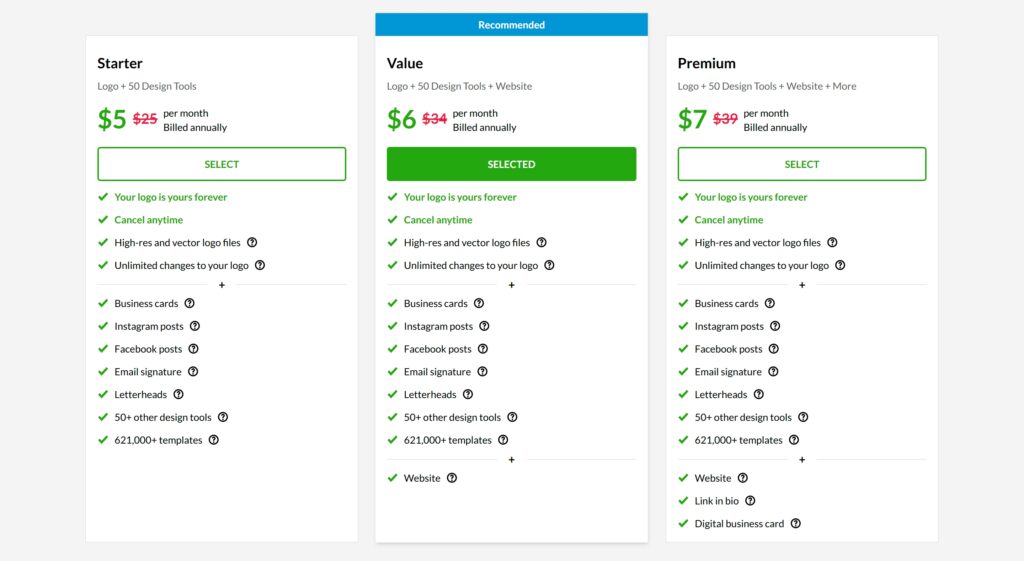
Overall, if someone is just testing BrandCrowd, the monthly plan gives flexibility but feels expensive. If someone already knows they want to use the platform for logo, website, and brand materials, the annual plan is clearly the better deal. For most small business users, the Value annual plan at $6/month looks like the most balanced choice because it includes the logo tools and website without jumping too much in price.
One important thing to note is that many users feel the pricing is not very transparent. The final cost can increase during checkout due to additional options and upgrades. This does not mean the platform is unreliable, but it does mean you should carefully review all pricing details before making a purchase.
Benefits of Using BrandCrowd
One of the biggest advantages of BrandCrowd is how easy it is to use. The platform is designed for beginners, so you can create a logo or branding material within minutes without any prior experience. It also offers a large collection of templates, which increases the chances of finding a design that matches your business. For those who need quick and affordable branding, BrandCrowd can be a practical solution.
Limitations You Should Know
Despite its advantages, BrandCrowd has some clear limitations. The biggest issue is the lack of originality, as most designs are based on reusable templates. This makes it difficult to build a unique brand identity. In addition, customization options are limited, which feels less creative if you want more control over your design. Pricing clarity is another concern, as some users feel the cost is higher than expected after adding extras.
Who Should Use BrandCrowd?
BrandCrowd is best suited for beginners, small business owners and individuals who need quick branding solutions. It works well if your priority is speed and simplicity. However, if you are building a long-term brand or need a unique and professional identity, this platform may not be the best choice.
Frequently Asked Questions
1. Why do BrandCrowd logos look similar to other brands?
Many users notice that BrandCrowd logos can look similar because the platform uses pre-designed templates that are available to everyone. Even though you can customize colors and text, the core design structure often remains the same, which makes it difficult to create something truly unique for your brand.
2. Why does the final price on BrandCrowd feel higher than expected?
A common concern among users is that the price increases during checkout due to additional features like high-resolution files, vector formats, or extended licensing. While the base price may look affordable at first, the total cost can feel higher once all necessary options are added.
3. Is BrandCrowd good enough for building a professional brand?
BrandCrowd can help you get started quickly, but it may not be ideal for building a strong and professional brand in the long run. Since the designs are template-based and customization is limited, businesses that want a unique and memorable identity often outgrow the platform.
4. Why is customization limited in BrandCrowd compared to other tools?
BrandCrowd is designed to be simple and beginner-friendly, which is why it offers limited customization options. While this makes it easy to use, it also means you cannot fully control or redesign elements, making it less suitable for users who want detailed or advanced design flexibility.
5. Can I face issues with subscription or cancellation on BrandCrowd?
Some users have reported confusion around subscription plans and cancellation processes, especially if they are not clearly aware of the billing terms. This is why it is important to carefully review the pricing details and subscription conditions before making a purchase.
What people usually notice about BrandCrowd
Many users seem to have a positive experience with brandcrowd, mainly because the platform is simple to use and helps them create logos and branding materials quickly. People often appreciate the wide range of logo designs, templates and customization options, especially if they do not have design experience. Some users also like that they can manage things like logos, websites and domains in one place, which makes the process easier for beginners and small business owners.
At the same time, not every review is fully positive. Some users mention issues like bugs, glitches or time wasted while using the platform. A few customers also felt that the final output did not meet their expectations and some were not happy with the company branding appearing too prominently on their designs. Pricing also gets mixed feedback, some users feel it is affordable, while others think it is expensive compared to similar tools.
Overall, the reviews suggest that BrandCrowd is useful for people who want a quick and beginner-friendly way to create logos and brand assets. But users should still check the pricing, export options and final design quality before paying, so they know exactly what they are getting.
Final Verdict
BrandCrowd is a useful tool for getting started, but it is not a complete branding solution. It helps you create designs quickly, but it does not offer the depth or uniqueness required for long-term growth. If you understand its limitations and use it for the right purpose, it can be a valuable starting point. However, for more advanced branding needs, you will likely need a more flexible and powerful design solution.

0 Comments